Pay As You GoPrueba gratuita de 7 días; no se requiere tarjeta de crédito


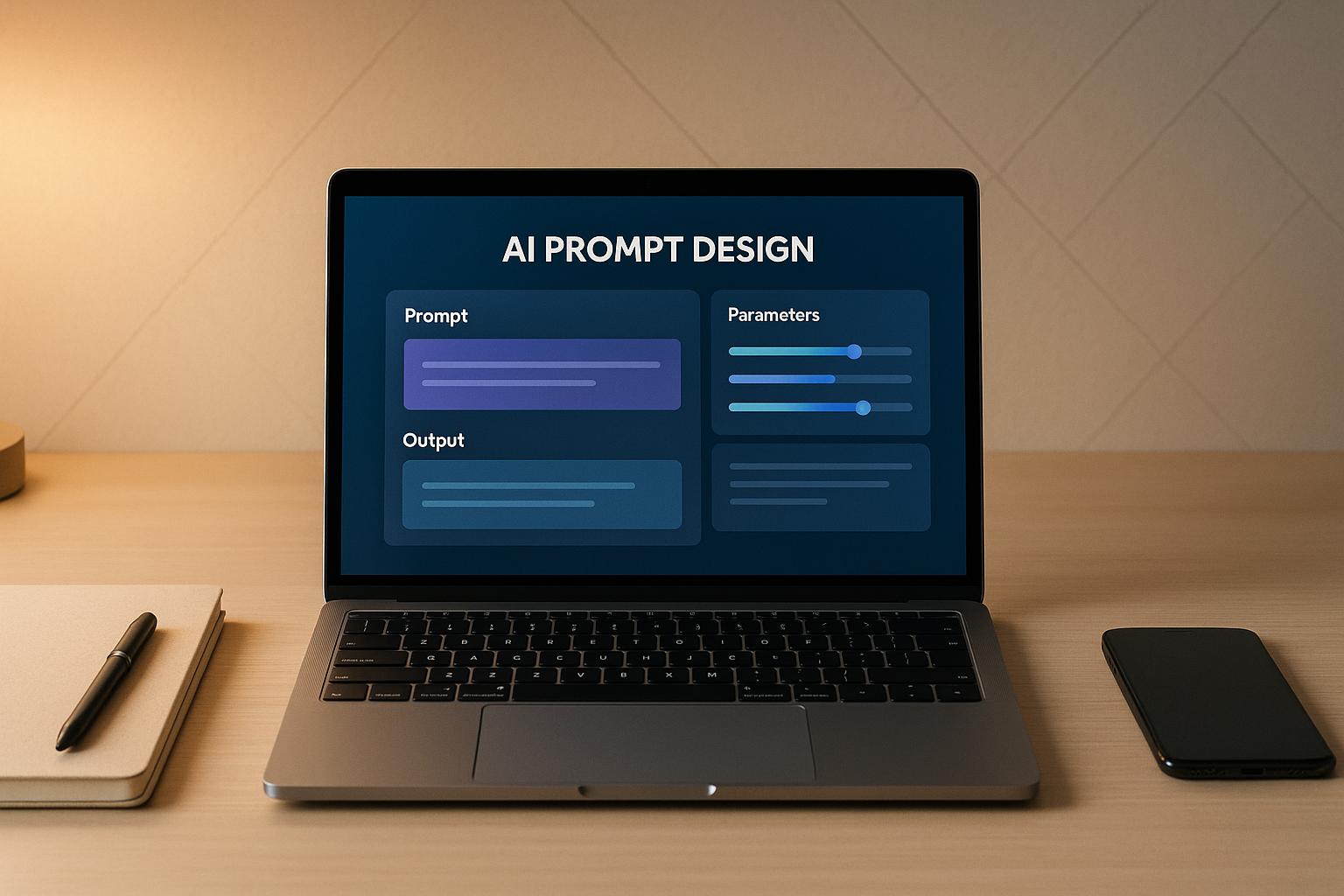
Las instrucciones de IA pueden generar resultados o consumir recursos; todo depende de lo bien que estén diseñadas. Los avisos mal diseñados hacen perder tiempo, inflan los costos y ofrecen resultados débiles. Las herramientas adecuadas eliminan las conjeturas, agilizan los flujos de trabajo y garantizan que cada mensaje funcione de manera eficaz. Esta guía explora siete plataformas que simplifican la creación, las pruebas y la implementación rápidas tanto para particulares como para empresas.
Con el aumento de la adopción de la IA, herramientas como estas ayudan a los usuarios a reducir los costos, mejorar los resultados y administrar los flujos de trabajo de manera eficiente. Ya sea que esté experimentando con GPT-4 o para escalar la IA en todos los departamentos, la clave del éxito es seleccionar la plataforma adecuada.
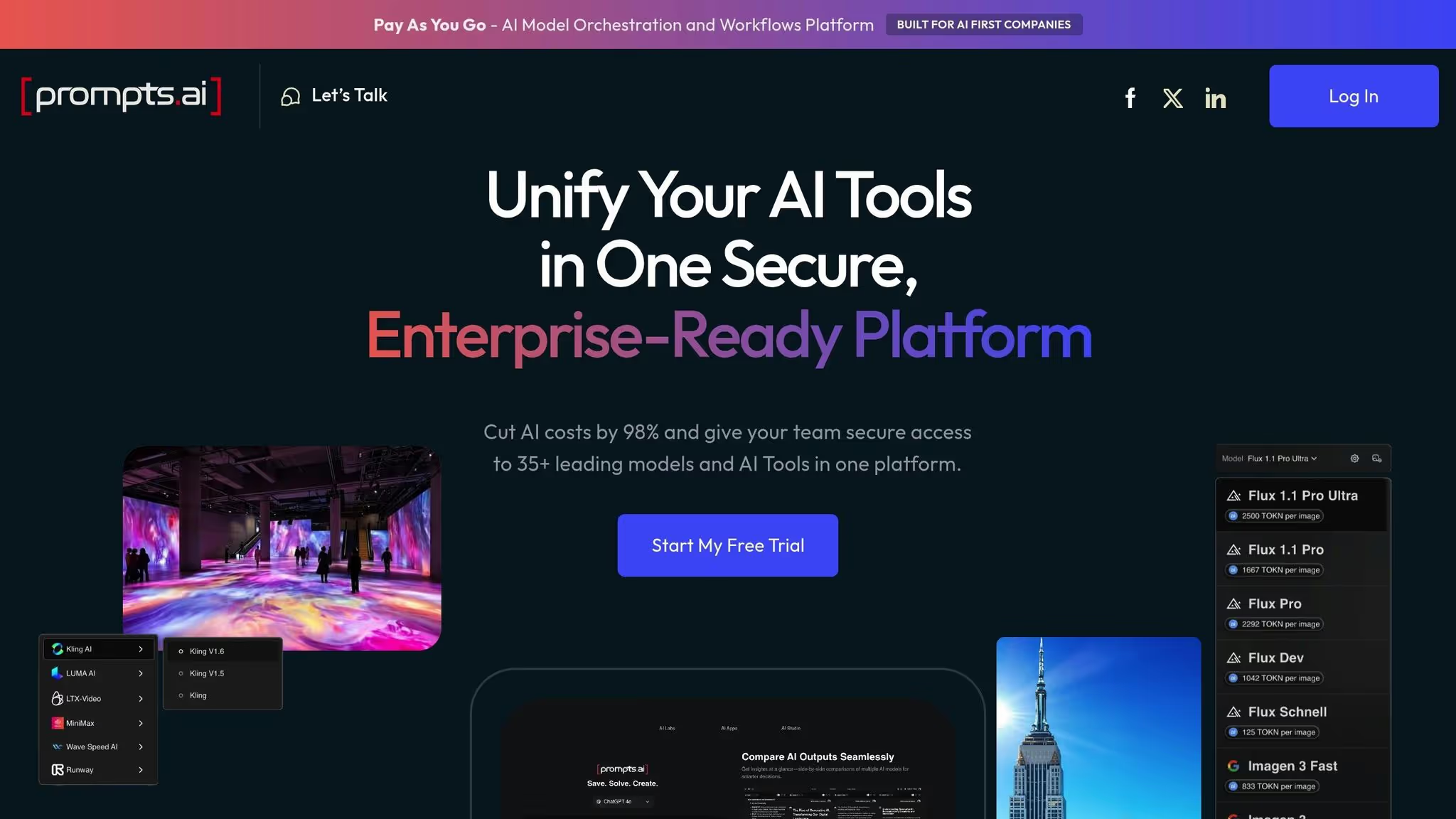
Prompts.ai reúne más de 35 modelos lingüísticos de primer nivel en una plataforma única y segura. Fundada por Steven P. Simmons, ganador del premio Emmy, esta solución está diseñada para empresas que se enfrentan a una sobrecarga de herramientas, costos inesperados y obstáculos de gobierno, desde la sobrecarga de herramientas, los costos inesperados y la gobernanza y la supervisión. Al centralizar, simplifica el acceso, integra la supervisión y garantiza que cada interacción se supervise mediante una auditoría exhaustiva, una auditoría transparente. Este nivel de control es particularmente crucial para sectores como el sanitario, el sanitario, el financiero y el gobierno, donde el cumplimiento y la transparencia de los datos no son negociables.
Esta plataforma todo en uno está diseñada para admitir funciones de vanguardia que simplifican la creación y ejecución rápidas.
Prompts.ai ofrece varias herramientas para mejorar la precisión y la eficacia de las indicaciones:
Al reconocer las diversas necesidades de las aplicaciones de IA modernas, prompts.ai va más allá de las interacciones basadas en texto. Ofrece soporte multimodal, lo que permite a los usuarios procesar sin problemas texto, imágenes, combinaciones y un. Esto y los datos estructurados dentro de una sola es una interfaz unificada. Esto permite a los equipos multidisciplinarios crear soluciones sofisticadas sin tener que hacer malabares con múltiples herramientas.
, y un seguimiento perfecto de este rendimiento, y.
en el proceso.
y, esto.
La plataforma para entrar.
Área de juegos OpenAI proporciona un espacio interactivo para probar las indicaciones con varios modelos de IA en tiempo real. Diseñada para una experimentación rápida, esta herramienta basada en la web permite a los usuarios refinar las instrucciones mediante pruebas prácticas en lugar de basarse únicamente en la planificación teórica. Su sencilla interfaz está dirigida tanto a los principiantes que exploran la IA como a los profesionales experimentados que perfeccionan sus flujos de trabajo.
La plataforma funciona con un modelo de pago por uso, sin un nivel gratuito. Esta configuración permite una iteración rápida y, al mismo tiempo, permite a los usuarios evaluar y optimizar el rendimiento y los costos de manera efectiva.
OpenAI Playground es particularmente eficaz para refinar las indicaciones, ya que ofrece ajustes y comentarios en tiempo real. Cuando escribes un mensaje, la herramienta genera una respuesta al instante, lo que te ayuda a entender cómo interpreta la IA tu solicitud y elimina gran parte de las conjeturas de prueba y error.
Una característica destacada es la Ventana emergente «Generar», lo que simplifica el proceso de creación de instrucciones. Usted proporciona una breve descripción de sus necesidades y el sistema crea un mensaje personalizado para usted. Esto es especialmente útil cuando no estás seguro de cómo estructurar una solicitud compleja o necesitas un punto de partida para perfeccionarla aún más.
La plataforma también incluye controles de hiperparámetros, lo que le brinda la posibilidad de ajustar con precisión la salida de la IA. Por ejemplo, puedes ajustar la temperatura para que las respuestas sean más creativas o enfocadas, y establecer la longitud máxima de respuesta para controlar la verbosidad. Estos ajustes te permiten ver cómo influyen las diferentes configuraciones en los resultados.
Además, la herramienta ofrece biblioteca de ejemplos rápidos cubriendo una amplia gama de casos de uso, desde la escritura creativa hasta la documentación técnica. Estos ejemplos actúan como plantillas que puede personalizar para adaptarlas a sus necesidades específicas, lo que ahorra tiempo a la hora de desarrollar instrucciones desde cero. Una función de comparación integrada te permite probar varias variantes una al lado de la otra, lo que facilita determinar qué enfoque funciona mejor para tu aplicación.
Estas características, combinadas con un claro modelo de precios basado en fichas, hacen de Playground una opción práctica para quienes buscan optimizar sus interacciones con la IA.
La estructura de precios de OpenAI Playground se alinea con el modelo de API basado en tokens de OpenAI. Los costos varían según el modelo de IA seleccionado, lo que brinda a los usuarios la flexibilidad de equilibrar las necesidades de rendimiento con las consideraciones presupuestarias.
Para acceder al Playground, necesitarás una cuenta de OpenAI con la facturación habilitada. Para aquellos que acaban de empezar, los modelos más económicos, como el GPT-4O-Mini, ofrecen un punto de entrada asequible, con tarifas tan bajas como 0,150 USD por millón de fichas de entrada.
La creación de indicaciones bien optimizadas garantiza que se requieran menos tokens para generar respuestas significativas, lo que puede reducir significativamente los costos al escalar.
RápidoPerfecto es una herramienta inteligente diseñada para ajustar tus indicaciones automáticamente, lo que te ayuda a obtener respuestas más precisas y relevantes a partir de los modelos de IA. Al analizar la solicitud inicial, sugiere mejoras mediante la optimización automática, lo que facilita la elaboración de consultas eficaces.
Esta herramienta es compatible con varios modelos de IA, incluidos ChatGPT, GPT-4, DALL-E, y Difusión estable. Simplemente introduzca su mensaje básico y PromptPerfect hará su magia refinando la redacción, añadiendo contexto o reestructurándola para seguir las mejores prácticas de ingeniería de mensajes. ¿El resultado? Resultados mejores y más confiables.
PromptPerfect ofrece varias funciones destacadas que lo convierten en una herramienta de referencia para mejorar las indicaciones:
PromptPerfect está diseñado para adaptarse a una variedad de usuarios y ofrece opciones de precios flexibles basadas en un sistema de crédito. Cada optimización utiliza una cantidad determinada de créditos, según la longitud y la complejidad de su solicitud.
Para equipos y empresas, hay planes de precios personalizados disponibles. Estos incluyen límites de crédito más altos, bibliotecas de mensajes compartidas y análisis de uso para fomentar la colaboración entre los miembros del equipo. Tanto si eres un usuario individual como si formas parte de un equipo más grande, PromptPerfect ofrece opciones que se adaptan a tus necesidades.

PromptLayer es una herramienta diseñada para ayudar a los usuarios a administrar, probar e implementar indicaciones en modelos lingüísticos de gran tamaño. Cuenta con una impresionante calificación de 4,6 sobre 5, gracias a sus sólidas capacidades de control de versiones y seguimiento del rendimiento, características que son esenciales para ampliar los esfuerzos de ingeniería rápidos.
La interfaz fácil de usar de la plataforma agiliza el proceso de organización de flujos de trabajo rápidos. Ya sea que esté ajustando un solo mensaje o haciendo malabares con múltiples variaciones, PromptLayer simplifica la tarea. Analicemos cómo sus funciones de registro y control de versiones hacen que el desarrollo de los prontos sea más preciso.
PromptLayer rastrea automáticamente cada versión de sus indicaciones y registra cada solicitud de API, junto con los metadatos. Esto permite realizar comparaciones paralelas, lo que facilita la identificación de las áreas de mejora. Estas herramientas son especialmente valiosas para las empresas que producen grandes volúmenes de contenido o gestionan flujos de trabajo complejos y dinámicos.
PromptLayer ofrece tres niveles de precios diseñados para satisfacer diferentes necesidades:
El Plan gratuito es un excelente punto de entrada para experimentar con la plataforma, aunque su límite de 5000 solicitudes significa que es la más adecuada para proyectos más pequeños. Por 50 dólares al mes por usuario, el Plan Pro desbloquea toda la gama de funciones, lo que lo hace ideal para empresas emergentes y equipos pequeños que desean optimizar sus flujos de trabajo. Las organizaciones más grandes pueden optar por Plan empresarial, que ofrece precios personalizados, funciones avanzadas, límites de solicitud más altos y soporte dedicado.
Aunque está repleto de potentes funciones, PromptLayer no compromete la usabilidad. Su facilidad de uso le ha valido una calificación perfecta de 5 sobre 5, lo que garantiza que incluso las tareas más complejas parezcan manejables.
LangSmith se centra en mejorar la eficiencia de las solicitudes en los flujos de trabajo de IA al ofrecer herramientas para depurar y refinar las solicitudes. Tiene una calificación global de 3,8/5, con puntuaciones sobresalientes por su facilidad de uso (5/5) y sus funciones principales (4,7/5, respectivamente).
La plataforma es particularmente eficaz para los desarrolladores y los equipos multifuncionales que gestionan flujos de trabajo rápidos y complejos. Es lienzo interactivo Prompt sirve como un espacio de trabajo visual donde los equipos pueden colaborar, probar variaciones y lograr una coherencia de alto nivel en todos los proyectos. Estas herramientas de colaboración proporcionan una base sólida para las técnicas de optimización avanzadas que LangSmith aporta.
LangSmith emplea técnicas como el aprendizaje en pocos pasos, el uso de plantillas de mensajes reutilizables y el encadenamiento de mensajes para estructurar las respuestas de la IA de forma eficaz. Estas herramientas garantizan que los resultados cumplan con los requisitos de formato específicos. Las funciones adicionales, como los analizadores para extraer los datos clave de las respuestas y una herramienta de diferenciación rápida, facilitan la comparación entre las versiones y la comprensión del impacto de los cambios en el rendimiento.
LangSmith también incluye un sólido control de versiones, que rastrea cada iteración de un mensaje y permite la edición colaborativa simultánea. Esto es grande pruebas en todos los conjuntos de datos. Las vistas personalizables y las opciones de modelo ayudan a los equipos a centrar sus análisis en las métricas más importantes, lo que facilita la evaluación y el ajuste del rendimiento.
LangSmith está disponible en tres niveles de precios: un plan para desarrolladores gratuito (hasta 5000 trazas al mes), un plan Plus a 39 USD por usuario y mes y un plan Enterprise con precios personalizados.
Sin embargo, hay algunas compensaciones a tener en cuenta. Actualmente, LangSmith solo admite indicaciones basadas en texto (con una puntuación de 2,5/5 en ambos casos en soporte multimodal), y su proceso de selección manual de conjuntos de datos puede llevar mucho tiempo. También se ha observado que, de vez en cuando, genera mensajes demasiado largos, y su documentación es menos exhaustiva de lo que algunos usuarios preferirían. Además, la atención al cliente tiene una calificación de 2,3/5, lo que sugiere posibles desafíos relacionados con la solución de problemas o la asistencia oportuna. Estas limitaciones resaltan el equilibrio entre las funciones avanzadas y los desafíos de adoptar una herramienta sofisticada de administración rápida.
Helicone se destaca como una plataforma de observabilidad de LLM, particularmente por sus sólidas capacidades de control de versiones rápido, obteniendo una sólida calificación de 4,6/5. Su panel de control intuitivo proporciona visibilidad de las versiones, entradas y salidas rápidas, lo que permite a los equipos identificar y resolver rápidamente los problemas sin interrumpir sus flujos de trabajo de producción.
Helicone va más allá de la observabilidad básica al ofrecer herramientas diseñadas para mejorar el rendimiento rápido. Funciones como las pruebas A/B, el almacenamiento en caché, la omisión de registros y el etiquetado de solicitudes facilitan la comparación del rendimiento entre diferentes iteraciones. Gracias al seguimiento en tiempo real de las indicaciones y respuestas, los usuarios pueden ajustar sus flujos de trabajo de IA de forma eficaz. Sin embargo, las opciones de ajuste de parámetros de la plataforma son menos amplias en comparación con las herramientas especializadas de ingeniería rápida, y los usuarios avanzados pueden encontrar que algunas funciones requieren conocimientos técnicos adicionales.
Helicone también destaca por su capacidad para manejar varios tipos de entrada. Su alto nivel de compatibilidad de modelos y su compatibilidad con entradas multimodales le valieron una puntuación perfecta de 5/5. Esta flexibilidad garantiza que la plataforma pueda adaptarse a un amplio espectro de aplicaciones de inteligencia artificial.
El control de versiones es una de las funciones más destacadas de Helicone. La plataforma rastrea meticulosamente cada iteración de un mensaje, facilita el seguimiento de los conjuntos de datos y ofrece opciones de reversión para garantizar una experimentación segura. Las capacidades de las pruebas A/B mejoran aún más la toma de decisiones basada en datos.
Helicone ofrece precios flexibles para adaptarse a equipos de diferentes tamaños:
Tiene una puntuación perfecta de 5/5 tanto en coste como en atención al cliente, y los usuarios aprecian funciones como el acceso directo al soporte y el chat en vivo con los líderes de la plataforma. Sin embargo, algunas desventajas incluyen su calificación de facilidad de uso del 3,8/5 y el requisito de una configuración de proxy para la integración con OpenAI [5,7]. A pesar de estos desafíos, las sólidas funciones de Helicone y su generoso nivel gratuito lo convierten en una excelente opción para los equipos que se centran en el control de versiones y en mantener la estabilidad de la producción.
En resumen, los detalles específicos sobre las capacidades de ingeniería rápida de Promptmetheus, como su metodología de diseño, estrategias de prueba, métricas de rendimiento y precios, son escasos. Para obtener la información más actualizada, es mejor ponerse en contacto directamente con el proveedor.
La selección de la plataforma adecuada para diseñar y gestionar las solicitudes de IA depende de sus requisitos de flujo de trabajo específicos. Cada herramienta aporta su propio conjunto de puntos fuertes y limitaciones en áreas como las funciones de optimización, la compatibilidad de los modelos, el seguimiento de versiones y las estructuras de precios. Comprender estas ventajas y desventajas es esencial para encontrar la que mejor se adapte a sus necesidades rápidas de IA.
Área de juegos OpenAI destaca por la rápida experimentación con modelos GPT. Su interfaz fácil de usar permite ajustar en tiempo real parámetros como la temperatura y los límites simbólicos. Si bien sus precios basados en fichas ofrecen un control preciso, los costos pueden volverse impredecibles a gran escala. Esta plataforma es ideal para personas o equipos pequeños que trabajan en aplicaciones GPT específicas, pero carece de funciones como el control de versiones y el soporte multimodal.
RápidoPerfecto se especializa en refinar las indicaciones automáticamente para producir mejores resultados. Si bien esto puede conducir a mejores resultados, puede requerir herramientas adicionales para respaldar una gestión más amplia del flujo de trabajo. Su precio de suscripción escalonado puede resultar caro para los equipos que necesitan varias licencias.
Capa Prompt destaca por sus sólidas capacidades de registro y control de versiones, lo que permite a los equipos realizar un seguimiento de las iteraciones rápidas y medir el rendimiento a lo largo del tiempo. Estas funciones facilitan la colaboración, pero vienen con un modelo de precios por usuario, que puede resultar caro a medida que el equipo crece. La plataforma también admite varios modelos de IA, lo que añade flexibilidad.
Lang Smith está diseñado para probar y depurar flujos de trabajo de IA complejos. Proporciona un seguimiento detallado de los problemas en las cadenas de mensajes, lo que la convierte en una herramienta valiosa para solucionar problemas de configuraciones complejas. Sin embargo, su modelo de precios por puesto se adapta al tamaño del equipo, lo que puede afectar a los presupuestos de los grupos más grandes.
Helicón se centra en el análisis y la supervisión, y ofrece información clara sobre el uso, los costos y las métricas de rendimiento de las API. Ofrece opciones de precios flexibles, que incluyen planes por usuario y modelos de puestos ilimitados, lo que la convierte en una opción viable para las organizaciones que amplían sus operaciones de inteligencia artificial.
Los modelos de precios varían considerablemente entre estas plataformas. Los sistemas basados en tokens, como OpenAI Playground, alinean los costos con el uso, lo que los hace aptos para la experimentación ocasional, pero menos predecibles para las necesidades de producción actuales. Las suscripciones por usuario ofrecen estabilidad presupuestaria, pero pueden agotar los recursos a medida que los equipos se expanden. Muchas plataformas incluyen niveles gratuitos para las pruebas iniciales, aunque suelen tener limitaciones de funciones o límites de uso. Los planes empresariales con precios personalizados son comunes para las organizaciones que requieren funciones avanzadas y mayores volúmenes de uso.
La mayoría de las herramientas admiten principalmente indicaciones basadas en texto, con capacidades limitadas para imágenes, audio o vídeo, que a menudo están restringidas a proveedores de modelos específicos. Las funciones de control de versiones van desde simples historiales de mensajes hasta un seguimiento exhaustivo, como ocurre en herramientas como PromptLayer. Los enfoques de optimización también difieren: algunas plataformas utilizan la inteligencia artificial para automatizar el refinamiento rápido, mientras que otras se basan en marcos de prueba manuales con métricas de rendimiento. La elección entre las mejoras automatizadas y el control práctico depende de las prioridades de tu equipo.
Para las organizaciones que administran varios proyectos de IA en todos los departamentos, unificar la gobernanza y mantener la visibilidad de los costos puede ser un desafío. Cada plataforma se centra en necesidades específicas, pero la coordinación de los flujos de trabajo entre herramientas para la selección de modelos, la optimización rápida, el seguimiento de las versiones y la gestión de costos puede aumentar la complejidad operativa.
La selección de la herramienta adecuada para diseñar y gestionar las solicitudes de IA depende en gran medida de tus objetivos y del tamaño de tu equipo. Si tu objetivo es realizar experimentos rápidos con modelos GPT y obtener comentarios instantáneos sobre los ajustes de los parámetros, Área de juegos OpenAI proporciona una interfaz sencilla y sencilla. Su precio basado en fichas funciona bien para pruebas ocasionales, pero puede volverse menos predecible a medida que aumenta el uso.
Para equipos que buscan racionalizar refinamiento rápido automático, RápidoPerfecto se especializa en mejorar la calidad de salida sin necesidad de ajustes manuales. Sin embargo, carece de funciones integradas para el seguimiento de versiones o la gestión del flujo de trabajo, por lo que necesita herramientas adicionales.
Equipos que hacen hincapié colaboración y depuración puede encontrar Capa Prompt y Lang Smith más alineados con sus necesidades. El control de versiones y el registro de PromptLayer simplifican el seguimiento de los cambios rápidos entre los miembros del equipo, mientras que LangSmith se destaca en el diagnóstico de problemas dentro de intrincadas cadenas de mensajes. Sus estructuras de precios son ideales para equipos más pequeños y concentrados.
Para organizaciones que priorizan análisis y análisis de costos, Helicón ofrece informes detallados sobre el uso de las API y las tendencias de gasto. Sus precios flexibles, que incluyen opciones de asientos ilimitadas, hacen que sea más adecuado para los equipos más grandes que gestionan las operaciones de IA en varios departamentos.
Estas herramientas ilustran cómo las estrategias evolucionan desde las pruebas individuales hasta la gestión de la IA a nivel empresarial. Para operaciones de IA a gran escala, el verdadero desafío radica en coordinar múltiples plataformas y, al mismo tiempo, mantener la supervisión de la gobernanza, los costos y la seguridad. Como se destacó anteriormente, Prompts.ai ofrece una solución unificada al integrar más de 35 modelos líderes en una sola plataforma. Con el seguimiento integrado de FinOps, elimina la molestia de tener que hacer malabares con varias suscripciones. Al utilizar créditos TOKN de pago por uso en lugar de tarifas por usuario, las organizaciones pueden reducir los costos de IA hasta en un 98%. Este enfoque centralizado también simplifica las auditorías de cumplimiento y proporciona a los líderes información en tiempo real sobre cómo las inversiones en IA se alinean con los objetivos empresariales.
Al decidir entre precios basados en tokens o de suscripción, ten en cuenta cómo cada uno se alinea con tus patrones de uso. Los niveles gratuitos te permiten explorar las funciones sin compromiso, pero ten en cuenta las limitaciones que pueden afectar a las necesidades de producción. Para los compradores empresariales, las plataformas que ofrecen herramientas de gobierno, pistas de auditoría y la flexibilidad de escalar usuarios o modelos sin procesos de adquisición complicados deben tener prioridad.
Elegir la plataforma adecuada para diseñar y ejecución de indicaciones de IA puede marcar una gran diferencia en la eficiencia con la que su organización opera y administra los costos. Con la herramienta adecuada, puede realizar iteraciones más rápidamente, lo que le permite probar y refinar las indicaciones a un ritmo más rápido para lograr los mejores resultados posibles. Este enfoque reduce las conjeturas y el tiempo dedicado a la prueba y el error al proporcionar una forma estructurada de medir la calidad de los resultados de la IA.
Además, una herramienta bien diseñada le brinda un mayor control sobre los resultados generados por la IA, lo que facilita la escalación de los flujos de trabajo sin sacrificar la precisión. Al simplificar los procesos y reducir el desperdicio de recursos, estas herramientas le ayudan a ahorrar tiempo y dinero a largo plazo.
Al elegir una plataforma para crear y ejecutar solicitudes de IA multimodales, céntrese en las soluciones que hagan que el proceso sea sencillo y efectivo. Opte por herramientas con interfaces fáciles de usar que simplifican el diseño rápido y funciones de prueba avanzadas para ajustar el rendimiento.
Las características clave que debe buscar incluyen comentarios en tiempo real, que muestra cómo las indicaciones interactúan con los modelos de IA, y opciones de personalización para adaptar las indicaciones para tareas o flujos de trabajo específicos.
Plataformas que permiten integración fluida con otros sistemas de IA y oferta análisis detallados realizar un seguimiento rápido del rendimiento puede mejorar en gran medida la eficiencia. Estas funciones ayudan a garantizar que las instrucciones no solo estén bien diseñadas, sino que también estén optimizadas para una amplia gama de usos, desde la generación de contenido creativo hasta la racionalización de operaciones complejas.
El control de versiones es esencial para gestionar las instrucciones de la IA en la configuración del equipo, ya que permite a todos realizar un seguimiento de los cambios, volver a versiones anteriores y colaborar en las actualizaciones sin el riesgo de sobrescribir el trabajo de los demás. Esto es especialmente importante a la hora de ajustar las instrucciones para flujos de trabajo específicos o experimentar con diferentes estrategias.
Un historial bien mantenido de ediciones e iteraciones no solo ayuda a los equipos a identificar qué ofrece los mejores resultados, sino que también minimiza los errores, lo que facilita el proceso de optimización. Además, mejora la organización al simplificar la administración de múltiples solicitudes en varios proyectos y usuarios.