Pay As You GoEssai gratuit de 7 jours ; aucune carte de crédit requise


Les plateformes de flux de travail basées sur l'IA simplifient la comparaison et la gestion de grands modèles de langage (LLM) tels que GPT-5, Claude, et Gémeaux. Ces outils rationalisent les intégrations d'API, suivent les coûts et renforcent la gouvernance, ce qui les rend essentiels pour les entreprises qui tirent parti de l'IA. Voici un bref aperçu des principales plateformes :
Ces plateformes répondent à différents besoins, qu'il s'agisse d'une gouvernance de niveau entreprise ou d'une simplicité sans code. Choisissez en fonction de l'expertise, du budget et des exigences d'évolutivité de votre équipe.
Sélectionnez la plateforme qui correspond à vos objectifs, qu'il s'agisse de réduction des coûts, de facilité d'utilisation ou de personnalisation avancée.
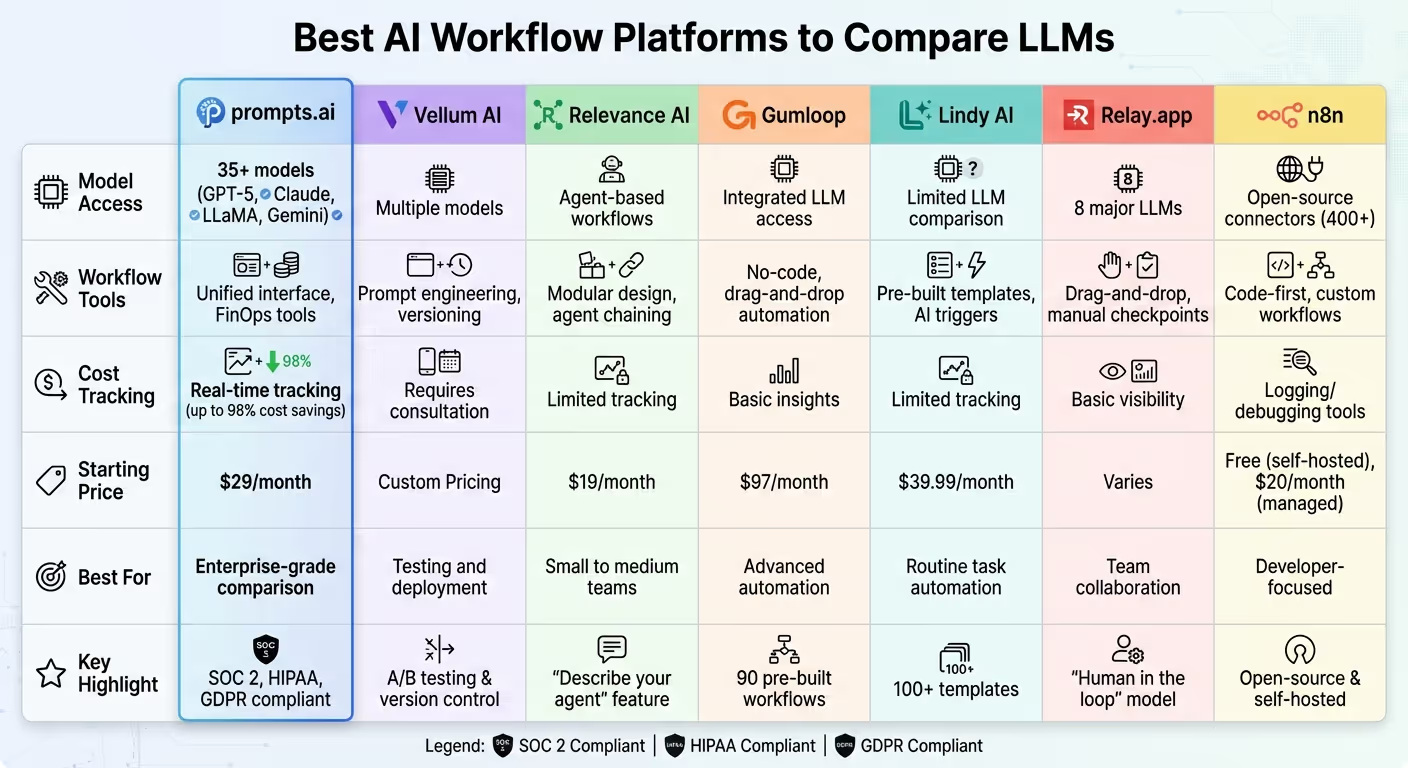
Comparaison des plateformes de flux de travail IA : fonctionnalités, prix et meilleurs cas d'utilisation
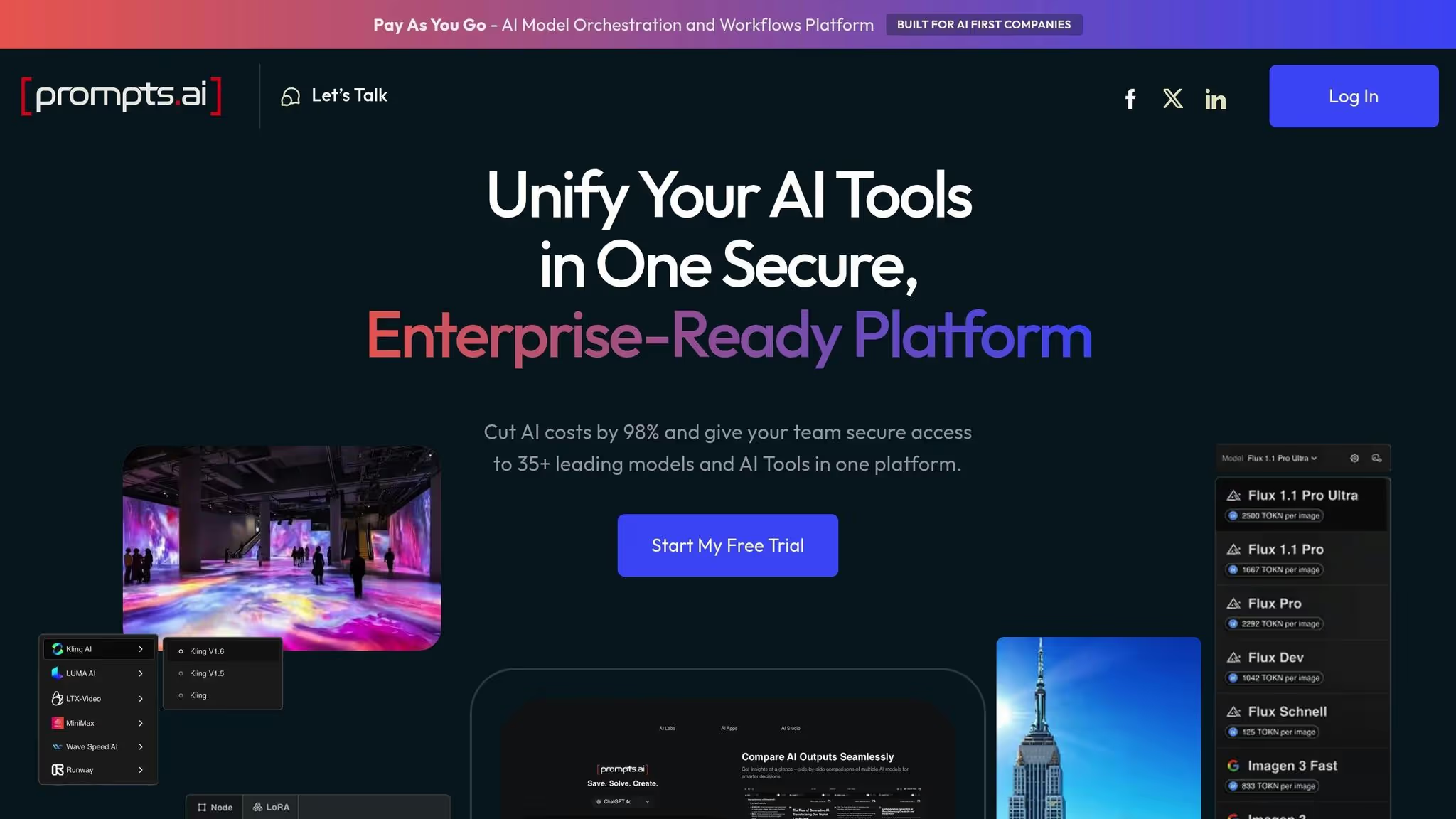
prompts.ai permet d'accéder à plus de 35 modèles d'IA de premier plan, offrant aux utilisateurs professionnels une connexion fluide avec les plus grands noms tels que GPT, Claude, Lamaet Gemini, le tout via une seule plateforme. Cela élimine les tracas liés à la gestion de plusieurs abonnements ou API. L'interface unifiée de la plateforme permet aux équipes de comparer les modèles linguistiques côte à côte, multipliant ainsi la productivité par 10.
Architecte Ar. June Chow explique : « Les comparaisons côte à côte de LLM sur prompts.ai me permettent d'exécuter des projets complexes et d'explorer des concepts innovants. »
Ces fonctionnalités jettent les bases des solides capacités d'évaluation et d'analyse de la plateforme.
prompts.ai donne la priorité à la transparence et au contrôle en proposant un suivi en temps réel de l'utilisation, des dépenses et des mesures de performance pour chaque modèle et chaque invite. Ces analyses fournissent aux équipes les informations dont elles ont besoin pour prendre des décisions éclairées et fondées sur des données concernant les modèles les mieux adaptés à des tâches spécifiques. Cette approche garantit que les investissements dans l'IA sont liés à des résultats mesurables.
La plateforme réduit les coûts liés à l'IA jusqu'à 98 % tout en consolidant plus de 35 outils, ce qui permet de réduire considérablement les dépenses. Fonctionnant sur un modèle de paiement à l'utilisation à partir de 0$ par mois, il propose des plans d'abonnement allant de 29$ à 99$ par mois, avec des plans d'affaires au prix de 99$ par membre. La couche FinOps intégrée de prompts.ai suit chaque jeton et relie les dépenses directement aux résultats commerciaux, tout en fournissant une gouvernance centralisée avec des contrôles opérationnels robustes.
Conçu pour répondre aux besoins des entreprises, prompts.ai simplifie la mise à l'échelle en permettant aux organisations d'ajouter facilement des modèles, des utilisateurs et des équipes. La sécurité et la conformité font partie intégrante, la plateforme étant conforme aux normes SOC 2 Type II, HIPAA et GDPR. Son processus d'audit SOC 2 de type II devrait débuter le 19 juin 2025. Reconnu par Genai. Works en tant que principale plateforme d'IA pour la résolution des problèmes et l'automatisation des entreprises, prompts.ai obtient des évaluations d'utilisateurs vérifiées comprises entre 4,8 et 5,0.
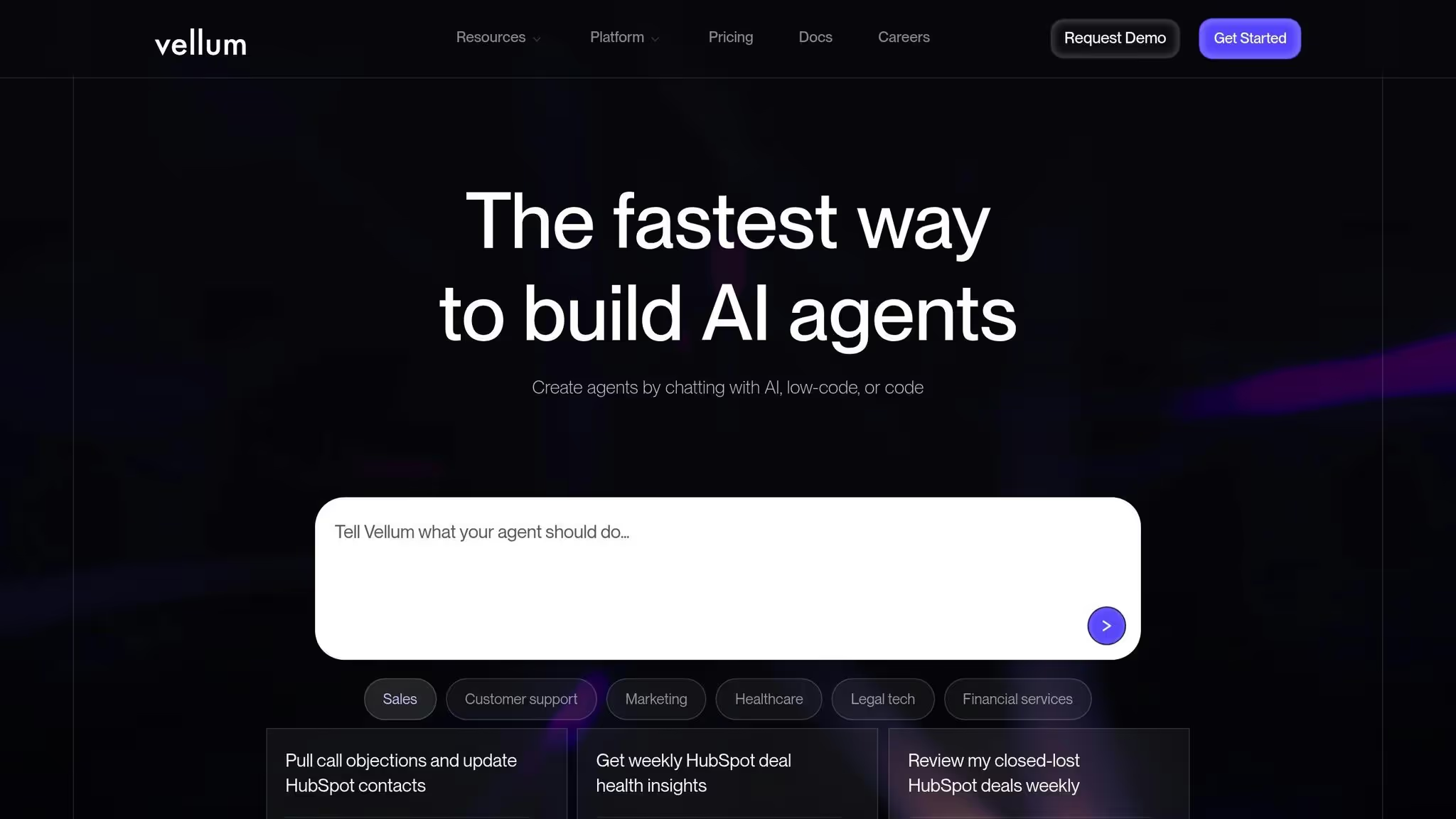
Vellum AI réunit une ingénierie, une évaluation et un déploiement rapides sur une seule plateforme, ce qui permet de faire passer plus facilement les idées de la conception à la production de manière efficace.
Avec Vellum AI, vous pouvez connecter de manière fluide l'ingénierie, les tests et le déploiement rapides. La plateforme comprend des outils de récupération, de routage sémantique et d'orchestration des agents, permettant aux utilisateurs de concevoir des flux de travail complexes. Des fonctionnalités telles que le contrôle de version pour les invites et les tests A/B permettent aux équipes de comparer systématiquement les configurations, tandis que la collecte de commentaires humains permet d'affiner les résultats. Ce flux de travail rationalisé garantit une évaluation et une optimisation approfondies.
La plateforme propose également des outils d'évaluation intégrés qui permettent aux équipes de créer des ensembles d'évaluation, de comparer différentes configurations et de promouvoir celles qui répondent aux critères de performance. Cela encourage les améliorations continues liées à l'amélioration des flux de travail liés à l'IA. L'observabilité de bout en bout surveille chaque exécution, ce qui permet d'identifier rapidement les problèmes de performance. Les tests de régression, combinés à une intégration continue et à une promotion multi-environnements, garantissent que les modifications sont testées avec soin. Les tableaux de bord interactifs fournissent des informations clés, telles que les taux d'erreur, les temps de résolution et les mesures de volume, donnant aux parties prenantes une vision claire des performances.
Vellum AI propose un niveau gratuit, avec des tarifs d'entreprise disponibles par le biais d'une consultation directe. La plateforme inclut des contrôles de niveau entreprise tels que l'accès basé sur les rôles, les journaux d'audit et la séparation des environnements, garantissant la sécurité et la conformité. Son environnement visuel partagé encourage la collaboration entre les membres de l'équipe technique et non technique tout en maintenant les normes de gouvernance.
Conçu pour une itération rapide, Vellum AI permet aux équipes d'affiner rapidement les modèles, les instructions, les méthodes de récupération et les processus d'évaluation tout en répondant aux besoins de l'entreprise. La plupart des équipes peuvent lancer un assistant initial en une semaine, introduire des tests de régression et une intégration continue dès la troisième semaine, et étendre leurs cas d'utilisation dès la quatrième semaine.

Relevance AI introduit une nouvelle approche axée sur les agents qui la distingue des méthodes plus conventionnelles de création de flux de travail basés sur l'IA.
À la base, Relevance AI met l'accent sur une conception centrée sur l'agent. Les utilisateurs peuvent définir des instructions principales pour les agents et les améliorer grâce à des outils intégrés tels que Google Search et Slack. L'une de ses fonctionnalités les plus remarquables est l'option « Décrivez votre agent », dans laquelle vous décrivez simplement la tâche, et la plateforme se charge de créer l'agent pour vous. Cette fonctionnalité simplifie considérablement le processus, en réduisant les obstacles techniques souvent associés à la création de solutions d'IA personnalisées.
Relevance AI permet aux agents de travailler ensemble de manière fluide en reliant des sous-agents pour gérer des tâches complexes en plusieurs étapes. Ce système crée des flux de travail avancés en enchaînant les agents, offrant aux utilisateurs plus de flexibilité et de contrôle sur leurs opérations d'IA par rapport aux plateformes traditionnelles qui s'appuient sur des mécanismes de déclenchement et d'action de base.
Avec des forfaits payants à partir de 19$ par mois, Relevance AI s'adresse à un large éventail d'utilisateurs. Il s'agit d'une option accessible pour les petites équipes qui expérimentent des modèles linguistiques et d'un choix pratique pour les grandes entreprises qui cherchent à développer leurs capacités d'IA.
La structure d'agent modulaire de la plateforme prend en charge tout, des tâches simples aux structures complexes au niveau de l'entreprise. Cette flexibilité permet aux équipes d'étendre progressivement leurs capacités d'IA au fur et à mesure de l'évolution de leurs besoins, ce qui en fait une solution évolutive adaptée à l'évolution des demandes.

Gumloop se distingue des meilleures plateformes en mettant l'accent sur la flexibilité technique et la rationalisation de l'automatisation. Il fournit un environnement sans code et convivial pour les développeurs pour créer des solutions d'automatisation métier complexes.
Gumloop utilise une interface glisser-déposer avec des « nœuds » modulaires pour concevoir des flux de travail. Sa bibliothèque comprend 90 flux de travail et modèles prédéfinis adaptés aux besoins commerciaux réels, tels que des outils de recherche de liens internes, des analyseurs de contrats juridiques et des analyseurs de sites Web principaux. La plateforme comporte également une extension Chrome qui enregistre les activités du navigateur et les transforme en automatisations réutilisables, ce qui la rend particulièrement utile pour les interactions Web sans support direct de l'API.
L'architecture de la plateforme permet des processus en plusieurs étapes via des « sous-flux », qui organisent les actions au sein d'un flux de travail. Il intègre également des « interfaces » qui permettent à des entrées externes de déclencher des automatisations, garantissant ainsi une intégration plus fluide avec les autres systèmes.
À partir de 97$ par mois, la tarification de Gumloop reflète ses fonctionnalités avancées et ses capacités de niveau entreprise. Cela en fait un excellent choix pour les entreprises ayant des exigences d'automatisation exigeantes.
Grâce à son système de nœuds modulaire et à ses capacités de sous-flux, Gumloop peut tout gérer, de l'automatisation des tâches de base aux flux de travail d'entreprise complexes. Sa conception garantit une intégration fluide dans des flux de travail d'IA plus importants, ce qui en fait une option fiable pour étendre les efforts d'automatisation.
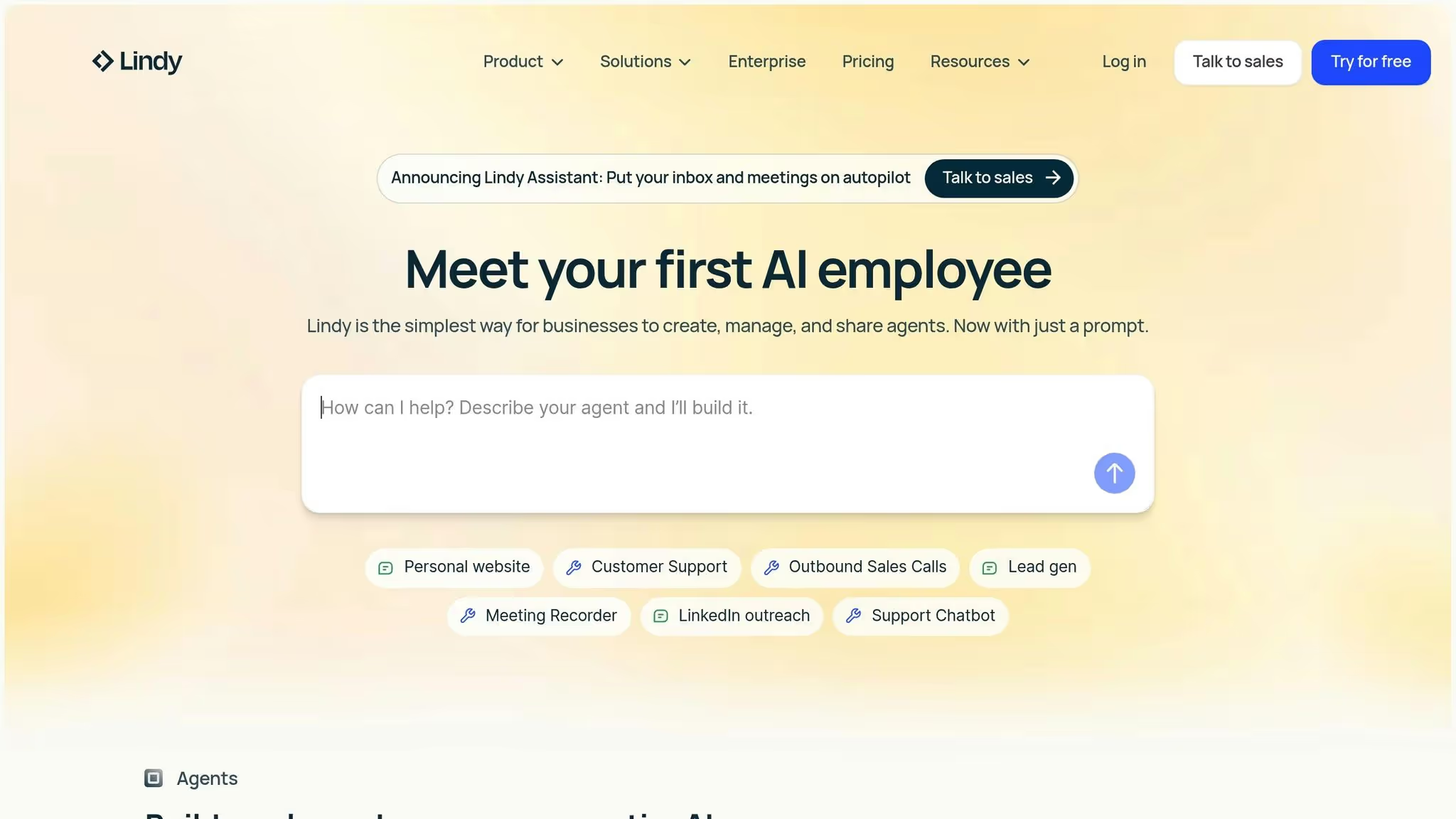
Lindy AI vise à apporter simplicité et facilité d'utilisation à l'automatisation quotidienne des activités. Contrairement aux plateformes conçues pour des comparaisons approfondies de grands modèles linguistiques (LLM), Lindy AI est conçue pour rationaliser les tâches quotidiennes à l'aide de déclencheurs pilotés par l'IA. Il fonctionne sur une interface de déclenchement/action conviviale, améliorée par des agents personnalisés natifs de l'IA connus sous le nom de « Lindies ».
Lindy AI permet aux utilisateurs d'affiner les paramètres spécifiques à l'IA pour leurs agents, tels que la sélection du modèle d'IA sous-jacent et l'ajout d'un contexte supplémentaire. Cependant, il n'inclut pas d'outils permettant de comparer ou d'évaluer plusieurs LLM côte à côte. Il se concentre plutôt sur l'automatisation générale des flux de travail et les fonctionnalités vocales basées sur l'IA. Cette approche ciblée la distingue des plateformes conçues pour des évaluations complètes du LLM.
La plateforme propose plus de 100 modèles prédéfinis et déclencheurs d'IA, notamment Lindy embed, Lindy mail et Lindy communication, afin de faciliter les interactions complexes entre agents. Lindy AI s'intègre à 100 applications commerciales dans le cadre de son forfait gratuit et s'étend à plus de 4 000 intégrations avec des forfaits payants, ce qui en fait un choix judicieux pour automatiser les tâches de routine dans des secteurs tels que la technologie, la finance, l'immobilier et la santé.
Lindy AI propose un plan gratuit avec 400 crédits par mois, permettant jusqu'à 40 tâches avec des intégrations limitées. Le plan Pro, à partir de 39,99$ par mois (facturé annuellement), comprend 5 000 crédits par mois, 1 500 tâches, 30 appels téléphoniques et l'accès à plus de 4 000 intégrations. Cependant, il ne dispose pas de fonctionnalités de gouvernance avancées telles que la gestion des secrets ou le contrôle d'accès basé sur les rôles, qui peuvent être pris en compte pour les utilisateurs professionnels.
Bien que la conception simple de Lindy AI soit idéale pour les débutants, elle est insuffisante lorsqu'il s'agit de gérer des flux de travail avancés ou hautement personnalisés. La plate-forme ne prend pas en charge les options de remplacement du code personnalisé, ce qui peut limiter son utilisation dans des environnements d'entreprise complexes. En outre, les résultats des tests ont révélé des performances loin d'être idéales pour les tâches urgentes, ce qui met en évidence ses limites dans les scénarios de forte demande.

Parmi les meilleures plateformes de flux de travail basées sur l'IA, Relay.app se distingue par sa conception simple et axée sur l'équipe. Il offre une interface intuitive interface glisser-déposer qui rend la création de flux de travail, qu'ils soient simples ou complexes, accessible à tous. Grâce à cet outil, les équipes peuvent créer des agents d'IA en décrivant simplement les tâches et en connectant les composants visuellement. Lucas Grey a partagé son expérience :
« Je suis tombée amoureuse de @relay. J'ai essayé make et zapier et cet uux a fonctionné le plus simplement. Il fait le travail. Automatisation de notre processus de collecte et de réponse sur les listes d'attente. J'ai utilisé gpt dans le flux de travail pour analyser les réponses à notre e-mail de liste d'attente qtns et les avons enregistrées dans notre base de données de notions. »
Relay.app se connecte à huit principaux fournisseurs de LLM, y compris Anthropique, Google Gémeaux, Croissance, Mistral, IA ouverte, Perplexité, Qwen, et Axe I. Cette intégration étendue permet aux utilisateurs d'effectuer un large éventail de tâches, telles que la recherche, l'analyse des données, la synthèse du contenu et l'extraction d'informations.
L'une des caractéristiques les plus remarquables de Relay.app est sa modèle « humain dans la boucle », qui introduit des points de contrôle manuels dans les flux de travail automatisés. Cela permet aux utilisateurs de suspendre les processus d'approbation, de demander l'avis des membres de l'équipe ou d'attribuer des tâches nécessitant un jugement humain. Benjamin Borowski a souligné sa valeur :
« Le modèle « humain dans la boucle » de Relay est très efficace pour les équipes. Non seulement c'est l'interface utilisateur la mieux conçue du marché pour l'automatisation des bâtiments, mais ils ont vraiment réfléchi à la façon dont tout ne peut pas être automatisé. C'est fantastique pour créer des SOP opérationnelles. »
Cette fonctionnalité est particulièrement utile pour garantir que les résultats générés par l'IA sont revus et affinés avant de poursuivre.
Relay.app est Conforme aux normes SOC 2, garantissant une sécurité robuste des données. Il prend également en charge les flux de travail partagés, ce qui permet aux équipes de différents services de collaborer facilement.
Conçu pour déploiement à l'échelle de l'organisation, Relay.app permet aux entreprises de créer des flux de travail alimentés par l'IA dans tous les départements. Son interface conviviale garantit que même ceux qui n'ont pas de compétences en programmation peuvent créer des flux de travail complexes de manière efficace. Peter Jauhal a mis l'accent sur cette accessibilité :
« Je ne suis pas programmeur, mais je peux faire fonctionner des flux de travail très complexes assez rapidement. »
Avec des outils de test clairs et des messages d'erreur détaillés, Relay.app fournit la fiabilité nécessaire aux opérations au niveau de l'entreprise tout en restant facile à naviguer.
Nous verrons ensuite comment n8n propose une approche rationalisée pour orchestrer les flux de travail d'IA.
Pour les équipes qui recherchent un contrôle total sur les flux de travail de l'IA, n8n propose une solution open source adaptée aux développeurs. Contrairement aux plateformes qui s'appuient sur des agents d'IA prédéfinis, n8n adopte une approche axée sur le code, offrant aux utilisateurs les outils nécessaires pour orchestrer et comparer les LLM selon leurs propres conditions.
Bien que n8n n'inclue pas l'analyse comparative LLM intégrée, il offre Plus de 400 connecteurs préfabriqués qui s'intègrent parfaitement à n'importe quelle API LLM. Cela signifie que vous pouvez vous connecter à des fournisseurs tels que OpenAI, Anthropic ou Google et créer des flux de travail qui interagissent avec plusieurs modèles à la fois. Les développeurs peuvent également tirer parti étapes de code JavaScript personnalisées pour mettre en œuvre leur propre logique d'évaluation, offrant une flexibilité inégalée.
n8n brille dans la création flux de travail complexes en plusieurs étapes en combinant une logique conditionnelle robuste avec un code personnalisé. En novembre 2025, la plateforme a démontré ses capacités grâce à un flux de travail multi-agents qui a généré des publications sur les réseaux sociaux à partir d'articles de presse. Il a même utilisé la génération augmentée de récupération (RAG) pour créer des réponses faisant référence aux transcriptions et aux URL des podcasts. Cet exemple montre comment les développeurs peuvent enchaîner de manière fluide les tâches LLM afin de permettre des comparaisons précises.
Bien que n8n ne dispose pas d'outils d'analyse comparative LLM natifs, fonctionnalités de journalisation et de débogage sont indispensables pour surveiller les flux de travail dans les environnements d'entreprise. Les équipes peuvent concevoir des cadres d'évaluation personnalisés pour analyser les résultats, suivre les indicateurs de performance et comparer les résultats entre différents LLM. Bien que cette approche nécessite une expertise technique, elle offre une personnalisation illimitée pour les équipes ayant des besoins spécifiques en matière d'analyse comparative. La flexibilité de ce système facilite la transition entre l'évaluation et le déploiement évolutif.
supports n8n auto-hébergement via Docker et Kubernetes, offrant aux organisations un moyen sécurisé de gérer les données sensibles d'évaluation LLM. La version open source est gratuite et entièrement fonctionnelle, tandis que les forfaits cloud gérés commencent à environ 20 dollars par mois, pour les équipes qui préfèrent une solution hébergée. Cependant, la création de flux de travail de niveau entreprise impliquant plusieurs LLM nécessite souvent des fonctionnalités avancées et personnalisées.
Chaque plateforme apporte ses propres atouts, conçus pour répondre aux divers besoins en matière de flux de travail. Cette comparaison décrit les principales caractéristiques et limites des différentes plateformes, en se concentrant sur des domaines tels que l'accès aux modèles, les outils de flux de travail, les analyses, le suivi des coûts et l'évolutivité.
prompts.ai se distingue en intégrant l'accès à plus de 35 modèles, dont GPT-5, Claude, LLama et Gemini, le tout au sein d'une interface unifiée. Il propose des mesures robustes de réduction des coûts (jusqu'à 98 %) grâce à des contrôles FinOps intégrés, tout en respectant les normes de conformité au niveau de l'entreprise telles que SOC 2 Type II, HIPAA et GDPR.
Vélin AI propose un générateur d'invites convivial qui permet un aperçu en temps réel et sans code et une itération des invites. Cependant, les détails concernant ses tarifs d'entreprise ne sont disponibles que sur demande.
Pertinence AI se concentre sur la création d'agents d'IA personnalisés et l'automatisation des flux de travail. Il fournit des méthodes d'évaluation personnalisées qui s'adaptent à des cas d'utilisation spécifiques, ce qui en fait un outil idéal pour ceux qui recherchent des solutions personnalisées.
Gumloop, Lindy, IA, et Relay.app privilégiez la facilité d'utilisation en proposant des outils d'automatisation sans code conçus pour les utilisateurs non techniques. Ces plateformes simplifient l'intégration avec les grands modèles de langage, même si leurs fonctionnalités peuvent être plus limitées par rapport aux solutions d'entreprise.
n8n, en revanche, s'adresse aux développeurs grâce à son approche open source axée sur le code. Il comprend plusieurs connecteurs prédéfinis et permet des flux de travail personnalisés très flexibles. Cependant, elle a besoin d'une expertise technique pour tirer pleinement parti de ses capacités.
Le suivi des coûts varie considérablement d'une plateforme à l'autre. Certains proposent une surveillance intégrée en temps réel, tandis que d'autres ne fournissent que des outils de journalisation de base. Lors de l'évaluation de ces plateformes, il est essentiel de prendre en compte l'évolution des coûts en fonction de l'utilisation accrue des API et de déterminer si le modèle de tarification est transparent et adapté à votre budget.
Le tableau ci-dessous résume les principales caractéristiques de chaque plateforme :
Des plateformes comme prompts.ai et Vélin AI sont idéales pour les équipes qui ont besoin de comparaisons avancées de modèles et d'une gouvernance au niveau de l'entreprise. Entre-temps, n8n attire les développeurs qui privilégient la flexibilité technique. Lors du choix, tenez compte de facteurs tels que la facilité d'utilisation, la transparence des coûts, les capacités techniques et l'évolutivité.
Lors de la sélection d'une plateforme de flux de travail basée sur l'IA, il est essentiel d'aligner votre choix sur les exigences uniques de votre organisation. Pour les équipes américaines, les principaux facteurs à évaluer incluent l'accès aux principaux modèles d'IA, des structures tarifaires transparentes, de solides fonctionnalités de conformité et une adaptabilité technique. Les plateformes qui permettent des tests côte à côte sur des modèles haut de gamme offrent la flexibilité nécessaire pour prendre des décisions éclairées.
Un suivi transparent des coûts et des modèles de tarification par répartition sont essentiels pour gérer efficacement les budgets. La visibilité en temps réel des dépenses garantit l'absence de surprises inattendues, ce qui permet de synchroniser les dépenses avec l'utilisation réelle.
Pour des secteurs tels que la santé, la finance ou d'autres secteurs réglementés, la conformité n'est pas négociable. Recherchez des plateformes dotées de contrôles de gouvernance robustes et de pistes d'audit détaillées pour vous aider à respecter des normes telles que SOC 2 Type II, HIPAA ou GDPR. Ces fonctionnalités de conformité devraient compléter les capacités techniques de la plateforme pour garantir à la fois la sécurité et la fonctionnalité.
Tenez compte de l'expertise de votre équipe lors de l'évaluation des outils. Les solutions sans code sont idéales pour les utilisateurs non techniques, tandis que les équipes d'ingénierie peuvent préférer les plateformes proposant des options basées sur le code ou auto-hébergées. L'adaptation de la plateforme aux compétences de votre équipe garantit une adoption et un fonctionnement plus fluides.
L'évolutivité est un autre facteur essentiel. Alors que les petites équipes peuvent n'avoir besoin que de fonctionnalités de base au départ, les déploiements au niveau de l'entreprise exigent souvent des fonctionnalités avancées telles que le support multi-équipes, les contrôles d'accès basés sur les rôles et la capacité à gérer de grands volumes de demandes d'API sans problèmes de performances. Les plateformes de test dans des conditions réelles peuvent vous aider à vous assurer qu'elles s'adaptent efficacement à l'évolution de vos besoins.
Lorsque vous choisissez une plateforme de flux de travail basée sur l'IA pour comparer les LLM, il est important de rechercher caractéristiques essentielles comme une intégration facile, des outils de test performants et des options d'analyse comparative fiables. Assurez-vous que la plateforme fonctionne bien avec vos outils et processus actuels pour garantir une mise en œuvre sans tracas.
Optez également pour des plateformes qui mettent en valeur cas d'utilisation pratiques et fournir des informations exploitables. Ils peuvent vous aider à comprendre les applications du monde réel et à prendre des décisions adaptées à vos besoins spécifiques. Des solutions qui priorisent efficacité et compatibilité sont essentiels pour garantir une croissance et une évolutivité à long terme.
Les plateformes de flux de travail basées sur l'IA sont souvent équipées d'outils ou d'intégrations conçus pour aider les utilisateurs à surveiller de près les coûts et à gérer les budgets en toute simplicité. Ces fonctionnalités permettent de suivre l'utilisation des ressources, d'estimer les dépenses et même de fixer des limites de dépenses pour éviter les surcharges imprévues.
De nombreuses plateformes proposent également des rapports et des analyses détaillés, permettant aux utilisateurs de mieux comprendre leurs habitudes de dépenses. Cette transparence permet d'identifier les domaines à améliorer, de simplifier l'ajustement des flux de travail et de réduire les dépenses sans sacrifier les avantages de l'IA.
Les plateformes de flux de travail basées sur l'IA offrent une gamme d'options d'évolutivité et de déploiement, influencées par des facteurs tels que les besoins en infrastructure, la flexibilité d'intégration et les environnements qu'elles prennent en charge. Certaines plateformes se distinguent par leur capacité à évoluer sans effort au sein de systèmes basés sur le cloud, tandis que d'autres se concentrent sur la fourniture de solutions sur site robustes aux entreprises ayant des exigences de sécurité ou de conformité renforcées.
Lors du choix d'une plateforme, il est important de vérifier si elle prend en charge les configurations multicloud, les modèles de déploiement hybrides ou les fonctionnalités de dimensionnement automatique pour s'adapter à l'évolution des charges de travail. Il est tout aussi crucial d'évaluer dans quelle mesure la plateforme s'intègre à vos outils et flux de travail actuels, afin de garantir une mise en œuvre rationalisée et efficace.