Pay As You GoPrueba gratuita de 7 días; no se requiere tarjeta de crédito


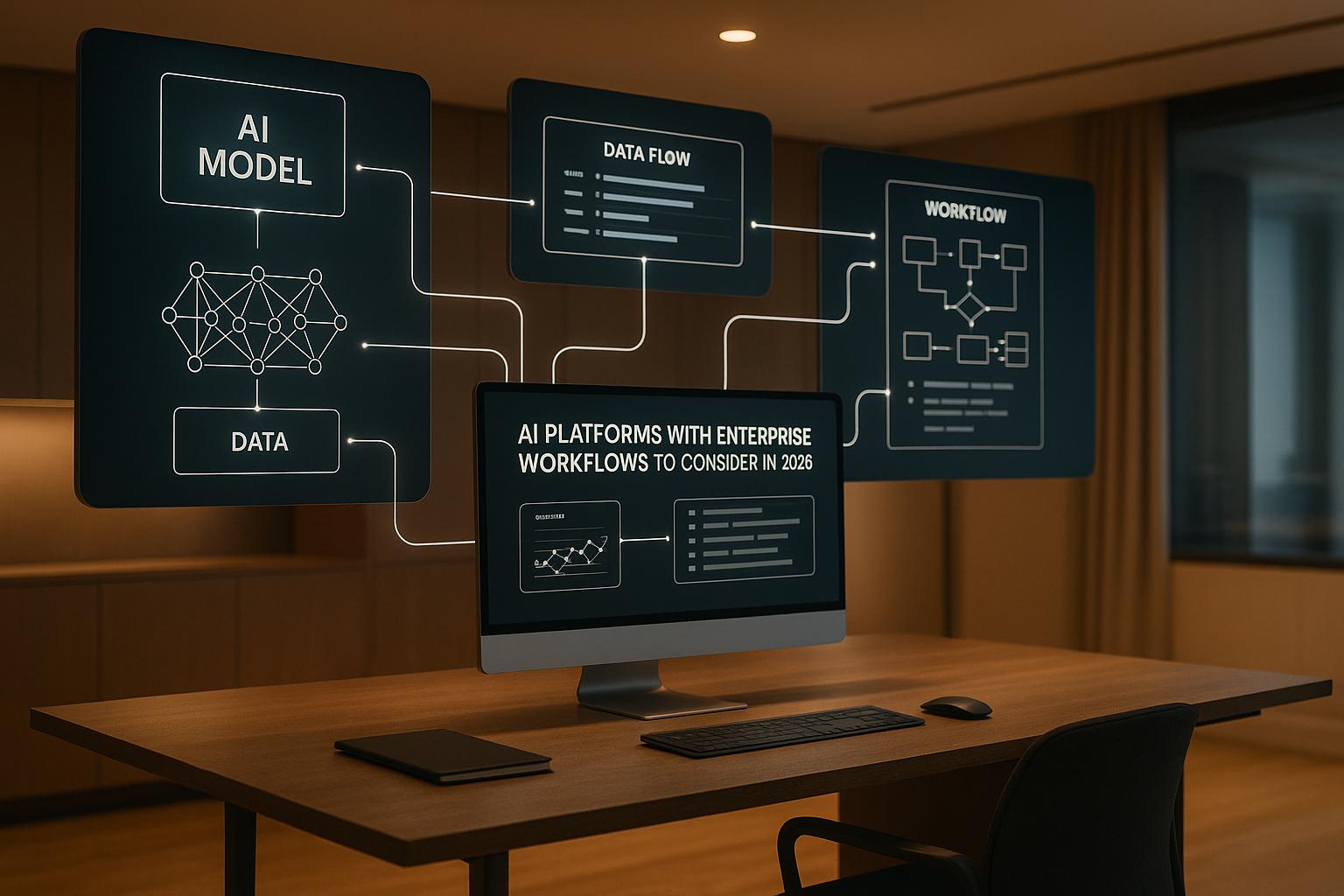
AI tools are reshaping enterprise workflows, but navigating tool sprawl is a growing challenge. By 2026, organizations need platforms that unify AI models, streamline costs, and enforce governance. This article highlights eight platforms that simplify AI orchestration, comparing their features, pricing, and governance tools to help enterprises find the right fit.
Key takeaways:
| Platform | Key Strengths | Pricing Highlights | Best For |
|---|---|---|---|
| Prompts.ai | Unified AI model access, cost control | $99+/member/month, TOKN credits | Enterprises consolidating AI tools |
| n8n | Customizable, self-hosted option | Free self-hosted, cloud $20+ | Technical teams, strict compliance |
| Zapier | Easy-to-use, 8,000+ integrations | $19.99+/month, task-based | Non-technical users, quick setups |
| Make | Visual workflows, moderate complexity | $9+/month, credit-based | Teams balancing power & simplicity |
| Workato | Enterprise-grade automation | $10,000+/year, custom plans | Large enterprises |
| Agentforce | Salesforce-native AI agents | $550/user/year, credits | Salesforce-centric organizations |
| Gumloop | No-code, industry-specific workflows | Free, $30+/month, credits | Specialized industries |
| Lindy.ai | AI agents, seamless integrations | Custom pricing | AI workforce management |
Choosing the right platform requires balancing features, cost, and governance needs. Dive into the full article for detailed insights on each platform’s strengths and limitations.
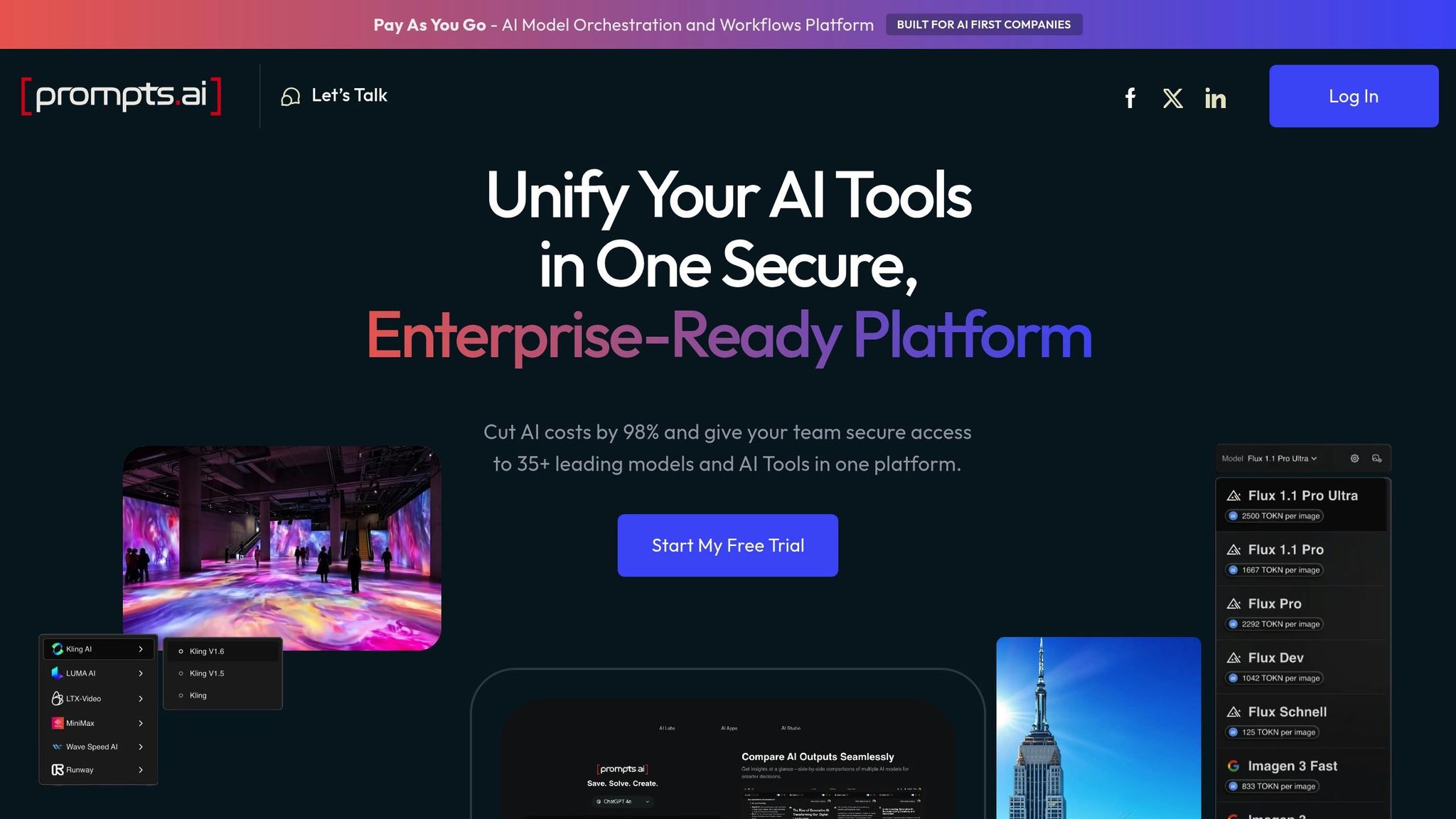
Prompts.ai acts as an AI orchestration hub, designed to tackle enterprise issues like scattered tools, unclear costs, and governance challenges. Instead of juggling multiple subscriptions and interfaces, the platform streamlines access to over 35 leading large language models - including GPT-5, Claude, LLaMA, Gemini, Grok-4, and specialized tools like Flux Pro and Kling - into one secure system. This approach addresses the fragmentation that often hinders enterprise AI adoption, where departments independently acquire overlapping tools, leading to inefficiencies and hidden costs.
Its "Intelligence Layer for Institutional Knowledge" transforms ad-hoc AI experiments into structured, repeatable, and auditable workflows. Founded by Emmy Award-winning Creative Director Steven P. Simmons, Prompts.ai was built on the understanding that enterprises don’t just need access to AI models - they need a comprehensive system for governance and cost management around those models.
At the heart of Prompts.ai is a unified interface that simplifies model selection and workflow automation. Teams can build, test, and deploy AI workflows without toggling between platforms or managing separate API keys for each model. The platform also enables side-by-side model comparisons, letting users evaluate how different models respond to the same prompt before committing resources to production.
Prompts.ai introduces "Time Savers", pre-built prompt templates and automation sequences designed for immediate deployment. These templates, shared by a community of prompt engineers, address common enterprise needs, helping organizations speed up AI adoption while ensuring consistency across departments.
For organizations requiring tailored solutions, Prompts.ai offers custom LoRA training and fine-tuning. This feature allows enterprises to adapt models to their specific industry language or institutional knowledge without the usual infrastructure challenges. It’s especially useful for specialized fields where general-purpose models may fall short in accuracy.
Another standout feature is the AI Agent creation system, which enables teams to design autonomous workflows. These agents can manage multi-step processes, integrate external data, and make decisions based on outputs, reducing the need for manual intervention.
Together, these tools create a foundation for transparent, efficient, and scalable AI governance.
Prompts.ai uses a pay-as-you-go TOKN credit system, ensuring costs align with actual usage. Organizations avoid fixed monthly fees, opting instead to purchase credits consumed during model interactions, which ties spending directly to business outcomes.
Business plans start at $99 per member per month, offering unlimited workspaces, collaborators, and cloud storage. The TOKN Pooling feature lets teams share credits, eliminating inefficiencies like unused balances for some users while others run out.
The platform claims enterprises can reduce AI costs by up to 98% by consolidating over 35 tools into one. This figure reflects not only subscription savings but also reductions in administrative overhead, duplicate purchases, and unmanaged IT spending.
For smaller teams or individuals, Personal plans range from a $0/month Pay-As-You-Go option with limited credits to a $99/month Problem Solver plan, which includes 500,000 TOKN credits, unlimited workspaces, 99 collaborators, and unrestricted workflow creation.
Prompts.ai’s governance tools provide real-time monitoring and cost tracking through its unified interface. Security and compliance are key priorities, with the platform undergoing an active SOC 2 Type 2 audit process initiated on June 19, 2025. This positions the platform to meet enterprise compliance needs well before many organizations finalize their AI strategies in 2026.
Business plans come with Compliance Monitoring and Governance Administration features, offering insights into model usage, data handling, and prompt construction. These capabilities are critical for industries with strict data regulations.
The platform’s FinOps layer goes beyond basic tracking, linking AI expenses to specific projects, departments, or use cases. This detailed cost attribution helps organizations justify AI investments and identify areas where spending could be optimized.
To address security concerns, Prompts.ai ensures sensitive data remains under the organization’s control during model interactions. Prompts and responses are securely processed within the platform, avoiding exposure to third-party providers without oversight.
Prompts.ai also offers a Prompt Engineer Certification program, which trains internal experts to establish best practices, uphold quality standards, and promote responsible AI use across teams.
Prompts.ai supports integration through API access and custom solutions rather than a marketplace of pre-built connectors. While this approach allows technical teams greater flexibility, it does require more development effort compared to platforms centered around third-party app integrations.
The platform’s seamless API integrations ensure internal workflows align with enterprise governance and cost controls. With unlimited workspaces, organizations can manage projects, departments, or use cases separately while maintaining centralized oversight. This structure helps create a unified, efficient, and cost-conscious AI ecosystem.
n8n is a source-available workflow automation platform that blends traditional integration tools with AI-powered decision-making. Unlike closed systems, n8n gives technical teams the ability to inspect and modify its underlying code. This transparency is especially valuable for enterprises with strict security and compliance requirements. The platform supports both cloud-hosted and self-hosted deployments, allowing organizations to decide where their data resides and how workflows are executed.
n8n's pricing model is based on workflow executions, not individual steps or actions. This approach simplifies cost management as workflows grow in complexity, making it easier for enterprises to forecast budgets while scaling their automation efforts.
Let’s dive into how n8n incorporates AI into its workflow engine.
n8n integrates AI directly into its workflow system, enabling automations that can process, decide, and adjust dynamically. This flexibility allows workflows to adapt automatically when unexpected data is encountered. The platform includes an AI assistant and an AI workflow builder, making it quick and easy to design automations.
For enterprises managing large knowledge bases, n8n supports multi-agent workflows and retrieval-augmented generation (RAG). For example, in November 2025, n8n was used to create workflows that generated social media posts from relevant news articles. These workflows also employed RAG to craft replies referencing specific podcast transcripts and metadata, ensuring responses were grounded in verified information rather than relying solely on model training data. This capability highlights how n8n connects AI models to existing content repositories, enhancing the accuracy and relevance of outputs.
n8n’s source-available framework empowers technical teams to audit the code, build custom integrations, and tweak functionality to meet internal requirements. Pre-built templates, such as a RAG chatbot that uses Google Drive as a knowledge base or a voice-based appointment booking system, offer starting points for common use cases. These templates are fully customizable, ensuring they can be tailored to specific business needs.
n8n is unique in offering a free self-hosted option with unlimited workflow executions. This makes it an appealing choice for organizations with the infrastructure to manage their own deployments or those with strict data residency requirements.
For cloud-hosted deployments, pricing begins at $20 per month (billed annually) for 2,500 workflow executions with unlimited steps. The Cloud Pro plan, designed for higher usage, costs around $60 per month for 10,000 executions. For larger enterprises, custom pricing is available through Enterprise plans, which include unlimited executions and Service Level Agreements (SLAs).
Unlike platforms that charge variable credits per step, n8n’s execution-based pricing ensures costs are tied solely to the number of workflows run. This makes budgeting straightforward, even for businesses running complex, multi-step processes.
n8n offers prebuilt connectors for popular integrations and supports custom code for unique needs. Developers can use JavaScript or Python to create tailored solutions, combining flexibility for technical teams with ease of use for standard integrations. The platform’s source-available nature allows developers to create custom nodes, which can either be shared with the community or kept private for proprietary systems.
For self-hosted deployments, enterprises gain full control over their integration environment. This includes the ability to connect to internal systems behind firewalls without routing data through external servers. Cloud users, on the other hand, benefit from n8n managing infrastructure while still having access to APIs and webhooks for external connections.
To meet enterprise requirements for centralized governance, n8n incorporates strong security features. The platform is SOC 2 compliant and includes secret management and RBAC (Role-Based Access Control). Its source-available code allows security teams to audit the platform, ensuring it aligns with internal policies - a critical need for regulated industries where black-box solutions can pose compliance risks.
Sensitive credentials, such as API keys and passwords, are securely stored through the secret management system, ensuring they are only accessible to authorized workflows. RBAC enables administrators to control who can create, modify, or execute workflows, safeguarding critical automations from unauthorized changes. For organizations requiring even greater oversight, the self-hosted option provides full control over logging, monitoring, and audit trails.
Zapier is a workflow automation platform designed to make automations powered by AI more accessible, especially for teams without technical expertise. Its easy-to-use interface allows business users to create automations on their own, reducing the need for developer involvement.
What makes Zapier stand out is its simplicity. Teams report saving an impressive 2,219 days each month through its automations, showcasing how it can significantly improve operational efficiency. However, this simplicity comes with some trade-offs, particularly when it comes to governance and managing costs at scale - key considerations for larger enterprises.
Zapier offers over 8,000 pre-built connectors, covering a wide range of business applications like CRM tools, email platforms, form builders, and spreadsheets. For example, in 2024, Remote.com automated more than 11 million tasks using Zapier, demonstrating how enterprises can streamline workflows across multiple systems without custom development. While its plug-and-play approach makes it quicker to implement for standard software stacks, technical teams may find it less adaptable for highly customized needs. Even so, its extensive integration capabilities lay the groundwork for Zapier's advanced AI orchestration tools.
Zapier's AI-powered tools aim to elevate enterprise workflows by introducing features like AI Agents and Chatbots. The platform organizes its capabilities into modular products: Zaps, MCP (Multi-Channel Publishing), Tables, and Interfaces form the core, while AI Agents and Chatbots are available as add-ons. This structure allows businesses to start with basic automations and scale up to AI-driven decision-making when needed - all through a visual interface that remains approachable for non-technical users. That said, while the platform's simplicity is a strength, it may not provide the same level of customization as more developer-focused solutions.
Zapier uses a task-based pricing model, where costs are tied to the number of workflow executions. Tasks are only counted when an action is performed, with advanced logic steps like Filters and Paths excluded from task counts. For its core AI orchestration tools (Zaps, MCP, Tables, and Interfaces), Zapier offers a free tier with 100 tasks per month. The Professional plan, priced at $19.99 per month (billed annually), includes 750 tasks, multi-step Zaps, webhooks, and email/chat support.
AI Agents are available as an add-on, starting with a free tier offering 400 activities per month. The Pro tier costs $33.33 per month (billed annually) and includes 1,500 activities. Chatbots follow a similar pricing model, with two chatbots available for free or five chatbots for $13.33 per month (billed annually), along with features like an expanded knowledge base and 100,000 Table records. For larger organizations, Zapier provides custom Enterprise pricing that includes advanced features like single sign-on (SSO) and enhanced permissions. While the tiered pricing allows for gradual scaling, enterprises should carefully estimate their task usage to avoid unexpected costs. Alongside this flexible pricing, Zapier also addresses governance and security needs for enterprise users.
Zapier's Enterprise plan includes features like SSO and advanced permissions, designed to meet the access control requirements of large organizations. However, one drawback is that API credentials need to be configured individually for each workflow, which can increase administrative workload. Unlike platforms that let users set up credentials once for use across multiple workflows, Zapier's approach can lead to inconsistent security practices, particularly for organizations managing hundreds of automations.
To help with these challenges, Zapier's customer support provides guidance on configuration and setup. Ultimately, enterprises must balance the convenience of Zapier's intuitive interface with the need for more robust governance features offered by other enterprise-grade platforms.

Make is a user-friendly, drag-and-drop platform designed to help operations teams create complex workflow automations without writing a single line of code. Over time, it has incorporated AI-powered tools, enabling businesses to manage workflows across multiple systems while maintaining clear oversight of data flow.
Make empowers users with tools like advanced data transformation, web scraping, API integrations, and branching logic. These features allow technical teams to design intricate workflows that handle conditional logic and manipulate data without needing custom development. This means teams can achieve a level of control that typically requires developer intervention, making it a powerful option for businesses aiming to streamline operations. These integration capabilities also lay the groundwork for the platform's advanced AI features.
Beyond its integration tools, Make takes automation to the next level with AI-driven orchestration. It offers an AI agent feature and access to multiple AI models. Its standout feature, the "Grid" interface, provides a centralized view of agents, apps, and workflows, all accessible from one dashboard. This interface enhances visibility, making it easier to pinpoint performance issues, streamline debugging, and optimize workflows. Additionally, pre-built AI workflow templates enable teams to quickly implement automations, blending no-code simplicity with the ability to customize workflows for specific needs.
Make uses a credit-based pricing system, where each step in a workflow consumes credits. Unlike execution-based pricing, credits are charged per step, with AI and error-handling steps sometimes requiring more than one credit. The platform offers several pricing tiers:
For those opting for annual billing, all yearly credits are provided upfront, offering flexibility during high-demand periods. However, as workflows grow more complex, the credit-based model can make cost predictions a bit tricky.
Make is designed to scale seamlessly, from individual users to large enterprise teams. The Enterprise plan caters to high-volume users by offering priority execution, ensuring critical workflows run smoothly even during peak times. It also includes custom functions tailored to specialized business needs, making it a strong choice for organizations with unique requirements.

Workato is designed for large enterprises that require powerful automation capabilities across their technology ecosystems. It specializes in delivering integration and automation solutions at scale, making it ideal for organizations with complex IT infrastructures and strict governance needs.
Workato connects to over 1,200 applications, including popular tools like Salesforce, Slack, Jira, and ServiceNow. The platform is particularly effective at managing intricate, multi-step workflows across various enterprise systems. It also supports hybrid deployment setups, incorporating both cloud and on-premise agents, which is crucial for businesses needing to handle on-premise data. However, its proprietary design limits inline code customization and access to source code. This trade-off appeals to IT teams working on integrations for enterprise sales and marketing departments that prioritize stability and support over extensive customization. These integration strengths pave the way for Workato's advanced governance capabilities.
Workato is tailored to meet the governance demands of large enterprises. The platform is SOC 2 Type II compliant, a must-have for companies managing sensitive data or operating in regulated sectors. It includes robust role-based access control (RBAC), allowing administrators to define specific permissions for viewing, editing, or executing workflows. A centralized governance dashboard offers IT leaders comprehensive visibility into all automation activities, ensuring control as automation scales. Additionally, Workato guarantees service-level agreements (SLAs) for uptime and support, reinforcing its reliability.
Workato adopts a custom pricing model that reflects its enterprise-level offerings. Pricing details are not publicly available and require contacting their sales team. Entry-level pricing typically starts at around $10,000 per year and can exceed $50,000 for larger implementations. The final cost depends on factors such as the number of tasks, advanced connector usage, and account user count. Workato employs a usage-based model, charging based on recipes or tasks. While this pricing structure represents a significant investment, it aligns with the platform’s extensive features and enterprise-grade support, making it a strong option for large organizations automating critical workflows across multiple departments.
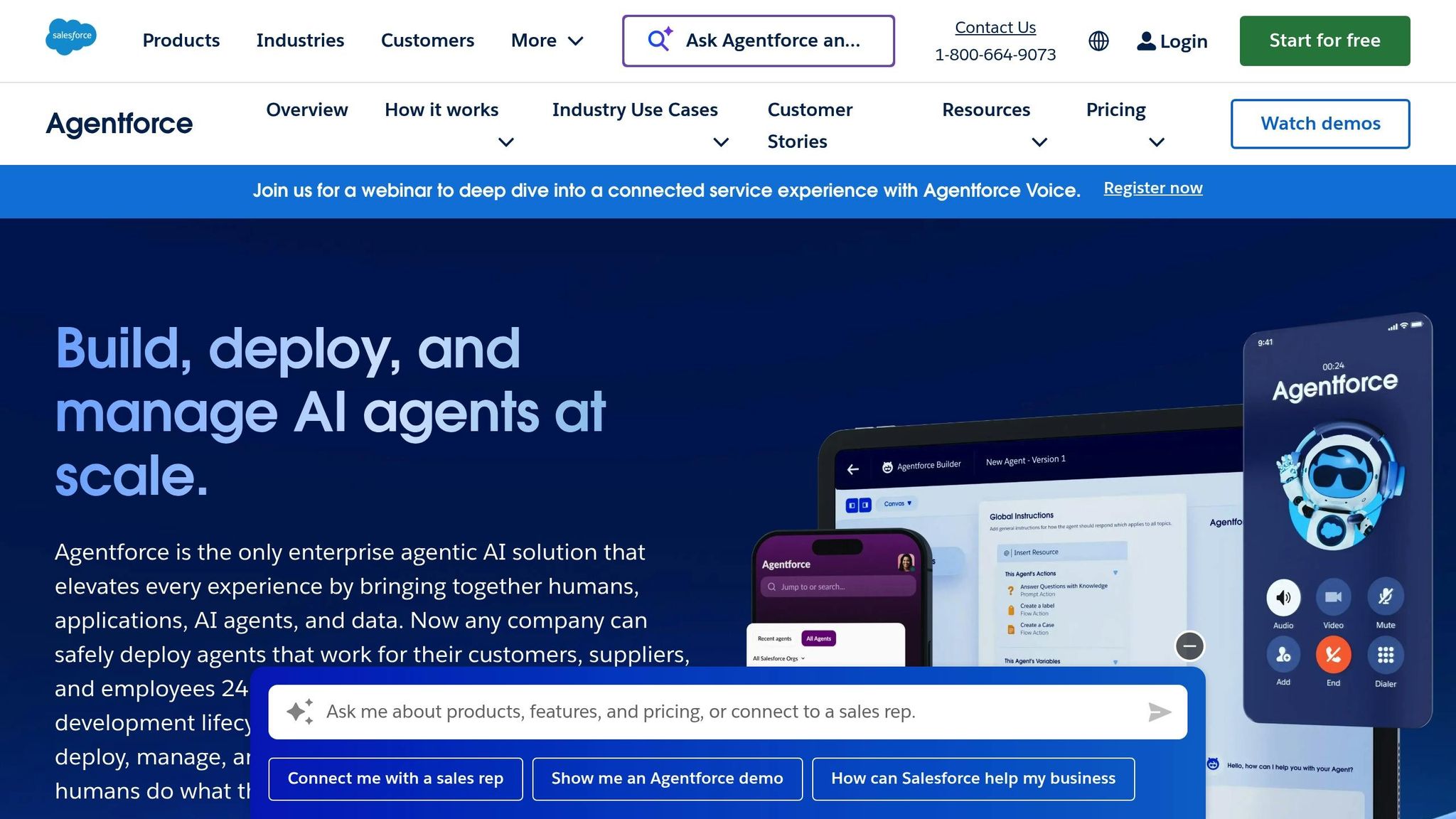
Agentforce is a powerful AI automation tool tailored for enterprises that heavily rely on Salesforce. Acting as a native AI layer within Salesforce's ecosystem, it streamlines workflows for organizations focused on customer relationship management and operational efficiency.
Agentforce seamlessly integrates with Salesforce's suite of products, functioning natively across its primary tools and automation features. Leveraging the Salesforce Data Cloud, it consolidates CRM data, customer interactions, purchase histories, service tickets, and marketing activities into a unified customer graph. This comprehensive data approach ensures AI agents have a complete view of customer profiles.
The platform empowers businesses to create specialized AI agents for tasks like claims management, account servicing, field operations, and internal support. These agents can read and update Salesforce records, initiate Salesforce Flows, trigger automations, and manage multi-step workflows - all through an intuitive low-code interface. Additionally, Agentforce integrates with Slack to boost team collaboration by delivering deal summaries, pipeline insights, meeting briefs, and detailed updates directly within team channels.
This deep integration provides a solid foundation for advanced AI orchestration tailored to Salesforce workflows.
Agentforce includes the Einstein Trust Layer, which ensures data security through features like data redaction, grounding checks, audit logs, and policy controls. These safeguards are designed to protect sensitive customer information during AI operations. The platform also enhances efficiency by helping teams close sales faster, resolve service cases more effectively, and improve customer engagement through context-driven actions powered by the unified customer data graph.
With tools like Copilot Studio, businesses can create custom AI agents without needing advanced coding skills. These agents can handle complex workflows across multiple Salesforce applications, ensuring consistency across business processes while remaining accessible to users through a low-code interface.
Agentforce offers flexible pricing designed with enterprise needs in mind. Flex Credits start at $500 for 100,000 credits, while conversation-based pricing begins at $2 per conversation. For broader capabilities, Salesforce provides the "Agentforce 1 Sales" edition at $550 per user annually. This package includes the full AI suite, unlimited Agentforce usage, Sales Planning, Tableau Next, Slack Enterprise+, and 1 million Flex Credits.
This pricing model positions Agentforce as a robust solution for enterprises looking to integrate AI seamlessly into their Salesforce environment.
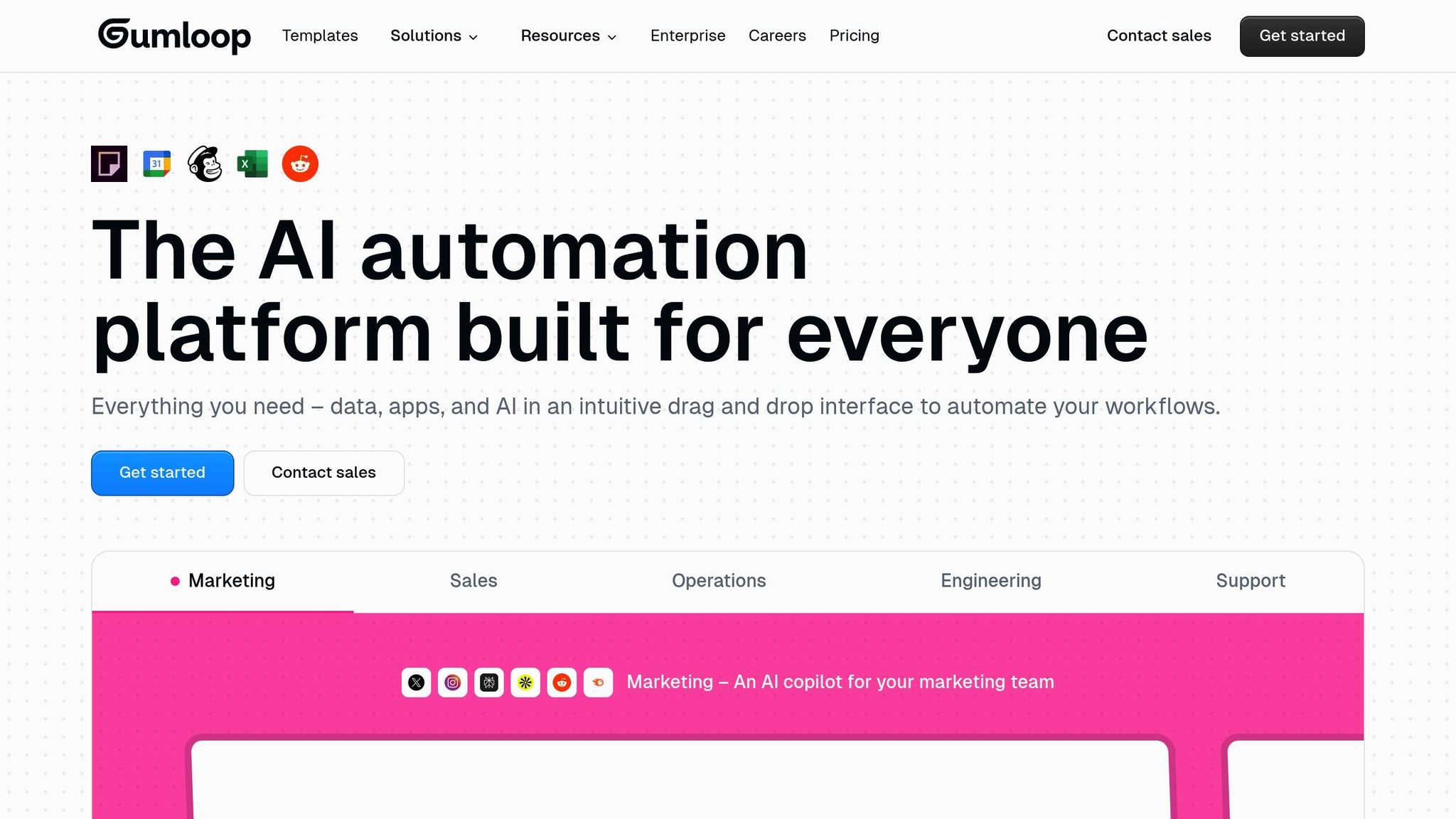
Gumloop stands out as a no-code AI workflow platform tailored for industry-specific automation. Built with simplicity in mind, it primarily serves technical users in niche industries who need precise and specialized workflows.
Gumloop supports over 100 built-in integrations, connecting seamlessly with widely used business tools across sales, marketing, operations, and support. For those with more unique requirements, the platform allows custom integrations using APIs, webhooks, and user-provided API keys. This adaptability ensures Gumloop integrates smoothly into existing technology stacks, making it a practical choice for businesses looking to enhance their workflows.
With a no-code interface, Gumloop simplifies workflow creation through its AI assistant, "Gummie", which guides users step-by-step in designing automation sequences. The platform offers pre-built workflow templates, a self-paced course, and guided cohort sessions to help users get started. A Chrome extension adds convenience by enabling users to create workflows directly from their browser. Gumloop operates on a variable credit system, where credits are consumed based on the complexity of workflows. While this approach provides flexibility, it may require careful management to predict costs effectively at scale.
Gumloop's pricing begins with a Free plan that includes 24,000 credits annually, giving users a chance to explore its features. The Solo plan, available at $30 per month when billed annually, offers 120,000 credits per year. This plan also includes unlimited triggers, four concurrent runs, email support, webhook access, and the ability to use your own API keys. Since credit usage depends on workflow complexity and frequency, businesses should monitor consumption closely during initial deployments.

Lindy.ai is a platform designed to streamline enterprise AI workforce management by enabling the creation of specialized AI agents. These agents are tailored to handle complex tasks across various business departments, extending the concept of unified orchestration discussed earlier.
Lindy.ai stands out for its ability to integrate seamlessly with thousands of business applications, fitting effortlessly into existing enterprise technology systems. This compatibility allows businesses to incorporate AI agents into their current workflows without requiring significant infrastructure changes. With this level of integration, companies can deploy AI agents across diverse functions, including sales, marketing, customer support, and operations.
"Lindy operates like the perfect SDR - reliable, scalable, and fully integrated into our sales stack." - JOHN NYE, HEAD OF MARKETING, The Sauna Place
The platform offers a no-code agent builder, empowering users to create AI agents through natural language prompts - no advanced technical skills required. These agents can be deployed for tasks such as customer support, inbound sales, marketing campaigns, and document processing. Each agent is equipped with memory capabilities, enabling them to maintain an up-to-date, searchable knowledge base.
Lindy.ai adopts a model-agnostic approach, giving enterprises the freedom to choose the AI model that best suits their needs. It also ensures enterprise-grade reliability with tools for performance measurement and benchmarking, helping businesses optimize workflows based on actual data.
For instance:
Lindy.ai doesn’t provide public pricing details for its enterprise solutions. For tailored pricing information, businesses are encouraged to contact their sales team.
Different platforms bring unique strengths and trade-offs to the table, directly influencing how enterprises approach workflow automation. Choosing the right solution means understanding each platform's capabilities and limitations to align with your specific needs. Below is a closer look at the key advantages and challenges of each platform.
n8n stands out for its flexibility, especially for technical teams. Its source-available code and self-hosting options provide full control over infrastructure, while support for JavaScript and Python allows for highly customized solutions. Enterprise-focused features like SOC 2 compliance, secret management, and role-based access control (RBAC) enhance its appeal. However, the platform's steep learning curve can be a hurdle for non-technical users. Notably, n8n offers a free self-hosted option, making it an attractive choice for enterprises seeking cost-efficient, customizable solutions.
Zapier emphasizes simplicity and ease of use. With over 8,000 built-in integrations and an intuitive interface, it’s a go-to option for non-technical users who need quick automation. For example, Remote.com automated over 11 million tasks in 2024 using Zapier. However, this ease comes with limitations - Zapier offers less flexibility for technical teams and lacks the robust enterprise governance needed for custom API connections compared to platforms like n8n.
Make (formerly Integromat) offers a visual workflow builder that balances usability with functionality. While its credit-per-step pricing model can lead to unpredictable costs, it provides a middle ground for teams looking for moderate complexity without overwhelming technical requirements.
Agentforce is specifically designed for organizations deeply integrated with Salesforce. Its tight alignment with Salesforce ecosystems makes it ideal for businesses leveraging Salesforce infrastructure, particularly those requiring AI capabilities in sales funnels. The Agentforce 1 plan caters to larger enterprises, but this deep integration may limit flexibility for companies needing broader platform support.
When evaluating these platforms, pricing models are a critical factor. Execution-based pricing tends to offer more predictability compared to credit-based systems, where costs can escalate quickly as workflows grow. For teams requiring extensive customization and scalability, platforms like n8n with self-hosted options are worth considering. Enterprises often benefit from solutions that combine predictable pricing, custom enterprise plans, and features like clear SLAs and strong governance, ensuring better ROI and scalability.
These trade-offs are pivotal when deciding on solutions for unified AI orchestration and cost management. The table below provides a snapshot of how these platforms compare across key enterprise criteria:
| Platform | Integration Support | AI Orchestration | Pricing Structure | Enterprise Governance | Best For |
|---|---|---|---|---|---|
| Prompts.ai | 35+ LLMs unified interface | Multi-model orchestration, prompt workflows | Pay-as-you-go TOKN credits, $99-$129/member/month | Enterprise-grade security, audit trails, FinOps | Organizations needing unified AI model access with cost control |
| n8n | Deep customization, self-hosting | JavaScript/Python steps, technical flexibility | Free self-hosted, cloud from $20/month | SOC 2, RBAC, secret management | Technical teams requiring maximum control |
| Zapier | 8,000+ built-in integrations | Basic automation, beginner-friendly | Tiered plans, execution-based | Limited for custom APIs | Non-technical users, quick setup |
| Make | Visual workflow builder | Moderate complexity workflows | Credit-per-step model | Standard security features | Teams balancing power and usability |
| Workato | Enterprise connectors | Advanced orchestration | Custom enterprise pricing | Comprehensive governance | Large enterprises with complex needs |
| Agentforce | Salesforce ecosystem | Sales-focused AI agents | Enterprise tier pricing | Salesforce-native security | Salesforce-centric organizations |
Free tiers are available for many of these platforms, offering a way to test their capabilities. However, these free options often lack the advanced features and scalability required for enterprise-level deployment. When assessing total cost of ownership, consider how pricing scales with usage and workflow complexity. Credit-based models, in particular, can quickly increase costs as workflows grow.
Choosing the right AI workflow platform in 2026 requires a careful match between your organization's technical needs, integration priorities, and budgetary constraints with the platform's capabilities. There’s no one-size-fits-all solution - each platform is designed to address specific enterprise requirements. It's essential to evaluate these factors within the context of your current AI integration strategy.
For organizations aiming to streamline costs while accessing multiple AI models in one place, platforms that unify large language models into a single interface with transparent FinOps tracking stand out. This approach not only simplifies operations but also enables real-time token monitoring to avoid unexpected budget overruns.
When assessing total cost of ownership, it’s critical to look beyond subscription fees. Pricing structures based on credits or tokens can escalate as workflows become more complex. Free tiers may be helpful for initial testing but often lack enterprise-grade features like governance tools, audit trails, and service-level agreements. Start by mapping out your existing AI landscape - consider the number of subscriptions, API keys, and vendor relationships your teams manage - and calculate the cumulative monthly costs. Don’t forget to account for indirect expenses like training and integration maintenance. The platform that minimizes both direct spending and operational inefficiencies is likely to yield the best return on investment.
Managing fragmented AI tools requires a clear understanding of your current state and a vision for where you want to be in the next year. Opt for a platform that not only scales with your growing needs but also provides centralized governance and transparent cost management to support your long-term goals.
Enterprises can manage expenses effectively by selecting AI platforms with pricing models tailored to usage. Options like tiered plans or pay-as-you-go structures make it possible to pay only for what you actually use, avoiding unnecessary costs.
Another way to save is by choosing platforms that integrate smoothly with your current tools and workflows. This approach reduces the need for expensive customizations or additional software purchases. Before committing to a significant investment, consider exploring free trials or limited-feature plans to test the platform’s capabilities.
Keeping an eye on your usage and adjusting subscriptions as your requirements shift is another smart strategy. This ensures you're not overpaying while still maintaining productivity and efficiency.
When choosing an AI platform, security and compliance should be at the top of your checklist. Opt for platforms that adhere to frameworks like SOC 2 compliance, include strong role-based access controls, and offer secret management to safeguard confidential information.
Equally important are governance tools that streamline oversight. Features like permission controls, audit logs, and visibility tools enable teams to monitor workflows and maintain regulatory compliance. These tools not only enhance security but also ensure smooth, secure, and well-managed AI operations.
Pricing models for AI platforms are a key factor in how enterprises manage their budgets and plan for the future. These models influence the total cost of ownership, the scalability of AI initiatives, and how well businesses can anticipate expenses over time.
Take subscription-based pricing, for example. It provides steady, predictable monthly costs, which simplifies budget planning. On the other hand, usage-based pricing offers flexibility but can result in fluctuating costs, depending on how much the platform is used. To make the right choice, businesses should evaluate their current needs and long-term growth goals, ensuring the pricing model supports both their financial plans and sustainable AI adoption.