Pay As You Go - AI Model Orchestration and Workflows Platform



By 2026, 95% of generative AI pilots fail to scale due to fragmented tools and siloed systems. The solution? Unified platforms that simplify workflows, manage costs, and ensure governance. Here’s a breakdown of three standout platforms:
Quick Comparison:
| Platform | Best For | Key Strength | Starting Price |
|---|---|---|---|
| Prompts.ai | Enterprises needing integration | Unified access to 35+ models, cost tracking | $0/month (pay-as-you-go) |
| AI Orchestrator Pro | Teams needing flexibility | No-code tools + advanced developer options | Varies |
| WorkflowGPT | Regulated industries | Security-first design, compliance focus | $4/user/month |
Choose based on your goals: cost efficiency, technical flexibility, or compliance. As AI adoption grows, platforms like these are key to scaling workflows and driving results.
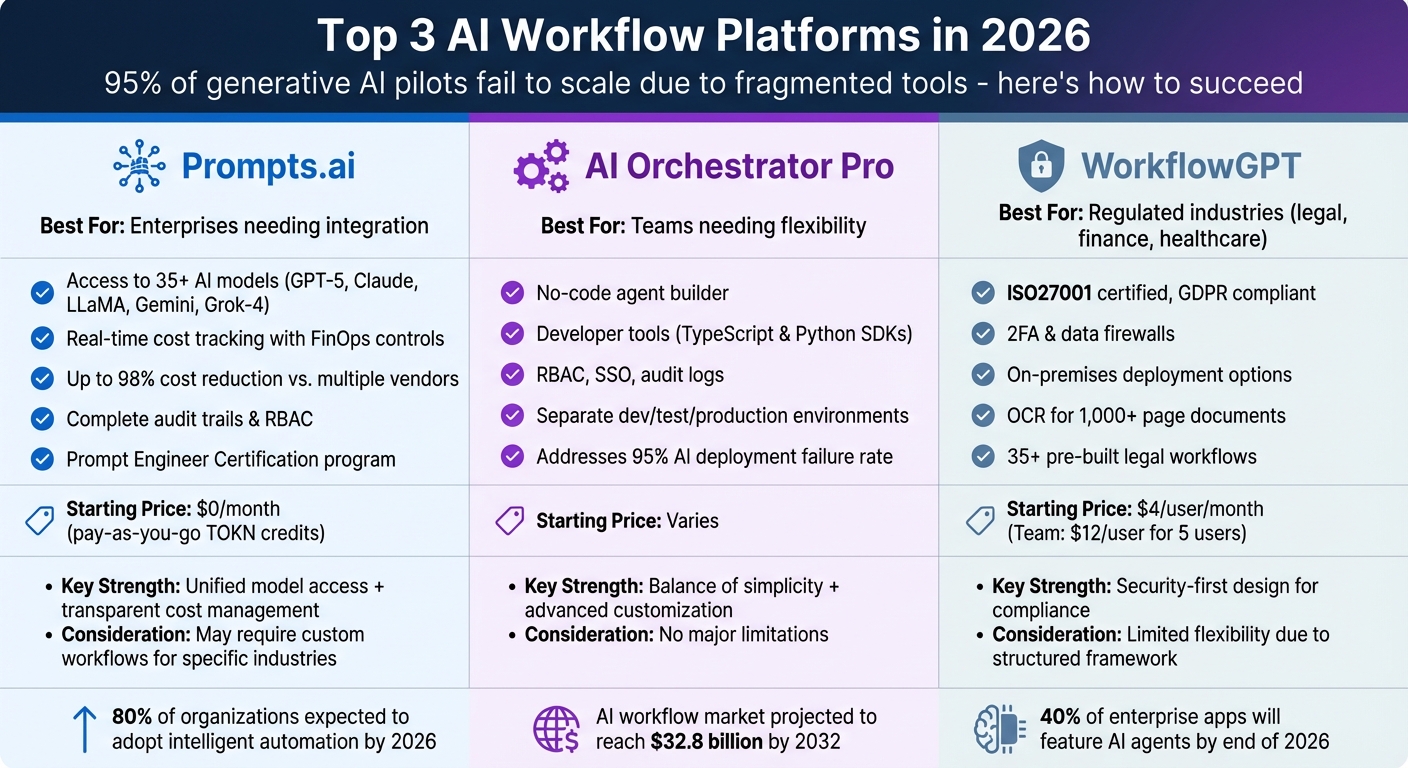
AI Workflow Platforms Comparison 2026: Features, Pricing and Best Use Cases
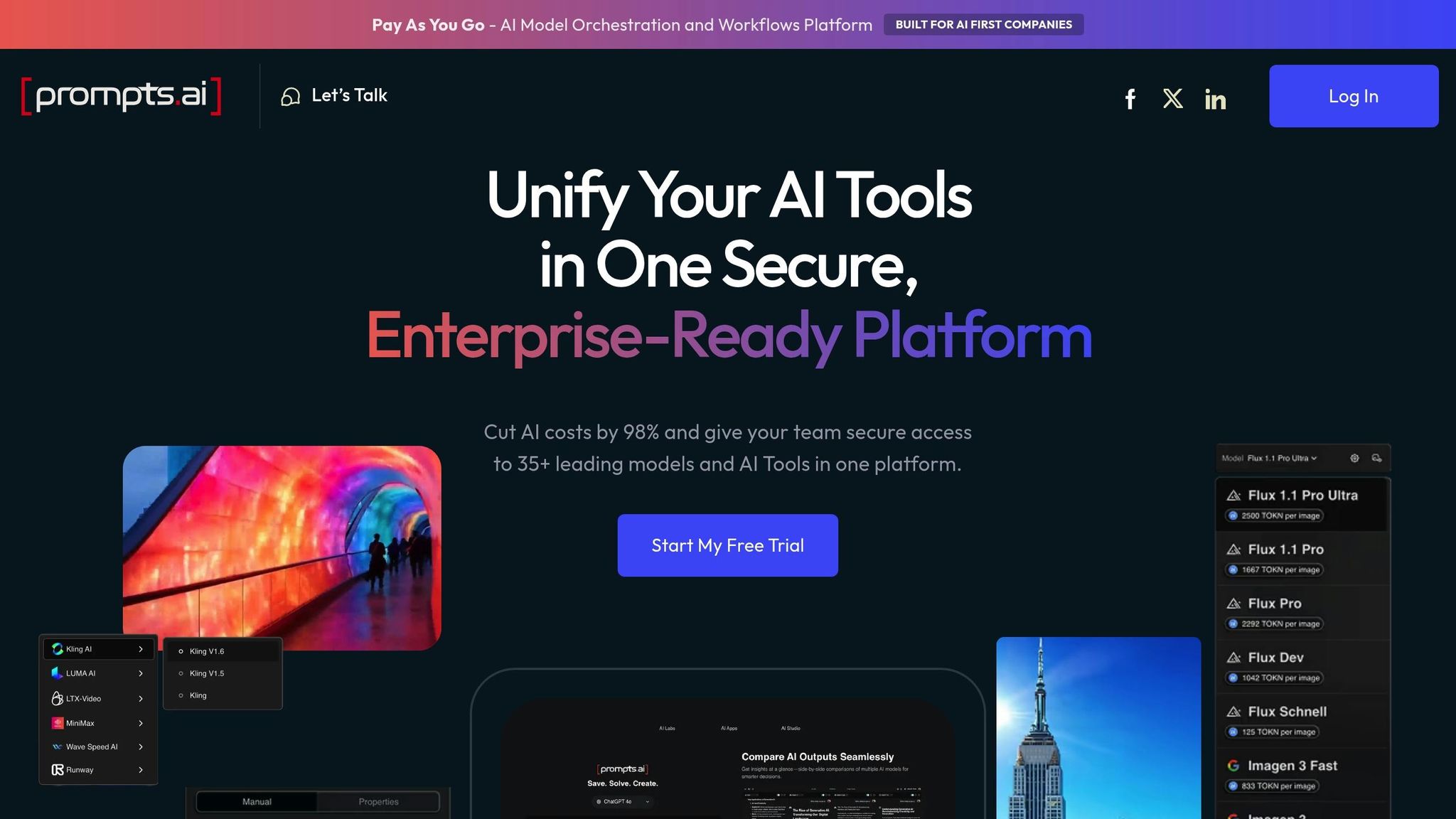
Prompts.ai responds to the growing need for interoperable platforms by bringing together 35+ top large language models - such as GPT-5, Claude, LLaMA, Gemini, Grok-4, Flux Pro, and Kling - into one enterprise-ready solution. This eliminates the hassle of juggling multiple vendor agreements, API keys, and billing systems. Teams can effortlessly compare, switch, and choose models within seconds.
With its unified access layer, Prompts.ai offers a consistent API to access over 35 models, significantly reducing development time. This setup allows for real-time testing and seamless adoption of new models as they emerge. Organizations can implement workflows without having to overhaul their existing infrastructure, staying agile in the rapidly evolving AI landscape.
Prompts.ai integrates FinOps controls to track token usage in real time, offering clear visibility into AI spending across teams. By consolidating vendor subscriptions into a pay-as-you-go system using TOKN credits, businesses can cut AI software costs by up to 98%. The platform also provides detailed cost-per-query metrics and usage patterns, enabling finance teams to link AI expenses directly to business outcomes while avoiding unexpected costs. In addition to cost management, the platform’s comprehensive governance tools further reinforce its enterprise capabilities.
The platform offers robust governance features that allow teams to confidently deploy AI workflows. It ensures complete audit trails for all AI interactions, monitors data lineage, and enforces role-based access controls. By keeping sensitive data within the organization’s security framework, Prompts.ai helps businesses meet regulatory requirements without compromising on security.
Onboarding new users, models, or use cases is quick and straightforward, taking only minutes. Whether supporting small teams or Fortune 500 companies, the platform scales effortlessly to meet growing AI demands. Features like the Prompt Engineer Certification program and a library of pre-designed workflows enable teams to adopt standardized best practices and onboard members efficiently. This approach transforms isolated AI experiments into repeatable workflows that drive measurable productivity improvements, making Prompts.ai an essential tool for integrating AI into everyday business processes.
AI Orchestrator Pro provides a seamless way to take AI projects from initial pilot stages to full-scale production, addressing the common challenge of high failure rates - nearly 95% - in enterprise AI deployments[1].
The platform integrates Role-Based Access Control (RBAC), Single Sign-On (SSO), and detailed audit logs to manage permissions and maintain compliance. By offering separate environments for development, testing, and production, it safeguards sensitive data while enabling ongoing improvements and innovation.
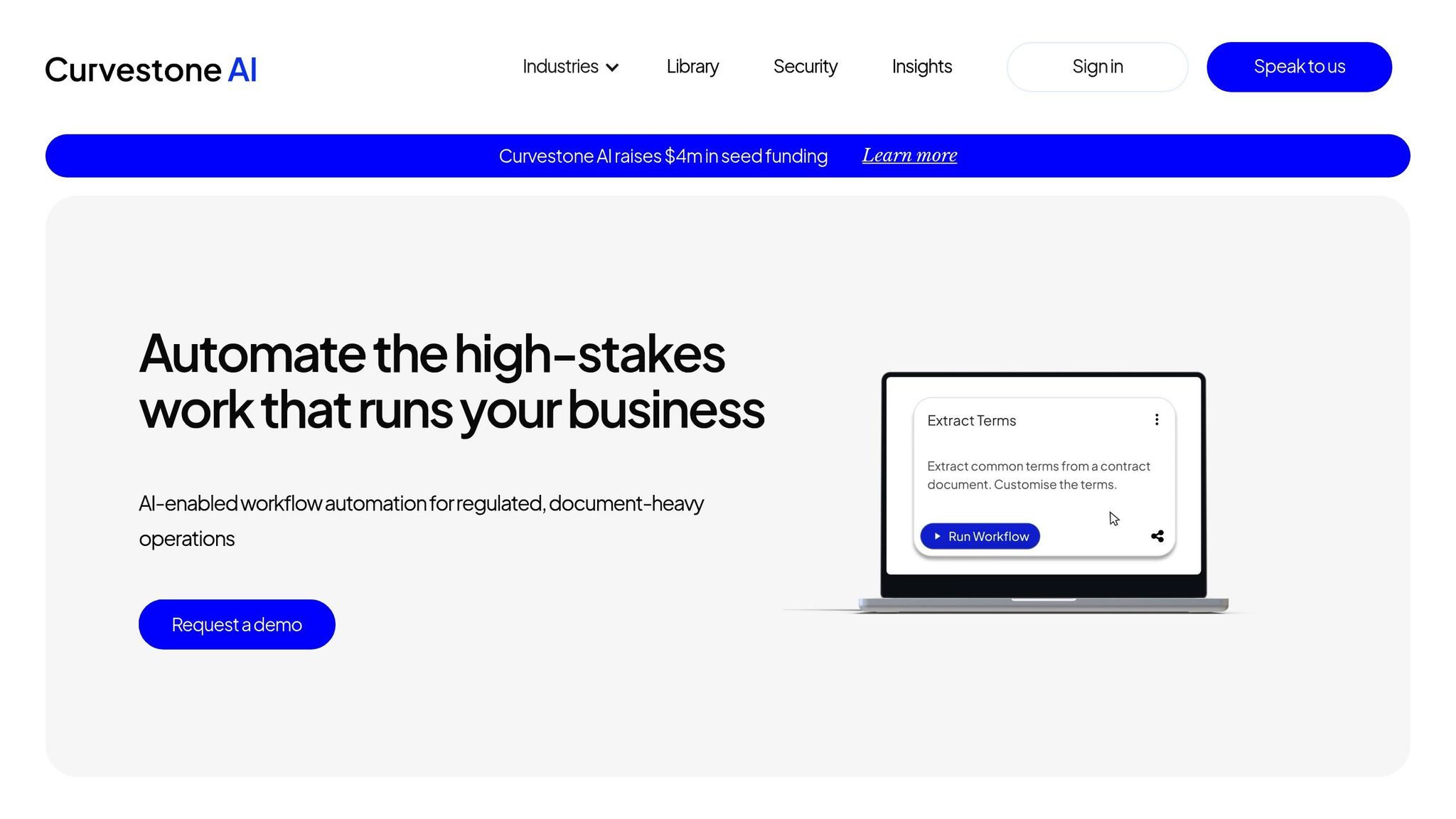
WorkflowGPT is a platform designed with a strong focus on security, catering specifically to industries like legal and financial services where data sensitivity is paramount. Created by Curvestone AI, it secured $4 million in early 2026 to enhance AI reliability in these high-stakes environments.
The platform prioritizes data protection with ISO27001 certification and GDPR compliance. Features like two-factor authentication (2FA) and data firewalls ensure confidentiality, while users maintain full ownership of their data, which is never used to train AI models. For organizations with strict compliance needs, WorkflowGPT offers flexible deployment options, including on-premises setups within a client’s Microsoft Azure environment or dedicated instances for added control. Enterprise users gain access to advanced audit logs and monitoring tools, enabling transparent and traceable AI decision-making. These robust security measures also support seamless integration with other systems.
WorkflowGPT allows users to work with multiple large language models, ensuring they can choose the best fit for specific tasks. It supports extensive document analysis, handling files over 1,000 pages long, and features OCR capabilities that can extract data from tables, formatted documents, and even handwriting.
The platform adapts to a range of needs, from initial prototypes to full-scale enterprise deployments. It offers unlimited workspaces and a no-code workflow designer, making it accessible to both small teams and large organizations. Pricing starts at $4 per user per month, with a Team Plan available at $12 per user for up to five users. Custom enterprise solutions include features like white-labeling and unlimited tokens. Additionally, WorkflowGPT comes with a library of over 35 pre-built prompts and workflows tailored for legal practices, addressing common issues like compound errors in regulated industries. This flexibility ensures smooth transitions from testing to full-scale operations without cutting corners.
Choosing the right platform depends on your organization's size, industry, and specific technical needs, as each option brings distinct benefits and trade-offs.
Prompts.ai operates on a pay-as-you-go TOKN credit system, ensuring you only pay for the resources you use. This setup makes it a strong choice for enterprises aiming to streamline AI workflows and integrate systems efficiently. The platform also supports teams with its Prompt Engineer Certification program and a community-driven resource library, helping to reduce tool sprawl. However, organizations needing pre-built, industry-specific templates may find themselves investing extra time in creating custom workflows.
AI Orchestrator Pro offers a balance between simplicity and advanced customization. Its no-code agent builder allows non-technical users to quickly deploy automations, while developers can leverage TypeScript and Python SDKs for more complex enhancements. This flexibility supports both quick rollouts and intricate process development across interconnected systems.
WorkflowGPT stands out for organizations prioritizing data security and regulatory compliance. Its design focuses on meeting the needs of highly regulated industries, ensuring robust protection. However, its structured framework may limit flexibility for teams looking to experiment with workflows.
Here’s a quick comparison of each platform’s key features and considerations:
| Platform | Best For | Starting Price | Key Strength | Main Consideration |
|---|---|---|---|---|
| Prompts.ai | Enterprises seeking seamless AI integration | $0/month (pay-as-you-go) | Unified access to 35+ models with transparent FinOps | May require custom workflows for specific industries |
| AI Orchestrator Pro | Teams needing no-code tools and developer options | Varies | Combines no-code automation with SDK integrations | No major limitations reported |
| WorkflowGPT | Highly regulated industries | Varies | Security-first approach for compliance | Limited flexibility due to structured framework |
Your choice hinges on whether you prioritize cost efficiency and model integration, a blend of ease-of-use with technical customization, or a security-focused framework tailored for compliance. This breakdown highlights the strengths and considerations of each platform, helping you align your decision with your organization's goals.
Achieving interoperability is the cornerstone of maximizing AI's potential. The ideal AI workflow platform hinges on your primary goals, whether that's cost clarity, technical flexibility, or meeting strict regulatory demands. Prompts.ai delivers exceptional value for enterprises seeking unified access to over 35 models, while maintaining cost predictability through its pay-as-you-go TOKN credit system. Organizations can cut AI software expenses by as much as 98% compared to juggling multiple vendor subscriptions. Additionally, the platform’s built-in FinOps layer offers clear, real-time insights into spending, making cost management straightforward.
Adaptability is another critical factor. AI Orchestrator Pro caters to teams that need a blend of simplicity and customization. Non-technical users can easily deploy automations with the no-code agent builder, while developers can leverage TypeScript and Python SDKs for more complex integrations. This dual capability is especially useful for mid-sized companies looking for quick implementation without compromising scalability into more advanced workflows.
For industries with strict compliance needs, WorkflowGPT is designed with security and governance at its core. It’s an excellent fit for sectors like financial services, healthcare, and government contracting, where audit trails and data governance are non-negotiable. However, its structured approach may feel limiting for teams in industries that require faster, more experimental workflows.
With 80% of organizations expected to adopt intelligent automation by 2026 and the market projected to reach $32.8 billion by 2032, aligning your platform choice with your technical and budgetary priorities is more important than ever. Consider whether your focus is on broad model access, developer-friendly extensibility, or stringent compliance measures - and choose a platform that excels in your area of need.
The transition from task-specific copilots to end-to-end autonomous agents is gaining momentum. By the end of 2026, 40% of enterprise applications are expected to feature task-specific AI agents. Selecting a platform that meets your current requirements while preparing for the rise of autonomous workflows in the next 24 months is essential. Ensure your choice supports this evolution toward integrated, intelligent automation.
To select the best AI workflow platform, focus on critical aspects such as integration capabilities, scalability, and security. The platform should integrate effortlessly with your existing technology stack, accommodate future growth, and adhere to stringent compliance requirements. Prioritize features like robust governance tools and the ability to adjust to your team’s changing needs. Choose a solution that enhances your workflows and boosts productivity while maintaining top-notch security.
An AI workflow platform needs to offer robust governance capabilities, including centralized oversight, compliance management, risk tracking, and audit readiness. It should align with regulatory standards such as the EU AI Act and NIST AI RMF, while also implementing enterprise-level security protocols. These tools enable businesses to stay accountable, meet regulatory obligations, and protect sensitive information with confidence.
AI expenses can stay manageable even as usage increases by adopting pay-as-you-go pricing models, combining various models into a unified platform to reduce overhead, and using intelligent task routing to optimize resource use. These approaches enable businesses to control costs efficiently while expanding their AI capabilities.