Pay As You Go - AI Model Orchestration and Workflows Platform



AI workflow tools are transforming businesses by connecting everyday tools like Slack, Gmail, and HubSpot with powerful large language models (LLMs). These platforms automate complex tasks, save time, reduce costs, and improve productivity.
Here’s what you need to know:
Key benefits include:
Quick Comparison
| Platform | Core Feature | Pricing (Starting) | Deployment Options | Governance Features | Integrations |
|---|---|---|---|---|---|
| Prompts.ai | Centralized LLM access, cost reduction | $29/month | Cloud, Self-hosted | Role-based access, FinOps | 35+ LLMs |
| Vellum AI | Advanced workflows, fast development | Custom pricing | Cloud, Self-hosted | Version control, Guardrails | Provider-agnostic |
| Zapier | No-code automation | $19.99/month | Cloud | RBAC, SOC 2 compliance | 8,000+ apps |
| Make | Goal-driven AI agents | $10.59/month | Cloud | RBAC, Human-in-loop | 3,000+ apps |
| n8n | Agentic workflows, LangChain support | Free | Cloud, Self-hosted | SSO, SOC 2 compliance | 422+ integrations |
| Gumloop | Non-technical workflow automation | $37/month | Cloud, VPC | SOC 2, GDPR compliance | 120+ nodes |
| Lindy | AI teammates for repetitive tasks | Custom pricing | Cloud | GDPR, SOC 2, HIPAA compliance | Pre-built tools |
| Relay.app | Human-in-loop automation | Free | Cloud | SOC 2, Audit trails | 100+ integrations |
| Workato | Enterprise AI integrations | Custom pricing | Cloud | SAML, BYOK, SOC 2 | 1,200+ connectors |
| Pipedream | Code-level flexibility | $45/month | Cloud | SOC 2, HIPAA compliance | 2,700+ apps |
Each platform offers unique strengths, whether you need no-code simplicity, technical flexibility, or enterprise-grade governance. Start small, automate key workflows, and track metrics like time saved and costs reduced to see immediate value.
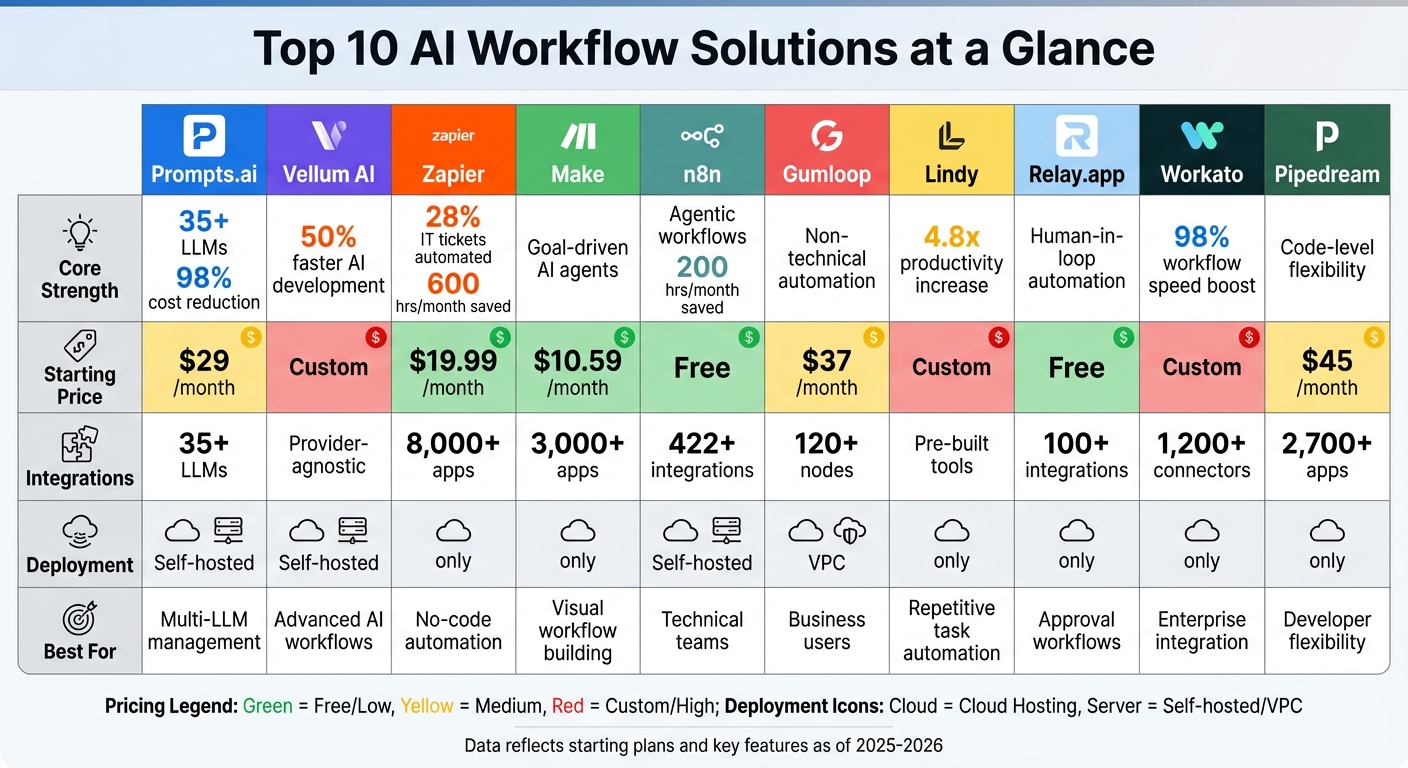
AI Workflow Platforms Comparison: Features, Pricing, and Integrations

Prompts.ai is a powerful platform designed for enterprise-level AI orchestration. It simplifies access to over 35 leading large language models, including GPT-5, Claude, LLaMA, Gemini, Grok-4, Flux Pro, and Kling. By bringing these models together in one secure interface, Prompts.ai tackles a major challenge for organizations: managing multiple AI tools. Instead of juggling various subscriptions and interfaces, teams can use a single, streamlined dashboard that provides clear oversight of usage, costs, and compliance. Here's what sets Prompts.ai apart as a go-to solution for AI workflows.
Prompts.ai is built for organizations that need centralized control over their AI operations. It allows teams to compare model performance side-by-side and deploy expertly designed prompt workflows. This eliminates the confusion caused by disconnected tools, while also slashing AI software costs by up to 98%. The platform uses a pay-as-you-go TOKN credit system, replacing traditional subscription fees with flexible, usage-based pricing - an ideal setup for businesses with fluctuating AI demands.
Prompts.ai makes it seamless to access its extensive library of models without requiring individual integrations. Teams can switch effortlessly between models - whether it’s using GPT-5 for reasoning, Claude for long-context tasks, or specialized models like Kling - all within one unified workflow. This approach not only simplifies operations but also provides real-time performance metrics, significantly reducing operational complexity.
The platform incorporates enterprise-grade controls into every aspect of its workflows. A built-in FinOps layer monitors token usage, enforces spending limits, and ties AI costs to specific teams or projects. Organizations gain access to detailed audit trails for compliance and can utilize role-based access controls to protect sensitive data. Additionally, Prompts.ai offers a Prompt Engineer Certification program, equipping team members with the skills and best practices needed for high-quality deployments.
Prompts.ai offers flexible pricing to meet a variety of needs:
Vellum AI bridges the gap between technical and non-technical teams, enabling them to design and deploy intricate AI systems. From multi-step prompt chains to RAG chatbots and automated document processing, Vellum AI provides the tools to tackle complex workflows. Its bidirectional sync feature allows seamless transitions between visual and code-based editors without losing progress. Let’s dive into how Vellum simplifies building and managing advanced workflows.
Vellum AI is designed to power sophisticated AI agents capable of executing tools, loops, and parallel branches, driving impactful automation. A standout example is Redfin, which in 2024 doubled its operational speed and introduced a virtual assistant across 14 U.S. markets, showcasing Vellum’s effectiveness. Product teams frequently create proofs of concept in as little as a week.
Vellum’s provider-agnostic integration supports a variety of LLM models and allows for custom Python or TypeScript code through specialized nodes. These nodes handle tasks like HTTP requests, RAG pipelines, and custom logic, offering flexibility and speed. Users report a 50% faster AI development process, along with immediate error resolution, regardless of infrastructure uptime. The platform also includes Human-in-the-loop nodes, which pause workflows for manual input or approval before resuming execution.
With built-in version control and quantitative testing frameworks - referred to as "Evaluations" - teams can test workflows under different conditions before deployment. Debugging becomes more straightforward with advanced trace views and state snapshotting. Additionally, Guardrail Nodes perform inline evaluations, ensuring workflows meet quality standards.
Vellum AI offers flexible deployment options, including one-click cloud deployment via API or self-hosting with the Vellum Workflows SDK and custom Docker runtimes. Its composable workflows enable teams to save and reuse processes as modular nodes, while Final Output Nodes ensure accurate data integration into downstream systems.
Zapier simplifies automation for teams with its user-friendly, code-free platform. Boasting an impressive ecosystem of over 8,000 app integrations - including popular tools like Google Workspace, Salesforce, Slack, and HubSpot - it enables seamless connections across multiple platforms. Its intuitive drag-and-drop interface empowers non-technical users to create complex workflows using natural language prompts, eliminating the need for engineering assistance. This accessibility has paved the way for impactful automation solutions.
Zapier shines in handling straightforward, event-driven automations such as content summarization, lead classification, and automated email replies. A compelling example comes from 2025, when Marcus Saito, Remote's Head of IT and AI Automation, led a small team of three to integrate Zapier with ChatGPT. This setup automatically classified and prioritized 28% of IT tickets, saving the team over 600 hours each month. This showcases how Zapier can streamline operations without relying on extensive technical expertise.
Zapier goes beyond basic trigger-action workflows, offering nearly 500 AI-specific integrations. These include seamless connections to models like ChatGPT, Claude, and Gemini, allowing users to embed AI directly into their automations. The platform’s support for the Model Context Protocol (MCP) provides AI models with access to over 30,000 actions across its ecosystem. These integrations have helped organizations cut costs and improve efficiency. Additionally, Zapier's Interfaces and Tables features let teams build AI-powered applications without needing developers. Alongside its integration capabilities, Zapier prioritizes secure and compliant operations.
Zapier includes robust governance tools for managing connected apps, maintaining SOC 2 Type II compliance, and securing data with AES-256 encryption. While custom API connections and secrets must be configured individually for each workflow, the platform compensates with features like Role-Based Access Control (RBAC), Single Sign-On (SSO/SAML), and real-time audit logs. Enterprise customers are automatically excluded from AI model training data, and admins can restrict third-party AI app integrations. For example, Jacob Sirrs, Marketing Operations Specialist at Vendasta, utilized these governance features to implement AI automation that recovered around $1 million in potential revenue and eliminated 282 days of manual work annually.
Zapier operates as a fully managed cloud service, requiring no additional infrastructure. The free tier includes 100 tasks per month, while Professional plans, starting at $19.99 to $29.99 per month (billed annually), offer 750 tasks and multi-step workflows. For enterprises needing secure connections to internal data, Zapier provides VPC Peering and IP allowlisting. The platform’s consistently high user ratings highlight its reliability and effectiveness in delivering automation solutions.
Make offers a visual-first interface for building AI workflows, making it simple to create complex automations through drag-and-drop functionality. Unlike traditional automation tools that rely on rigid rules, Make empowers teams to design goal-driven AI agents. These agents dynamically determine the steps needed to achieve a specific goal using large language models. This flexibility makes Make an excellent choice for tasks like managing shop inventory, triaging customer support tickets, generating SEO keywords, and automating lead calls.
Make shines in orchestrating adaptive, goal-driven AI agents that adjust in real time to meet business objectives. Throughout 2024, the use of AI within Make's workflows increased fourfold, highlighting a growing demand for autonomous automation. Its ability to deliver measurable business results has made it a valuable tool across various industries, solidifying its position as a leader in real-time workflow automation.
The platform integrates seamlessly with 3,000+ pre-built apps and offers over 30,000 actions, covering tools like Salesforce, HubSpot, Slack, monday.com, and NetSuite. For AI-specific workflows, Make provides 400+ integrations with models such as OpenAI (ChatGPT, Sora, DALL-E), Anthropic Claude, Google Vertex AI (Gemini), Perplexity AI, DeepSeek AI, and Mistral AI. Users can also leverage an HTTP/Webhook toolkit and a flexible API to connect proprietary systems. Additionally, Make features a cloud-hosted Model Context Protocol server, allowing scenarios to be accessed from any AI interface. These extensive integration options are complemented by robust governance controls to maintain workflow integrity.
Make ensures quality and security with features like role-based access control (RBAC), team-specific usage limits, and an Analytics Dashboard for tracking performance. Its "Human in the Loop" functionality adds an extra layer of oversight, letting users review and approve AI-generated outputs before they move to the next step in the workflow. This feature provides a critical safeguard for maintaining high-quality automation.
Make is available as a fully managed cloud service, featuring a user-friendly visual interface. It is enhanced by "Maia," an AI assistant that helps create workflows using natural language commands, and the "Make Grid," which provides a global overview of all automations. Pricing starts with a free tier offering 1,000 credits per month, with paid plans ranging from $10.59/month to $34.12/month, alongside custom enterprise options. The platform enjoys high user satisfaction, boasting 4.8/5 on Capterra from 404 reviews and 4.7/5 on G2 based on 238 reviews.
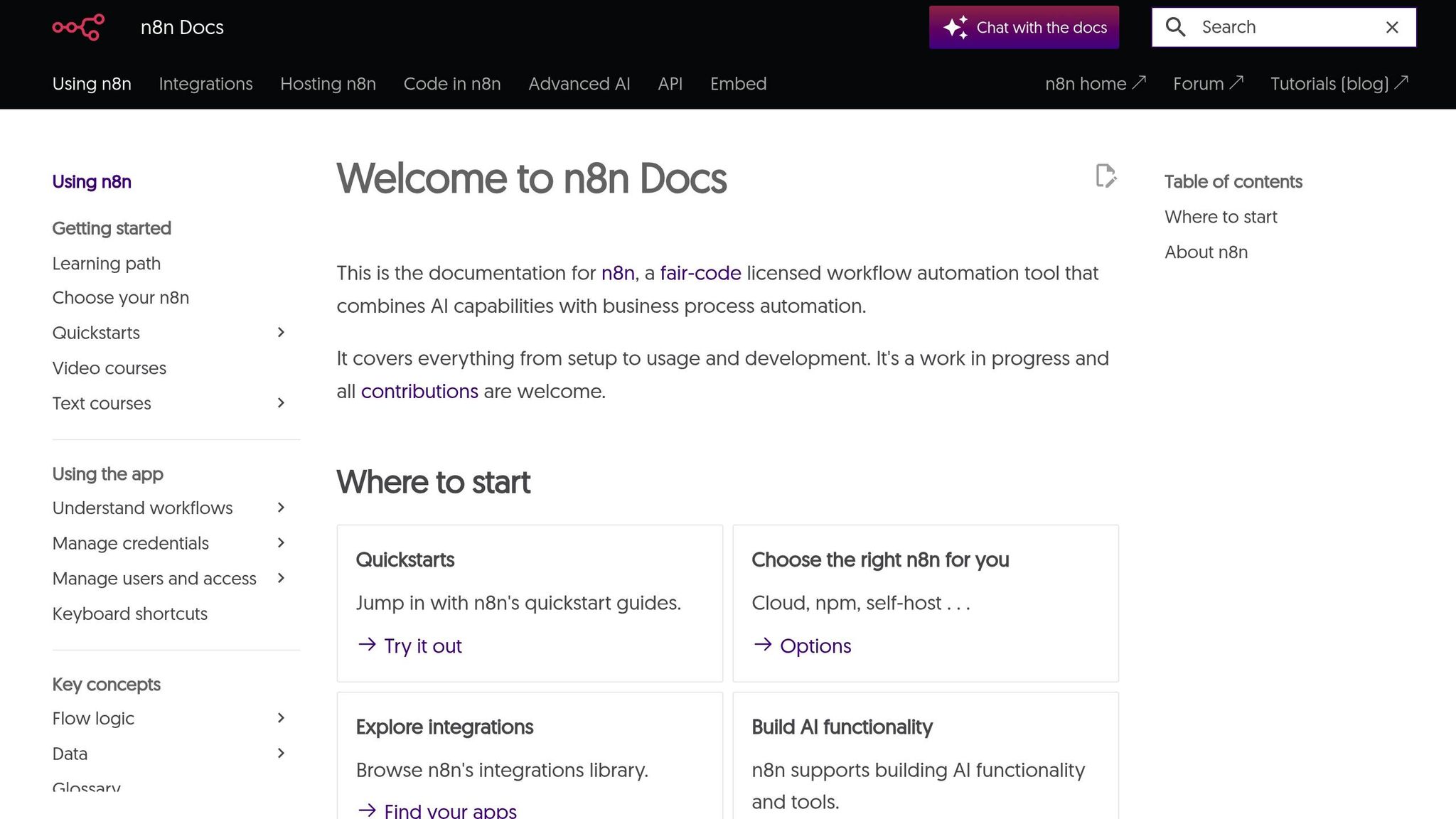
n8n is a platform built for technical users who want to create autonomous AI workflows. Unlike traditional linear processes, n8n focuses on "agentic workflows" - where AI agents can independently make decisions, use tools, and complete multi-step tasks. This makes it perfect for complex setups like chaining AI requests for multi-modal content, managing stateful chat interactions, or coordinating multi-agent teams. For example, a "gatekeeper" agent can intelligently route tasks to specialized agents, such as those handling technical support or billing inquiries.
n8n shines when technical teams need to design intricate, goal-driven workflows that surpass basic automation. Its ability to process unstructured data and support autonomous decision-making has delivered impressive results. At Delivery Hero, Dennis Zahrt, Director of Global IT Service Delivery, introduced a single ITOps workflow for user management, saving 200 hours every month. Similarly, StepStone's Marketplace Tech Lead, Luka Pilic, used n8n to accelerate marketplace data integration by 25 times, cutting tasks that once took two weeks down to just two hours.
The platform boasts 422+ pre-built integrations and includes native LangChain nodes for advanced AI functionality. Its "Nodes as Tools" feature simplifies connections to around 20 popular services, such as Telegram and Google Calendar, through the $fromAI() function - eliminating the need for complex setup. With over 1,700 workflow templates, teams can quickly get started on new projects. Additionally, n8n supports up to 220 workflow executions per second on a single instance, making it a solid choice for high-volume operations. These integrations are paired with robust security and control measures to ensure reliability.
n8n prioritizes security and compliance, offering enterprise-grade features like SSO (SAML/LDAP), advanced role-based access control (RBAC), encrypted secret stores, and SOC 2 compliance. It also supports Git-based source control, allowing teams to safely move workflows between staging and production, track changes, and roll back as needed. For conversational agents, the "Window Buffer Memory" feature keeps context across multiple interactions by using session keys tied to user IDs, ensuring a seamless user experience.
n8n provides flexible hosting options to suit various organizational needs. Teams can opt for a managed Cloud service, self-host via Docker or Kubernetes for greater data control, or deploy fully on-premise and air-gapped setups for maximum privacy. The Community Edition is free, while the Cloud and Enterprise plans include advanced features like external secret management through AWS Secrets Manager or HashiCorp Vault. With a 4.9/5 rating on G2 and over 170,000 stars on GitHub, n8n has earned its place as a top-tier solution for AI-driven workflows.
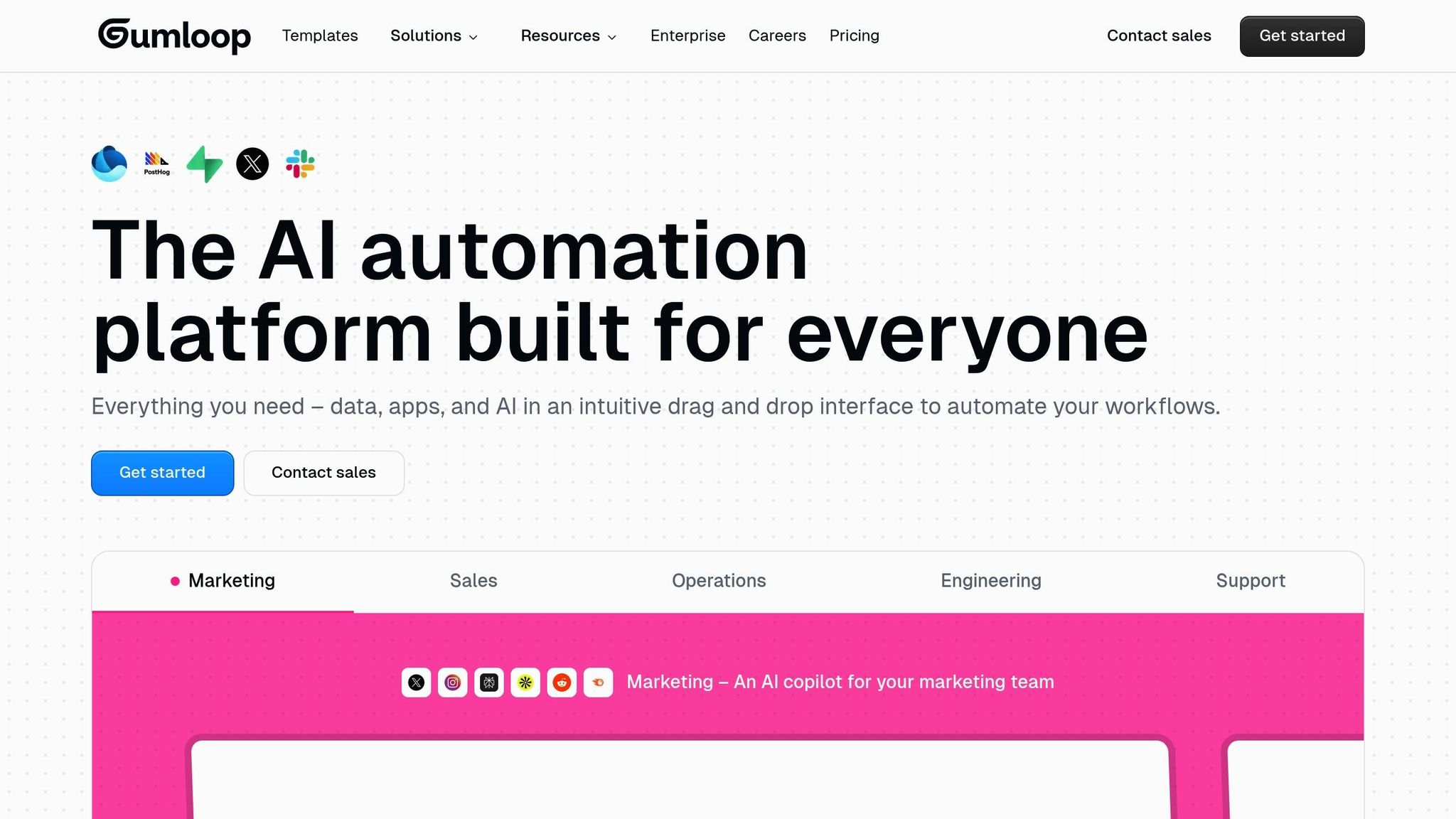
Gumloop gives marketing, sales, HR, and operations teams the ability to create AI-driven workflows without needing to write a single line of code. By connecting AI with various apps, the platform allows users to automate even the most intricate tasks. What makes Gumloop stand out is its dynamic workflows, where AI determines the next best step in a process. This flexibility makes it perfect for teams that understand their workflows but don’t have technical coding expertise.
Gumloop shines by putting automation directly into the hands of business users. Instacart CEO Fidji Simo shared:
Gumloop has been critical in helping all teams at Instacart - including those without technical skills - adopt AI and automate their workflows.
Similarly, Bryant Chou, Co-Founder of Webflow, highlighted:
Gumloop wins time back across an org. It puts the tools into the hands of people who understand a task and lets them automate it away.
One standout feature, "Interfaces", allows users to turn automated workflows into user-facing apps. This means team members or clients can directly benefit from automation without needing to dive into the technical setup.
Gumloop’s ecosystem includes over 120 native nodes that integrate with popular tools like Salesforce, Airtable, Apollo, Slack, Gmail, Stripe, and Zendesk. It supports several premium LLMs, such as OpenAI GPT-o3-pro, Anthropic Claude 4 Sonnet, Deepseek V3 R1, Gemini 2.5 Pro, and Perplexity, all under one subscription. The platform’s Model Context Protocol (MCP), branded as "guMCP", enables connections to thousands of additional tools and APIs.
The built-in AI assistant, "Gummie", simplifies workflow creation by using natural language prompts to build or suggest configurations automatically. A Chrome extension adds further convenience, letting users manage workflows directly from their browser.
Gumloop prioritizes enterprise-grade security with SOC 2 and GDPR compliance, detailed access controls, custom user roles, and audit logs. Teams can manage which AI models are accessible through AI model governance settings. Additionally, the AI Proxy support feature allows enterprises to use their own API keys and route requests via private proxies, adding an extra layer of security. Pricing options include:
Gumloop offers flexible deployment models to suit varying needs. The standard cloud hosting option with auto-scaling compute is ideal for quick setup. For enterprise clients needing more control, Virtual Private Cloud (VPC) deployments keep data within their infrastructure. High-volume workflows benefit from parallel execution, while programmatic access is available via webhooks, REST APIs, and Python/TypeScript SDKs. For organizations with strict data residency requirements, on-premise installations are available, along with hybrid connectivity for internal databases like Amazon RDS through custom nodes.
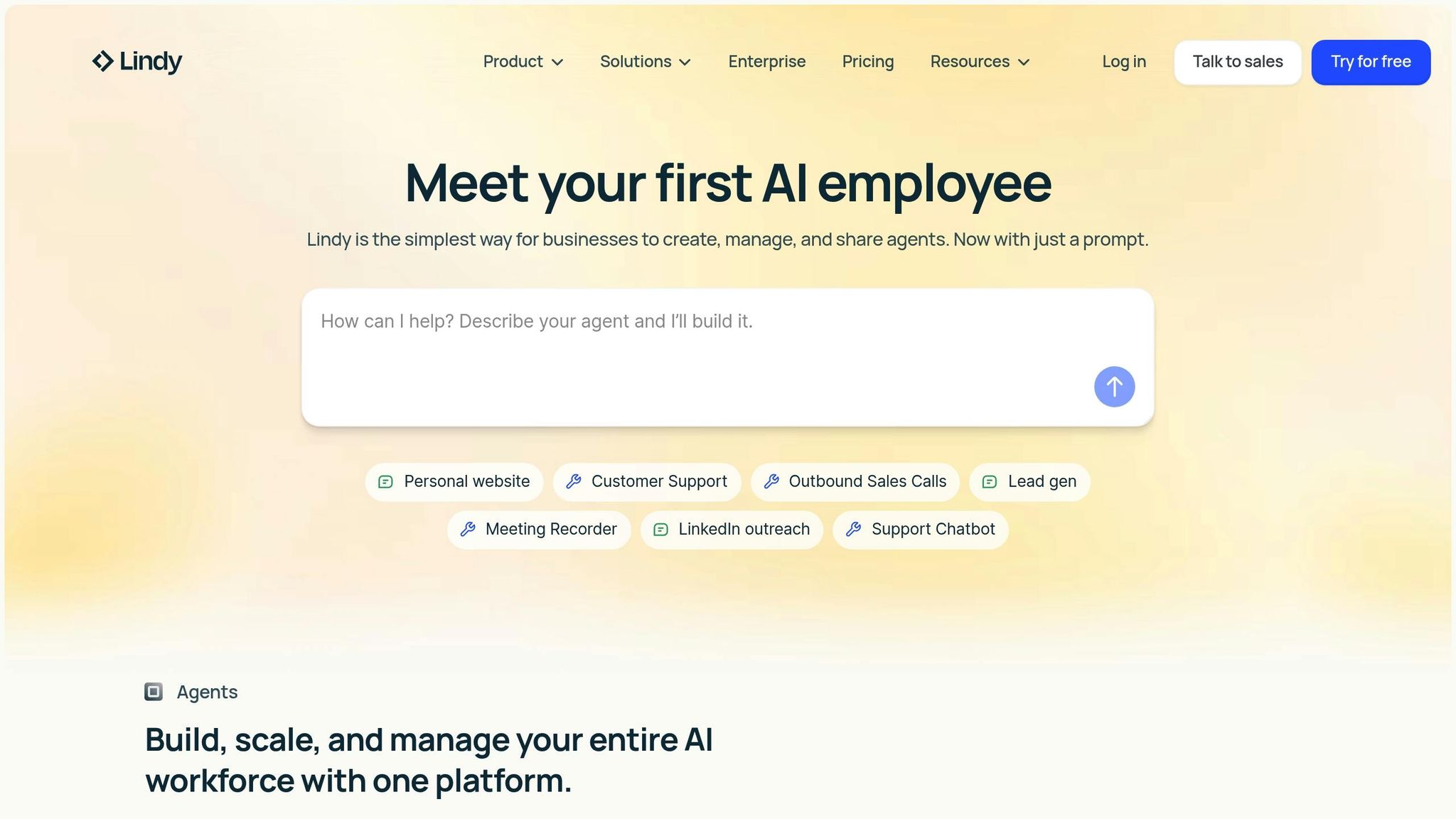
Lindy stands out as an AI agent platform designed to create "AI teammates" capable of tackling repetitive tasks that often consume up to 40% of a knowledge worker's time. These agents rely on "Agent Steps" to manage complex workflows autonomously. This makes Lindy particularly effective for tasks like email management, scheduling meetings, customer support, and generating sales leads - areas that require nuanced judgment rather than basic if-then rules. This approach aligns with the growing trend of using AI to simplify and automate repetitive work.
Lindy is geared toward organizations aiming to automate manual processes into seamless, 24/7 workflows. By adopting Lindy, businesses can increase productivity by 4.8x and reduce processing times by 67%, delivering a 30–200% ROI within the first year. Flo Crivello, Founder & CEO of Lindy, highlights the platform's focus on integrations:
AI agents are only as good as the integrations they have. That's the whole thesis of Lindy.
Lindy’s agents combine advanced prompts, models like GPT-4 or Claude, specialized skills, and clear exit conditions to enhance workflow efficiency. They also improve over time by remembering past interactions, offering a smarter and more personalized experience.
Lindy provides a robust integration ecosystem with pre-built connections to tools like Gmail, HubSpot, and Salesforce. These integrations are powered by partnerships that significantly expand the platform's capabilities. Through a no-code interface, users can define "Triggers" (events that activate an agent) and "Actions" (responses the agent performs). The use of pre-approved OAuth clients ensures quick and seamless integration with existing tech stacks, eliminating lengthy approval delays.
Lindy prioritizes security and compliance with certifications such as GDPR, SOC 2, HIPAA, and PIPEDA. The platform includes automated monitoring, detailed reporting, and audit trails to meet stringent regulatory requirements. For workflows involving critical decisions, users can implement "Human in the Loop" steps, allowing for human review before the AI proceeds. Additional features like encryption, access controls, and automated compliance monitoring ensure the highest levels of security, making it suitable for sensitive enterprise environments.
Lindy operates as a no-code, web-based platform where users can describe agents in plain language. Simple workflows can be automated in just a few days, while more complex enterprise processes typically take 2–8 weeks for full integration and testing. To help new users get started, Lindy offers 400 free credits/tasks, with enterprise-level solutions available through a "Talk to Sales" model for tailored setup and scaling. Pre-built agent templates are also available, enabling users to deploy fully functional agents in just minutes.
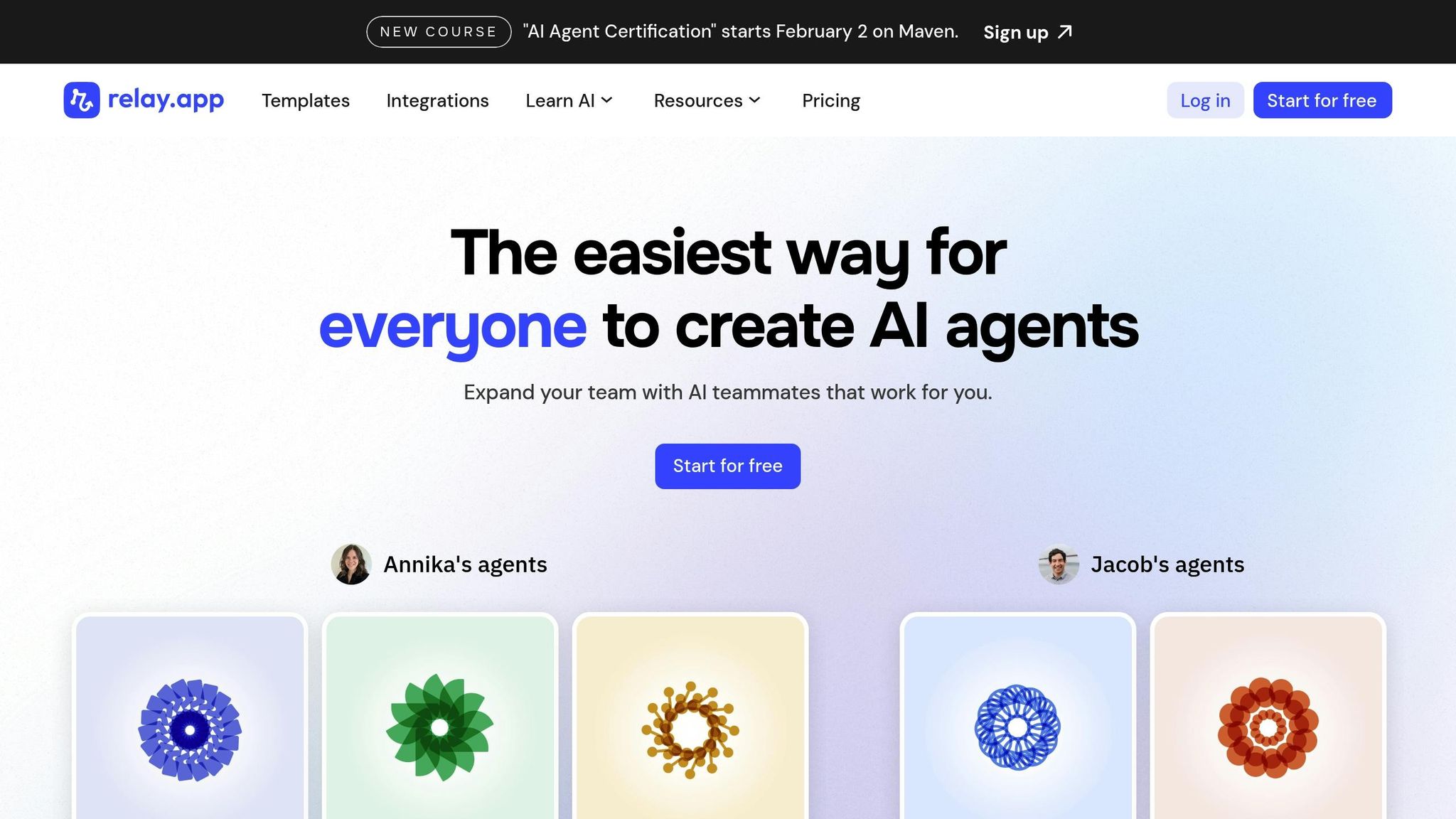
Relay.app stands out by emphasizing human-in-the-loop automation, ensuring workflows don’t operate entirely on autopilot. This approach allows teams to insert checkpoints for approvals, manual input, or decision-making within AI-driven processes. It’s particularly useful for high-stakes tasks like generating customer contracts, where human oversight is non-negotiable.
Relay.app enables the creation of mini AI agents that work semi-independently within larger workflows. These agents analyze prompts and context to decide which actions to take, effectively managing sub-workflows tailored to specific scenarios. Additionally, the platform offers pre-configured AI actions for common tasks, speeding up implementation. Benjamin Borowski, a Firefighter/Developer, shared his perspective:
Relay's 'human in the loop' model is super effective for teams. Not only is this the best designed UI for automation building on the market, they've really thought about how not everything can be automated.
This balance of automation and oversight integrates seamlessly with a robust ecosystem of tools.
Relay.app supports over 100 integrations and features multi-model AI capabilities, enabling users to combine models like OpenAI (GPT-4o, GPT-4o mini), Anthropic (Claude 3.5 Sonnet), Google (Gemini 1.5 Pro), Groq (LLaMA 3), and Perplexity within a single workflow. To simplify data handling, the platform uses "linked objects", allowing users to access related resources (e.g., navigating from a CRM deal to its associated contact) without multiple API calls. With live data synchronization, information remains up-to-date, eliminating the need for repetitive data fetching. For tools lacking native integrations, Relay.app supports webhooks and custom HTTP requests.
Relay.app is SOC 2 compliant and includes robust administrative controls for workspace sharing, permissions, and detailed audit logs. The platform ensures data consistency with type-safe data passing, enforcing matching formats (e.g., URL, Email, File) to prevent configuration errors during integrations. Human-in-the-loop checkpoints can be embedded directly into automated workflows via Slack or email, ensuring critical decisions are reviewed before proceeding.
Relay.app operates as a cloud-based SaaS platform, offering a Free Plan that includes all integrations, a collaborative workspace for two users, and reasonable access to GPT-4o and GPT-4o mini. Paid plans provide significantly higher AI usage limits, resetting monthly, while the Enterprise Plan adds specialized support. The platform is exclusively cloud-hosted, with no self-hosting or open-source options, delivering a fully managed experience tailored for businesses with 1 to 500 employees.
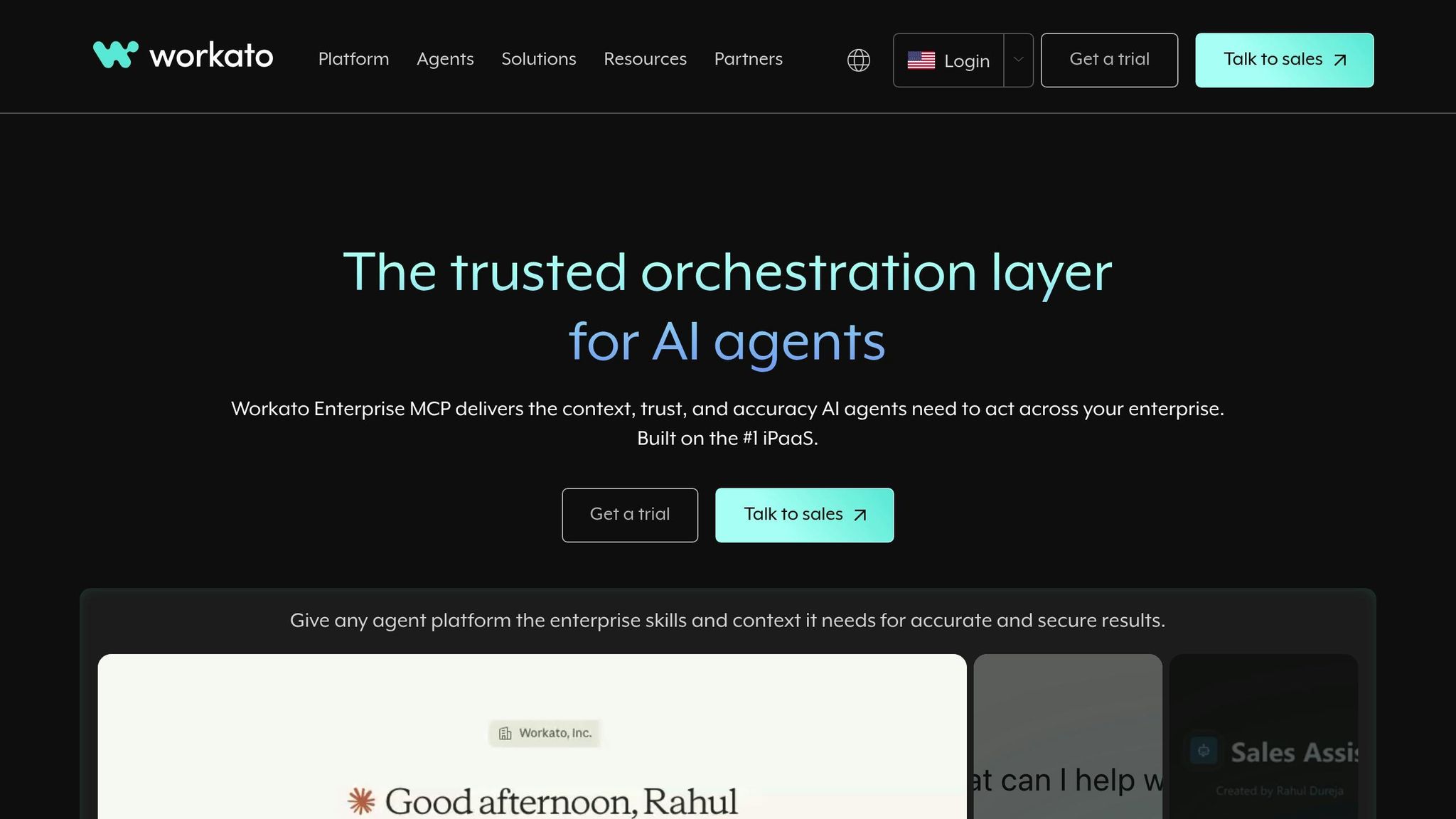
Workato stands out as a platform designed to meet the growing need for enterprise-level AI workflow solutions. It’s an integration powerhouse built to connect AI capabilities with critical business systems, making it ideal for organizations managing intricate, multi-step processes across departments. From streamlining HR onboarding to optimizing sales operations, Workato delivers automation tailored for complex workflows. The platform has already saved users over 100,000 hours, with one implementation achieving a 98% boost in speed for processing employee relocation requests.
One of Workato’s most notable features is Workato Genies - ready-made AI agents for tasks like HR onboarding, IT support, Sales CRM updates, and Marketing lead identification. For businesses looking to customize solutions, Agent Studio provides a low-code environment to create, test, and deploy agents tailored to specific needs. Mohit Rao, Head of Intelligent Automation, highlights the platform’s organic adoption:
Business users have organically started using Workato. Once we identify those business users, we elevate them to be champions to empower other teams or other people, and use them to get the next wave of scale.
The AI by Workato connector comes with preconfigured actions like text analysis, email drafting, and summarization, leveraging models from Anthropic and OpenAI. It supports up to 60 requests per minute for direct customer workspaces. Additionally, Workbot integrates AI workflows directly into Slack and Microsoft Teams, enabling employees to interact with agents without switching applications.
Workato boasts a vast library of over 1,200 pre-built connectors, covering modern SaaS platforms, on-premise systems, and even legacy data sources. It seamlessly integrates with popular enterprise tools like Salesforce, HubSpot, Workday, NetSuite, Snowflake, and leading AI models from OpenAI, Anthropic, Google Gemini, AWS Bedrock, Azure OpenAI, DeepSeek, and Mistral AI. For systems without native connectors, Workato offers universal integration options through HTTP, SDKs, and data parsers for JSON, XML, and CSV. Its Model Context Protocol (MCP) ensures that large language models (LLMs) operate with enterprise-grade context and transactional accuracy across systems.
Security and compliance are central to Workato’s design. The platform adheres to SOC 2 Type II, ISO 27001, PCI DSS, and GDPR standards, offering robust controls like SAML SSO, SCIM, Just-In-Time provisioning, and Two-Factor Authentication. With Bring Your Own Key (BYOK), users benefit from hourly key rotation and sensitive data masking for an added layer of protection. Workato Aegis provides comprehensive visibility into users, processes, and connected applications, helping organizations enforce security policies effectively. The MCP Gateway ensures AI agents operate within governed boundaries, preventing unauthorized actions and eliminating the risk of "shadow AI."
As a cloud-native SaaS platform, Workato uses a serverless, containerized architecture that supports elastic scaling and offers an impressive 99.9% uptime. It ensures data residency within the US and EMEA, processing AI data in the same region as its source data center. Recognized as a Leader in the Gartner® Magic Quadrant™ for Integration Platform as a Service (iPaaS) for seven consecutive years, Workato continues to demonstrate its ability to scale and support complex automation needs. Its latest advancements further solidify its position as a go-to solution for AI workflow orchestration.
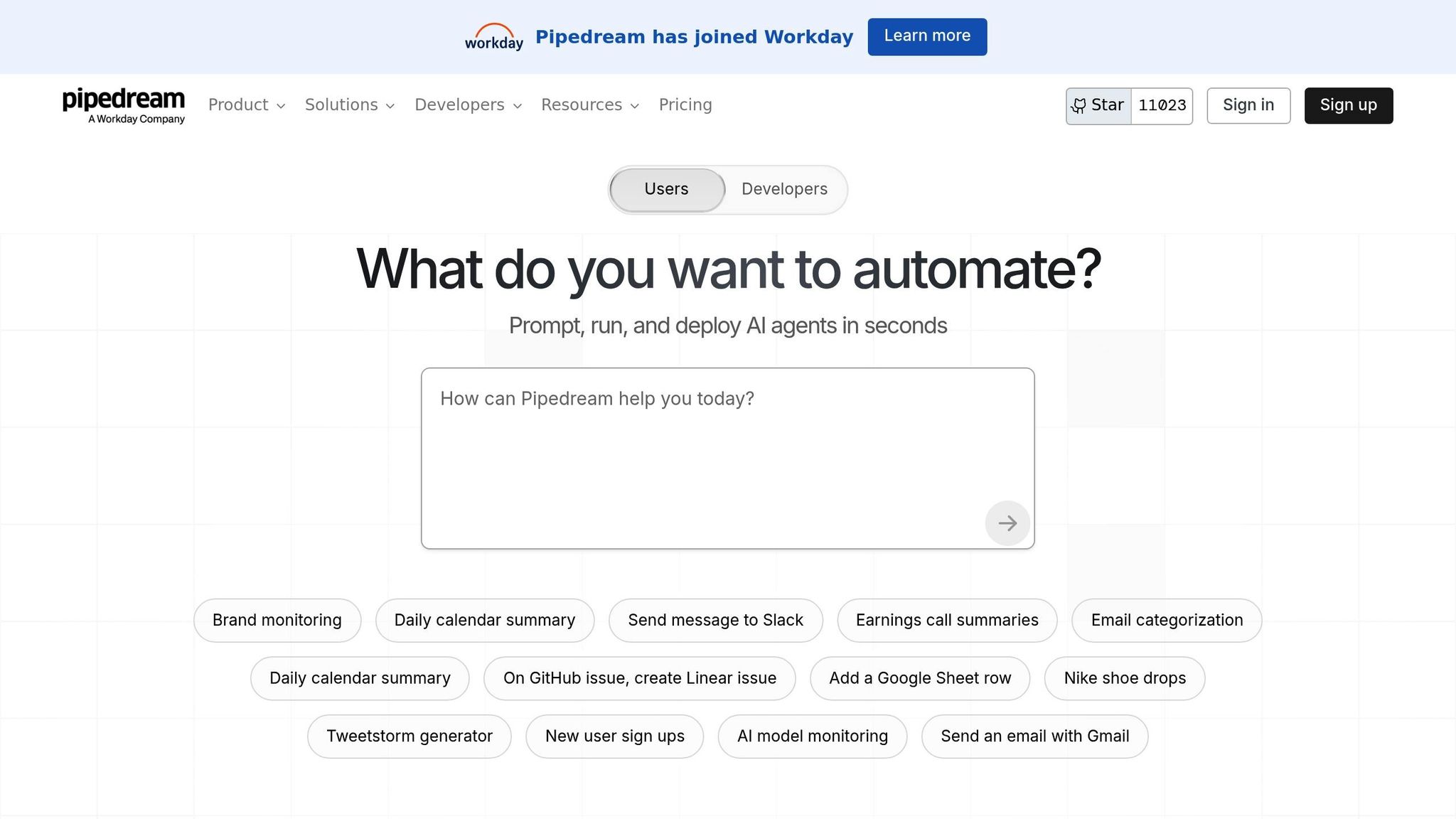
Pipedream strikes a balance between no-code convenience and the control of custom coding, making it an excellent choice for teams needing code-level flexibility alongside user-friendly visual workflow tools. In January 2026, Pipedream expanded its enterprise reach by integrating with Workday. With over 11,019 stars on GitHub, it has gained strong support from the developer community, particularly for its ability to manage complex AI workflows. This combination of adaptability and community recognition makes it a compelling option for many use cases.
Pipedream shines when it comes to running custom logic within workflows, supporting Node.js v20, Python, Go, and Bash. This makes it especially useful for tasks like formatting data for AI inputs or refining outputs. The platform’s "Build with AI" assistant simplifies coding by generating code snippets - just press Ctrl+I in the editor to get started. With over 10,000 prebuilt triggers and actions, developers can jumpstart their workflows and add custom code only when necessary. Pipedream also supports the Model Context Protocol (MCP), which standardizes communication between AI models and external data sources, ensuring seamless integration.
Pipedream connects to more than 2,700 apps, including OpenAI, AWS, Salesforce, Slack, HubSpot, Notion, and Airtable. Its "Single authentication" feature simplifies API credential management, securely handling keys across multiple workflows. For AI-specific tasks, developers can use custom code steps to send API requests to large language models, complete with tailored headers, parameters, and prompt structures. This level of precision often surpasses what prebuilt actions can achieve. By combining a vast library of integrations with the ability to customize at the code level, Pipedream offers a faster alternative to building workflows from scratch on platforms like AWS Lambda. It also ensures reliability with strong security measures.
Pipedream aligns with SOC 2 Type II, HIPAA, and GDPR standards, making it suitable for businesses managing sensitive information. The platform provides DPA agreements, ensuring compliance for workflows that handle protected health information or personally identifiable information. These certifications guarantee enterprise-grade security without requiring additional setup, giving organizations peace of mind when processing critical data.
Pipedream operates as a managed cloud platform with serverless execution, automatically scaling workflows to meet demand. Workflows can be triggered through HTTP/webhooks, SDK calls, or app events, and they support scheduled executions ranging from every second to quarterly intervals. This serverless design eliminates the need for infrastructure management, ensuring workflows only run when needed. By minimizing overhead and delivering efficient AI orchestration, Pipedream offers an effective solution for teams looking to streamline their operations.
When selecting an AI workflow platform, it's essential to weigh four key factors: your team's technical skill level, the complexity of your AI use cases, governance needs, and whether you prefer the convenience of cloud-based solutions or the control of self-hosted options. The ten platforms outlined here cater to a range of organizational demands, each offering unique features to meet specific requirements.
AI-native platforms like Vellum AI, Gumloop, and Lindy are purpose-built for large language model orchestration. These platforms excel in providing advanced tools for testing, versioning, and performance comparisons - perfect for organizations managing complex AI agents. On the other hand, traditional automation tools such as Zapier and Make have incorporated AI capabilities into their systems, making them a great fit for teams aiming to integrate AI models with thousands of SaaS applications. For example, Zapier has automated over 200 million AI tasks, while Make boasts an impressive library of over 7,500 templates.
When it comes to deployment, platforms are divided between cloud-only and self-hosted solutions. Zapier, Make, Gumloop, Relay.app, Lindy, and Pipedream offer cloud-based, serverless setups. Meanwhile, n8n provides both cloud and self-hosted options, and Vellum AI supports Virtual Private Cloud (VPC) installations, catering to enterprises that require isolated environments for handling sensitive data. These flexible deployment options are designed to enhance production outcomes.
Governance features are another area where platforms differ. Enterprise-grade tools like Workato and Vellum AI emphasize role-based access control (RBAC), ensuring a smooth transition from prototype to production. Platforms such as Relay.app focus on human-in-the-loop workflows, allowing managers to review and approve AI decisions before they are executed. For instance, Okta's custom Slack escalation bot has significantly cut down support times - from 10 minutes to mere seconds - while efficiently handling 13% of escalations.
Pricing structures vary widely across platforms. Make offers a Core plan starting at approximately $9 per month, while Workato follows a custom enterprise pricing model. Developer-focused solutions like n8n provide free self-hosted versions, and Pipedream includes 20 million AI tokens in its $45 per month Basic plan. Gumloop, on the other hand, bundles premium API keys into its $37 per month subscription. Users report up to 80% reductions in manual processing and a 90% boost in accuracy. These diverse pricing models reflect the broad range of options available to meet different budgets and needs.
When selecting an AI workflow platform, it's crucial to align the choice with your team's technical expertise, governance requirements, and long-term objectives. Whether you need a no-code platform for simplicity or a solution with advanced developer tools like Python SDKs and self-hosting capabilities, there's an option tailored to your needs.
To make the best decision, focus on four key aspects: whether the platform is AI-native or rooted in traditional automation, the choice between cloud-based or self-hosted deployment, the level of human oversight required, and your budget. These considerations highlight how the right platform can reshape your operations.
"I don't need a highly technical team - I just need the right tools." - Korey Marciniak, Senior Manager of Customer Support Strategy and Operations, Okta
Start by identifying one or two repetitive tasks that involve some level of human reasoning - think IT ticket triage, lead routing, or document review. Map out these workflows before automating them. To measure success over time, track four critical metrics: tasks executed, hours saved, accuracy rates, and cost per task.
The right AI orchestration can significantly improve efficiency. Whether you opt for an enterprise solution with robust access controls or a streamlined platform for quick wins, the ultimate goal is to minimize manual effort while maintaining high standards. Test platforms with small-scale pilots, evaluate their performance, and expand on what delivers results.
AI workflow solutions are designed to blend effortlessly with the tools and processes businesses already use. By linking AI capabilities - such as task automation and data analysis - directly into existing workflows, these solutions eliminate the need for major coding efforts or infrastructure overhauls. Automation platforms often serve as the bridge, making integration straightforward and efficient.
Incorporating AI into current systems allows companies to streamline repetitive tasks, make smarter decisions, and boost overall productivity. These solutions are built to function within your established infrastructure while prioritizing security and compliance, ensuring a seamless shift to AI-driven operations.
When choosing an AI workflow platform, several factors should guide your decision to ensure it aligns with your organization's goals. Start by evaluating integration and compatibility - the platform should work effortlessly with the tools and systems you already rely on. This ensures a smooth transition and minimizes disruptions.
Next, assess the platform's scalability and adaptability. It should be capable of growing alongside your business and adjusting as workflows evolve over time. Equally important is how user-friendly the platform is. A straightforward interface can empower non-technical team members to automate processes without needing heavy IT support, ultimately saving both time and resources.
Don’t overlook security and compliance, especially if your organization handles sensitive data in industries like healthcare or finance. The platform must safeguard your information and meet all regulatory requirements. Lastly, focus on platforms with a track record of delivering measurable outcomes, such as improved efficiency or cost reductions, to ensure a solid return on your investment.
AI workflow platforms are transforming the way businesses operate by streamlining tasks and cutting down on expenses. By automating routine processes and simplifying intricate systems, these tools reduce the need for constant human oversight, which in turn minimizes errors and saves valuable time. Tasks like IT support or data management, for instance, can be handled more efficiently, freeing up teams to focus on strategic, high-impact projects.
These solutions also offer the flexibility to scale across an organization, meeting evolving business demands with ease. This adaptability not only boosts operational efficiency but also cuts labor costs and improves accuracy. Take customer service as an example - automation can speed up response times and elevate user experiences, all while keeping operational costs in check. By integrating AI into everyday workflows, businesses can work more intelligently, innovate at a faster pace, and unlock substantial savings.