Pay As You Go - AI Model Orchestration and Workflows Platform


AI workflow management can be complex, with challenges like tool sprawl, cost tracking, and inefficiencies. The right platform can simplify processes, cut costs, and boost productivity. After reviewing 30+ tools, here are the 9 best platforms for managing AI workflows effectively:
| Platform | Best For | Starting Price | Key Feature |
|---|---|---|---|
| Prompts.ai | Managing multiple AI models | $0 (pay-as-you-go) | Unified access to 35+ LLMs, cost controls |
| n8n | Self-hosted automation | Free | Full control, open-source |
| Zapier | Simple automations | $19.99/month | Large app ecosystem, quick setup |
| Workato | Enterprise integration | Custom pricing | Handles complex, multi-system workflows |
| Lindy.ai | AI agents for tasks | Varies | No-code agent creation |
| Gumloop | Visual workflow prototyping | Varies | Intuitive drag-and-drop interface |
| Vellum.ai | LLM application development | Varies | Advanced tools for prompt engineering |
| Make | Complex data workflows | $9/month | Granular control over data flow |
| Relay.app | Human oversight in workflows | Free tier | Human-in-the-loop checkpoints |
Each platform fits different needs, from enterprise-grade solutions to tools for small teams. Whether you're consolidating AI tools, automating workflows, or managing costs, there's an option tailored to your goals.
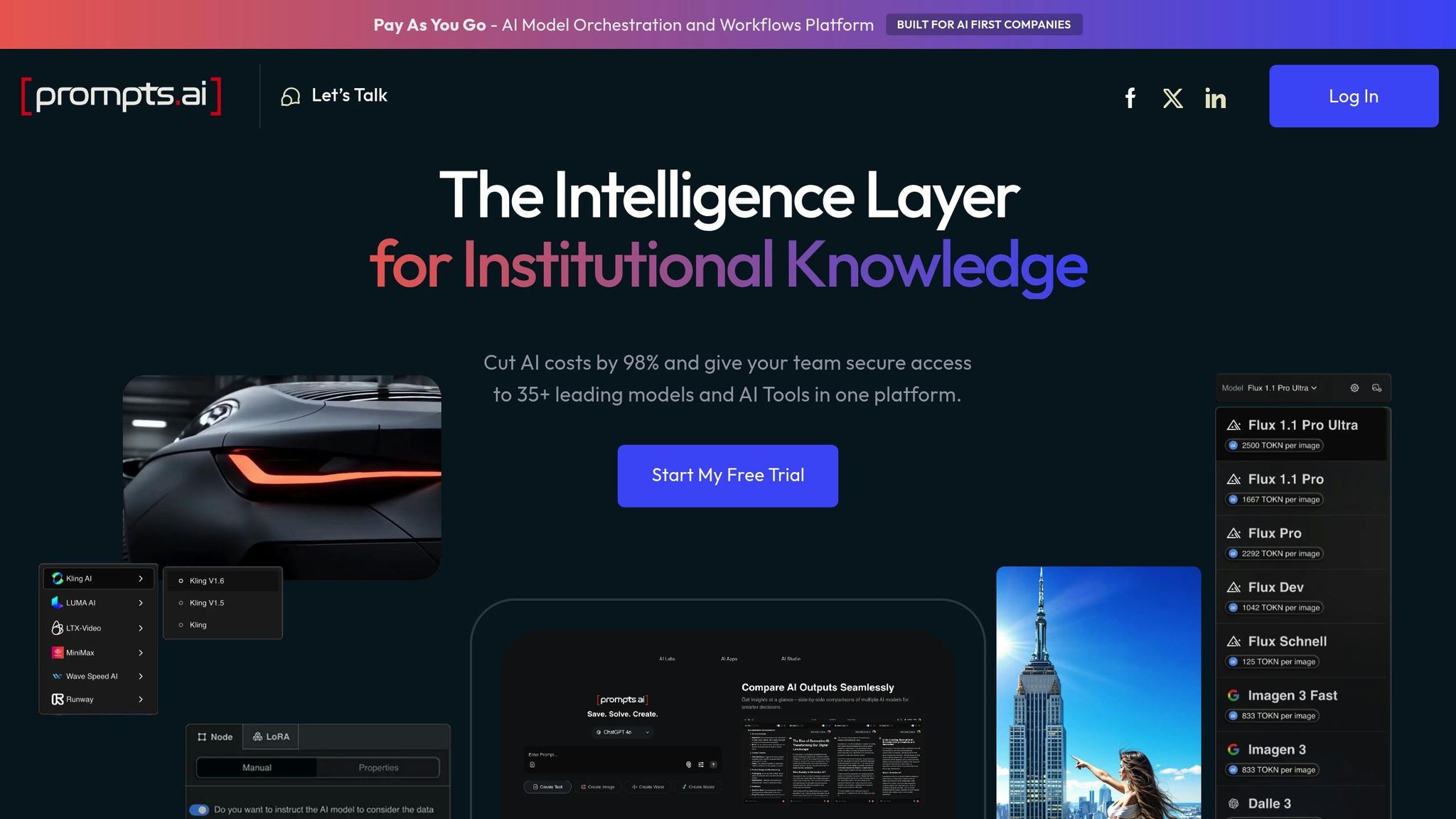
Prompts.ai is an advanced AI orchestration platform that brings together over 35 leading language models - including GPT-5, Claude, LLaMA, Gemini, Grok-4, Flux Pro, and Kling - into a single, secure system. Created by Emmy Award-winning Creative Director Steven P. Simmons, the platform addresses the challenges many organizations face with scattered AI tools, hidden expenses, and gaps in governance. It offers a centralized environment where Fortune 500 companies, creative agencies, and research institutions can access top-tier models, compare their performance side-by-side, enforce compliance standards, and monitor token usage in real time.
By replacing chaotic, ad-hoc experimentation with streamlined, repeatable processes, Prompts.ai transforms how organizations adopt and manage AI. The platform introduces what it calls "The Intelligence Layer for Institutional Knowledge", ensuring AI workflows are both transparent and manageable.
Prompts.ai delivers on its promise of unified AI management through a range of specialized tools. These include integrated solutions for visual content creation, custom AI agent development, and advanced workflow automation. Users can train and fine-tune LoRAs (Low-Rank Adaptations), build custom AI agents, and design workflows that integrate multiple models and tasks seamlessly.
The platform’s workflow engine caters to varying needs based on subscription tiers. Personal plans allow users to execute pre-existing workflows, while higher-tier plans unlock full workflow creation capabilities. This tiered system lets organizations start small and expand their usage as they grow more confident in their AI capabilities. Additionally, usage analytics are included across all plans, giving teams insights into which models and workflows deliver the best outcomes.
One standout offering is the Prompt Engineer Certification program, which formalizes best practices and helps teams develop in-house expertise. Prompts.ai also fosters a global community where users can share expert-designed "Time Savers" - pre-built workflows designed to tackle common tasks efficiently. This collaborative feature allows teams to save time and learn from proven approaches rather than starting from scratch.
Prompts.ai supports unlimited workspaces and unlimited collaborators on Business and Enterprise plans, making it easy to organize teams across various departments or projects. Personal plans begin with one workspace and one user, while the Family Plan accommodates up to five members. Enterprise plans scale up to 99 collaborators on the Elite tier, with unlimited workspaces to handle even the most complex organizational needs.
Cloud storage allocations range from 1GB on Pay As You Go plans to 10GB on higher tiers, with storage pooling available across all plans to maximize efficiency. Business and Enterprise plans also enable interoperable workflows, allowing teams to connect multiple AI operations without requiring manual intervention.
Security is a core focus, with the platform adhering to SOC 2 Type II, HIPAA, and GDPR standards. A SOC 2 Type 2 audit process was initiated on June 19, 2025, further demonstrating its commitment to compliance. The platform’s Trust Center provides real-time updates on its security posture, addressing the governance concerns that often hinder AI adoption in large enterprises. These robust integration features make it easier for organizations to manage costs and ensure scalable operations.
Prompts.ai uses a TOKN credit system instead of traditional per-seat or per-model subscription fees. This pay-as-you-go model ties costs directly to usage, eliminating recurring charges for unused capacity. All plans include features like TOKN Pooling, Storage Pooling, Compliance Monitoring, and Governance Administration.
The platform claims it can cut AI software costs by up to 98% by consolidating multiple subscriptions into one interface. This reduction stems from eliminating redundant licenses, optimizing model selection for specific tasks, and providing real-time spending insights.
Governance is built into every plan, not just enterprise offerings. Features like Compliance Monitoring and Governance Administration are included even on the free Pay As You Go tier, ensuring that security and auditability are foundational elements.
Prompts.ai’s FinOps layer tracks every token spent, links costs to business outcomes, and provides real-time insights into which models and workflows deliver the best return on investment. Teams can set budget limits, receive alerts as spending nears thresholds, and optimize model usage based on performance and cost-effectiveness.
For organizations aiming to scale quickly, the Elite plans offer unlimited workflow creation, removing artificial barriers to automation. The platform’s unlimited workspace model allows departments to maintain separate environments for development, testing, and production without additional costs or complexity.
Recognizing that technology alone doesn’t guarantee success, Prompts.ai emphasizes hands-on onboarding and enterprise training. Its community-driven approach - featuring expert workflows, certification programs, and peer learning - helps organizations develop internal AI expertise rather than relying solely on external consultants.
n8n is an open-source platform designed for workflow automation, allowing users to connect various applications and services through a visual, node-based interface. Initially developed as a general-purpose tool, it has since expanded to support AI workflows by integrating external AI services via APIs. This evolution enables users to design and customize AI integrations without needing extensive technical expertise.
The platform's drag-and-drop interface simplifies the creation of complex automation workflows, while a dedicated Code node offers the flexibility to implement custom integrations when needed.
n8n enhances its user-friendly design with features tailored for AI-related tasks. By leveraging API connections, it integrates seamlessly with external AI services, eliminating the need for direct model hosting. Pre-built nodes simplify the process of connecting to popular AI tools by managing tasks like authentication, request formatting, and response handling. This allows users to easily incorporate AI-powered actions, such as data analysis or automated response generation, into their workflows.
The platform offers a wide range of pre-built integrations, covering areas like cloud storage, communication tools, CRM systems, and databases. Additionally, webhook triggers enable real-time workflow initiation from external systems, embedding automation directly into existing applications. n8n supports both self-hosted and cloud-hosted deployment options. Self-hosting provides organizations with complete control over their data and workflow execution, while the managed cloud service handles infrastructure and scaling needs.
These deployment options are complemented by a flexible pricing structure.
n8n offers a free self-hosted version suitable for personal use or small teams. For commercial use, a separate license is required. The cloud-hosted service operates on a subscription model with tiered plans, which are based on workflow volume and the level of support required.
n8n is built to scale horizontally by distributing workflow executions across multiple servers. It includes an execution history feature for troubleshooting and performance monitoring. Additionally, access controls are in place to manage user permissions, ensuring secure and efficient governance of workflows.
Zapier structures its pricing based on different product categories, offering flexibility for businesses to choose plans that align with their AI workflow needs. Its AI Orchestration tools - Zaps, MCP, and Tables - combine to streamline multi-step processes, integrate AI services via APIs, and manage data for AI-powered tasks. This setup provides businesses with an organized way to handle intricate AI workflows. The tiered pricing model ensures companies can align their automation needs with the right cost level, helping them allocate resources efficiently as their requirements grow and change.
Workato presents itself as an enterprise-grade automation platform, designed to handle the demands of organizations managing intricate AI workflows on a large scale. Instead of standard pricing tiers, Workato offers customized pricing, requiring businesses to engage directly with their sales team. This approach aligns with its focus on large-scale deployments, where costs can vary based on the unique needs of each organization. This structure supports the platform's advanced AI automation features, which are detailed below.
Workato integrates AI capabilities such as predictive analytics, document classification, and human-in-the-loop review directly into its workflow engine. This enables businesses to create sophisticated automated workflows that include human oversight when needed. The platform is particularly suited for layered workflows involving complex logic, making it ideal for scenarios where AI decisions require validation or where multiple AI models must collaborate within a single process.
Technical teams can design workflows that incorporate machine learning models to classify data, route documents based on AI analysis, and trigger predictive actions using pattern recognition. These features make Workato a strong choice for organizations running AI-driven customer service operations, compliance monitoring systems, or procurement workflows, where precision and accountability are critical.
Workato stands out for its robust integration capabilities. Its extensive connector ecosystem is particularly geared toward sales and marketing applications, offering deep integrations with CRM platforms, marketing automation tools, and business intelligence systems. While this focus serves enterprise sales and marketing teams effectively, it does narrow the platform's scope compared to more general-purpose automation tools. Advanced connectors for specialized systems are available, but their use may influence overall costs.
The platform's architecture supports cross-functional workflows that span multiple departments and systems. IT professionals and integration architects benefit from its ability to securely connect diverse enterprise systems while adhering to compliance standards. Workato also handles complex data transformations and routing logic, which are often necessary in enterprise environments.
Workato's pricing model reflects its enterprise-focused approach, requiring organizations to make a significant investment. Pricing is determined by three main factors: the number of tasks performed, the use of advanced connectors for specialized systems, and the number of users accessing the platform.
This usage-based model aligns well with enterprise budgeting strategies for critical infrastructure. Businesses are charged based on their actual usage and the complexity of their workflows, rather than a flat monthly fee. For companies managing high-volume AI workflows across various departments, this structure can provide more predictable costs. However, the initial investment required to get started remains substantial.
Workato offers robust governance, access controls, and auditability, which are essential for workflows involving sensitive data or critical business decisions. Its security features and compliance tools are tailored for organizations that need strict oversight of automated processes. Large teams benefit from detailed permission settings, allowing them to control who can create, modify, or execute specific workflows.
Scalability is another key strength of the platform. It supports increasingly complex workflows as business needs evolve, enabling automation leaders to build secure, cross-departmental processes that integrate multiple systems. IT and operations teams often rely on Workato for managing approval chains and financial workflows, where governance is a top priority.
One limitation of the platform is its proprietary nature, which restricts inline code customization and access to open-source licensing. While this trade-off ensures strong enterprise support and managed infrastructure, it may not appeal to developers seeking more flexibility or open-source solutions.
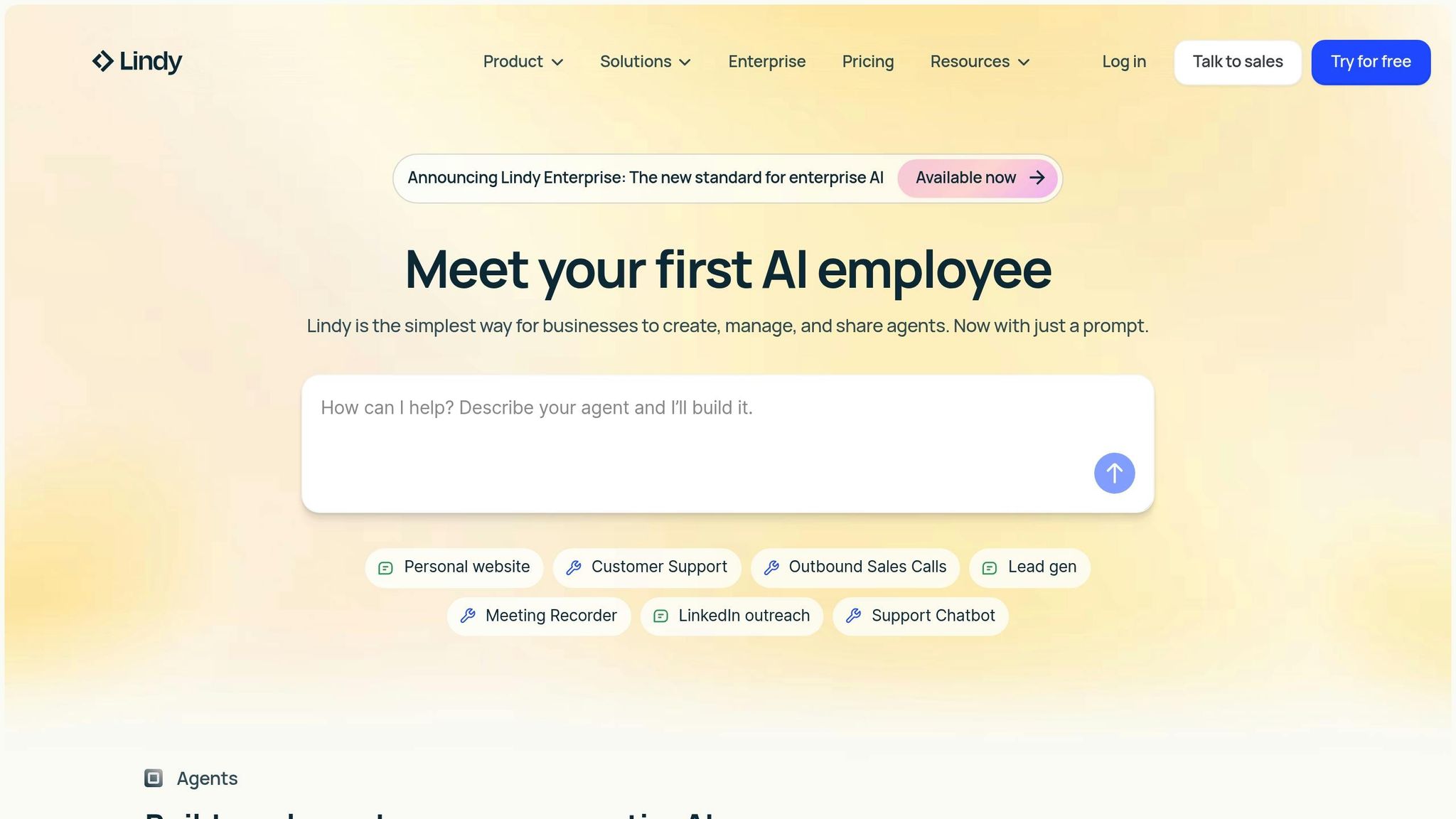
Lindy.ai is a purpose-built platform for enterprises looking to create and manage a robust AI workforce. Unlike traditional workflow tools adapted for AI, Lindy.ai was designed specifically with AI agents at its core. It empowers businesses to seamlessly create, deploy, and oversee AI agents tailored to roles in support, sales, marketing, and operations.
The platform’s defining feature is its no-code agent creation. Users can describe their desired agent in plain language, and Lindy.ai converts that input into a fully functional agent within minutes. This approach removes technical hurdles, allowing even non-technical users to deploy AI solutions with ease. From here, we’ll explore its standout features, integration capabilities, pricing structure, and scalability.
Lindy.ai offers specialized AI agents designed for distinct business needs. Users can choose from a library of pre-built templates for tasks like support, lead qualification, marketing, and data entry. The platform’s model-agnostic design ensures users can further customize agents simply by providing natural language instructions. Each agent also comes with a searchable knowledge base and supports voice interactions through an AI-powered voice agent. Performance evaluation tools are included to monitor and optimize agent workflows.
The platform’s impact is evident in real-world results. For instance, Truemed reduced support costs by 67% with a Lindy.ai agent that processed over 6,000 emails and now handles 36% of all support tickets. Ankor Software deployed 30 AI agents, achieving a 5× return on investment. Similarly, The Sauna Place saved 15–20 hours weekly, and VC CFO gained back 6–8 hours through automation.
"Our support agent now handles 36% of all support tickets." – Colin Budires, Head of Support, Truemed
Lindy.ai supports thousands of integrations, making it easy to connect with existing business tools. These integrations enable AI agents to access CRM data, respond to inquiries, qualify leads, and update records seamlessly.
"Lindy operates like the perfect SDR - reliable, scalable, and fully integrated into our sales stack." – John Nye, Head of Marketing, The Sauna Place
Lindy.ai offers a free sign-up option to get started. While detailed pricing for paid plans isn’t publicly disclosed, the platform typically uses a custom pricing model. Costs are determined by factors such as the number of agents deployed, usage levels, and specific feature needs.
Lindy.ai provides centralized tools for managing and scaling AI agents across an organization. Strong access controls ensure secure governance, while the platform complies with major standards like GDPR, SOC 2, HIPAA, and PIPEDA. Features such as virtual machine integration and AI voice agents enable multi-modal automation, allowing businesses to extend their AI capabilities across various communication channels and build a comprehensive AI workforce.

Gumloop stands out with its visually intuitive platform, designed to simplify AI workflow management while maintaining accessibility and efficiency.
Gumloop operates as a visual workflow automation tool, featuring a drag-and-drop, node-based interface. This setup allows users to create workflows that integrate AI models, data processing, and business logic - all without needing to write code. Each node in the workflow represents a specific task, such as calling an AI model, processing data, or triggering an external service. This clear structure not only makes workflows easier to understand but also streamlines troubleshooting, making it a valuable tool for quickly prototyping and deploying AI-powered automations.
Gumloop offers direct access to a variety of AI models within its workflow builder, enabling users to incorporate language processing, image analysis, and data analytics into their automations. The platform supports the use of your own API keys, giving teams the ability to choose their preferred AI providers and manage associated costs effectively.
The node-based system also enables complex workflows with features like branching logic and conditional processing. This allows teams to route data based on AI outputs, set up feedback loops for iterative improvements, or run multiple AI operations simultaneously - perfect for projects that need to adapt and evolve over time.
Gumloop integrates seamlessly with popular business tools and services through webhooks and APIs. This makes it possible to trigger workflows from external events, send processed data to spreadsheets or databases, and incorporate AI-generated insights into existing systems. These integrations support real-time automation, enhancing overall efficiency.
Gumloop uses a credit-based pricing model, where costs depend on the complexity of your workflows. The Free plan includes 24,000 credits annually, making it a solid choice for testing the platform or handling basic automations. For more advanced needs, the Solo plan starts at $30 per month (billed annually), offering 120,000 credits per year, unlimited triggers, four concurrent runs, email support, webhooks, and the option to use your own API keys. Pricing scales with workflow complexity, similar to platforms like Make, which also base costs on usage.
However, this credit-based system can make it harder to predict expenses, as costs increase with more complex automations. Users should carefully monitor their usage to stay within budget.
The Solo plan allows for up to four workflows to run concurrently, which may limit execution capacity for larger teams or more demanding projects. Organizations should plan accordingly to avoid bottlenecks. Additionally, the bring-your-own-API-keys feature gives businesses control over their AI service providers and spending, offering greater transparency and flexibility in managing costs. This feature ensures that teams can align their AI usage with budgetary goals while maintaining operational control.

Vellum.ai specializes in creating and deploying AI agents, making it a go-to platform for teams aiming to build operational AI solutions. By transforming natural language inputs into functional AI agents, it offers various development options to cater to different levels of technical expertise. This approach aligns with the growing need for tools that simplify and speed up AI workflow management.
The platform allows users to describe complex agent requirements in plain English. From there, it automatically generates the necessary workflow logic, tools, and integrations to bring those agents to life. This natural language-driven process minimizes the time and technical know-how typically required to develop advanced AI systems, making it easier for professionals across diverse roles to participate in agent creation.
Vellum.ai provides three distinct methods for building AI agents: conversational input, a low-code visual interface, and direct coding. This flexibility ensures teams can choose the method that best fits their technical skills and project needs.
The platform includes a testing console for real-time debugging, alongside post-launch monitoring to track performance and identify areas for improvement. These tools create a continuous feedback loop, refining agent functionality over time. Built-in quality assurance features, such as integrated evaluations and monitoring, ensure agents maintain consistent performance and quickly flag deviations from expected behavior. Additionally, Vellum.ai supports collaboration by allowing teams to share and manage agent deployments seamlessly.
One of Vellum.ai's standout features is its deployment flexibility. Developers can embed agents directly into applications using SDKs or API calls, providing full control over the user experience. For internal use, agents can be published for team-wide access, enabling departments to utilize AI without custom development. A one-click publishing tool further simplifies the process, allowing teams to quickly share agents with end-users and shorten the time from creation to deployment.
Vellum.ai is designed to meet enterprise-level requirements, offering SOC 2 Type 2 and HIPAA compliance for organizations in regulated industries. For businesses with strict data residency or security demands, the platform supports Virtual Private Cloud (VPC) and on-premise deployment options. These features ensure that large-scale AI deployments remain secure and compliant with regulatory standards.
The platform’s architecture is built to handle the complexity of enterprise environments, making it easier for IT teams to focus on improving agent functionality rather than managing deployment infrastructure. This enables organizations to scale their AI operations securely and efficiently.
Pricing for Vellum.ai is available upon request, reflecting its focus on providing tailored solutions based on an organization’s specific deployment scale and usage needs. Companies interested in the platform are encouraged to reach out to the sales team for customized pricing aligned with their requirements.
Make is an automation platform designed for technical teams that require hands-on control over AI workflows. Using its visual workflow builder, teams can create intricate automation processes through a simple drag-and-drop interface. While the builder's clean design streamlines workflow creation, setting up more advanced scenarios often benefits from having automation specialists on board.
One standout feature is the Grid, a centralized dashboard that provides a comprehensive view of agents, apps, and workflows. This tool enhances visibility by allowing teams to track performance metrics and troubleshoot issues with ease. As businesses scale their AI operations, the Grid becomes an essential tool for managing multiple workflows simultaneously.
Make also supports unlimited active scenarios on its paid plans, offering granular control that aligns with its focus on managing AI workflows from start to finish.
Make connects seamlessly with a wide variety of applications and services, enabling teams to create workflows that span multiple platforms. Paid plans include API access, allowing developers to programmatically manage scenarios and incorporate automation into existing systems. This modular approach makes it possible to build comprehensive workflows that merge traditional business tools with AI-driven solutions.
For organizations with strict security needs, Make provides limited role-based access control. However, its secret management features are not as robust as some might require. The platform's scalability is supported through a credit system, but its per-step pricing model demands careful monitoring to avoid unexpected costs as workflows grow in complexity.
Make offers a Free plan that includes 1,000 credits per month, giving teams a chance to explore its capabilities. The Core plan starts at $9 per month (billed annually), offering 10,000 credits per month, unlimited active scenarios, higher data transfer limits, and API access. Notably, annual billing provides immediate access to the full year's credits rather than distributing them monthly. Credits are consumed per action, with AI tasks often requiring multiple credits. Organizations should assess their expected usage carefully to manage costs effectively. Like other platforms in this space, Make emphasizes both operational control and cost transparency to help teams manage their AI workflows efficiently.
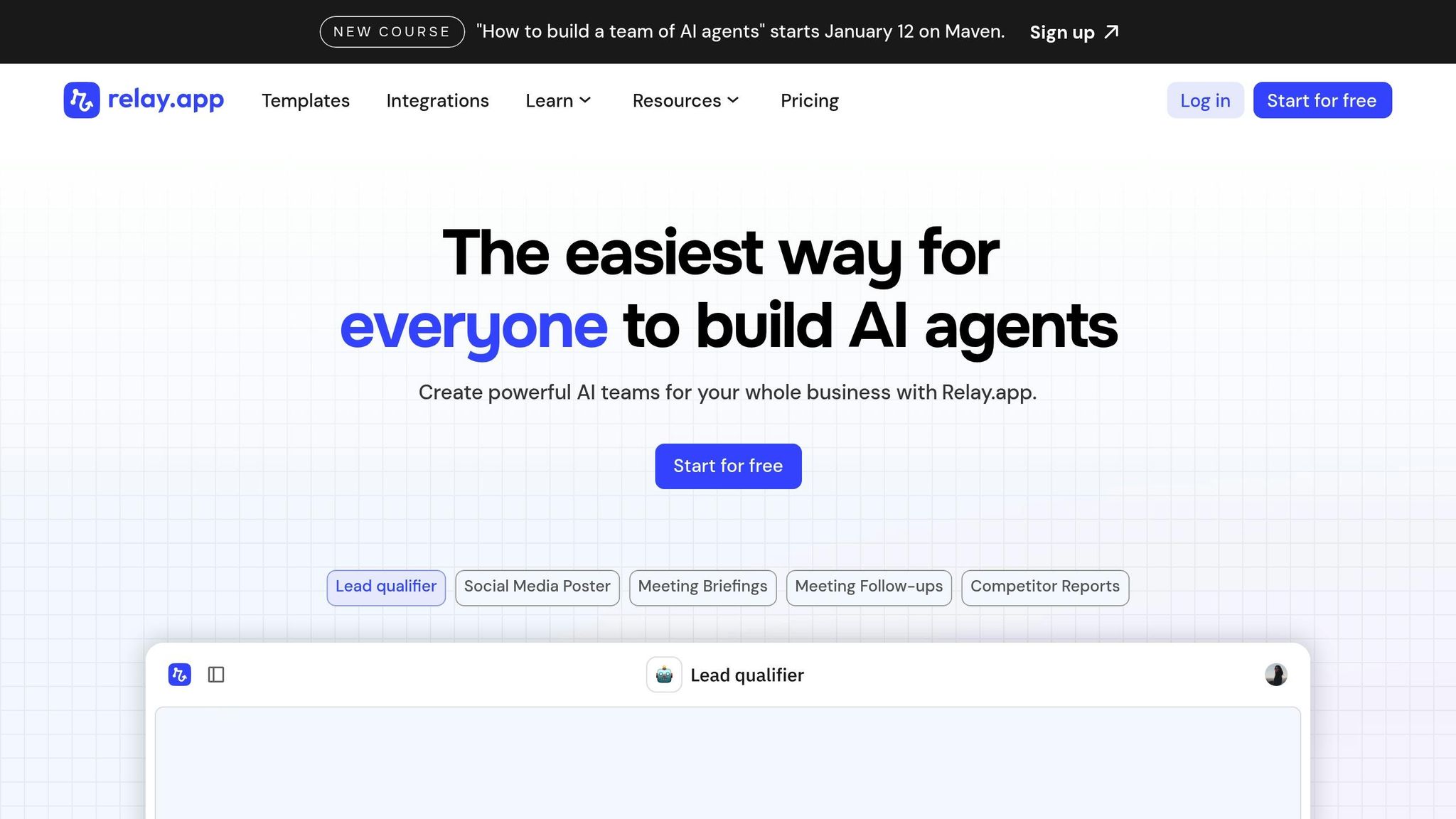
Relay.app brings a fresh perspective to AI workflow management by focusing on creating AI agents that collaborate directly with human teams. With this platform, users can design AI-driven teams for business operations through natural language prompts. Simply describe the task and timing, and Relay.app will generate the AI agent to handle it. This approach highlights the platform’s emphasis on integrating humans into the AI process.
One of Relay.app’s standout features is its human-in-the-loop capability, which sets it apart from fully automated systems. This functionality allows teams to incorporate manual checkpoints within AI workflows. These checkpoints enable human involvement, such as reviewing tasks, approving actions, or assigning responsibilities, before the AI continues its work.
"Relay's 'human in the loop' model is super effective for teams. Not only is this the best designed UI for automation building on the market, they've really thought about how not everything can be automated. Fantastic for building operationalized SOPs."
Relay.app's AI agents are equipped to handle various tasks, including research, analysis, summarization, information extraction, decision-making, and writing. The platform integrates seamlessly with top AI model providers like Anthropic, Google Gemini, Groq, Mistral, OpenAI, Perplexity, Qwen, and xAI.
To streamline implementation, Relay.app offers pre-built templates tailored to specific needs. For instance:
These templates significantly reduce the time needed to deploy AI agents for common business tasks.
Relay.app connects with a wide range of tools to enhance its functionality:
A practical example of its integration capabilities was demonstrated by Lucas Grey, who used GPT within a Relay.app workflow to process responses to waitlist email questions and automatically store them in a Notion database. Relay.app also supports transcription tools like Fireflies.ai, Fathom, and Gong, as well as web scraping services such as Apify, Axiom.ai, Browse.ai, and ScrapingBee.
Relay.app’s human-in-the-loop model ensures that teams maintain control over AI-driven processes. This approach provides built-in governance, allowing critical decisions to be reviewed by humans while automating repetitive tasks. Teams can pause automations, request additional information, or assign tasks as needed, striking a balance between efficiency and oversight.
Relay.app offers a free plan, making it a great starting point for teams experimenting with AI workflow automation. While pricing details for higher tiers remain unspecified, the structure is designed to accommodate both small teams testing AI capabilities and larger organizations scaling their operations. Teams can assess their usage to determine the most suitable plan.
Choosing the right AI workflow platform depends on factors like performance, scalability, integration capabilities, cost, and governance. Below, we break down the strengths and challenges of each platform, summarizing their standout features and limitations to help you make an informed decision.
prompts.ai is designed for organizations managing multiple AI models, offering seamless integration with over 35 large language models (LLMs). Its pay-as-you-go TOKN credit system eliminates subscription fees, aligning costs with actual usage and cutting AI expenses by up to 98%. Users benefit from real-time cost tracking, model performance comparisons, and governance tools that ensure compliance across teams. However, teams new to AI orchestration may face a learning curve. To ease this, prompts.ai offers hands-on onboarding, enterprise training, and a prompt engineer certification program to build expertise.
n8n appeals to organizations prioritizing data control and customization through its self-hosted, open-source framework. It allows teams to fully manage their infrastructure and tailor workflows to specific needs. Its visual workflow builder makes automation accessible even to non-developers, and the platform supports hundreds of integrations. However, self-hosting requires ongoing technical maintenance, which can be a challenge for teams without dedicated DevOps resources.
Zapier is known for its simplicity and quick setup, making it ideal for non-technical users. Its massive app ecosystem and pre-built "Zaps" allow teams to automate workflows in minutes. While great for small-scale tasks, costs can rise significantly with high task volumes, and managing complex workflows can become expensive.
Workato targets enterprise users with advanced integration needs. It excels at handling complex data transformations, API management, and compliance requirements. Its recipe-based system allows teams to build intricate workflows across multiple systems. However, mastering the platform takes time, and its pricing makes it less accessible for smaller teams with simpler needs.
Lindy.ai focuses on creating AI agents that perform specific tasks based on natural language instructions. This makes it a strong choice for teams looking to deploy AI quickly for tasks like customer support or scheduling. However, its capabilities are limited when it comes to highly customized workflows or broader automation needs.
Gumloop offers an intuitive drag-and-drop interface for designing visual workflows. It simplifies connecting AI models, APIs, and data sources without requiring code, enabling quick prototyping and real-time testing. However, as a newer platform, its integration library is still growing, and documentation for advanced use cases is limited compared to more established tools.
Vellum.ai is tailored for teams focused on LLM application development. It provides tools for prompt engineering, version control, A/B testing, and detailed analytics. While excellent for developing AI-powered products, it is less suited for general business automation or teams looking to connect existing applications.
Make (formerly Integromat) delivers powerful automation with detailed control over data flow. Its scenario builder provides visibility into each step of a workflow, and its pricing model based on operations can be cost-effective for complex automations. However, the platform's technical depth and features like routers and iterators require a steeper learning curve compared to simpler tools like Zapier.
Relay.app stands out with its human-in-the-loop workflows, which combine AI automation with manual oversight. This allows teams to insert checkpoints where humans can review or redirect AI actions, ensuring governance for sensitive decisions. While this approach enhances control, it naturally slows down automation, which may not suit all use cases.
| Platform | Best For | Key Strength | Main Limitation | Starting Price |
|---|---|---|---|---|
| prompts.ai | Enterprises managing multiple AI models | Unified access to 35+ LLMs with cost controls | Requires onboarding for full utilization | $0/month (pay-as-you-go) |
| n8n | Organizations needing data sovereignty | Complete control through self-hosting | Infrastructure management overhead | Free (self-hosted) |
| Zapier | Quick, simple automations | Fast setup with extensive app library | Expensive at scale | $19.99/month |
| Workato | Enterprise integration projects | Handles complex data transformations | Requires time to master | Custom pricing |
| Lindy.ai | Conversational AI agents | Easy natural language agent creation | Limited for complex workflows | Varies |
| Gumloop | Visual workflow prototyping | Intuitive drag-and-drop interface | Limited integration library | Varies |
| Vellum.ai | LLM application development | Advanced prompt engineering tools | Not designed for general automation | Varies |
| Make | Complex data transformations | Granular control over data flow | Steeper learning curve | $9/month |
| Relay.app | Workflows requiring human oversight | Human-in-the-loop checkpoints | Manual reviews slow automation | Free tier available |
Platforms like prompts.ai, Workato, and Make cater to enterprise-scale deployments, offering strong governance and audit trails. On the other hand, tools like Zapier and Relay.app are better suited for smaller teams, though they may require adjustments for larger-scale operations. n8n offers unlimited scalability, but only if you can manage the infrastructure yourself.
Integration options vary widely. Zapier leads with the largest app ecosystem, followed by Make and Workato. prompts.ai focuses on AI model integration, offering access to a broad range of language models. Specialized platforms like Vellum.ai and Lindy.ai offer fewer integrations but excel in their respective focus areas.
Governance is critical for regulated industries. prompts.ai integrates enterprise-grade compliance tools into every workflow, while Workato offers robust security features. Self-hosted n8n provides full control over data handling. In contrast, platforms like Zapier and Make provide basic security but lack the advanced governance features required by enterprises.
Finally, cost structures can significantly impact long-term viability. prompts.ai's pay-as-you-go model ensures you only pay for what you use, avoiding wasted subscription fees. Platforms like Zapier and Make charge based on task volume, which can become costly for high-volume users. Workato's pricing reflects its enterprise-level capabilities, while n8n shifts costs to infrastructure, which can be economical but requires technical investment.
Choosing the ideal AI workflow platform hinges on understanding your unique requirements, technical expertise, and future objectives. Each platform brings its own set of benefits and compromises - whether it's self-hosted systems ensuring data control or no-code tools prioritizing speed and simplicity. These differences often come down to cost, integration capabilities, and governance features.
Platforms like prompts.ai distinguish themselves with a comprehensive, unified approach. For businesses juggling multiple AI models, prompts.ai consolidates over 35 leading LLMs into a single, secure interface. This consolidation tackles key pain points like overspending and disjointed workflows. With usage-based pricing, it avoids unnecessary fees, while its cost tracking and governance tools provide transparency and control. Additionally, hands-on onboarding and certification programs help teams quickly adapt and gain the skills needed for long-term success.
Prompts.ai features an integrated FinOps layer designed to help organizations keep a close eye on their costs while optimizing spending. With real-time insights into usage, expenses, and return on investment (ROI), businesses can make more informed financial choices.
By streamlining cost management into a single platform, Prompts.ai promotes transparency and helps avoid unnecessary overspending, even when juggling multiple AI models or managing intricate workflows.
Prompts.ai prioritizes enterprise-level security and compliance, aligning with key frameworks such as SOC 2 Type II, HIPAA, and GDPR. These standards are in place to protect sensitive data and build trust with users.
To ensure consistent security oversight, Prompts.ai works with Vanta for real-time monitoring of its security controls. The official SOC 2 Type II audit process began on June 19, 2025, further showcasing their dedication to upholding rigorous compliance standards. These efforts provide enterprises with the assurance they need to manage AI workflows securely and effectively.
The TOKN credit system on Prompts.ai offers a straightforward, pay-as-you-go approach for accessing AI-driven services, including text, image, video, sound, and music generation. Instead of locking users into recurring subscriptions, this model ensures you only pay for what you actually use, making it both budget-friendly and adaptable to individual needs.
This setup works perfectly for users with changing demands. Whether you're a casual creator or a business with shifting workloads, TOKN credits give you the flexibility to adjust your usage without overspending on features you don't need.