Pay As You Go - AI Model Orchestration and Workflows Platform


Generative AI platforms are reshaping industries by automating tasks, improving efficiency, and expanding capabilities. However, trust is critical when adopting these tools at the enterprise level. This article evaluates six leading platforms - ChatGPT Enterprise, Gemini for Workspace, Microsoft Copilot, GitHub Copilot, Claude (Anthropic), and Prompts.ai - based on security, scalability, integration, and transparency. Each platform addresses enterprise challenges like data privacy, compliance, and performance, offering solutions tailored to specific needs.
| Platform | Strengths | Limitations | Ideal For |
|---|---|---|---|
| ChatGPT Enterprise | High scalability, global support | High API costs | General workflows |
| Gemini for Workspace | Google integration, privacy | Limited free features | Google Workspace teams |
| Microsoft Copilot | Microsoft 365 integration | Complex portal navigation | Microsoft 365 users |
| GitHub Copilot | Developer-focused features | May reduce coding fundamentals | Software development |
| Claude | Safety, low hallucinations | Requires XML-based prompt setup | Regulated industries |
| Prompts.ai | Multi-model, cost-efficient | Onboarding required | Enterprises with AI sprawl |
For enterprises juggling multiple tools, Prompts.ai stands out by unifying AI workflows and cutting costs significantly. Whether you’re streamlining R&D, automating customer service, or enhancing productivity, these platforms offer tailored solutions to meet your needs.

Comparison of Top 6 Enterprise AI Platforms: Features, Pricing, and Best Use Cases
ChatGPT Enterprise has quickly become a leader in enterprise AI adoption. Within just nine months of its launch, over 80% of Fortune 500 companies had registered accounts, and by early 2026, the platform was serving more than 5 million business users across diverse industries. This rapid growth highlights both the platform’s capabilities and its focus on building trust at an enterprise level.
ChatGPT Enterprise seamlessly connects with widely used business tools like Microsoft SharePoint, Google Drive, GitHub, Box, and Dropbox. These integrations allow the platform to provide context-aware responses by leveraging company data. For even deeper customization, organizations can use the Model Context Protocol (MCP) through "MCPKit" to link ChatGPT to their internal data systems via custom MCP Servers. On macOS, the platform integrates directly into IDEs, terminals, and Notes, ensuring smooth workflows without interruptions.
Teams can also create internal custom versions of ChatGPT (GPTs) and use shared chat templates to standardize processes. Additionally, the Enterprise plan includes free API credits, enabling businesses to develop fully customized AI-driven tools and extend ChatGPT’s functionality into proprietary applications. These features make it easier for organizations to achieve both security and regulatory compliance while maintaining operational efficiency.
OpenAI ensures that ChatGPT Enterprise data remains secure and private. By default, the platform does not use customer data to train its models, and organizations maintain full ownership of their inputs and outputs. Data is safeguarded with AES-256 encryption at rest and TLS 1.2 or higher during transit.
The platform meets stringent security standards, holding SOC 2 Type 2, SOC 3, and multiple ISO certifications (27001, 27017, 27018, 27701, 42001). It also supports compliance with GDPR, CCPA, and HIPAA through Business Associate Agreements for eligible customers. Enterprise Key Management (EKM) allows users to manage their own encryption keys via AWS, GCP, or Azure. Access management features include SAML SSO, SCIM for automated user provisioning, and detailed Role-Based Access Controls.
For added flexibility, customers can select data residency across 10+ regions, including the US, Europe, UK, Japan, Canada, South Korea, Singapore, Australia, India, and the UAE. These measures ensure that ChatGPT Enterprise not only meets security requirements but also scales effectively to handle enterprise needs.
ChatGPT Enterprise provides unlimited access to GPT-4/GPT-5 models, processing tasks at speeds up to twice as fast as before. The platform also supports a 128K context window - four times larger than the Business plan’s 32K window - enabling it to handle larger files and more complex inputs without compromising performance, even during high demand.
A global admin console with SCIM-based automated provisioning and bulk member management simplifies administration for large teams. Customers benefit from 24/7 priority support, service level agreements (SLAs), and access to AI advisors for eligible accounts. These performance upgrades ensure that businesses can rely on ChatGPT Enterprise for secure, efficient AI workflows.
In surveys, 98% of employees preferred ChatGPT Enterprise over other AI tools, with some organizations reporting a 10x increase in the speed of generating product insights from R&D efforts.
"ChatGPT Enterprise has cut down research time by an average of an hour per day, increasing productivity for people on our team." – Jorge Zuniga, Head of Data Systems and Integrations, Asana
Gemini for Workspace is a robust platform designed to connect seamlessly with company data across Google Workspace, Microsoft 365, and SharePoint. It integrates with leading business applications such as Salesforce, SAP, Workday, Box, OpenText, and ServiceNow, enabling AI agents to access relevant context without requiring any changes to existing infrastructure. By 2025, 65% of Google Cloud customers are actively utilizing its AI tools, showcasing its widespread adoption across enterprises.
The platform is built on the principles of trust - ensuring privacy, transparency, and accountability - key elements for enterprise AI success.
Gemini for Workspace simplifies data unification with built-in connectors that link to datastores like BigQuery and integrates seamlessly with developer tools via CLI extensions for Atlassian, GitLab, MongoDB, and Stripe. A no-code workbench empowers teams in departments like finance and marketing to create tailored AI agents without needing engineering expertise. For instance, the "take notes for me" feature in Google Meet has seen usage grow over 13× since early 2025, highlighting how deeply these tools are embedded in daily workflows.
In July 2025, Equifax implemented Gemini for Workspace across its global workforce after thorough evaluation. JK Krug, Vice President of Digital Employee Experience at Equifax, noted that Gemini’s ability to inherit existing Workspace security settings ensured data remained secure within the tenant, saving teams hours daily. Similarly, ATB Financial became the first major Canadian financial institution to roll out Gemini to all 5,000+ employees.
"Gemini is an enterprise-grade application that respects our data and infrastructure security while at the same time allowing us to safely experiment with new gen AI capabilities." – Katie Peperkorn, AVP, Generative AI, AI Platforms & Virtual Agents, ATB Financials
Gemini leads the industry as the first platform to achieve ISO/IEC 42001 certification, the international standard for Artificial Intelligence Management Systems. It also holds FedRAMP High authorization, making it suitable for high-security government workloads, and complies with HIPAA, SOC 1/2/3, and multiple ISO standards (9001, 27001, 27701, 27017, 27018). Importantly, customer data, prompts, and generated responses are never used to train Google’s foundational models or shared with other customers without explicit consent.
The platform employs a layered defense strategy to safeguard prompts throughout their lifecycle, protecting against injection attacks and malicious content. Organizations can limit data processing to specific regions (US or EU) and utilize client-side encryption, ensuring that even Google cannot access sensitive information. With a focus on operational transparency, Gemini also provides administrators with access to detailed audit logs via the Reports API and security investigation tools to monitor interactions with organizational data.
"Gemini is in a really unique place in being able to securely access all of our documentation while maintaining the security posture we have built up over a decade of using Workspace." – Jeremy Gibbons, Digital & IT CTO, Air Liquide
Gemini Enterprise is available in three editions tailored to different organization sizes. The Business edition, designed for teams of 1–300 seats, is priced at $21 per user per month and requires no IT setup. The Standard and Plus editions, priced at $30 per user per month, support unlimited seats and include advanced security features like VPC-Service Controls and Customer-Managed Encryption Keys.
Organizations have already seen impressive results with Gemini. Commerzbank resolved 70% of all inquiries using Gemini-powered conversational agents, while Mercari projected a 500% ROI by reducing customer service workloads by at least 20%. These examples highlight the platform’s ability to scale effectively, delivering strong performance and maintaining high security standards in diverse enterprise environments.
Next, we’ll explore another platform that continues to enhance enterprise AI workflows.
Microsoft Copilot brings a new level of trust and efficiency to enterprise AI by seamlessly integrating into the Microsoft 365 ecosystem. Acting as an intelligent layer, it connects tools like Word, Excel, PowerPoint, Outlook, Teams, Loop, OneNote, and Whiteboard. With Work IQ, Copilot bridges large language models with organizational data through Microsoft Graph, accessing emails, chats, documents, and calendar events - limited strictly to what users are authorized to view. With over 350 million daily active users across Microsoft 365, Copilot’s presence is felt in virtually every aspect of modern enterprise workflows.
Copilot allows users to interact directly within documents, chats, or through a side panel, offering a contextual and intuitive experience. Its Copilot Search feature provides a unified search interface that spans Microsoft 365 and third-party data sources, making it easy to transition from locating information to engaging in deeper exploration through chat. Developers can also create customized solutions using agents, actions, and connectors - all within a single codebase that integrates seamlessly across Microsoft 365 applications.
The platform’s real-world impact is evident. In 2025, Aberdeen City Council adopted Microsoft 365 Copilot under the leadership of Andy MacDonald, Executive Director of Corporate Services. This implementation led to a 241% projected ROI and an estimated $3 million in annual savings by increasing staff capacity. Similarly, Vodafone’s Legal and Business Integrity Team, led by Hazel Butler, saved 4 hours per person, per week by speeding up contract reviews. These examples highlight how Copilot can transform productivity while maintaining its strong security foundation.
"Copilot helps our lawyers to focus on delivering deeper insights and strategic input." – Paul Greenwood, Chief Technology Officer, Clifford Chance
Microsoft Copilot is built on the strong security foundation of Microsoft 365, ensuring enterprise-grade protection. It adheres to existing permissions, sensitivity labels, and retention policies, so users only access data they’re authorized to see. All data is encrypted both at rest and in transit using FIPS 140-2–compliant technologies like BitLocker, TLS, and IPsec. Importantly, any prompts, responses, or data accessed via Microsoft Graph are never used to train foundation large language models.
The platform meets rigorous compliance standards, holding certifications such as ISO 27001, HIPAA, FedRAMP, SOC 2 Type 1, and ISO 42001 for AI management systems. Copilot Chat includes Enterprise Data Protection at no extra cost, ensuring secure handling of prompts and responses. Starting January 7, 2026, Anthropic models will also be included as subprocessors under Microsoft’s Product Terms and Data Protection Addendum.
Designed to meet the needs of businesses of all sizes, Microsoft Copilot offers flexible pricing and licensing options. From Business Basic and Standard plans for smaller teams to E3 and E5 plans for large enterprises, as well as specialized options for educational and government organizations, the platform scales with ease. Pricing starts at $30.00 per user per month (billed annually) or $31.50 per user per month (billed monthly with an annual commitment). Additionally, Microsoft 365 Copilot Chat is included at no extra cost for eligible subscriptions.
Enterprises report an ROI exceeding 100% with a payback period of just 10 months. On average, users save over 8 hours per month with Copilot-assisted tasks, and new employee onboarding can be accelerated by more than 20%. To enhance deployment, organizations are encouraged to use SharePoint Advanced Management to reduce data oversharing and Microsoft Purview to classify sensitive information.
"Copilot is very simple to use. You don't really have to train people, and we've gotten tremendous response from whoever has tried it out." – Deva Joseph, Vice President and Head of Digital Development, Air India
GitHub Copilot is designed to seamlessly integrate AI assistance into developers' daily workflows, emphasizing trust, integration, and scalability. It works effortlessly with popular IDEs like Visual Studio Code, Visual Studio, JetBrains, Azure Data Studio, Xcode, Vim/Neovim, and Eclipse. Developers can also access it through the command line, Windows Terminal, GitHub Mobile, and the GitHub website, making it a versatile tool for writing code, reviewing pull requests, or resolving issues - even on the go.
GitHub Copilot supports the entire software development lifecycle with a range of advanced features. For instance, it can automatically generate summaries, descriptions, and commit messages in GitHub Desktop. The Copilot coding agent takes automation further by independently implementing code changes across repositories, fixing issues, and creating pull requests without manual input.
With features like "Copilot Edits", developers can apply updates across multiple files simultaneously, while "Copilot Spaces" helps teams organize project-specific materials - such as code, documentation, and specifications - ensuring responses are always grounded in the right context. The platform also uses MCP (Model Customization Platform) for repository-specific integrations, enabling tailored task execution. Administrators can enforce coding standards and tools by setting custom repository instructions, ensuring consistency across teams.
For GitHub Copilot Business and Enterprise users, prompts and suggestions are never used to train foundational large language models, and prompts are discarded immediately after suggestions are generated, safeguarding proprietary code. Each response is filtered to avoid toxic language, common vulnerabilities like SQL injection or cross-site scripting, and sensitive information such as hard-coded credentials or IP addresses.
To address intellectual property concerns, administrators can activate a public code filter that blocks suggestions over 150 characters if they match public code on GitHub.com. Research indicates that only about 1% of Copilot's suggestions match public code, usually when the model lacks sufficient context. Additionally, the Copilot coding agent integrates tools like CodeQL for vulnerability scanning, secret scanning to prevent credential leaks, and dependency analysis using the GitHub Advisory Database. All data processing is handled within GitHub-owned Microsoft Azure tenants, adhering to Microsoft's Responsible AI Standard and the NIST AI Risk Management Framework. These measures ensure a secure and compliant environment for both individual developers and organizations.
GitHub Copilot offers several pricing tiers to suit different needs, starting with a Free plan and scaling up to $10/month Pro, $39/month Pro+, and Business/Enterprise plans at $19 or $39 per seat per month. Enterprise users benefit from an allowance of 1,000 premium requests per user per month. Free access is also available for students, teachers, and maintainers of popular open-source projects.
The platform includes access to high-end models like GPT-5, Claude 3.7/4.5, and Gemini 3 Pro, all at a fraction of the cost of standalone subscriptions. Organizations can begin with the Business plan for centralized seat management and upgrade to Enterprise for advanced features like repository-specific customization and pull request summaries. These cost-effective options make Copilot accessible to teams of all sizes, while its built-in controls simplify scaling across large engineering departments.
Scaling GitHub Copilot across large teams is straightforward, thanks to centralized seat assignment for organizations or teams. Enterprise users benefit from features like audit logs, policy management, and organization-wide controls that reduce administrative workloads. Administrators can exclude sensitive files from Copilot's access using content exclusion settings. Additionally, agentic memory - currently in public preview - enables Copilot to store repository-specific details, improving future suggestions for that codebase. With GitHub Enterprise Cloud, organizations gain a unified platform designed to meet the high-security and scalability needs of large-scale engineering teams.
Claude stands out in the competitive world of generative AI by using a Constitutional AI framework designed to produce outputs that are helpful, honest, and safe, while also being resistant to misuse. The platform is SOC II Type 2 certified and offers HIPAA compliance options for API users, making it particularly suited for industries like healthcare and finance that require strict regulatory adherence. Claude Opus 4.5 boasts a 99.78% success rate for harmless responses in single-turn requests and blocks 94% of prompt injection attacks when accessing external data sources via the Model Context Protocol.
Claude connects seamlessly with remote servers and data sources through the Model Context Protocol (MCP), eliminating the need for custom coding. It integrates with major platforms like Amazon Bedrock, Google Cloud Vertex AI, and Microsoft Foundry, enabling businesses to deploy it within their existing cloud environments. With Tool Use functionality, Claude can interact with external APIs, execute code in secure sandboxed environments, and perform real-time web searches. It also includes ready-made "Skills" for enterprise tools such as Microsoft Excel, PowerPoint, and Word, while offering the flexibility to create custom skills tailored to specific needs.
In practice, companies like Ericsson have leveraged Claude via Amazon Bedrock AgentCore to scale AI agents across tens of thousands of employees. This effort streamlined data management across millions of lines of code, resulting in double-digit productivity gains in research and development. Similarly, Epsilon used Claude to automate marketing campaigns, cutting campaign setup time by 30%, improving personalization by 20%, and saving 8 hours of manual work per week.
These advanced integrations are supported by Claude's strong focus on security and compliance.
Anthropic ensures that Business data from API or Team/Enterprise plans is not used to train its models unless explicitly opted in by the user. The platform actively monitors prompts and outputs to prevent harmful use cases that breach its Acceptable Use Policy. Claude Opus 4.5 and Sonnet 4.5 operate under the ASL-3 (AI Safety Level 3) standard, which enforces stricter security protocols compared to standard deployments. For enterprise users, the platform also offers copyright indemnity protections to reduce legal risks when using paid commercial services.
Claude offers flexible pricing options: Claude Pro is available for $20/month (or $17/month with an annual plan), while Claude Max starts at $100/month. For businesses handling non-urgent tasks like document summarization or data classification, the Batch API provides a 50% discount on standard rates. Claude Opus 4.5 delivers advanced capabilities at one-third the cost of earlier models, with a blended price of approximately $30.00 per 1 million tokens across major providers. Additionally, Prompt Caching helps reduce costs and latency for frequently referenced materials, such as technical manuals or brand guidelines.
Claude supports a 200,000-token context window as standard, with an expanded 1 million-token context window available in preview for Sonnet models - enough to handle over 500 pages of content. Enterprises can process high volumes of requests asynchronously through the Batch Processing API, which operates at half the cost of standard tasks. With an average processing speed of 53.40 tokens per second, Claude Haiku 4.5 is optimized for high-volume, low-latency operations. This scalability makes it a valuable tool across industries such as life sciences, finance, legal, and software development, enabling applications from drug discovery to intricate financial forecasting.
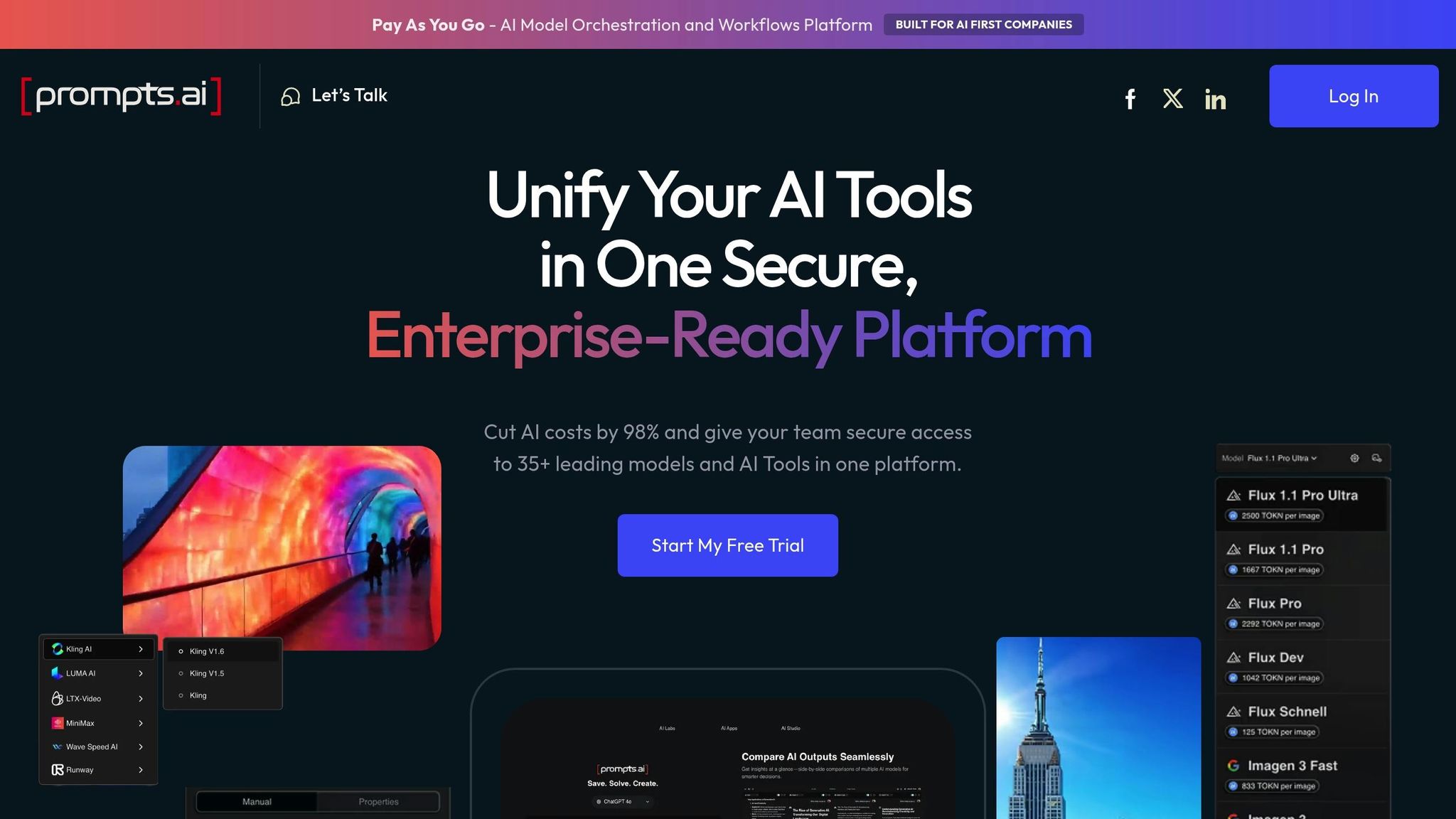
Prompts.ai brings together over 35 top-tier large language models, including GPT-5, Claude, and Gemini, into a single, secure platform designed for enterprise use. This approach tackles a major challenge businesses face: tool sprawl, which disrupts workflows, hides costs, and creates compliance risks. By providing unified access, the platform simplifies integration, strengthens security, and ensures cost-efficient scalability.
Prompts.ai is built to meet enterprise demands for reliability and efficiency. Through its unified interface, it integrates seamlessly with existing systems using APIs and SDKs, enabling businesses to automate workflows with ease. Whether deploying a single AI agent or managing thousands, the platform’s enterprise-grade architecture ensures smooth operations across teams and diverse use cases.
The platform also features a Workbench environment, where teams can experiment with prompts, compare model outputs side-by-side, and refine workflows before rolling them out. By consolidating these capabilities, Prompts.ai eliminates the need for separate integrations with individual AI providers, saving time and reducing complexity.
Security is a cornerstone of Prompts.ai’s design. The platform incorporates governance and audit trails directly into workflows, ensuring sensitive data stays within the organization’s control. With real-time visibility, security teams can monitor AI usage, track data flows, and ensure compliance with industry regulations.
Prompts.ai also provides the transparency and documentation required for audits, making it ideal for organizations handling regulated data. Its architecture meets stringent standards, including SOC 2 Type 2 and advanced encryption protocols like AES-256 for data at rest and TLS 1.2+ for data in transit, aligning with the security needs of Fortune 500 companies.
The platform’s FinOps layer offers detailed tracking of token usage across models, linking spending directly to outcomes. By using pay-as-you-go TOKN credits, businesses can cut AI software costs by up to 98% while maintaining visibility at the prompt level. This feature allows organizations to identify high-cost workflows and switch to more affordable models without compromising on performance.
Prompts.ai is designed to grow alongside your organization. It can accommodate the addition of models, users, and teams without sacrificing performance or governance. From small creative teams to global enterprises with thousands of concurrent users, the platform’s Scale GenAI Platform architecture ensures smooth operations, even as organizational needs expand.
The platform also supports growth through its Prompt Engineer Certification program and a library of expert-designed workflows. These resources empower teams to achieve 10× faster productivity by leveraging proven templates, eliminating the need to start from scratch.
Understanding the strengths and drawbacks of each platform can help assess how they align with essential pillars like privacy, transparency, and efficiency.
Each platform brings distinct capabilities and challenges. ChatGPT Enterprise offers expert-level performance that’s 11x faster than human efforts at just 1% of the cost, though more complex tasks may take a few minutes to process. The Pro tier, however, comes with significantly higher API costs - $21 per 1 million input tokens and $168 per 1 million output tokens, compared to the standard rates of $1.75 and $14, respectively.
Claude is tailored for industries that demand high trust, offering SOC II Type 2 and HIPAA compliance along with a massive 200,000-token context window for handling extensive technical documents. Its low hallucination rate is a standout feature, but achieving peak performance requires XML-based prompt engineering, which can be a hurdle for some users. Microsoft Copilot, on the other hand, integrates with over 1,400 tools and provides enterprise-grade monitoring within Microsoft 365 and Teams, but users may find navigating between Classic and New portals to be complex.
GitHub Copilot is a game-changer for coding workflows, offering context-aware code suggestions that speed up development. However, overreliance on its features could impact a developer’s foundational coding skills. Meanwhile, Gemini for Workspace seamlessly integrates with Google tools and includes a Canvas interface for quick prototyping. Yet, its advanced creative features require sign-in, and the free tier is fairly limited.
These trade-offs highlight the balance between performance and control, a key consideration for enterprise workflows.
The table below offers a quick comparison of each platform's main strengths, limitations, and ideal use cases:
| Platform | Key Strength | Primary Limitation | Best For |
|---|---|---|---|
| ChatGPT Enterprise | 70.9% expert-level performance, 11x faster than humans | Complex tasks take minutes | General knowledge work, research |
| Claude | 200K context window, HIPAA compliance, low hallucinations | Requires XML-based prompt engineering | Healthcare, legal, finance |
| Microsoft Copilot | 1,400+ tool integrations, enterprise monitoring | Portal navigation complexity | Microsoft 365 users |
| GitHub Copilot | Context-aware code suggestions | May reduce fundamental skills | Software development |
| Gemini for Workspace | Google integration, Canvas UI builder | Limited free features | Google Workspace teams |
| Prompts.ai | 35+ models, 98% cost savings, unified FinOps | Maximizes productivity after onboarding | Multi-model enterprises |
Prompts.ai stands out by consolidating over 35 models into a single platform, offering real-time cost tracking and built-in governance. With its ability to reduce AI software expenses by as much as 98% while maintaining enterprise-grade security, it eliminates the chaos of managing multiple tools. Users can compare models side by side, enhancing productivity after completing onboarding and the Prompt Engineer Certification program.
Selecting the right generative AI platform comes down to matching its capabilities with your specific workflow needs. For instance, ChatGPT Enterprise excels in professional workflows, Claude is known for reliable performance, Microsoft Copilot integrates seamlessly with Microsoft 365, GitHub Copilot is tailored for software development, and Gemini enhances productivity within Google Workspace.
What sets Prompts.ai apart is its ability to simplify multi-model management. For organizations juggling multiple AI tools, keeping track of subscriptions and ensuring proper governance can be a daunting task. Prompts.ai solves this by bringing together over 35 models under one platform, complete with real-time cost tracking and built-in governance features. It’s an efficient solution that can cut AI software costs by up to 98%, all while delivering enterprise-level security. With hands-on onboarding and a Prompt Engineer Certification, teams can confidently compare models and refine their workflows for maximum efficiency.
Prompts.ai places a strong emphasis on enterprise data security and compliance, adhering to rigorous industry standards and established best practices. The platform incorporates robust confidentiality measures, ensures clear transparency regarding data usage, and complies with critical legal frameworks such as GDPR and CCPA.
To protect sensitive information, Prompts.ai employs advanced safeguards, including data encryption, audit trails, and regular compliance reviews. Importantly, the platform ensures that enterprise data is never used to train models without explicit consent, maintaining both privacy and security. Furthermore, Prompts.ai aligns with certifications like SOC 2 and ISO 27001, reinforcing its dedication to providing a secure and reliable environment for enterprise operations.
Prompts.ai combines a variety of AI tools into a single, streamlined platform, helping you cut down on costs and complexity. Instead of juggling multiple subscriptions and managing several tools, you can handle everything in one place, reducing both expenses and administrative hassle.
By centralizing your AI operations, Prompts.ai not only trims your budget but also simplifies your workflow. This means you can spend less time managing tools and more time focusing on producing top-tier generative content and automating tasks with ease.
Prompts.ai transforms the way large organizations handle their workflows by automating repetitive tasks like content creation and simplifying intricate processes. By integrating smoothly into AI-powered workflows, it cuts down on manual work, helping teams save both time and resources.
Built on a scalable and dependable platform, Prompts.ai allows teams to redirect their focus to more strategic and impactful tasks while maintaining consistent, high-quality results. It's a powerful choice for organizations aiming to streamline their operations and boost overall productivity.