Pay As You Go - AI Model Orchestration and Workflows Platform



AI frameworks are reshaping cost management by automating tasks, reducing labor, and simplifying integrations. This article breaks down four platforms - Prompts.ai, n8n, Make, and Workato - each offering unique ways to cut expenses and improve efficiency. Here's a quick overview:
Key takeaway: Choose the platform that aligns with your team's technical expertise, budget, and scalability needs. Each option balances cost efficiency with operational flexibility.
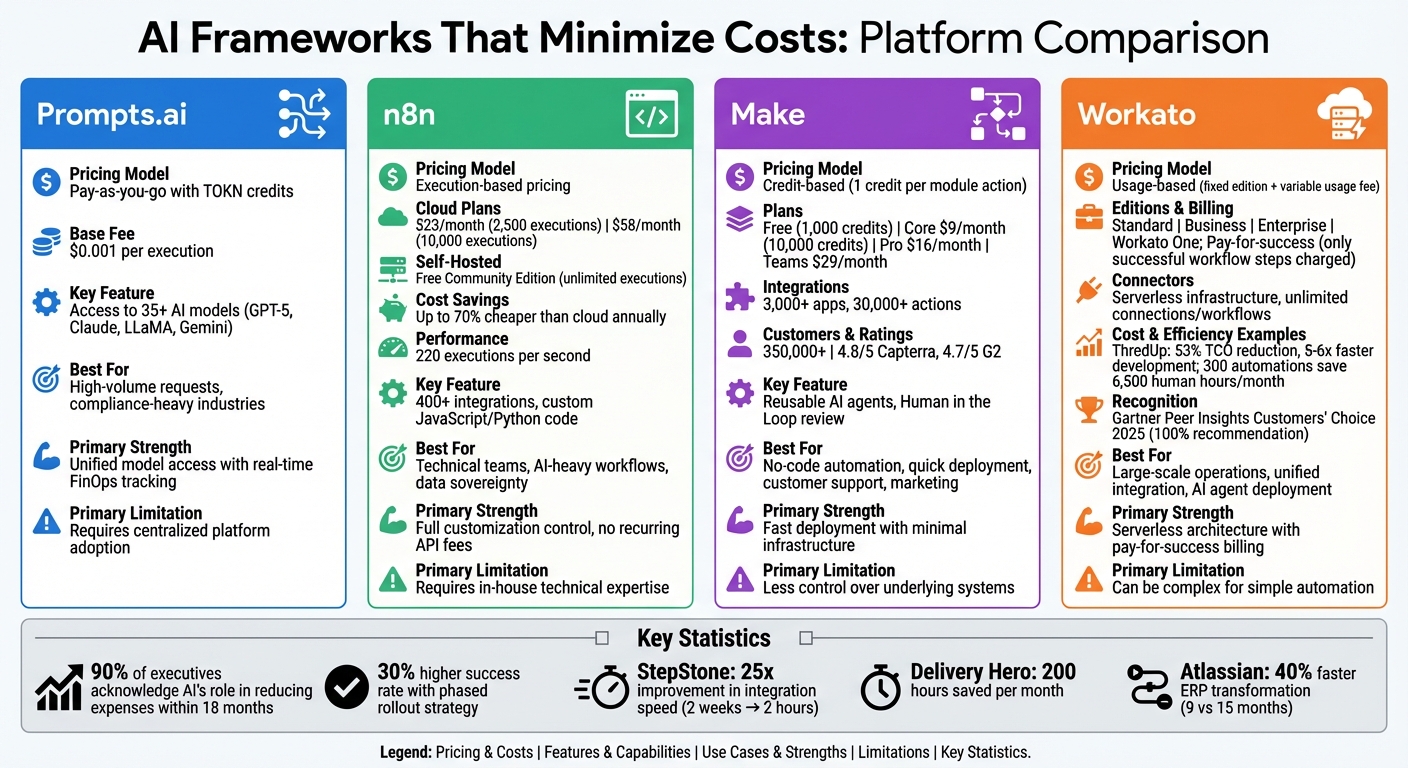
AI Framework Cost Comparison: Prompts.ai vs n8n vs Make vs Workato
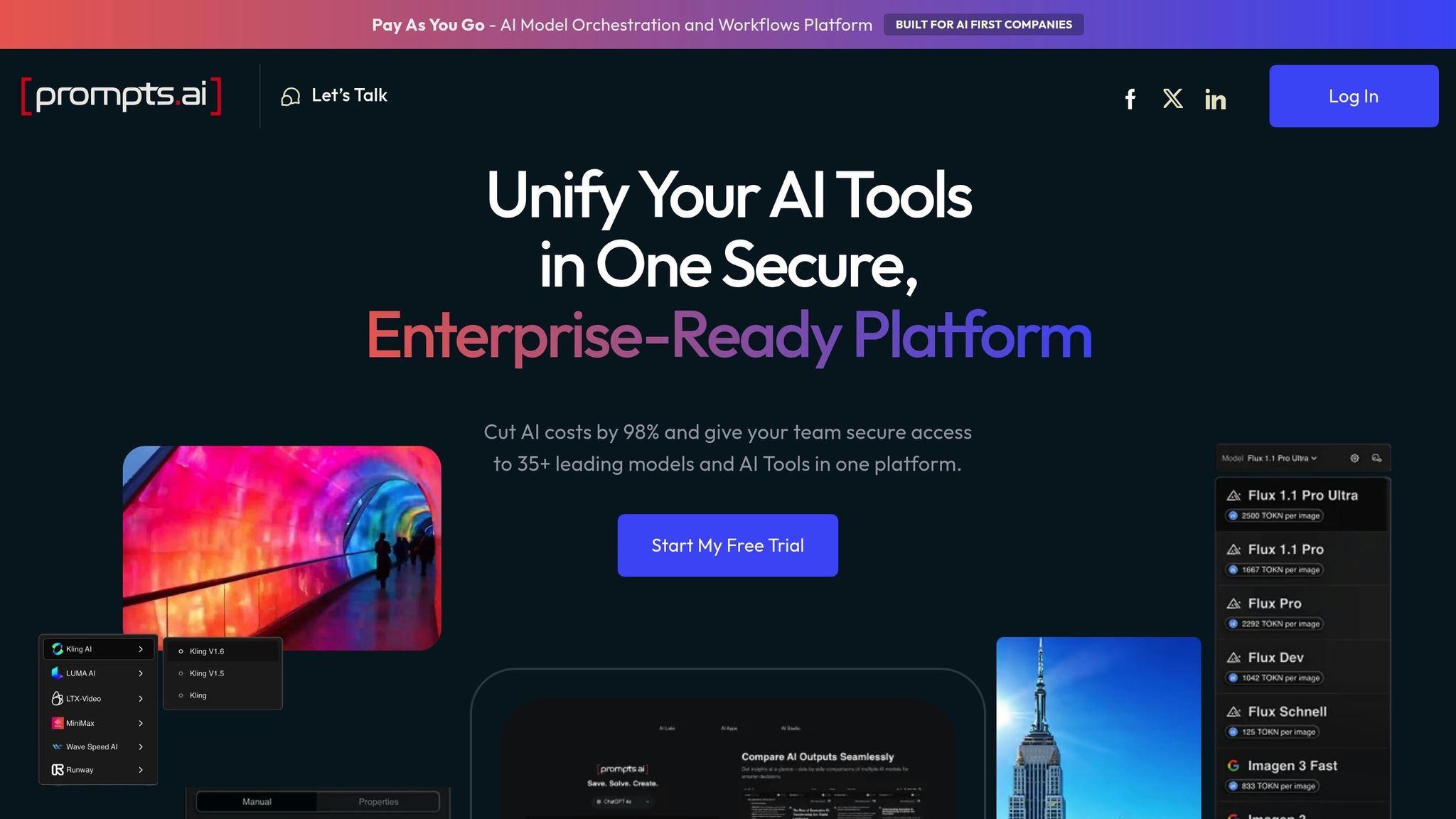
Prompts.ai uses a pay-as-you-go pricing model, eliminating the need for recurring subscription fees for basic access. Instead, charges are based on actual usage through TOKN credits. Each execution starts with a base fee of $0.001, with additional costs depending on token consumption. For added flexibility, the Bring Your Own Key (BYOK) feature allows businesses to integrate their existing API keys from providers like OpenAI, Anthropic, and Google. This ensures companies pay only the base rates set by their chosen providers, keeping expenses transparent and manageable.
Prompts.ai is designed to optimize efficiency through several standout features:
Together, these features reduce operational complexity and drive cost savings.
Prompts.ai’s architecture is built to grow with your needs. Whether you're adding new models, expanding teams, or scaling enterprise workflows, the platform adjusts without requiring major infrastructure changes. Its real-time FinOps controls provide detailed insights into token usage, enabling finance teams to monitor spending and directly link AI costs to business outcomes.
Prompts.ai is ideal for organizations handling high volumes of daily requests in areas like customer support, content creation, and data analysis. Teams working with multiple AI models benefit from unified governance and comprehensive audit trails, which are especially crucial for compliance in regulated industries. For businesses seeking to reduce costs while improving AI efficiency, Prompts.ai offers a strategic, scalable solution.
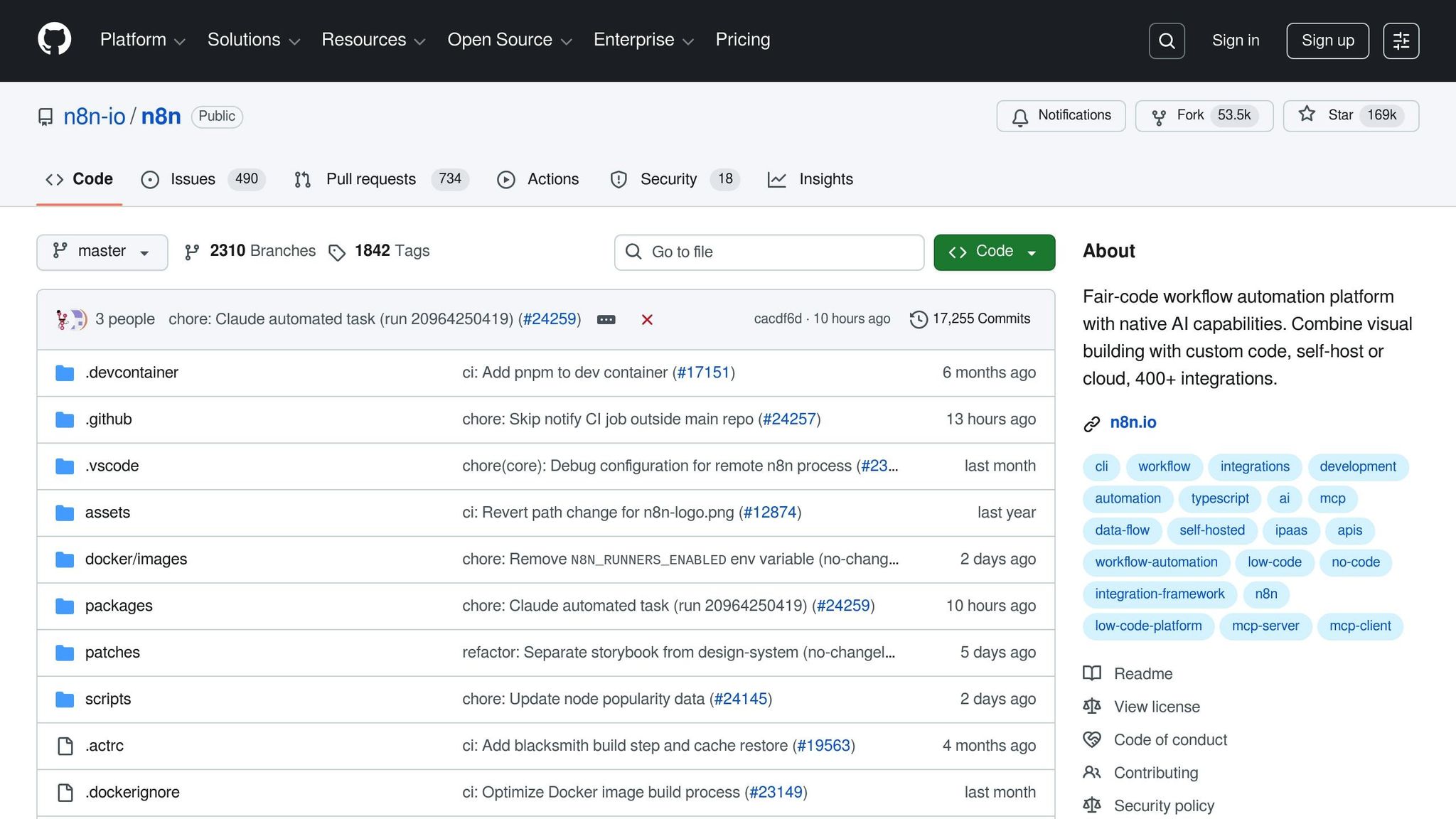
n8n stands out as a budget-friendly AI framework, offering a pricing model based on workflow executions rather than individual steps or tasks, making it an attractive choice for cost-conscious teams.
With n8n's execution-based pricing, users are charged per workflow execution, covering the entire process in one go. This approach can significantly reduce costs compared to models that charge for each step.
The platform is available in two main options: cloud-hosted and self-hosted. Cloud-hosted plans start at $23 per month for 2,500 executions, while the Pro plan costs $58 per month for 10,000 executions. For businesses handling large-scale workflows, the free Community Edition offers unlimited executions when self-hosted, which can be up to 70% more affordable than comparable cloud plans over the course of a year.
n8n provides powerful tools for integrating custom code, allowing teams to embed JavaScript or Python directly into any step of a workflow. This eliminates the need for expensive custom middleware. Additionally, it offers over 400 pre-configured integrations and built-in nodes for LangChain and OpenAI, enabling the creation of modular AI agents.
In 2024, StepStone transformed a two-week integration project into a mere two-hour task using n8n workflows - a 25x improvement in speed. Luka Pilic, Marketplace Tech Lead at StepStone, highlighted: "It takes me 2 hours max to connect up APIs and transform the data we need. You can't do this that fast in code".
Similarly, Delivery Hero automated user management workflows, saving 200 hours per month, showcasing the platform's ability to drive efficiency.
These integrations seamlessly integrate with n8n's scalable architecture, delivering flexibility and performance.
n8n offers scalability through both managed cloud tiers and self-hosted setups. Cloud plans automatically handle scaling but come with execution limits. Self-hosting, on the other hand, shifts costs from pay-per-execution to pay-for-compute, allowing workflows to run continuously as long as the hardware can support them. A single n8n instance is capable of processing up to 220 workflow executions per second, making it a strong option for high-throughput AI tasks.
For production use, a VPS with 4GB RAM and 2 vCPUs typically costs between $20 and $40 per month. Enterprise plans also include advanced features like queue mode for parallel processing, multi-worker setups, and support for over 200 concurrent executions.
n8n is ideal for technical teams managing frequent, AI-heavy workflows such as automated data processing, API integrations, or orchestrating AI agents. Organizations that prioritize data sovereignty benefit from self-hosting, ensuring sensitive data remains secure and compliant with regulations like GDPR. With over 167,500 GitHub stars, n8n has become a go-to choice for developers seeking flexibility to incorporate coding while avoiding the high costs of per-step pricing.
Make is a visual no-code platform that uses a credit-based pricing model, where each module action costs one credit. This setup allows businesses to cut operational costs by automating tasks with what Make calls "agentic automation." This form of AI makes decisions in real time and adapts to changing conditions, eliminating the need for predefined rules for every scenario.
Make offers five pricing tiers, including a Free plan with 1,000 credits per month and access to two scenarios. Paid plans start with Core at $9/month (10,000 credits and unlimited scenarios), followed by Pro at $16/month, which includes priority execution and full-text log search. The Teams plan costs $29/month and adds shared templates, while Enterprise pricing is customized for larger organizations.
To manage AI expenses effectively, users can adopt strategies like using economical models such as GPT-4o mini during development, leaving the "Thread ID" blank when history storage isn't necessary, and uploading context as files to retrieve only relevant data from the vector database. These cost-saving tips complement Make's extensive automation capabilities.
Make integrates with over 3,000 apps and supports more than 30,000 actions, earning the trust of over 350,000 customers. Its AI Agents are designed to autonomously reason and select the right tools for specific tasks, reducing the need to define every possible scenario. These agents are reusable across workflows, minimizing redundancy and cutting down on operational overhead.
The Make Grid offers near real-time updates, refreshing every two minutes to provide insight into automation usage and operations consumption. Additionally, the Human in the Loop feature allows users to review and adjust AI-generated outputs, ensuring accuracy and alignment with brand standards.
"Make drives remarkable efficiency - essentially providing an extra employee for a fraction of the cost."
- Cayden Phipps, COO at Shop Accelerator Martech
Companies like FranklinCovey have saved hundreds of thousands of dollars and freed up significant staff hours by automating workflows. Similarly, GoJob leveraged Make and AI to achieve a 50% increase in annual net revenue.
Make's approach to scalability is grounded in its cost-effective pricing and modular design. The platform enables centralized management of reusable agents and encourages a "start small" strategy, focusing on specific tasks rather than building broad, general-purpose bots. This method reduces the risk of unpredictable behavior and ensures efficiency.
Monitoring automation through the Make Grid helps identify opportunities for cost optimization. Reviewing scenario run histories can reveal tool usage patterns and areas for improvement, such as addressing reasoning errors.
Make is tailored for businesses looking to eliminate manual tasks through no-code automation. It excels in areas like customer support (e.g., answering FAQs via chat widgets), marketing (e.g., generating campaign summaries and pulling analytics), HR (e.g., onboarding bots for policy-related questions), and operations (e.g., inventory management and automated restocking).
With user ratings of 4.8/5 on Capterra and 4.7/5 on G2, Make is especially appealing to organizations that prioritize ease of use and quick deployment over highly technical customization.
Workato uses a usage-based pricing model that combines a fixed edition fee with a variable usage fee, offering a flexible approach to automation costs. The platform provides four editions tailored to different needs: Standard for basic integrations, Business for advanced orchestration, Enterprise for large-scale operations, and Workato One for agent-driven and AI-focused capabilities. This approach ensures scalability while keeping costs manageable.
Workato calculates usage based on successful workflow steps, applying a "pay-for-success" principle. This means actions that fail or conditional steps that are skipped aren’t charged, allowing teams to test and debug workflows without worrying about extra costs. All editions include unlimited connections, workflows, and collaborators, ensuring that growth doesn’t lead to unexpected charges.
The platform’s cloud-native, serverless infrastructure eliminates the need for provisioning, capacity planning, or maintenance costs. For example, ThredUp reported a 53% reduction in total cost of ownership and achieved development speeds that were 5–6 times faster. Additionally, one enterprise customer saved about 6,500 human hours monthly by running 300 automations.
"We have over 300 automations running between 105,000 to 120,000 jobs a month...we save about 6,500 human hours a month. That is efficiency."
- Stanley Toh, Head of Enterprise Services & Experience
Workato streamlines automation with over 1,200 pre-built connectors and ready-to-use accelerators, reducing the time spent on manual integration development. Its Enterprise MCP (Model Context Protocol) enhances integrations with AI-ready capabilities without requiring an extensive infrastructure overhaul.
The platform also includes forecasting tools that track usage across workflows, the API platform, and event streams, helping teams manage consumption and maintain predictable costs. Recognized as a Gartner Peer Insights Customers' Choice in 2025, 100% of surveyed users recommended Workato for its functionality and pricing.
Workato’s design ensures it can scale effortlessly to meet growing demands.
With features like auto-scaling and containerized runtimes, Workato handles demand surges while maintaining consistent performance. For instance, Atlassian completed an ERP transformation 40% faster (9 months instead of 15), integrating over 73 new services during the process.
"We have to do things with less people…We have way more people with their hands on the keyboard integrating [with Workato] than we would have ever had with another iPaaS platform."
- Darren Owsley, CTO, Gonzaga
Workato is an excellent choice for businesses aiming to unify integration, data orchestration, and AI agent deployment on a single platform. This consolidation reduces tool sprawl and maximizes operational efficiency. It’s particularly effective for automating processes across departments like HR, customer support, supply chain management, and finance. By simplifying workflows and optimizing AI integration, Workato helps organizations allocate resources more effectively. The Workato One edition is especially valuable for companies developing autonomous AI agents capable of making context-aware decisions.
This section provides a concise overview of the strengths and weaknesses of Prompts.ai, n8n, Make, and Workato, focusing on their cost efficiency and operational flexibility. Each platform brings unique benefits and trade-offs, depending on your organization's priorities.
Managed platforms like Make and Workato are ideal for achieving fast implementation without significant upfront infrastructure costs. They handle maintenance and updates automatically, freeing developers to concentrate on essential business logic. On the other hand, open-source options like n8n excel in customization and cost control, allowing you to host models on private infrastructure and avoid recurring API fees. However, they require more technical expertise and hands-on management.
To manage costs effectively, consider testing smaller models and datasets before scaling operations. Use autoscaling during training and inference to minimize idle capacity expenses, and maintain consistency across your organization by standardizing data definitions with metadata management services.
The table below highlights the primary advantages and limitations of each framework:
| Framework | Primary Strength | Primary Limitation |
|---|---|---|
| Prompts.ai | Unified access to 35+ models with real-time FinOps tracking | Requires adoption of a centralized platform |
| n8n | Eliminates recurring API fees and offers full customization control | Demands in-house technical expertise |
| Make | Quick deployment with minimal infrastructure investment | Offers less control over underlying systems |
| Workato | Serverless architecture with pay-for-success billing | Can be overly complex for simple automation |
Examining Prompts.ai, n8n, Make, and Workato reveals different approaches to managing costs and streamlining operations. Choosing the right platform hinges on your current needs and long-term goals for cost efficiency. With over 90% of executives acknowledging AI's role in reducing expenses within the next 18 months, this decision becomes a strategic move, not just a technical one.
For those prioritizing flexibility, open-source options like n8n provide control over costs through self-hosting and the elimination of recurring licensing fees. On the other hand, managed platforms such as Make and Workato simplify deployment and maintenance by handling infrastructure, allowing teams to focus on core business objectives. Research shows that organizations using a phased rollout strategy for AI see a 30% higher success rate in cost-reduction efforts, demonstrating the value of starting small with modular pilots before scaling up.
Each framework offers distinct advantages. Prompts.ai delivers unified access to 35+ models with built-in FinOps tracking, offering real-time spending insights and eliminating tool sprawl while maintaining performance. n8n allows for deep customization and control over infrastructure costs. Make’s no-code platform accelerates automation deployment with minimal technical effort. Workato’s serverless design and pay-for-success pricing ensure you’re only billed for completed workflow steps.
Selecting the right platform means aligning it with your technical expertise, budget, and growth plans. Opt for solutions that integrate seamlessly with your existing systems to minimize maintenance challenges and maximize efficiency.
Prompts.ai provides complete cost transparency by treating each token as a measurable unit of usage. With its pay-as-you-go system, credits are deducted in real time, and a detailed dashboard keeps you informed. You can see exactly how many tokens were used per request, the corresponding dollar cost (in USD), and the specific AI model involved. This approach eliminates hidden fees and simplifies billing by consolidating all token usage into one clear, easy-to-understand statement.
To help businesses save even more, Prompts.ai features an intelligent routing system that evaluates task complexity and assigns it to the most cost-efficient AI model. This smart allocation can reduce token waste by 30–40%. Additionally, real-time alerts and spending dashboards give teams the tools to monitor usage, set limits, and adjust strategies to avoid unexpected costs. These features enable businesses to take control of their AI spending while maintaining peak efficiency.
n8n uses an execution-based pricing model, meaning you're only charged when a workflow completes from start to finish. It doesn’t matter how many steps, AI calls, or data transformations are involved - costs remain tied to actual usage, not the complexity of the workflow. This makes it a perfect fit for intricate AI workflows involving multiple model invocations, as expenses stay predictable.
Every plan includes unlimited users, workflows, and steps, so you can grow your team and integrate AI capabilities without worrying about extra charges. This structure also encourages experimentation - you can prototype and refine workflows without incurring costs until they’re fully deployed in production. For organizations managing large-scale AI operations, this pricing approach delivers substantial savings while ensuring flexibility and transparency.
n8n’s pricing model is designed to help businesses efficiently scale advanced AI workflows without unexpected costs or hidden fees.
Make’s platform removes the complexity of automation by offering a no-code solution that enables businesses to build, manage, and oversee intricate workflows - no programming skills required. Using a simple drag-and-drop interface, users can link thousands of apps and tools to craft workflows in just minutes. This approach not only saves time but also cuts down on development expenses. With real-time monitoring, teams gain full visibility into their processes, making it easier to spot and address issues promptly while scaling operations effortlessly.
A standout feature of the platform is its AI-powered agents, which autonomously take care of tasks like inventory checks or placing orders. These agents rely on advanced decision-making capabilities to perform actions without needing every step to be pre-defined, significantly reducing manual workload and boosting overall efficiency. Make’s credit-based pricing model, starting at $0 for up to 1,000 credits per month, ensures businesses of all sizes can access automation tools without breaking the budget.