Pay As You GoEssai gratuit de 7 jours ; aucune carte de crédit requise



Les outils d'orchestration de l'IA simplifient la gestion des flux de travail en matière d'ingestion de données, de prétraitement, de formation, de déploiement et de surveillance. Ils automatisent les tâches, réduisent les erreurs et contribuent à faire évoluer les opérations de manière efficace. Ce guide compare huit outils d'orchestration de l'IA, en mettant l'accent sur les options de déploiement, les intégrations, la gouvernance et les coûts.
Choisissez en fonction des priorités de votre équipe, qu'il s'agisse de gouvernance avancée, de facilité d'utilisation ou de rentabilité. Pour les entreprises, IBM Watsonx Orchestrate et Workato excellent en matière de conformité. Pour les développeurs, Apache Airflow et Dagster offrent de la flexibilité. Prompts.ai se distingue par sa gestion des LLM avec transparence des coûts.
Kubiya AI est une plateforme d'orchestration dynamique et multi-agents conçue pour intégrer l'automatisation DevOps aux flux de travail d'IA. Il y parvient en donnant aux agents un accès en direct à l'infrastructure, aux API, aux journaux et aux plateformes cloud, ce qui permet de prendre des décisions en temps réel. Cette fonctionnalité est particulièrement utile pour gérer les pipelines d'IA qui s'appuient sur de multiples services et ressources interconnectés, garantissant ainsi une coordination et une exécution fluides.
Les agents de la plateforme sont équipés pour gérer une variété d'outils tels que Terraform, Kubernetes, GitHub, et des pipelines CI/CD. En gérant les tâches à travers ces outils, Kubiya garantit une coordination fluide des dépendances complexes liées à l'IA. Par exemple, si un flux de travail d'IA nécessite le provisionnement simultané de l'infrastructure, le déploiement de code et la configuration de la surveillance, les agents de Kubiya peuvent orchestrer ces tâches dans le bon ordre tout en conservant une compréhension globale du système. Ci-dessous, nous explorons plus en détail ses capacités d'intégration et de déploiement.
Kubiya AI s'intègre de manière native aux principaux fournisseurs de cloud, plateformes de collaboration et outils de surveillance, offrant une large couverture d'automatisation sur l'ensemble de la pile technologique. Les utilisateurs peuvent connecter en toute sécurité leurs comptes cloud, tels que AWS, Kubernetes, GitHub et Jira - via le tableau de bord ou la CLI. Cette automatisation contextuelle comprend non seulement les actions nécessaires, mais évalue également l'état actuel des systèmes connectés pour garantir la précision.
La plateforme fonctionne également parfaitement avec des outils de collaboration tels que Slack et des interfaces de ligne de commande. Les développeurs peuvent utiliser des commandes en langage naturel dans Slack ou interagissez directement via la CLI pour contrôler l'automatisation. Il n'est donc plus nécessaire de jongler avec plusieurs tableaux de bord ou de mémoriser une syntaxe de commande complexe, ce qui rend le processus d'orchestration plus efficace et plus convivial.
Une entreprise a constaté une réduction spectaculaire des temps de configuration de l'infrastructure grâce à l'utilisation de commandes en langage naturel dans Slack. Kubiya AI a interprété les intentions des utilisateurs, appliqué des politiques, coordonné les déploiements de Terraform et réduit les temps de configuration de plusieurs jours à quelques heures, tout en conservant des journaux d'audit détaillés.
Kubiya AI propose des méthodes de déploiement flexibles, destinées à la fois aux data scientists et aux ingénieurs DevOps. Les data scientists peuvent exploiter des tableaux de bord conviviaux pour des tâches telles que la formation des modèles, tandis que les équipes DevOps peuvent intégrer les flux de travail de manière fluide à l'aide de la CLI. Cette double approche garantit que la plateforme répond aux besoins de diverses équipes, améliorant ainsi la productivité et la collaboration.

IBM Watsonx Orchestrate simplifie et automatise les flux de travail des différents départements. En utilisant des instructions en langage naturel, telles que pour la planification ou la création de rapports, les utilisateurs peuvent lancer des flux de travail complexes sans effort. La plateforme intègre de grands modèles de langage (LLM), des API et des applications d'entreprise pour exécuter des tâches en toute sécurité et à grande échelle, garantissant ainsi des opérations fluides et efficaces.
Ce système transforme les invites conversationnelles en flux de travail entièrement fonctionnels, en déplaçant les données entre des applications SaaS et sur site. En combinant des décisions pilotées par l'IA avec des règles métier prédéfinies, il respecte les normes de sécurité de l'entreprise et enregistre chaque action pour une traçabilité complète. Cela permet aux utilisateurs non techniques d'automatiser les tâches tout en s'alignant sur les exigences informatiques.
IBM Watsonx Orchestrate excelle dans l'intégration aux systèmes d'entreprise, en connectant les LLM, les API et les applications métier dans des flux de travail cohérents. Il simplifie la gestion de plusieurs systèmes en fournissant aux utilisateurs une interface intuitive. Par exemple, lorsqu'un utilisateur demande un rapport ou lance un processus, la plateforme fonctionne sur des systèmes connectés pour collecter des données, appliquer une logique métier et fournir des résultats, tout en respectant des mesures de sécurité strictes.
L'architecture de la plateforme prend en charge les systèmes basés sur le cloud et sur site, ce qui permet aux entreprises de tirer parti de leur infrastructure technologique existante. Cela signifie que les organisations peuvent conserver leurs systèmes actuels tout en bénéficiant des fonctionnalités avancées de l'orchestration de l'IA.
Outre ses atouts en matière d'intégration, watsonx Orchestrate inclut des fonctionnalités de gouvernance qui améliorent la sécurité et rationalisent les flux de travail de l'entreprise.
IBM Watsonx Orchestrate est particulièrement intéressant pour les entreprises des secteurs réglementés en raison de son cadre de gouvernance robuste. Avec contrôles d'accès basés sur les rôles, il garantit que seul le personnel autorisé peut effectuer des actions spécifiques dans le cadre des flux de travail d'IA. Cela est particulièrement important pour les organisations qui traitent des données sensibles ou qui opèrent selon des directives de conformité strictes.
« Des fonctionnalités telles que les contrôles d'accès basés sur les rôles, les options de déploiement de cloud hybride et la conformité de niveau entreprise en font une solution idéale pour les organisations où la sécurité et la transparence ne sont pas négociables. » - Domo
La plateforme fournit également une supervision centralisée des agents et des flux de travail d'IA. Les protections intégrées, l'application automatisée des politiques et les journaux d'audit détaillés garantissent la conformité aux normes réglementaires.
Avec des taux de fiabilité allant jusqu'à 99,99 %, watsonx Orchestrate offre une stabilité de niveau professionnel. Pour les secteurs tels que la santé, la finance et les administrations, où la gouvernance, la sécurité et la conformité sont essentielles, cette plateforme offre une solution fiable et sécurisée.
Offres IBM Watsonx Orchestrate options de déploiement de cloud hybride, offrant aux entreprises la flexibilité de choisir comment et où elles exécutent leurs flux de travail d'IA. Cela est particulièrement bénéfique pour les organisations des secteurs réglementés qui sont confrontées à des exigences strictes en matière de résidence, de sécurité et de transparence des données. Les entreprises peuvent conserver les données sensibles sur site tout en utilisant les ressources du cloud pour augmenter la puissance de traitement, ou opter pour une approche entièrement basée sur le cloud en fonction de leurs besoins.
Cette flexibilité permet de relever les défis liés à la gestion de diverses exigences en matière d'infrastructure, souvent dictées par des systèmes réglementaires ou existants. Au lieu d'imposer une solution unique, watsonx Orchestrate s'adapte à la configuration existante de l'entreprise en fournissant des fonctionnalités d'orchestration cohérentes dans des environnements variés.
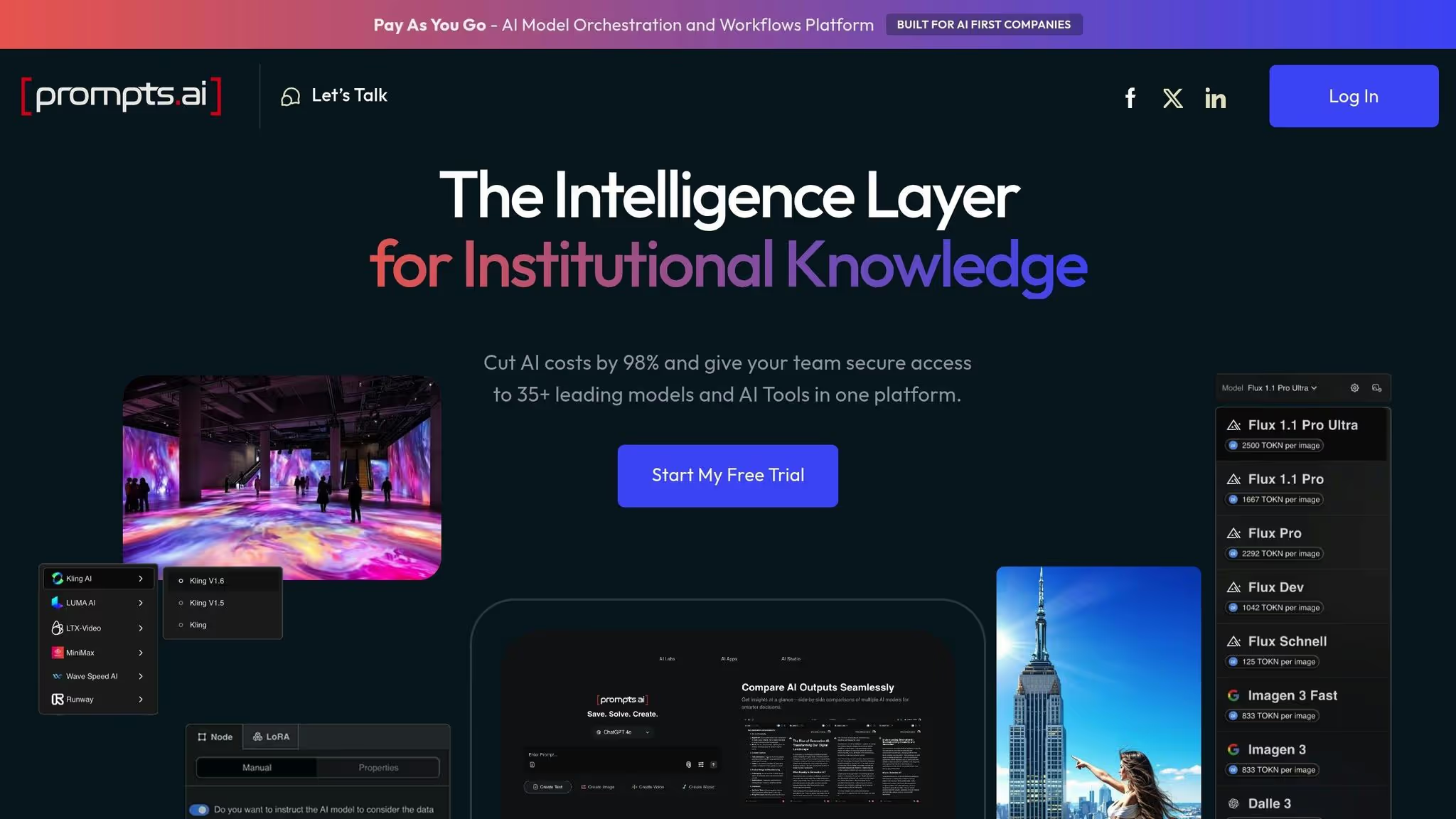
Prompts.ai est une plateforme conçue pour simplifier et rationaliser l'utilisation de l'IA en entreprise. Il regroupe 35 grands modèles de langage de premier plan, tels que GPT-5 et Claude, au sein d'une interface sécurisée et unifiée. En centralisant l'accès, il résout les problèmes liés à la gestion de plusieurs outils d'IA, à la réduction des coûts cachés, à la prolifération des outils et aux problèmes de gouvernance. Les équipes peuvent appliquer des politiques cohérentes à toutes les activités liées à l'IA, garantissant ainsi des opérations plus fluides et plus sécurisées.
Outre les outils de consolidation, Prompts.ai inclut un module FinOps intégré qui suit méticuleusement l'utilisation des jetons. Cette fonctionnalité fournit des informations en temps réel sur les dépenses liées à l'IA, permettant aux organisations de comparer les performances des modèles, de choisir les options les plus rentables et de maintenir une surveillance budgétaire stricte. La plateforme favorise également une communauté d'ingénieurs rapides grâce à son programme de certification Prompt Engineer et à une collection de flux de travail préconçus appelés « Time Savers ». Ces outils aident les équipes à passer d'une expérimentation sporadique à des processus structurés et conformes. Ensemble, ces fonctionnalités facilitent l'intégration et la gouvernance, comme expliqué plus en détail dans les sections suivantes.
Prompts.ai simplifie les opérations d'IA en unifiant l'accès à plusieurs modèles au sein d'une seule plateforme. Il n'est donc plus nécessaire de gérer des abonnements, des connexions ou des intégrations distincts pour chaque outil. Son architecture flexible fonctionne parfaitement avec les systèmes d'entreprise existants, permettant aux équipes de déployer des flux de travail d'IA dans différents départements, des équipes créatives aux unités de recherche, sans problèmes de compatibilité. À mesure que les besoins organisationnels augmentent, l'ajout de nouveaux modèles ou de nouveaux utilisateurs ne prend que quelques minutes, ce qui garantit des opérations d'IA fluides et évolutives.
Prompts.ai va au-delà de l'intégration en proposant des outils de gouvernance robustes pour préserver l'intégrité opérationnelle. Il offre une visibilité et une auditabilité complètes sur tous les flux de travail d'IA, garantissant ainsi la conformité aux politiques organisationnelles et aux normes réglementaires. La plateforme intègre les meilleures pratiques issues de frameworks tels que SOC 2 Type II, HIPAA et GDPR. Elle collabore également avec Vanta pour une surveillance continue des contrôles et a commencé son audit SOC 2 de type II le 19 juin 2025. Les utilisateurs peuvent suivre les mises à jour de sécurité et de conformité en temps réel via le Trust Center à l'adresse https://trust.prompts.ai/. Pour les entreprises, des outils avancés de surveillance de la conformité et d'administration de la gouvernance garantissent une supervision et une responsabilisation centralisées, disponibles dans les plans d'affaires.
Prompts.ai propose une tarification flexible adaptée aux besoins personnels et organisationnels. Pour les utilisateurs individuels :
Pour les équipes et les entreprises, les plans Business incluent des fonctionnalités avancées de gouvernance et de conformité :
En consolidant les outils d'IA sur une seule plateforme, Prompts.ai peut réduire les dépenses liées aux logiciels d'IA jusqu'à 98 %. Son suivi FinOps en temps réel permet aux organisations de prendre des décisions d'investissement plus intelligentes et fondées sur des données.
Prompts.ai fonctionne comme une plateforme SaaS basée sur le cloud, offrant un accès instantané à ses outils d'orchestration de l'IA sans qu'il soit nécessaire de configurer une infrastructure compliquée. Cette approche permet aux équipes de déployer des flux de travail basés sur l'IA en quelques minutes au lieu de plusieurs mois. La conception native du cloud garantit des mises à jour automatiques, une intégration fluide des nouveaux modèles et des correctifs de sécurité réguliers, réduisant ainsi la charge de travail informatique. De plus, son architecture évolutive prend en charge les équipes distribuées, permettant une collaboration fluide grâce à une interface unifiée accessible de n'importe où.

Apache Airflow est une plateforme open source conçue pour aider les équipes à planifier, surveiller et gérer des flux de données complexes. Développé à l'origine par Airbnb en 2014, il est depuis devenu un projet Apache. Bien qu'elle ne soit pas spécifiquement adaptée à l'IA, sa flexibilité et son solide soutien communautaire en ont fait un choix populaire pour l'orchestration de pipelines d'apprentissage automatique.
Airflow permet aux équipes de définir les flux de travail sous forme de graphes acycliques dirigés (DAG) à l'aide du code Python. Cette approche est particulièrement intéressante pour les data scientists et les ingénieurs familiarisés avec Python, car elle permet un contrôle total sur des tâches telles que l'extraction, la transformation, la formation et le déploiement des données. Cependant, cela signifie également que la maîtrise de Python est essentielle pour utiliser efficacement la plateforme.
Apache Airflow propose plusieurs méthodes de déploiement pour répondre à différents besoins. Pour ceux qui recherchent un contrôle maximal, il peut être auto-hébergé sur des serveurs locaux ou dans le cloud. Cette approche garantit un contrôle total de l'environnement et de la sécurité des données, ce qui la rend idéale pour les équipes ayant des exigences de conformité strictes ou des préoccupations concernant la dépendance vis-à-vis des fournisseurs.
Sinon, des services gérés tels que Compositeur Google Cloud, Amazon MWAA, et Astronome fournir des environnements Airflow hébergés. Ces services gèrent la maintenance, la mise à l'échelle et les mises à jour de l'infrastructure, réduisant ainsi considérablement les frais d'exploitation. Cependant, ils sont assortis de frais d'abonnement qui varient en fonction de l'utilisation et des besoins en ressources.
Airflow fonctionne sur des systèmes basés sur Linux et nécessite une base de données de métadonnées, telle que PostgreSQL ou MySQL, pour suivre l'état des flux de travail. La mise en place d'un environnement de production implique la configuration de composants tels que le serveur Web, le planificateur, l'exécuteur et les travailleurs, un processus qui peut prendre des semaines pour garantir une disponibilité et une sécurité élevées.
La vaste bibliothèque d'opérateurs et de hooks d'Airflow le rend compatible avec un large éventail de sources de données, de services cloud et de plateformes d'apprentissage automatique. Il s'intègre parfaitement aux frameworks d'IA populaires tels que TensorFlow, PyTorchet scikit-learn, ainsi que des services de machine learning basés sur le cloud d'AWS, Google Cloud et Azure. Cette large compatibilité permet aux équipes d'orchestrer des flux de travail d'IA de bout en bout sur plusieurs systèmes.
Pour les besoins personnalisés, la base Python d'Airflow permet de créer des opérateurs personnalisés, ce qui est particulièrement utile pour intégrer des systèmes propriétaires ou de nouvelles technologies d'IA. Cependant, cette flexibilité nécessite des efforts de développement continus et une expertise Python pour créer et maintenir ces solutions personnalisées.
La plateforme prend également en charge l'exécution parallèle, permettant à des tâches qui ne dépendent pas les unes des autres de s'exécuter simultanément. Cette fonctionnalité est particulièrement utile pour accélérer les flux de travail complexes liés à l'IA, tels que les pipelines de formation et d'inférence. En outre, Airflow fournit des outils pour préserver l'intégrité du pipeline, garantissant ainsi que les flux de travail fonctionnent comme prévu.
Airflow inclut des fonctionnalités qui fournissent une visibilité et un contrôle sur l'exécution du flux de travail. Son interface Web permet aux équipes de surveiller l'état des tâches, de consulter les journaux et de suivre l'historique des exécutions. Les journaux d'audit détaillés enregistrent qui a déclenché les flux de travail, quand ils ont été exécutés et les résultats, ce qui facilite la résolution des problèmes et la compréhension du comportement des pipelines au fil du temps.
Le contrôle d'accès basé sur les rôles (RBAC) permet aux administrateurs de définir des autorisations pour l'affichage, la modification ou l'exécution des flux de travail. Cela garantit que les data scientists, les ingénieurs et les autres membres de l'équipe disposent de niveaux d'accès appropriés. Airflow s'intègre également aux systèmes d'authentification d'entreprise tels que LDAP et OAuth, en s'alignant sur les cadres de sécurité existants.
Pour les équipes travaillant sur des projets d'IA nécessitant une conformité réglementaire, les fonctionnalités de journalisation et de suivi d'Airflow peuvent fournir une documentation essentielle pour les audits. Cependant, la mise en place d'une gouvernance complète implique souvent une configuration supplémentaire et un développement personnalisé. Contrairement aux plateformes d'entreprise spécialement conçues pour l'IA, Airflow n'inclut pas de fonctionnalités intégrées pour le suivi des coûts, la gestion des versions des modèles ou les rapports de conformité automatisés.
En tant qu'outil open source, Apache Airflow est téléchargeable et utilisable gratuitement. Les dépenses principales proviennent de l'infrastructure nécessaire à son fonctionnement, que ce soit sur site ou dans le cloud. Pour les équipes disposant d'une infrastructure et d'une expertise technique existantes, cette solution peut s'avérer rentable.
Les coûts d'auto-hébergement dépendent de facteurs tels que la capacité du serveur, le stockage et les ressources réseau, qui évoluent en fonction de la complexité et de la fréquence des flux de travail. Les dépenses mensuelles peuvent aller de quelques centaines à des milliers de dollars, selon l'ampleur des opérations.
Les services Airflow gérés, tels que Google Cloud Composer et Amazon MWAA, simplifient les opérations mais sont assortis de frais d'abonnement. Par exemple, Google Cloud Composer commence à environ 300 dollars par mois pour les petits environnements, les coûts augmentant en fonction des tâches simultanées, du stockage et du transfert de données. Bien que les services gérés soient plus coûteux sur une base mensuelle, ils peuvent être plus économiques pour les équipes qui ne disposent pas de ressources DevOps dédiées.
Les frais de personnel constituent un autre facteur clé. L'exécution efficace d'Airflow nécessite des ingénieurs maîtrisant Python et les systèmes distribués. Les équipes ont généralement besoin d'au moins un ingénieur dédié pour chaque douzaine de flux de travail actifs, ainsi que d'une assistance supplémentaire pour le dépannage et l'optimisation. Ces besoins en personnel peuvent avoir un impact significatif sur le coût global d'utilisation d'Airflow.
Prefect est une plateforme d'orchestration des flux de travail conçue pour l'automatisation des flux de données, ce qui en fait un choix incontournable pour les ingénieurs des données et les scientifiques qui gèrent des flux de travail d'IA complexes. Sa conception conviviale pour Python garantit une intégration parfaite dans les écosystèmes de données existants. Contrairement aux planificateurs traditionnels, Prefect permet aux équipes de créer, de surveiller et de gérer des flux de travail avancés sans avoir à gérer une infrastructure étendue.
L'une des caractéristiques les plus remarquables de Prefect est son moteur tolérant aux pannes, conçu pour assurer le bon fonctionnement des flux de travail, même en cas d'échec de certaines tâches. Cela est particulièrement utile dans les projets d'IA, où des défis tels que des problèmes de qualité des données, des délais d'API ou des pénuries de ressources peuvent perturber les opérations. Prefect résout automatiquement ces problèmes, permettant aux équipes de se concentrer sur la création de modèles plutôt que sur la résolution des erreurs.
Prefect offre une flexibilité de déploiement, s'adaptant aux environnements auto-hébergés et basés sur le cloud. Cette capacité d'adaptation permet aux entreprises de choisir ce qui convient le mieux à leurs besoins en matière d'infrastructure et de conformité.
Pour les équipes qui préfèrent un contrôle total, Prefect peut fonctionner sur une infrastructure existante à l'aide d'outils de conteneurisation tels que Docker et Kubernetes. Son intégration à Kubernetes est particulièrement avantageuse pour les équipes qui gèrent déjà des charges de travail conteneurisées, car elle tire parti des ressources existantes pour le dimensionnement et l'orchestration.
D'autre part, l'option de déploiement dans le cloud de Prefect élimine les complexités liées à la gestion de l'infrastructure. Les équipes peuvent démarrer rapidement sans se soucier de l'approvisionnement des serveurs ou de la maintenance. Le modèle cloud prend également en charge l'exécution sans serveur et la mise à l'échelle automatique, en ajustant automatiquement les ressources de calcul en fonction des demandes de charge de travail. Cela est particulièrement rentable pour les projets d'IA dont la charge de travail fluctue, tels que les tâches d'inférence par lots qui atteignent leur pic à des moments précis.
Les deux options de déploiement s'intègrent parfaitement aux principaux fournisseurs de cloud tels qu'AWS, Plateforme Google Cloud, et Microsoft Azure, en veillant à ce que les équipes puissent travailler dans leurs environnements cloud existants.
Prefect se connecte sans effort aux outils et plateformes essentiels aux flux de travail d'IA, couvrant tout, de l'ingestion de données au déploiement de modèles.
Du côté des données, Prefect prend en charge les bases de données traditionnelles telles que PostgreSQL et les entrepôts de données cloud modernes tels que Flocon de neige. Cette compatibilité est cruciale pour les projets d'IA qui s'appuient sur des bases de données opérationnelles pour les données d'entraînement tout en stockant les résultats sur des plateformes d'analyse.
Pour les tâches gourmandes en calcul telles que la formation de modèles et le traitement de données à grande échelle, Prefect s'intègre à des systèmes tels que Apache Spark et Dask. Ces intégrations permettent aux équipes de répartir les charges de travail entre les clusters, accélérant ainsi des tâches telles que l'ingénierie des fonctionnalités et le réglage des hyperparamètres. En outre, la prise en charge par Prefect de Docker et Kubernetes permet aux équipes de regrouper les modèles d'IA et leurs dépendances dans des unités portables, simplifiant ainsi la transition du développement à la production.
Prefect inclut également des outils pratiques pour la communication en équipe, tels que les notifications Slack. Ces notifications tiennent les équipes informées de l'état des flux de travail, qu'il s'agisse d'une formation terminée ou d'une défaillance du pipeline, garantissant une collaboration fluide et des réponses rapides.
Prefect améliore la supervision opérationnelle grâce à une surveillance en temps réel et à des informations détaillées sur l'exécution des flux de travail. Son interface fournit une vue claire des tâches en cours, des tâches terminées et de tout problème, ce qui permet aux équipes de résoudre les problèmes dès le début du processus.
La plateforme suit également le lignage complet des données, en documentant la façon dont les données circulent à chaque étape du flux de travail. Pour les projets d'IA, cela signifie que les équipes peuvent déterminer quelles sources de données ont contribué à l'entraînement d'un modèle, quelles transformations ont été appliquées et quand des processus spécifiques ont été exécutés. Ce niveau de détail est inestimable pour déboguer les performances des modèles ou respecter les normes de conformité.
Les outils d'observabilité avancés de Prefect proposent des journaux d'exécution, des alertes personnalisées et une surveillance des SLA. Les équipes peuvent configurer des alertes en fonction de conditions spécifiques, afin de s'assurer que les problèmes sont signalés avant qu'ils ne perturbent les processus en aval. Ces fonctionnalités permettent d'identifier les goulots d'étranglement dans les pipelines d'IA, qu'il s'agisse du prétraitement des données ou de l'inférence de modèles.
Prefect fournit une version gratuite et open source qui inclut des fonctionnalités d'orchestration de base, ce qui en fait une excellente option pour les équipes disposant de budgets limités.
Pour les organisations qui ont besoin de fonctionnalités avancées telles qu'une sécurité renforcée, des outils de collaboration et une assistance dédiée, Prefect propose des niveaux d'entreprise payants. Ces niveaux fonctionnent selon un modèle de paiement à l'utilisation, les coûts étant déterminés par l'exécution du flux de travail et l'utilisation de l'infrastructure. Les fonctionnalités de mise à l'échelle automatique et d'exécution sans serveur de la plateforme permettent de gérer les coûts en ajustant dynamiquement les ressources en fonction de la demande.
Dagster est un outil open source conçu pour orchestrer les flux de données, en mettant l'accent sur la qualité, le lignage et l'observabilité des données. Contrairement aux outils qui traitent les pipelines de données comme une série de tâches isolées, Dagster les considère comme des systèmes interconnectés où le maintien de l'intégrité des données est essentiel. Cela le rend particulièrement utile pour les projets d'IA, où des données de haute qualité sont essentielles pour obtenir des performances optimales des modèles et répondre aux normes réglementaires.
Étant open source, Dagster élimine les frais de licence, offrant aux utilisateurs la flexibilité de le déployer sur des serveurs locaux ou dans des environnements cloud privés ou publics. Cependant, cette flexibilité s'accompagne de la nécessité d'une expertise interne pour gérer le déploiement, la maintenance et le dépannage.
Dagster prend en charge l'ensemble du cycle de vie des flux de travail d'apprentissage automatique. Il permet aux équipes de créer des pipelines automatisés et reproductibles pour des tâches telles que la formation, le recyclage et le déploiement. Les expériences sont suivies et reproductibles, ce qui contribue à maintenir la cohérence et la fiabilité. Ces fonctionnalités d'intégration renforcent également la gouvernance en garantissant l'intégrité des données dans l'ensemble des projets d'IA.
Dagster excelle dans la gouvernance des données, proposant des pipelines qui valident les formats de données à chaque étape afin de détecter rapidement les erreurs. Il inclut le suivi des métadonnées pour documenter automatiquement le lignage des données, ce qui facilite le suivi des ensembles de données utilisés dans la formation des modèles et la compréhension des étapes de prétraitement. Par exemple, les établissements de santé ont utilisé Dagster pour s'assurer que les données des patients sont gérées avec le niveau d'intégrité nécessaire à la conformité et à l'assurance qualité. De plus, sa gestion des erreurs intégrée et sa surveillance en temps réel aident les équipes à identifier et à résoudre rapidement les problèmes.
Comme il n'y a pas de frais de licence, les principaux coûts pour Dagster concernent l'infrastructure sur laquelle il fonctionne et les ressources d'ingénierie nécessaires à la configuration et à la gestion. Pour les organisations dotées d'une expertise technique, cette approche offre une excellente flexibilité, permettant une personnalisation étendue et un meilleur contrôle du déploiement des flux de travail.
Zapier est une plateforme d'automatisation sans code conçue pour connecter des milliers d'applications métier, ce qui en fait un excellent choix pour le prototypage rapide et les petits projets d'IA. Son vaste réseau d'intégration permet aux équipes de relier les outils d'IA aux flux de travail existants sans avoir besoin de compétences techniques avancées.
Grâce à son interface visuelle, les utilisateurs peuvent créer des flux de travail automatisés, appelés « Zaps », en combinant des déclencheurs et des actions dans différentes applications. Pour les projets d'IA, cela signifie une intégration fluide Outils alimentés par l'IA avec des CRM, des bases de données, des outils de communication et d'autres logiciels d'entreprise, le tout sans écrire une seule ligne de code.
Zapier simplifie le processus d'intégration de l'IA dans les opérations commerciales existantes. Les équipes peuvent automatiser des tâches telles que l'envoi de données à des modèles d'IA, le lancement d'actions basées sur des prédictions basées sur l'IA ou le partage d'informations générées par l'IA sur plusieurs plateformes.
Cependant, bien qu'il soit très efficace pour connecter les services d'IA aux outils commerciaux, Zapier est moins adapté à la gestion de besoins plus complexes tels que les transformations avancées de données, les flux de travail de formation de modèles ou les opérations complexes d'apprentissage automatique.
Zapier propose certaines fonctionnalités de gouvernance, mais elles sont insuffisantes par rapport aux outils d'orchestration au niveau de l'entreprise. Chaque flux de travail nécessite une configuration distincte pour les connexions et les secrets d'API, sans gestion centralisée. Cette configuration décentralisée peut être fastidieuse pour les organisations soumises à des exigences strictes en matière de sécurité et de conformité, car elle a un impact à la fois sur l'efficacité et la gouvernance.
Bien que Zapier propose des fonctionnalités de niveau professionnel telles que la conformité SOC 2 et les contrôles d'accès basés sur les rôles, son approche de gestion individuelle des connexions et des secrets d'API peut présenter des défis pour les entreprises qui ont besoin de mesures de conformité rigoureuses.
La tarification de Zapier est basée sur l'utilisation et s'adapte au volume des tâches. Les plans vont des niveaux gratuits pour les besoins de base aux forfaits d'entreprise coûtant des milliers de dollars par mois.
Ce modèle de tarification flexible convient parfaitement aux petites équipes et au prototypage rapide, mais les coûts peuvent augmenter considérablement pour les projets plus importants nécessitant une personnalisation poussée. Pour les entreprises ayant des besoins de gouvernance complexes, les solutions haut de gamme peuvent offrir des fonctionnalités de conformité renforcées malgré des coûts initiaux plus élevés. Zapier se distingue par sa capacité à connecter rapidement des outils d'IA à des applications métier, mais les entreprises doivent examiner attentivement la manière dont les coûts pourraient augmenter à mesure que les demandes d'automatisation augmentent.
Workato se distingue en tant que plateforme conçue pour les entreprises qui accordent la priorité à une sécurité, une conformité et une gouvernance strictes. Il s'agit d'une solution d'automatisation conçue pour répondre aux demandes des grandes organisations, offrant des intégrations avec plus de 1 200 applications. Ses outils alimentés par l'IA, y compris la bibliothèque d'agents prédéfinie (« Génies ») et un copilote IA (« LE CAIRE »), simplifiez la création et la gestion des flux de travail.
La plateforme multicloud (MCP) de Workato permet aux entreprises de déployer des flux de travail d'IA dans plusieurs environnements cloud de manière fluide. En limitant la personnalisation du code en ligne et l'accès au code source, Workato garantit un environnement stable et entièrement pris en charge, ce qui en fait un choix fiable pour les opérations critiques.
Grâce à un solide écosystème d'intégrations, Workato connecte des modèles et des outils d'IA à un large éventail de systèmes d'entreprise. Sa force réside dans l'automatisation des ventes et du marketing, excellant dans des tâches telles que l'engagement client, la notation des prospects et la personnalisation. Cependant, la mise en œuvre d'applications d'IA plus étendues peut nécessiter des efforts de configuration supplémentaires. Ces intégrations sont soutenues par de puissants outils de supervision pour garantir le bon fonctionnement des opérations.
Workato respecte des normes de conformité strictes, notamment la norme SOC 2 Type II, et propose des contrôles d'accès avancés basés sur les rôles. Ses tableaux de bord centralisés et ses contrats de niveau de service (SLA) fournissent une surveillance continue, garantissant la sécurité et la fiabilité pour les utilisateurs professionnels.
Les prix de Workato ne sont pas divulgués publiquement et nécessitent une consultation directe avec son équipe commerciale. En tant que plateforme d'entreprise, ses coûts sont influencés par des facteurs tels que le nombre de tâches, les connecteurs avancés et le nombre d'utilisateurs. Bien que son prix puisse être prohibitif pour les petites équipes, les entreprises ayant des exigences de conformité élevées trouvent souvent que l'investissement dans la sécurité et la gouvernance en vaut la peine.
Lors de la sélection d'un outil d'orchestration, il est important de prendre en compte des facteurs clés tels que les options de déploiement, les capacités d'intégration, les fonctionnalités de gouvernance et les structures de coûts. Le tableau ci-dessous fournit une comparaison détaillée de ces aspects à l'aide de huit outils populaires, vous aidant à identifier celui qui correspond le mieux aux besoins techniques et au budget de votre équipe.
Les options de déploiement se répartissent en trois catégories principales. Les outils destinés aux développeurs tels qu'Apache Airflow et Dagster offrent de la flexibilité mais exigent une expertise en matière d'infrastructure. Les plateformes d'entreprise telles qu'IBM Watsonx Orchestrate et Workato proposent des environnements gérés dotés de contrôles de conformité avancés. Parallèlement, les solutions SaaS telles que Zapier et Prompts.ai donnent la priorité à la facilité de configuration et à la simplicité.
Les capacités d'intégration varient également de manière significative. Des outils tels qu'Apache Airflow, Prefect et Dagster sont idéaux pour l'ingénierie des données, la gestion des processus ETL et la prise en charge des frameworks de machine learning. Les plateformes destinées aux entreprises comme IBM Watsonx Orchestrate et Workato rationalisent les applications métier grâce à des connecteurs prédéfinis, tandis que les solutions sans code comme Zapier rendent les intégrations accessibles aux utilisateurs non techniques. Prompts.ai se distingue en consolidant l'accès à plus de 35 modèles de langage, réduisant ainsi le besoin de recourir à de multiples outils.
Les caractéristiques de gouvernance constituent un autre facteur de différenciation essentiel. Les plateformes telles qu'IBM Watsonx Orchestrate et Workato répondent aux besoins de conformité les plus stricts grâce à un accès avancé basé sur les rôles et à des mesures de conformité intégrées. Dagster met l'accent sur le lignage des données et l'observabilité, tandis que Prompts.ai fournit des pistes d'audit de niveau professionnel pour suivre chaque interaction avec l'IA, simplifiant ainsi les efforts de conformité.
Les structures de coûts vont des outils open source tels qu'Apache Airflow, qui sont gratuits mais entraînent des coûts d'infrastructure, aux solutions d'entreprise avec des modèles de tarification personnalisés. Le système de crédit flexible TOKN de Prompts.ai aligne les dépenses sur l'utilisation réelle, offrant transparence et évolutivité.
Enfin, le support hybride et multicloud prend de plus en plus d'importance. De nombreuses plateformes permettent désormais des transitions fluides entre les systèmes sur site, les clouds privés et les environnements de cloud public, ce qui permet aux organisations de répondre aux exigences réglementaires tout en tirant parti de l'évolutivité du cloud.
Que vous vous concentriez sur l'ingénierie des données, l'automatisation des activités, l'orchestration DevOps ou la gestion unifiée des modèles d'IA, il existe un outil adapté à vos besoins. Apache Airflow et Dagster excellent dans l'intégration des pipelines de données, IBM Watsonx Orchestrate et Workato sont leaders en matière de gouvernance d'entreprise, et Zapier simplifie l'automatisation sans code. Prompts.ai associe de manière unique l'accès au LLM à des contrôles de coûts clairs, ce qui en fait un choix exceptionnel pour les flux de travail axés sur l'IA.
Choisir le bon outil d'orchestration revient à évaluer votre expertise technique, votre budget et vos exigences spécifiques en matière de flux de travail. Les huit plateformes abordées ici répondent à un large éventail de besoins, et l'alignement des objectifs de votre organisation sur la bonne solution peut permettre de réaliser des économies et des gains d'efficacité importants.
Pour les équipes d'ingénierie des données qui gèrent des pipelines complexes, Apache Airflow et Dagster se démarquent. Ces outils open source offrent la personnalisation et le contrôle nécessaires aux flux de travail complexes. Tout en éliminant les coûts de licence, ils ont besoin d'ingénieurs qualifiés pour gérer le déploiement, la mise à l'échelle et la maintenance continue.
Les équipes d'entreprise se concentrent sur la conformité et la gouvernance peuvent préférer des solutions comme IBM watsonx Orchestrate ou Workato. Ces plateformes sont conçues pour les secteurs réglementés et fournissent des fonctionnalités de gouvernance avancées, bien que la tarification nécessite généralement une consultation directe. Pour les équipes de différents niveaux de compétence, d'autres plateformes peuvent proposer des configurations plus simples.
Des équipes non techniques à la recherche de résultats rapides bénéficiera probablement de la plateforme no-code de Zapier. Ses nombreuses intégrations d'applications et son interface conviviale permettent d'automatiser facilement les tâches répétitives sans nécessiter d'expertise technique. Cependant, il se peut qu'il ne dispose pas des fonctionnalités spécifiques à la gouvernance et à l'IA dont les grandes entreprises ont souvent besoin.
Lors de la gestion des modèles d'IA, des outils spécialisés sont essentiels. Prompts.ai excelle dans ce domaine en fournissant une interface unifiée permettant de gérer plus de 35 principaux modèles de langage, dont GPT-5, Claude, Grok-4 et Gemini. Avec un suivi des coûts intégré et un système de crédit TOKN Pay-As-You-Go, Prompts.ai garantit que les utilisateurs ne paient que pour ce qu'ils utilisent, ce qui le rend à la fois efficace et rentable.
Les options de déploiement jouent également un rôle essentiel. Les plateformes SaaS basées sur le cloud permettent des configurations rapides avec un minimum de demandes d'infrastructure, tandis que les solutions auto-hébergées offrent un contrôle total au détriment de la maintenance continue. Les modèles hybrides offrent un juste équilibre en conservant les données sensibles sur site tout en tirant parti de l'évolutivité du cloud pour des tâches moins critiques.
Enfin, considérez le coût global de possession. Bien que les outils open source puissent sembler gratuits au départ, les dépenses telles que le temps d'ingénierie, l'infrastructure et les frais opérationnels peuvent s'additionner. Pour les organisations qui ne disposent pas d'équipes dédiées à la plateforme, les solutions d'entreprise qui incluent le support et la maintenance peuvent finalement être plus économiques.
Pour faire le meilleur choix, commencez par identifier votre principal cas d'utilisation, qu'il s'agisse de gérer les pipelines de données, d'automatiser les flux de travail, de superviser les processus DevOps ou de coordonner les modèles d'IA. Adaptez cela aux capacités techniques, aux besoins de conformité et aux contraintes budgétaires de votre équipe. L'essentiel est de trouver un outil qui réponde non seulement à vos besoins actuels, mais qui évolue également au fur et à mesure de la croissance de votre organisation.
Le paysage de l'orchestration est en constante évolution, il est donc essentiel de sélectionner une plateforme conçue pour s'adapter aux demandes futures.
Lorsque vous choisissez un outil d'orchestration pour vos projets d'IA, il est essentiel de prendre en compte des facteurs tels que options d'intégration, capacités d'automatisation, et mesures de sécurité. Le bon outil devrait facilement se connecter à vos systèmes actuels, rationaliser les tâches répétitives et protéger vos données.
Il convient également d'évaluer si l'outil fournit flexibilité et évolutivité pour répondre à la croissance future de votre projet. Une interface conviviale qui simplifie les flux de travail complexes peut faire toute la différence. Concentrez-vous sur des solutions qui correspondent à l'expertise technique de votre équipe et répondent aux besoins uniques de votre projet afin de garantir des performances et une productivité optimales.
Les fonctionnalités de gouvernance des outils d'orchestration peuvent varier considérablement en fonction de la conception et de l'objectif de l'outil. Certains outils donnent la priorité contrôles d'accès complets, permettant aux équipes de définir les rôles et les autorisations des utilisateurs afin de renforcer la sécurité et de maintenir la responsabilité. D'autres mettent l'accent sur des fonctionnalités comme pistes d'audit et suivi de la conformité, qui sont particulièrement importants pour les secteurs soumis à des réglementations strictes, tels que la santé ou la finance.
Lors de l'évaluation des fonctionnalités de gouvernance, il est essentiel d'examiner comment l'outil gère confidentialité des données, contrôle de version, et politiques de collaboration. Ces informations peuvent vous aider à sélectionner l'outil le mieux adapté aux besoins spécifiques de votre projet. Pour une meilleure compréhension, l'article propose des comparaisons détaillées de ces éléments à travers différents outils.
Les outils d'orchestration basés sur le SaaS présentent des avantages distincts en matière de gestion des flux de travail d'IA, en particulier par rapport aux solutions auto-hébergées. L'un des plus grands avantages est coûts initiaux réduits - vous n'aurez pas à investir de l'argent dans du matériel ou une infrastructure coûteux. De plus, le configuration et déploiement rapides permettent à votre équipe de se lancer dans la création et la mise à l'échelle de projets d'IA en un rien de temps.
Ces outils simplifient également maintenance continue. Les mises à jour, les correctifs de sécurité et la maintenance générale sont tous gérés par le fournisseur, libérant ainsi la bande passante de votre équipe. De nombreuses plateformes SaaS sont équipées de fonctionnalités de conformité et de sécurité préintégrées, épargnant ainsi aux organisations les efforts et les dépenses liés à la gestion autonome de ces éléments critiques. Pour les équipes qui accordent la priorité à l'efficacité, à l'évolutivité et à la simplicité, les solutions SaaS constituent un choix judicieux par rapport aux exigences complexes des options auto-hébergées.