Pay As You Go - AI Model Orchestration and Workflows Platform



AI platforms are transforming how businesses operate, saving time and reducing repetitive tasks. These tools integrate seamlessly with existing systems, automate workflows, and improve efficiency across departments. From centralized prompt management to no-code automation, each platform offers unique features tailored to specific needs.
| Platform | Key Feature | Pricing | Best For |
|---|---|---|---|
| Prompts.ai | Centralized AI model orchestration | From $29/month | Teams needing governance |
| Zapier | No-code automation for 8,000+ apps | From $29.99/month | General automation |
| Make | Modular workflows with AI transformation | Free + Premium | Complex workflows |
| N8N | Open-source, self-hosted control | Free + Premium | Developers, startups |
| Pipedream | Developer-focused with AI agents | From $45/month | Tech teams |
| Workato | Enterprise integrations | Custom pricing | Large enterprises |
| Lindy | AI-powered automation (details limited) | TBD | Emerging use cases |
These platforms address diverse business needs, from simplifying workflows to improving cross-department collaboration. Choose the one that aligns with your goals, budget, and technical expertise.
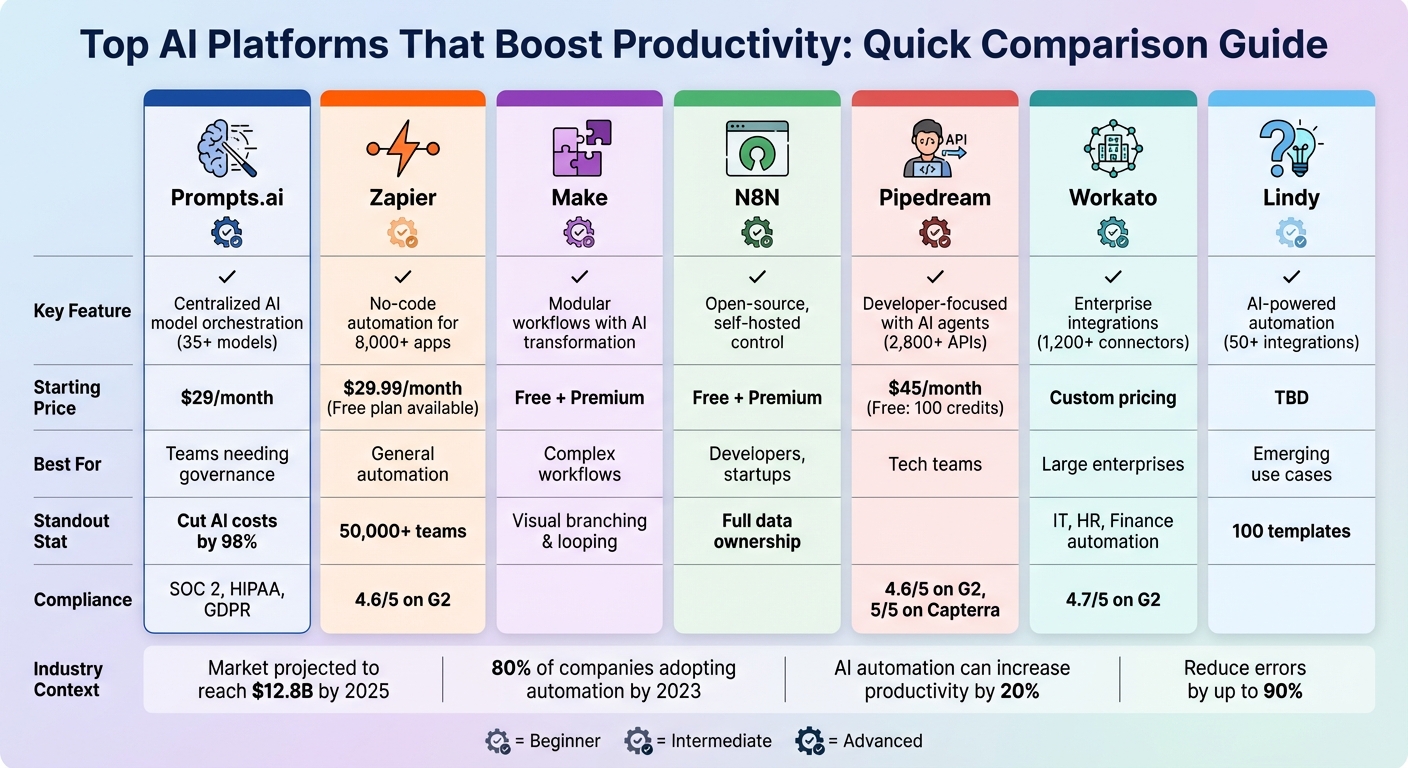
AI Automation Platforms Comparison: Features, Pricing, and Best Use Cases
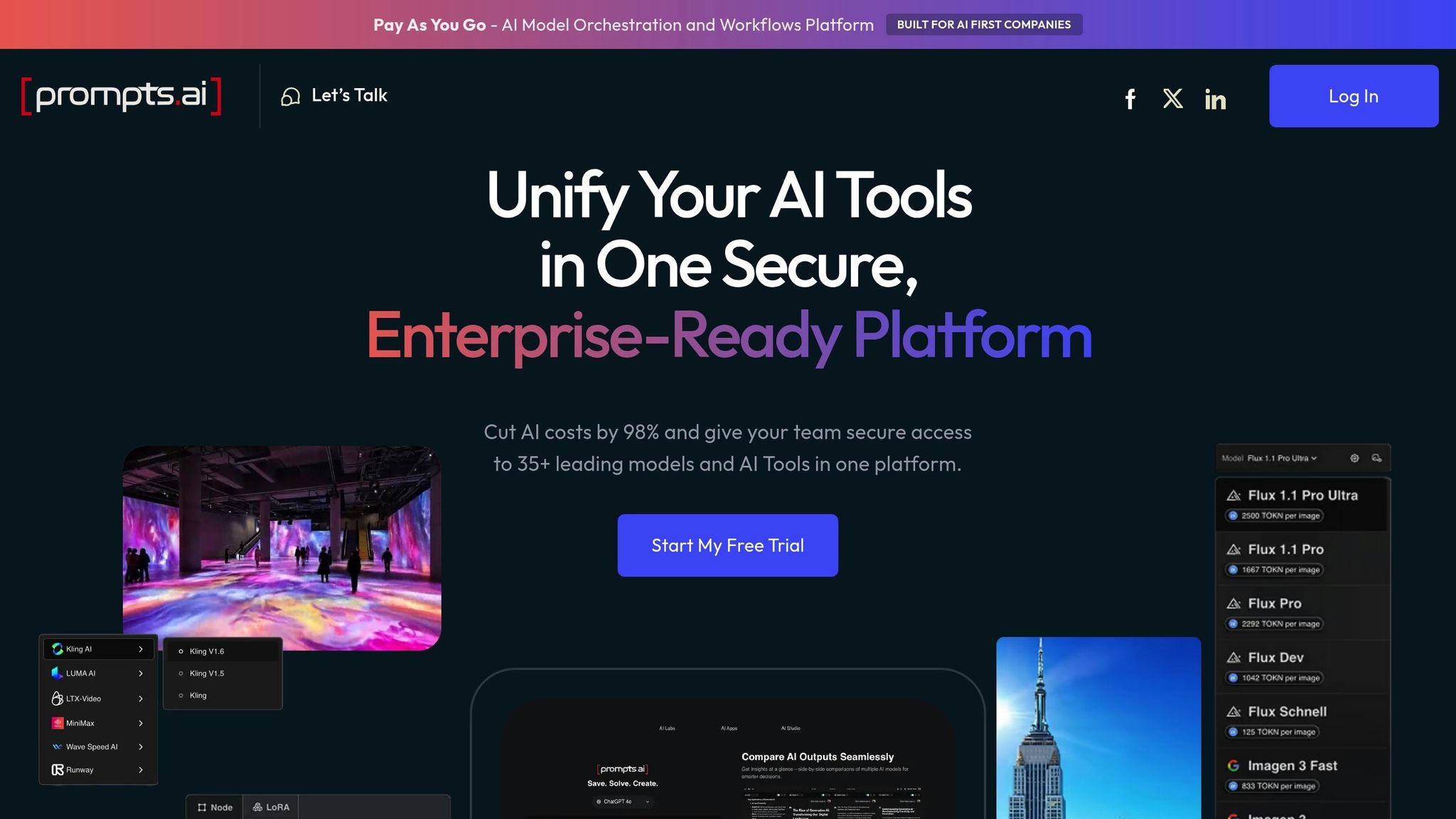
Prompts.ai brings together over 35 top-tier language models, including GPT-5, Claude, LLaMA, and Gemini, onto a single, secure platform. By standardizing and versioning prompt templates, teams across the U.S. can simplify workflows and ensure consistent outputs across their entire tech stack. This centralized approach lays the groundwork for seamless integration, enhanced AI performance, and strong governance.
Prompts.ai integrates effortlessly with everyday business tools like Slack, Gmail, and Trello, enabling AI-powered connections within seconds. Acting as a "central prompt hub", it works seamlessly with automation platforms such as Zapier, Make, or n8n, eliminating the hassle of creating unique prompts for each tool. For instance, a marketing team could design a workflow in Google Docs that pulls from a centralized prompts.ai template with pre-set brand guidelines, then automatically posts the AI-generated content to Slack for team review. Similarly, operations teams using Zendesk can standardize customer support responses by injecting relevant customer history and policy details into prompts, which then generate suggested replies directly within the ticketing system.
Prompts.ai offers reusable prompt libraries designed to simplify tasks like drafting emails or crafting customer support responses. Features such as prompt versioning, A/B testing, and automated context injection - drawing from CRM records or past tickets - enable teams to refine their prompts for better outcomes. Built-in analytics track token usage and success rates, allowing organizations to measure time savings, often amounting to several hours per person each week, and deliver a clear return on investment.
In 2025, Steven Simmons, CEO and Founder, utilized prompts.ai workflows to complete 3D renders and business proposals in just one day, drastically cutting down on manual efforts.
Mohamed Sakr, Founder of The AI Business, uses prompts.ai's "Time Savers" workflows to automate key processes in sales, marketing, and operations, driving lead generation and increasing productivity.
Prompts.ai aligns with leading compliance standards, including SOC 2 Type II, HIPAA, and GDPR. The platform began its SOC 2 Type 2 audit on June 19, 2025. Role-based access control ensures that only authorized users can create, edit, or approve prompts, particularly for customer-facing or regulated communications. Features like approval workflows and detailed audit logs help organizations maintain governance and prepare for internal audits. Users can also monitor the platform's security policies and controls in real-time through its Trust Center at https://trust.prompts.ai/.
Prompts.ai employs a flexible pay-as-you-go pricing model using TOKN credits, aligning costs with actual usage. For personal use, the Pay As You Go plan is free and includes limited TOKN credits, one workspace, no collaborators, and 1GB of cloud storage. The Creator plan costs $29 per month (or $25 per month when billed annually) and provides 250,000 TOKN credits, up to five workspaces, five collaborators, and 5GB of storage. A Family plan is available for $99 per month, offering expanded options for personal use. For teams and organizations, business plans start at $99 per member per month for the Core plan, with Pro and Elite tiers priced at $119 and $129 per member per month, respectively.
Zapier is a no-code automation platform that connects more than 8,000 apps, making it one of the largest integration ecosystems available. With its visual interface, users can create workflows - known as "Zaps" - that link different apps and software tools together using conditional logic. This extensive network of integrations ensures seamless workflows across various platforms.
Zapier serves as a central hub for automation, orchestrating how AI models interact with business data across multiple platforms. By connecting your tech stack, it simplifies processes and automates workflows effortlessly.
Zapier leverages its integration expertise to enhance automation with AI-powered tools. Its Copilot feature acts as a natural language assistant, allowing users to describe tasks in plain language. Copilot then builds workflows, connects accounts, maps data, and tests each step automatically. AI by Zapier also integrates ChatGPT directly into workflows without the need for an API key, making tasks like data extraction, text generation, content summarization, and information analysis more efficient. Additionally, Zapier Agents can handle complex multi-step actions, such as drafting emails, generating reports, or responding directly through a Chrome extension.
Make, previously known as Integromat, is a platform for visual automation that takes a modular approach. It allows users to craft detailed workflows that can branch, loop, and transform data seamlessly as it moves between various applications.
Make excels at connecting different applications and managing the flow of data between them. It integrates with AI models to work with tools like Google Docs and WordPress, enabling users to automate even complex tasks without needing to write code [4, 19]. One of its standout features is the ability to transform data directly within workflows. This means you can manipulate, filter, and restructure information on the go, making it highly adaptable to diverse needs. With AI-driven data transformation, Make takes workflow customization to another level.
AI plays a central role in how Make handles data across applications. Sarthak Dogra, a technical content strategist at Analytics Vidhya, highlights its potential:
"The addition of AI makes it even more powerful. It can move data across apps and transform that data intelligently along the way."
This capability empowers users to design advanced visual workflows, incorporate real-time AI data interpretation, and automate processes on a large scale. It’s a perfect match for those seeking both flexibility and in-depth functionality.
Make offers a Free + Premium pricing structure. This allows users to start with basic automation features at no cost and upgrade to advanced options as their workflow demands grow.
N8N is an open-source automation platform that gives users full control over their workflows. Often referred to as the "open-source Zapier", it stands out for its flexibility and customization options, making it a great choice for developers and teams seeking more advanced configurations.
What makes N8N unique is its ability to connect applications and services while offering a level of control that surpasses many standard automation tools. As an open-source platform, it allows users to self-host, ensuring complete ownership of data and workflows - a critical feature for organizations focused on data privacy and security. Additionally, N8N supports custom logic, enabling businesses to design complex workflows tailored to their specific requirements without being tied to proprietary systems. This level of control is particularly valuable for creating advanced, AI-driven automation solutions.
N8N integrates AI features that enhance automation by enabling decision-making, summarizing inputs, and generating outputs directly within workflows. Sarthak Dogra, a technical content strategist at Analytics Vidhya, highlights the platform’s AI potential:
"With AI integrations, n8n can make decisions on data, summarise inputs, or even generate outputs directly inside your workflows."
While N8N may not be the easiest platform for beginners, it excels in delivering powerful results for users who are comfortable with customization. As Dogra points out, "It's not as polished as Zapier for absolute beginners, but for developers, startups, or anyone who likes control, n8n is a powerhouse."
N8N follows a Free + Premium pricing model. The free tier is ideal for users wanting to explore the platform’s features and self-host their workflows, while the premium options cater to teams looking for added features and support as they scale their automation efforts.
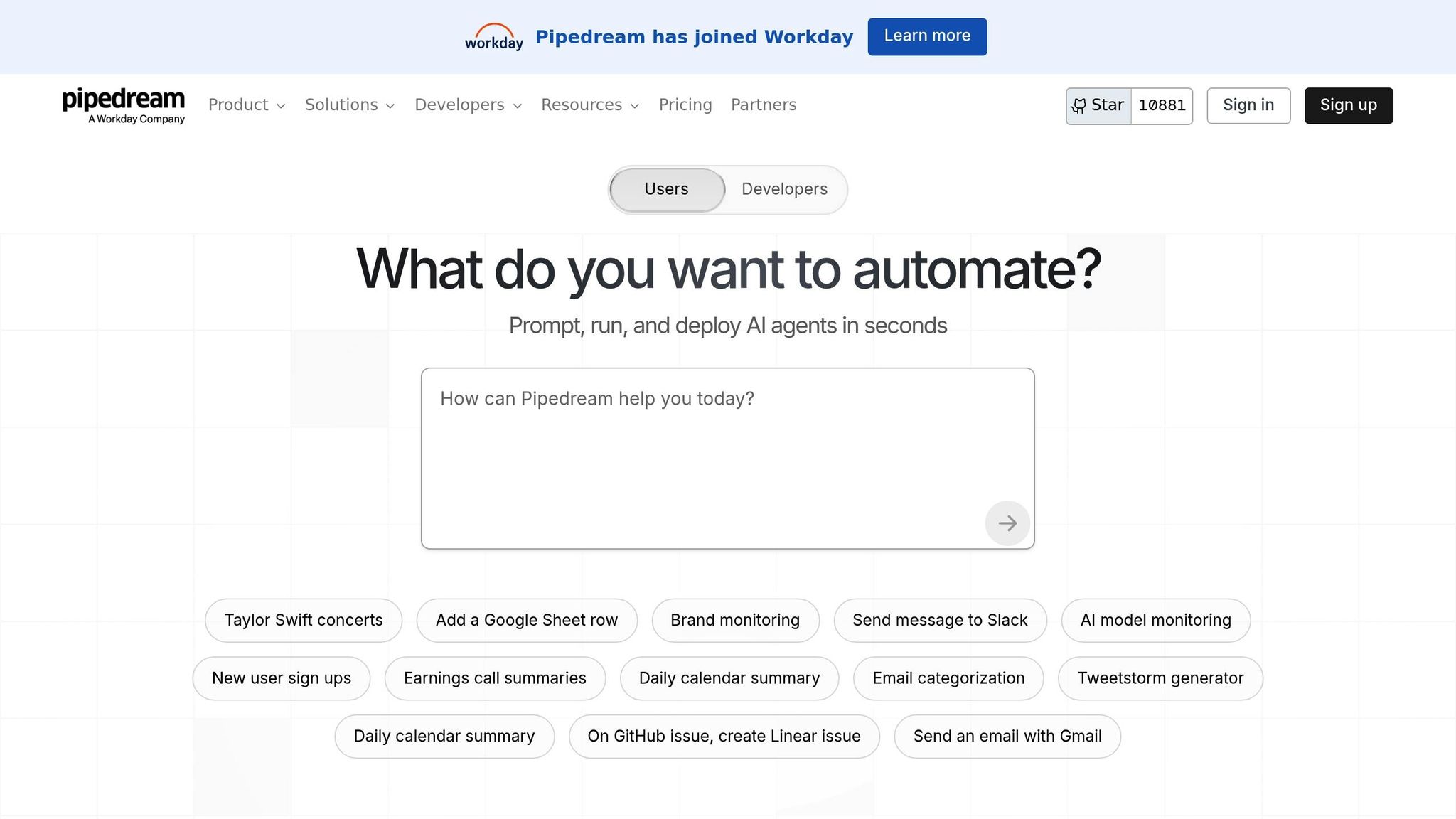
Pipedream is an automation platform designed specifically for developers looking to integrate AI automation into their products. Trusted by companies like Scale, Appcues, Logitech, LinkedIn, and Gorgias, it simplifies the process of creating automated workflows and connecting various tools and systems.
One of Pipedream's standout features is its extensive connectivity. Using a single SDK, developers gain access to over 2,800 APIs and 10,000 tools via the platform's MCP server. This allows for seamless integration of multiple systems and the embedding of automated workflows directly into applications. As highlighted by Gumloop.com, this single SDK approach significantly reduces the complexity of workflow automation for developers. Beyond connectivity, Pipedream leverages AI to enhance automation capabilities, making it a powerful tool for developers.
Pipedream includes an AI agent builder that accepts natural language input, enabling users to create intelligent workflows without needing advanced coding skills. This feature is particularly useful for automating repetitive tasks and improving efficiency across connected applications, making it easier to manage and optimize business processes.
Pipedream offers flexible pricing to cater to a range of needs, from individuals to large enterprises. The five available tiers include:
The platform has earned high marks from users, with a 4.6-star rating on G2 and a 5-star rating on Capterra. However, some users have pointed out that the interface can feel cumbersome at times, and debugging workflows may be challenging. Additionally, the pricing structure is more aligned with enterprise-level needs.
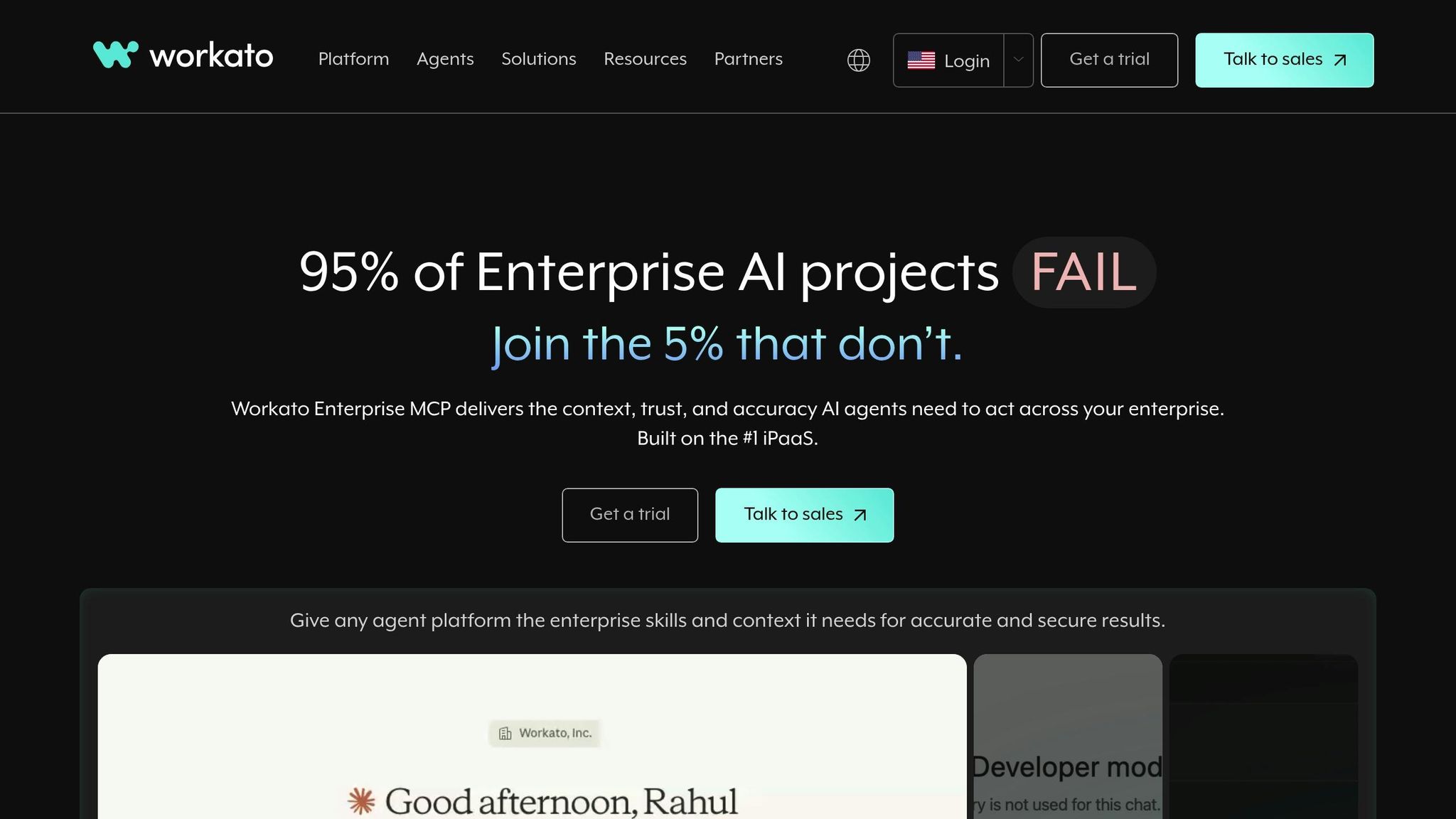
Workato is an enterprise integration platform designed to streamline connections between complex systems across various departments. It automates workflows in IT, finance, HR, and marketing, offering 1,200 pre-built connectors that integrate tools like Salesforce, Slack, ServiceNow, NetSuite, QuickBooks, and Microsoft Dynamics 365.
Workato shines in bridging communication gaps between cloud applications and databases that were previously isolated. For instance, finance teams rely on Workato to automate month-end closing tasks, HR departments ensure employee data stays consistent across platforms, and IT teams use it to route support tickets automatically to the right specialists. Additionally, when a sales deal is finalized, Workato can update financial forecasts, initiate customer onboarding, and allocate necessary resources - all without manual intervention. This seamless connectivity paves the way for AI-driven data routing in follow-up processes.
Workato goes beyond standard automation by enabling the creation of custom AI assistants tailored to specific operational needs. Its AI-powered data routing and transformation features improve over time, making integrations smarter and more efficient. The platform's flexible interface supports both no-code and low-code approaches, empowering teams with varying technical skills to design and implement complex automations [10,20].
For industries with strict regulations, Workato offers essential compliance controls. Features like version control, role-based access for cross-functional teams, and detailed error monitoring ensure security and reliability. These tools help quickly address any issues, making the platform ideal for enterprises requiring strong oversight of their automation workflows [10,20]. These governance features complement its advanced automation capabilities, making it a strong choice for enterprise-level needs.
Workato provides tailored pricing to meet enterprise requirements, with custom quotes available upon request. It has received a 4.7-star rating on G2 (from over 1,000 reviews) and a 4.6-star rating on Capterra (from over 200 reviews). Users frequently highlight its extensive connectors and enterprise-grade security as standout features, though some note its complexity and steep learning curve for smaller teams. Overall, its pricing and features are better suited for large enterprises than for small businesses.

Lindy's platform is still shrouded in mystery, with limited concrete details available about its AI-powered automation, interoperability features, or pricing structure. As updates become available, it's worth keeping an eye on Lindy's progress to gauge how it might influence workflow automation. This evolving nature gives Lindy a distinctive position when comparing its potential advantages and challenges to those of more established platforms.
Every platform comes with its own set of advantages and challenges, making it essential to align them with your team's specific needs.
prompts.ai brings together over 35 top AI models - including GPT-5, Claude, LLaMA, and Gemini - within a unified, secure interface. It offers enterprise-level governance and real-time FinOps cost controls, helping to eliminate tool sprawl and potentially cut AI software expenses by up to 98%. Additionally, it provides side-by-side performance comparisons of models. However, teams new to AI orchestration may need to invest in training to fully utilize its capabilities.
Zapier has a strong track record, with over 50,000 teams using it to automate workflows across 8,000+ apps. Its Copilot feature enables users to create automations with natural language, while its AI Agents manage multi-step tasks autonomously. On the downside, its usage-based pricing can escalate quickly, and the initial setup requires careful adjustments.
Make excels in visual workflow design, offering advanced conditional logic that's ideal for businesses managing complex automation at scale. However, this comes with a steeper learning curve, requiring teams to dedicate time to mastering its tools.
N8N provides full control through its open-source, self-hosted infrastructure, making it a great choice for organizations prioritizing compliance and customization. That said, it demands a higher level of technical expertise.
Lindy simplifies automation with its no-code AI agents ("Lindies"), designed for tasks like scheduling, email management, and customer support. It supports over 50 integrations and includes 100 templates. While its simplicity is a strength, it may not meet the needs of users requiring more granular customization.
These platform-specific details reflect broader trends in the market. The automation industry is growing quickly, with projections estimating it will reach $12.8 billion by 2025. By 2023, 80% of companies are expected to adopt some form of automation. However, implementation and maintenance costs remain a significant hurdle for 50% of organizations. When executed effectively, AI automation can increase productivity by 20% and reduce errors by as much as 90%. This underscores the importance of choosing a platform that aligns with your team's capabilities and goals.
When evaluating these tools, it’s critical to weigh not only their features but also factors like your team’s readiness, the complexity of integration, and the total cost of ownership. Even the most advanced AI platforms can fall short if not implemented and adopted properly.
Selecting the right AI platform involves ensuring its capabilities align seamlessly with your organization's workflows and overall readiness. The key lies in integrating apps, data, and intelligent automation in a way that feels natural and efficient. The platforms discussed here offer a variety of solutions, from unified orchestration layers to visual workflow builders, each tailored to address specific operational needs.
Take a moment to evaluate your current challenges and the tools your team relies on. Have fragmented subscriptions and hidden costs become a burden? If so, an orchestration platform with built-in real-time FinOps controls might be the solution to streamline operations and reduce inefficiencies. Alternatively, if your focus is on connecting existing apps without diving into complex coding, visual workflow builders can help you achieve faster results. Studies show that effective system integration can increase productivity by up to 30%.
Keep in mind that technology alone doesn’t guarantee success - it must be implemented thoughtfully. Organizations with strong data quality management practices, for instance, have reported a 15% boost in customer satisfaction. To make the most of your investment, consider whether your team would benefit from hands-on training, certification programs, or user-friendly no-code tools to drive impactful changes.
Beyond the tech itself, your organization’s readiness plays a critical role in achieving success. Integration and scalability should be priorities from the very beginning. With 78% of enterprises struggling with AI integration, it’s vital to choose platforms that facilitate collaboration between apps, data, and AI tools, rather than adding yet another disconnected system. Modern AI automation should go beyond rigid rules to learn from behavior, manage unstructured data, and adapt to various contexts. This reflects the promise of these platforms: streamlined and flexible automation that delivers real value.
Ultimately, successful adoption hinges on aligning platform capabilities with your organization’s complexity, budget, and long-term objectives. Validate how well the platform integrates with your existing systems, carefully assess the total cost of ownership, and ensure it can scale with your future needs. By doing so, you’ll be better positioned to achieve lasting ROI and avoid the pitfalls of technical debt.
AI platforms streamline operations by taking over repetitive tasks, simplifying workflows, and integrating effortlessly with existing systems. From data entry to scheduling and file organization, these tools handle time-consuming activities, freeing employees to concentrate on strategic and creative responsibilities.
Additionally, many AI tools support autonomous decision-making for complex processes, cutting down on the need for continuous human oversight. This approach not only saves time but also reduces errors, enabling businesses to run more efficiently and effectively.
When selecting an AI platform for your organization, it's essential to focus on a few critical aspects to ensure it fits smoothly into your operations. Start by evaluating ease of use, integration capabilities, and scalability - these features are vital for a platform to align with your current workflows without unnecessary disruptions.
Make sure the platform includes strong security measures to safeguard your data and offers customization options to address your organization’s unique needs.
It’s also worth examining the platform’s cost-efficiency and its ability to automate repetitive tasks. Streamlining these processes can save time and significantly enhance productivity. By carefully weighing these factors, you’ll be better equipped to choose a platform that supports your objectives and provides lasting benefits.
Prompts.ai puts data protection and compliance front and center with its secure, enterprise-level platform powered by reliable cloud services such as AWS. The platform incorporates strong governance protocols to maintain data security across large-scale operations, ensuring controlled and protected access to AI tools and models.
These measures align with industry standards, offering businesses peace of mind that their workflows and sensitive data are kept safe.