Pay As You Go - AI Model Orchestration and Workflows Platform



AI workflow systems in 2026 are reshaping how businesses manage automation and streamline operations. The focus has shifted toward centralized platforms that reduce tool sprawl, improve interoperability, and simplify complex processes. Key advancements include natural language workflow creation, self-healing capabilities, and robust governance tools. Whether you're a non-technical user or a developer, there's a solution tailored to your needs.
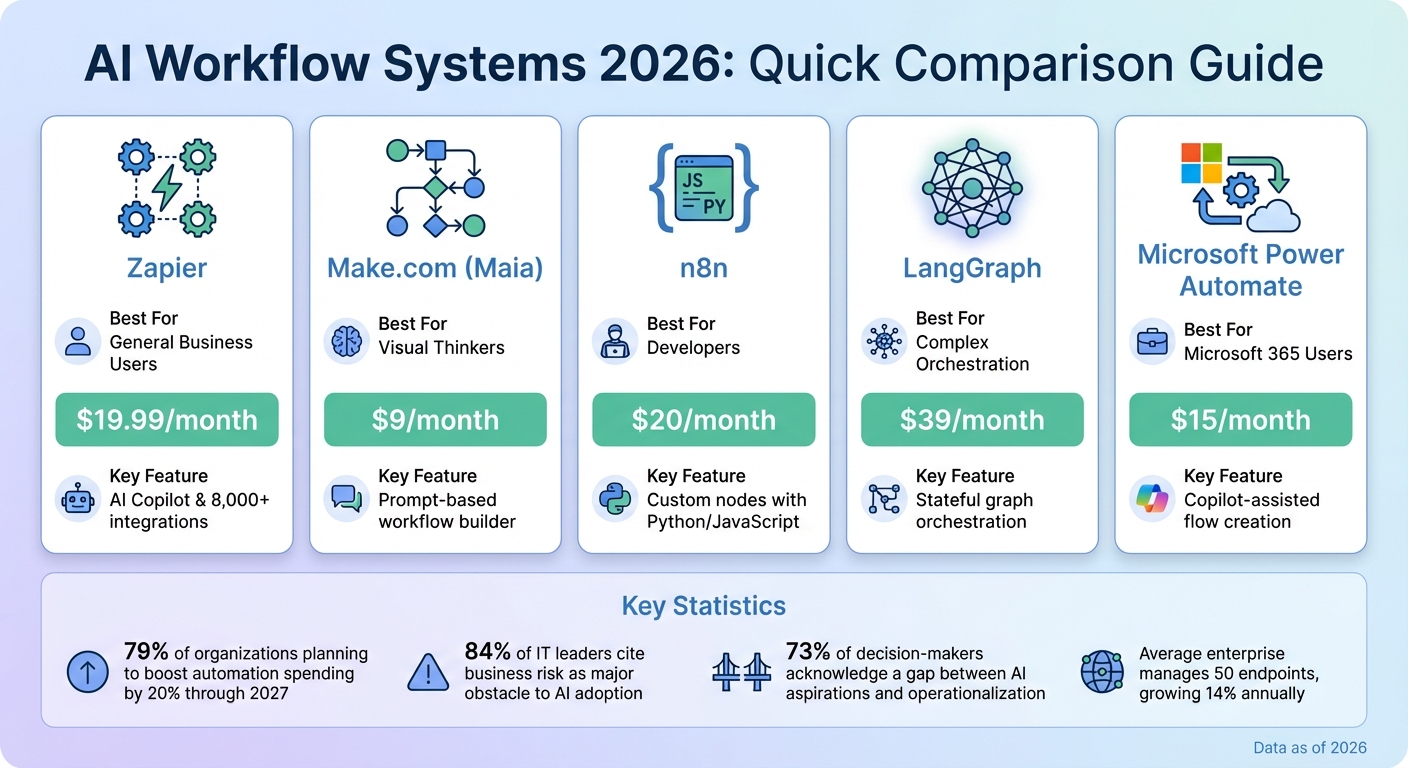
| Tool | Best For | Starting Price | Key Feature |
|---|---|---|---|
| Zapier | General Business Users | $19.99/month | AI Copilot & 8,000+ integrations |
| Make.com (Maia) | Visual Thinkers | $9/month | Prompt-based workflow builder |
| n8n | Developers | $20/month | Custom nodes with Python/JavaScript |
| LangGraph | Complex Orchestration | $39/month | Stateful graph orchestration |
| Microsoft Power Automate | Microsoft 365 Users | $15/month | Copilot-assisted flow creation |
These platforms are transforming automation, offering tools for both simple and complex needs. Whether you're automating tasks, integrating APIs, or managing enterprise-scale workflows, these systems provide the tools to save time, reduce costs, and ensure compliance.
AI Workflow Systems Comparison 2026: Features, Pricing and Best Use Cases
Advancements in natural language processing now make it possible to create entire workflows with just a simple prompt. Tools like Zapier's AI Copilot and the upcoming "Maia" from Make.com (set to launch in 2026) allow users to describe their needs in plain English, and the system does the rest. For example, you could tell Maia, "Build a lead router that checks LinkedIn", and it will instantly generate a fully functional 15-module workflow graph. Similarly, Zapier supports over 8,000 app integrations and lets users type prompts like "Summarize every new lead from my website and post it to Slack", creating the logic chain in mere minutes.
"Make.com's 'Maia' conversational AI builds scenarios for you. Tell it 'Build a lead router that checks LinkedIn' and Maia generates the 15-module graph instantly."
– Digital Applied
Microsoft Power Automate also offers Copilot-assisted flow creation, featuring over 1,000 pre-built connectors designed for ease of use, making it an accessible option for beginners.
To further simplify automation, these tools are paired with pre-built templates and user-friendly interfaces.
In addition to natural language builders, drag-and-drop interfaces have evolved to handle more complex tasks, going beyond basic "if-then" logic. For instance, Lindy.ai offers over 4,000 integrations and a variety of pre-built templates tailored for industries like finance and healthcare. Their Pro plan starts at $39.99/month. Similarly, Gumloop's "Gummie" serves as an AI assistant, guiding users through marketing and sales workflows with ready-to-use templates.
One notable improvement is the integration of human-in-the-loop (HITL) checkpoints. These allow non-technical users to set up approval stages within automated processes. The AI handles data extraction, routing, and formatting but pauses for human review before finalizing tasks, ensuring users retain control without needing advanced technical skills.
| Tool | Best For | Starting Price | Key Feature |
|---|---|---|---|
| Zapier | General Business Users | $19.99/month | AI Copilot & 8,000+ integrations |
| Make.com | Visual Thinkers | $9/month | Maia conversational builder |
| Lindy.ai | Simple Task Automation | $39.99/month | 4,000+ pre-built templates |
| Microsoft Power Automate | Microsoft 365 Users | $15/month | Copilot-assisted flows |
While user-friendly tools make workflow creation accessible to a broader audience, developer-focused solutions provide the precision needed for more intricate integrations.
For developers aiming to push beyond standard templates, platforms like n8n and Griptape allow the creation of custom nodes using Python or JavaScript. This enables seamless integration of proprietary APIs, databases, and complex AI models into workflows. Griptape, in particular, is designed for extension, letting developers tailor nodes to fit their team’s specific tools, APIs, and processes.
Custom nodes can also include validation logic to catch potential errors before execution, reducing the risk of mid-process failures. To streamline development, node guides now integrate with AI coding tools like Cursor, Claude Code, and GitHub Copilot, translating natural language descriptions into functional code. Pricing for these platforms varies: n8n starts at $20 per month for cloud hosting (with a free self-hosted option), while LangChain offers developer plans at $39 per seat per month.
These flexible solutions set the stage for even more advanced tools tailored to developers managing complex workflows.
Advanced debugging tools take customization a step further, giving developers the ability to fine-tune and optimize workflows. Platforms such as LangGraph and Temporal provide stateful graph orchestration, specifically designed for developers. These systems support directed graphs with cycles, conditional branching, and parallel execution - essential for AI agents that require persistent state, even during extended human interactions.
One standout feature for 2026, "AI Thought Debuggers", is already making waves. Tools like LangGraph Studio and LangSmith offer real-time tracing, latency metrics, and time-travel debugging, giving developers unparalleled visibility into their workflows.
"The killer feature for 2026 is observability. An orchestration platform is useless without a 'Debugger for AI Thoughts.'"
– DigitalApplied
Additionally, Ollama supports local integration of open-source models like GPT-OSS 20B, offering enhanced data privacy and cost savings for developers who need tailored solutions.
As enterprise systems mature, the need for centralized oversight and effective governance becomes increasingly critical. Transitioning from prototypes to production demands a balance between maintaining control over AI workflows and encouraging innovation. The success of these deployments often hinges on two key capabilities.
Today’s enterprises typically manage around 50 endpoints, a number that grows by 14% each year. To stay ahead, leading AI orchestration platforms now feature unified control centers that provide real-time monitoring of compute cluster health and detailed cost insights. This centralized approach addresses a pressing challenge: 73% of decision-makers acknowledge a significant gap between their AI aspirations and their ability to operationalize those ambitions effectively.
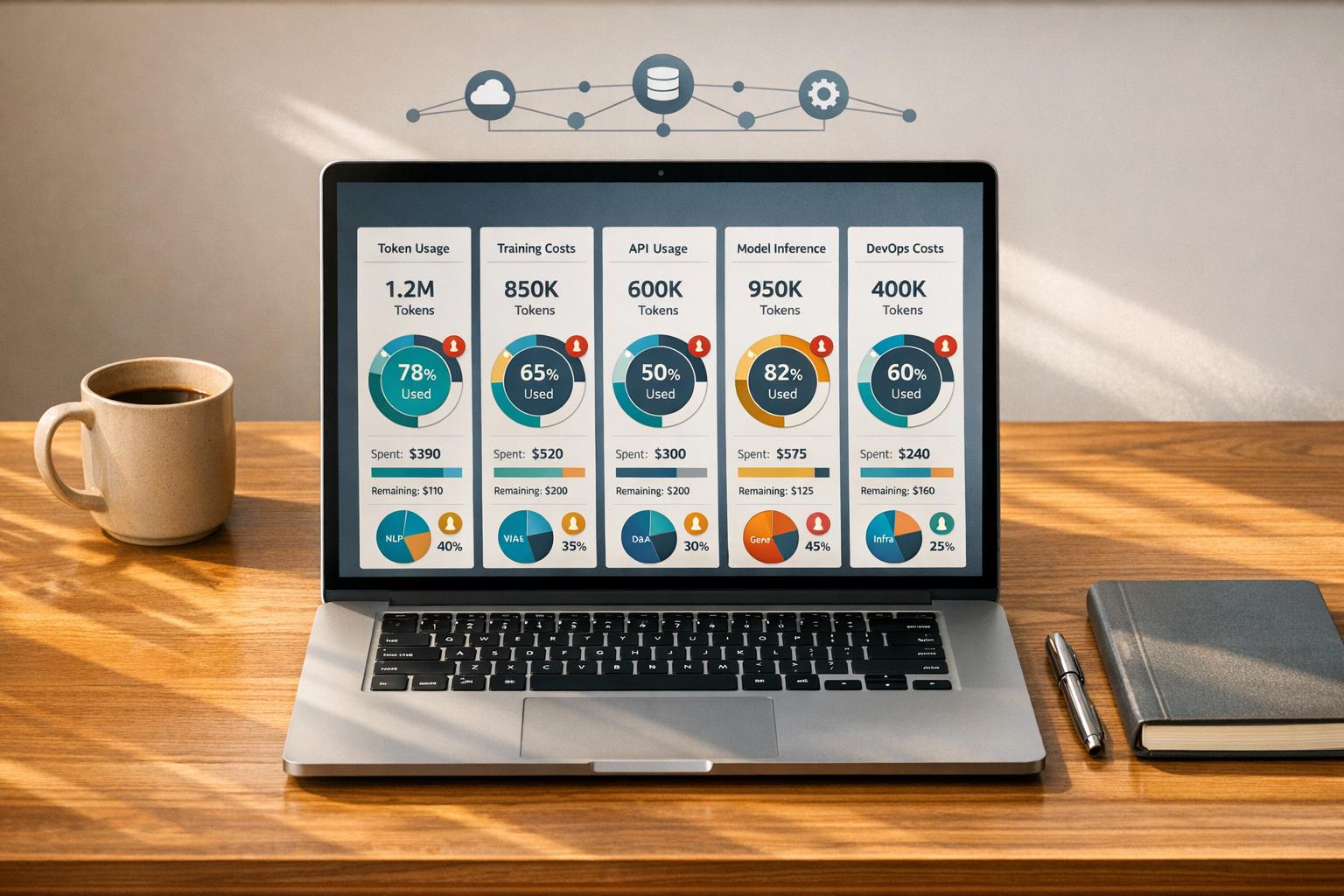
Additionally, the adoption of execution-based pricing models offers enterprises greater predictability in managing costs compared to traditional activity-based structures. With 79% of organizations planning to boost automation spending by an average of 20% through 2027, having clear financial visibility is no longer optional. Modular dashboards that track token usage and compute hours are now essential tools to prevent overspending and ensure budgets remain on track. By consolidating control, enterprises can achieve stronger execution capabilities and enhanced operational transparency.
For enterprise systems, maintaining continuous execution across lengthy workflows is crucial - whether during delays for human approvals or interruptions like server restarts. This resilience is particularly important given that 84% of IT leaders cite business risk as a major obstacle to AI adoption without proper safeguards in place.
Modern governance frameworks prioritize comprehensive observability, offering features like time-travel debugging and real-time traceability to establish clear, auditable decision trails. Advanced platforms transform observability into a compliance asset by integrating these tools alongside automated PII redaction and AES-256 encryption. These measures ensure adherence to regulations such as GDPR, HIPAA, and SOC 2, providing organizations with both operational security and regulatory peace of mind.
These examples highlight how AI workflow platforms are tailored to meet the unique demands of specific industries, boosting efficiency and solving complex challenges.
Healthcare systems are increasingly using advanced AI workflows to manage critical tasks. In January 2026, Anthropic introduced Claude for Healthcare & Life Sciences, leveraging the Claude Opus 4.5 model with an extended capacity of up to 64,000 tokens. This tool processes large volumes of medical records while maintaining precision and clarity. It significantly reduces the time required for administrative tasks like prior authorizations and claims appeals, streamlining processes that were previously time-consuming.
For clinical decision-making, the Healthcare Agent Orchestrator, powered by Azure AI Foundry, has become a valuable tool for leading institutions such as Stanford Medicine and Johns Hopkins. It integrates data from pathology, imaging, and genomics to support complex workflows like multidisciplinary tumor boards. By orchestrating multiple AI agents, this platform cuts manual analysis time from hours to mere minutes. This is particularly impactful, as 90% of healthcare organizations struggle with integrating AI into their systems. The success of these platforms reflects a broader trend of AI adoption across industries.
In the financial sector, AI systems are being used to enhance compliance processes and reduce fraud. SymphonyAI's Sensa Risk Intelligence platform employs "Sensa Agents" to automate tasks like AML (anti-money laundering) and sanctions screening. The platform provides natural language explainability and full auditability. One major US financial institution reported a 99% reduction in false positives and a 90% decrease in manual work for sanctions compliance. Similarly, Absa Bank achieved a 77% reduction in false positives in its AML transaction monitoring.
For handling unstructured financial data, platforms like Extend and Ocrolus have transformed operations. These tools process documents such as loan applications, bank statements, and handwritten checks into structured data within milliseconds, achieving high accuracy. LendingClub, for instance, noted that using Ocrolus sped up its consumer loan application process, improving conversion rates. These systems often use "maker-checker" workflows, where multiple AI agents validate each other's work. This ensures decisions are both fast and reliable, meeting the rigorous demands of fintech while maintaining accountability.
Selecting the right AI workflow system requires aligning it with your team's skills and operational objectives. For non-technical teams, no-code platforms like Zapier, which integrates with over 8,000 apps, offer simplicity and accessibility. On the other hand, developer-oriented teams might find tools like LangGraph or n8n more suitable, especially for handling complex, multi-step processes where execution-based pricing can save costs. For organizations managing mission-critical workflows, platforms such as Temporal - used by OpenAI for Codex - are indispensable, offering durable execution to maintain state persistence during extended approval cycles or server interruptions.
A key differentiator between experimental setups and production-ready systems is observability, which minimizes debugging time and ensures smoother operations. For enterprises, features like role-based access control, audit trails, and SOC 2 compliance are not optional - they are critical for scaling operations securely. Additionally, the LangGraph Agent Protocol is emerging as an important standard, enabling agents from various frameworks to communicate seamlessly via standardized APIs, ensuring adaptability as the ecosystem evolves.
When scaling, it's wise to start with single-agent workflows before transitioning to multi-agent systems, which can significantly increase debugging and API-related costs. Incorporating abstraction layers into your architecture early on allows flexibility, making it easier to switch frameworks in the future without needing to rebuild your entire system. Implementing observability tools, such as structured logging and monitoring, from the outset can help avoid costly production issues later.
Ultimately, the choice of platform should reflect your current needs while supporting future growth. For Python developers, LangGraph is a strong fit; n8n works well for IT operations teams, while Zapier caters to business users. Carefully assess your organization's technical expertise, budget limitations, and compliance requirements. The system you select today will play a pivotal role in shaping how efficiently you can deploy AI-driven workflows in the years ahead.
Natural language workflow builders make automation easier by enabling users to design and manage workflows using plain language rather than intricate coding. These tools take straightforward task descriptions and convert them into functional workflows, opening up automation to a broader audience beyond just developers.
This method lessens the reliance on IT teams, accelerates the rollout of automation, and allows users to concentrate on achieving results - such as configuring a chatbot or automating repetitive reporting tasks - without requiring coding expertise. By eliminating technical hurdles, these tools invite more people to engage in automation efforts and spark creativity across organizations.
AI workflow platforms designed for developers in 2026 are all about making complex processes easier to handle and boosting overall efficiency. These platforms focus on automation, orchestration, and integration, helping developers manage AI models, datasets, and tools without unnecessary friction. By leveraging Directed Acyclic Graphs (DAGs), they organize tasks in a way that ensures smoother execution and better error handling, making them a great fit for large-scale workflows.
One standout feature is the automation of repetitive tasks, such as data preprocessing and deployment. This allows developers to dedicate their time to tackling more advanced problems. These platforms also emphasize compatibility with a wide range of AI tools, offer strong security protocols, and meet industry standards like SOC 2 Type II and HIPAA. Additionally, they provide tools for real-time cost tracking and resource management, ensuring operations remain efficient and compliant.
In essence, these platforms are built to handle enterprise-level demands with ease, offering the scalability, adaptability, and security needed to optimize AI pipelines in complex environments.
Observability plays a key role in managing large-scale AI workflows, enabling smooth monitoring, debugging, and ensuring reliability. As AI systems become more sophisticated and take on intricate tasks - such as coordinating multiple models or handling external API calls - observability becomes crucial for spotting issues, evaluating performance, and keeping operations efficient.
Strong observability tools allow organizations to quickly identify failures, assess how well AI prompts are working, and resolve issues as they happen. This leads to more dependable and efficient AI-driven processes, even at an enterprise scale.