Pay As You Go - AI Model Orchestration and Workflows Platform



AI workflows are essential for turning prototypes into production-ready systems. Despite their potential, only 5% of enterprise AI pilots reach production. The right tools simplify this process by automating retries, tracking states, and integrating seamlessly with existing systems. This article highlights seven software solutions designed to streamline AI workflows, reduce costs, and improve productivity:
Each platform offers unique features like integrations, governance tools, and pricing models to fit various team needs. Below is a quick comparison to help you choose the right solution for your AI projects.
| Platform | Best Use Case | Integration Capabilities | Starting Price | Key Governance Features |
|---|---|---|---|---|
| Prompts.ai | Centralized AI model access | REST API, SDKs, FinOps tracking | $0/month | Audit trails, role-based access, compliance |
| n8n | Self-hosted complex automations | 400+ nodes, custom code, webhooks | $20/month | SOC 2, encryption, environment isolation |
| Zapier | Simple, no-code workflows | 6,000+ app integrations, multi-step workflows | $19.99/month | SOC 2 Type II, admin controls, encryption |
| Make | Drag-and-drop workflow builder | 1,500+ modules, API requests, webhooks | $9/month | SOC 2, team permissions, execution logs |
| Gumloop | AI-native orchestration for multi-agents | LLM integrations, custom nodes, data triggers | Free tier | Workflow versioning, credential storage |
| Workato | Large-scale enterprise orchestration | 1,200+ connectors, API platform | $10,000/year | SOC 2, HIPAA, GDPR, advanced RBAC |
| Vellum AI | Multi-step workflows with team collaboration | REST API, SDKs, Datadog integration | $25/month | SOC 2 Type II, RBAC, environment isolation |
These tools cater to various needs, from startups to enterprises, offering features like compliance, cost management, and seamless integrations. Choose the right platform to scale your AI workflows efficiently and securely.

AI Workflow Software Comparison: Features, Pricing, and Best Use Cases
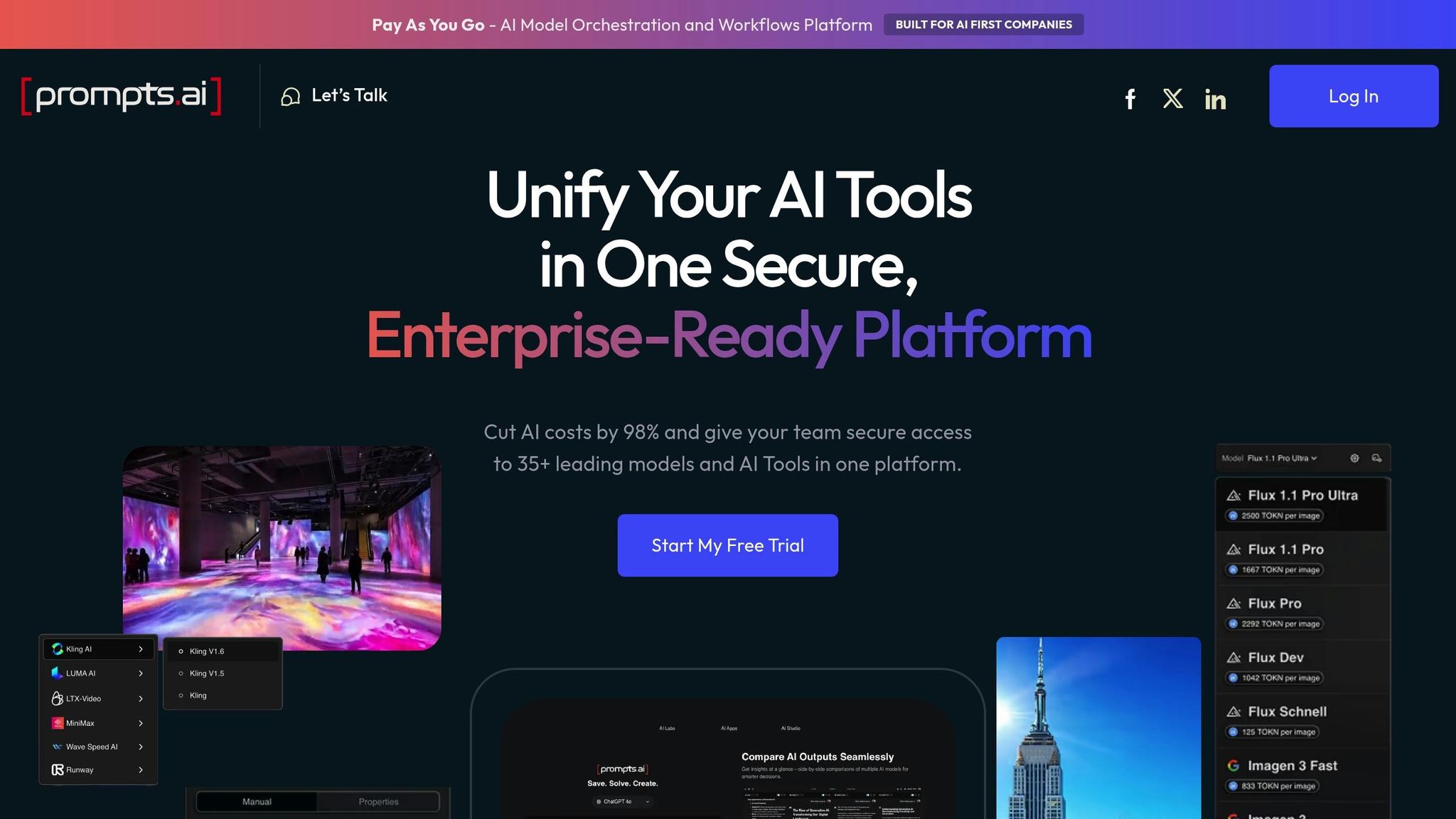
Prompts.ai serves as an enterprise platform designed to simplify AI orchestration by consolidating over 35 advanced large language models - such as GPT-5, Claude, LLaMA, and Gemini - into a single, secure interface. It addresses the challenges of managing multiple AI tools by centralizing model selection, streamlining prompt workflows, and providing real-time cost management. This makes it an ideal solution for organizations dealing with tool overload and governance concerns.
The platform shines in handling straightforward prompt-response tasks, enabling teams to quickly execute simple AI interactions without requiring complex memory or reasoning capabilities. For instance:
These streamlined workflows lay the groundwork for broader AI adoption across various departments.
Prompts.ai allows teams to compare model performance side by side, making it easy to determine which model best suits specific tasks. This feature is accessible through a unified interface that requires no technical expertise, ensuring a smooth and efficient setup.
The platform uses a pay-as-you-go TOKN credit system, avoiding the need for recurring subscription fees by aligning costs directly with usage. Plans include:
This structure can lead to savings of up to 98% compared to managing multiple standalone AI tools. Additionally, built-in FinOps tracking provides detailed oversight of token usage, further enhancing cost control.
Prompts.ai offers enterprise-level governance tools, including real-time audit trails for every AI interaction. These features ensure full visibility across teams and use cases while keeping sensitive data within the platform’s secure environment. This approach helps organizations meet strict compliance standards. Teams can monitor usage, spending, and performance metrics in real time, transforming AI experimentation into standardized, compliant processes.
n8n is a workflow automation platform designed to help technical teams manage complex AI workflows while avoiding vendor lock-in. Its execution-based pricing model charges per completed workflow run, not per step, making it flexible for both small-scale experiments and large-scale AI production.
n8n shines when managing multi-agent workflows that require manual oversight. It allows you to coordinate specialized AI agents to handle intricate tasks using sequential, parallel, or hierarchical patterns. Automations can pause at key decision points for manual review before final actions are executed. For example, Luka Pilic, Marketplace Tech Lead at StepStone, used n8n to accelerate data integration by 25 times, cutting a two-week process down to just two hours.
With access to over 1,375 pre-built integrations, including OpenAI, Anthropic, Hugging Face, and Google Gemini, n8n connects seamlessly to nearly any AI service. Its HTTP Request node enables integration with any API, while advanced users can embed custom JavaScript or Python code directly into workflow steps. The platform supports up to 220 workflow executions per second on a single instance, making it well-suited for handling high-volume production needs.
n8n prioritizes security and compliance alongside functionality. It is SOC 2 compliant and supports enterprise-grade security features such as Role-Based Access Control, audit logging, and secrets management through AWS, GCP, Azure, or HashiCorp Vault. Self-hosting options allow organizations full control over data flow and AI model interactions, which is especially important for industries with strict data residency rules. Additional features like Git-based version control and the ability to maintain separate development, staging, and production environments ensure teams can safely test AI workflows without affecting live operations.
Zapier connects over 8,000 apps to create seamless AI workflows, making it an excellent choice for teams without technical expertise. To date, the platform has powered more than 350 million AI tasks, with AI quickly becoming its fastest-growing category. Unlike platforms that rely on complex coding, Zapier uses a task-based billing system where only successful actions are charged. Triggers and logic steps, such as filters or conditional paths, are free, making it a cost-effective solution for businesses. This extensive connectivity supports impactful, real-world applications.
Zapier shines in lead management and IT help desk automation, where AI must analyze and act across multiple systems. For example, Remote's three-person IT team leveraged Zapier with ChatGPT to resolve 28% of all support tickets for 1,800 employees. This automation saved over 600 hours each month and avoided nearly $500,000 in hiring costs.
Marcus Saito, Head of IT and AI Automation at Remote, shared: "Zapier makes our team of three seem like a team of ten."
Another success story comes from Vendasta, where Marketing Operations Specialist Jacob Sirrs built an AI-driven lead enrichment system. This system reclaimed 282 working days annually and generated $1 million in additional revenue by automating data capture, enrichment through Apollo and Clay, and routing leads intelligently to sales teams.
Zapier offers nearly 500 AI integrations, including popular tools like ChatGPT, Claude, Gemini, and Perplexity. Its Model Context Protocol (MCP) bridges AI tools and apps, enabling over 30,000 direct, code-free actions within model interfaces. For sensitive tasks, human-in-the-loop workflows allow manual review before execution. For instance, Okta reduced support escalation times from 10 minutes to mere seconds for 13% of all escalations using this feature.
Korey Marciniak, Senior Manager of Customer Support Strategy and Operations, remarked: "I don't need a technical team - I just need the right tools."
Zapier offers flexible pricing to accommodate various organizational needs:
Additional pricing applies to Zapier Agents (starting at $33.33/month) and Zapier Chatbots (starting at $13.33/month).
Zapier ensures SOC 2 Type II and GDPR compliance, offering enterprise-grade security features like audit logs, role-based permissions, and version history. Data is encrypted both in transit and at rest, with granular app controls to prevent unauthorized AI integrations. Enterprise plans provide advanced options like VPC peering for secure internal data connections and robust admin tools to manage workflows across large organizations. These features make Zapier a reliable choice for industries with strict regulatory and data security requirements.
Make stands out in the realm of interoperable AI workflow tools with its visually intuitive approach. Trusted by over 350,000 customers, it features a drag-and-drop, code-free workflow builder that simplifies automation. Its Make Grid provides a real-time visual map of agents, apps, and workflows, making it easier to identify bottlenecks and reduce errors as operations grow. With more than 3,000 pre-built app integrations and 400+ AI-specific connections (including OpenAI, Anthropic, and DeepSeek), Make combines user-friendly design with enterprise-level functionality.
Make shines in goal-oriented AI agent workflows, where automation adapts intelligently rather than following rigid sequences. For example, in November 2025, Celonis reduced its annual expense auditing costs from $50,000 to just $150 using Make AI Agents. Similarly, Brilu enhanced their AI agents' response accuracy by 55% in June 2025 by integrating Make Bridge into their workflows. The platform’s automation system allows AI agents to make decisions using connected tools. For instance, an agent could check inventory in Google Sheets and place orders via Slack with natural language commands like "Order 10 more bags of coffee."
Cayden Phipps, COO at Shop Accelerator Martech, shared: "Make drives efficiency within our business in ways we never imagined. It's like having extra team members at a fraction of the cost."
Make supports native MCP functionality for both servers and clients, enabling secure connections to internal services while providing context to AI agents. For tools without native integrations, the HTTP/Webhook module ensures compatibility with any public API or custom system. The platform’s AI assistant, Maia, simplifies workflow creation and troubleshooting through natural language, saving time and reducing setup errors. In September 2025, FranklinCovey reported saving hundreds of thousands of dollars and reclaiming significant staff hours by automating processes with Make’s flexible integration options. This ease of integration ensures smooth deployment with minimal disruption, even at scale.
Make operates on a credit-based system, where each action - like adding a spreadsheet row or retrieving data - uses one credit. A Free Plan is available without time limits or a credit card, making it ideal for small-scale testing. All plans include AI Agents, while Enterprise pricing offers advanced features like enhanced security, RBAC, and dedicated support, with custom quotes available through sales.
Make prioritizes security and compliance with certifications like SOC 2 Type II, SOC 3, and GDPR. Features such as encryption, Single Sign-On (SSO), and role-based access control (RBAC) ensure data protection. The Analytics Dashboard provides insights into workflow performance and allows teams to set operational limits. These robust features have earned Make high ratings, including 4.8/5 on Capterra (404 reviews) and 4.7/5 on G2 (238 reviews), where users commend its ability to handle complex automations while meeting stringent security requirements for regulated industries.
Gumloop stands out as a specialized orchestration platform that caters to both non-technical users and those requiring advanced configurations. Designed with an AI-first approach, it simplifies workflow automation through a drag-and-drop interface, offering over 130 native nodes to connect data, apps, and AI models. Originally launched as "AgentHub", a UI wrapper for the AutoGPT framework, the platform has evolved into a trusted solution for companies like Instacart and Webflow. It supports standalone AI agents as well as multi-agent pipelines, integrating seamlessly with major AI providers such as OpenAI, Anthropic, Google, DeepSeek, Azure OpenAI, and Grok. This allows teams to design orchestration pipelines without writing a single line of code.
Gumloop shines in multi-agent orchestration, where individual AI agents act as nodes, each dedicated to a specific task within a larger system. This setup is ideal for streamlining complex workflows. For example, sales teams use it to automate preparation tasks by gathering data from tools like HubSpot or Salesforce, researching recent news, and generating briefing reports. Customer support teams rely on Gumloop to organize and prioritize high volumes of tickets from Zendesk, while sales operations teams use it for data enrichment and lead scoring, automatically updating Salesforce records.
Fidji Simo, CEO at Instacart, shared: "Gumloop has been critical in helping all teams at Instacart - including those without technical skills - adopt AI and automate their workflows, which has greatly improved our operational efficiency."
These features are complemented by Gumloop's strong integration capabilities.
Gumloop connects seamlessly with essential business tools and offers the option to create custom nodes for proprietary databases or unsupported APIs. Workflows can be triggered through various methods, including time-based schedules, webhooks, or specific events like receiving an email or Slack message. Enterprise clients benefit from AI proxy routing, which centralizes logging and ensures compliance with data residency requirements. For advanced users, the platform supports MCP (Model Context Protocol) nodes to handle more technical needs.
Gumloop operates on a credit-based pricing model, where standard AI calls cost 2 credits, and advanced models like GPT-4 or Claude Sonnet cost 20 credits. Plans include:
Gumloop ensures SOC 2 and GDPR compliance, with configurations available for HIPAA-compliant workflows. The platform includes robust governance tools, such as allow/deny lists to control which AI models can be used, ensuring adherence to data residency and regulatory standards. Enterprise users can leverage Incognito Mode to process sensitive documents without storing them on Gumloop servers. Administrators also benefit from centralized API key management through Organization Credentials, preventing misuse of personal keys. Gumloop’s reputation is reflected in its 4.8/5 rating on G2 (6 reviews) and 5/5 on Product Hunt (9 reviews), where users highlight its ability to empower non-technical teams to automate intricate workflows.
Workato is designed to deliver scalable and secure orchestration for production-grade AI workflows. It empowers AI agents to work autonomously, coordinating seamlessly with people and systems. With access to over 1,200 pre-built connectors, a 99.9% uptime guarantee, and the AI by Workato utility connector integrating models from Anthropic (Sonnet 4) and OpenAI (GPT-4o mini), the platform simplifies tasks like text analysis, email drafting, summarization, and translation, all without requiring manual prompt engineering.
Workato shines in AI-powered enterprise orchestration, where AI enhances business processes across multiple systems. For example, Protik Ganguly, an Integration Architect at Asana, used Workato to integrate AI into workflows, streamlining CRM processes. This included analyzing marketing data, drafting emails, and automating note updates, allowing sales teams to focus on strategic activities. Similarly, digital ad agency Monks deployed a Workato "Genie" (AI agent) to manage visibility across 34 global mergers. The Genie could search across different inherited systems to answer complex business questions, such as calculating total business volume with specific clients, all while ensuring security and compliance.
Workato supports the Model Context Protocol (MCP), which provides AI models with real-time organizational context for more accurate decision-making. Its universal connectors allow seamless compatibility with any API or web service using standard protocols. For data-heavy AI workflows, Workato supports ETL, ELT, and reverse ETL patterns across platforms like Snowflake, BigQuery, and Databricks, offering performance-enhancing processing features. Developers can create custom connectors for unsupported applications using the Connector SDK, while the API platform transforms workflows into serverless endpoints that external systems can access.
Workato offers a usage-based pricing model with four main editions:
Base pricing starts at approximately $10,000 per year for a workspace, with additional costs for task packages, typically starting at 1 million tasks. Larger enterprises receive custom pricing based on their usage. Access to AI by Workato requires an AI feature addendum and is rate-limited to 60 requests per minute for direct customer workspaces.
Workato prioritizes security and compliance, meeting standards such as SOC 2 Type II, ISO 27001, PCI DSS, and GDPR, with optional HIPAA-compliant configurations. Data residency is enforced in the US and EMEA, ensuring AI data remains in the same region as its source data center. Administrators benefit from robust tools like role-based access control (RBAC), centralized security controls, and detailed audit logs to mitigate AI errors. Additionally, workflows are safeguarded through data isolation, encryption, verified user access, and secure authentication - key features for enterprises managing sensitive AI operations. This comprehensive framework ensures Workato is a reliable choice for secure AI orchestration.
Vellum AI helps organizations transition from experimenting with AI to deploying it in production. It bridges the gap between technical teams and non-technical users, enabling engineers to handle infrastructure setup while allowing subject matter experts to refine prompts and logic without writing code. This collaborative setup tackles a major issue, as MIT research reveals that 95% of generative AI pilots fail to make it to production.
Vellum is particularly effective for managing multi-step AI workflows that combine semantic search, multiple LLM interactions, and tailored business logic. It's ideal for automating repetitive tasks in areas like customer support, marketing, finance, and operations, especially where non-technical teams are involved. For example, Pratik Bhat, Senior Product Manager, AI Product at Drata, shared, "Vellum made it so much easier to quickly validate AI ideas and focus on the ones that matter most. The product team can build POCs with little to no assistance within a week!" Similarly, Jordan Nemrow, Co-Founder & CTO at Woflow, highlighted, "We sped up AI development by 50 percent and decoupled updates from releases with Vellum." These examples highlight how Vellum integrates seamlessly into production workflows.
Vellum supports REST API access and offers TypeScript and Python SDKs for direct workflow execution. Its bidirectional syncing feature ensures alignment between its visual editor and code, with developers able to make updates via CLI while maintaining a unified source of truth. Monitoring is simplified through native Datadog integration and webhook support, enabling teams to track production metrics. The platform also includes human-in-the-loop functionality, allowing workflows to pause for external system input or human review. Additionally, it supports custom Docker images and runtimes, with deployment options ranging from cloud-hosted to VPC and on-premise setups.
Vellum provides a free tier for small projects and testing, while paid plans start at $25 per month. For larger organizations needing advanced features and scalability, enterprise plans with custom pricing are available. This tiered structure accommodates teams at all stages, from initial exploration to full-scale deployment.
Vellum adheres to SOC 2 Type II standards and offers HIPAA compliance with BAA support for healthcare-related applications. Its role-based access control (RBAC) ensures only authorized users can modify workflows, while security measures like HMAC authentication, static IPs, and VPC deployment options enhance protection. The platform enforces isolation across development, staging, and production environments using distinct API keys and monitoring tools. Comprehensive audit trails allow teams to track deployments, compare versions, and quickly roll back changes when necessary. Configurable data retention policies and isolated document indexes give enterprises greater control over sensitive data, reinforcing Vellum's reliability for managing AI production workflows.
Selecting the ideal platform for managing AI model workflows hinges on factors like your team's technical skills, integration needs, budget, and governance priorities. Below is a detailed comparison of seven platforms designed to meet varied production AI requirements.
| Platform | Best Use Case | Integration Capabilities | Starting Price | Key Governance Features |
|---|---|---|---|---|
| Prompts.ai | Centralized access to 35+ LLMs with enterprise-level governance and cost management | REST API, Python/TypeScript SDKs, integrations with major platforms | $0/month (Pay-As-You-Go TOKN credits) | Enterprise-grade security, real-time FinOps tracking, audit trails, role-based access control |
| n8n | Self-hosted automation for teams prioritizing data control | 400+ pre-built nodes, REST API, webhooks, custom code execution | Free (self-hosted); Cloud from $20/month | Self-hosting, audit logs, credential encryption, environment isolation |
| Zapier | No-code automation for non-technical teams integrating business apps | 6,000+ app integrations, webhooks, REST API, multi-step workflows | Free tier; Paid from $19.99/month | SOC 2 Type II, data encryption, admin controls, activity logs |
| Make | Visual builder for intricate multi-step automations | 1,500+ app modules, HTTP/API requests, webhooks, data routing | Free tier; Paid from $9/month | SOC 2 compliance, two-factor authentication, team permissions, execution logs |
| Gumloop | AI-native automation combining LLMs with traditional workflows | Native LLM integrations, API connections, custom nodes, data transformations | Contact for pricing | User permissions, secure credential storage, workflow versioning |
| Workato | Large-scale enterprise automation and integrations | 1,200+ connectors, recipe lifecycle management, API platform | Custom enterprise pricing | SOC 2, HIPAA, GDPR compliance, advanced RBAC, detailed audit trails |
| Vellum AI | Enabling multi-step AI workflows with non-technical collaboration | REST API, TypeScript/Python SDKs, Datadog integration, custom Docker support | Free tier; Paid from $25/month | SOC 2 Type II, HIPAA/BAA support, RBAC, environment isolation, comprehensive audit trails |
Each platform has unique strengths, catering to different needs. Pricing models range from free tiers and pay-as-you-go credits to custom enterprise contracts, offering flexibility for teams of all sizes. Many platforms emphasize governance, with features like SOC 2 Type II and HIPAA compliance, which are crucial for industries requiring strict data security and access controls.
This comparison highlights how these platforms address common challenges in AI workflow integration and governance. By aligning platform capabilities with your team’s specific needs, you can enhance both efficiency and scalability in deploying AI workflows.
Selecting the right software for your AI model workflows hinges on understanding your team's current capabilities and long-term objectives. For non-technical teams, platforms with extensive integrations or AI-powered workflow builders can help automate processes quickly. Teams tackling complex workflows may benefit from visual builders or platforms offering robust testing and monitoring tools. On the other hand, engineering-focused organizations might prefer self-hosted solutions for greater flexibility and control over their data.
Your organization's growth stage plays a critical role as well. Startups often thrive with platforms designed for speed and agile experimentation, enabling rapid prototyping. As businesses scale, features like versioning, monitoring, and built-in evaluations become increasingly important. Enterprises dealing with regulated data will need solutions that emphasize governance, such as SOC 2 Type II compliance, HIPAA support, and detailed role-based access controls.
When narrowing down options, it's essential to identify your primary challenges. AI excels when it addresses specific manual bottlenecks, such as transferring data between systems, routing customer inquiries, or automating repetitive tasks. To ensure the platform aligns with your needs, consider using a scoring framework during vendor evaluations, focusing on data control, governance, and integration capabilities. It's worth noting that 46% of product teams report integration issues as the main obstacle to AI adoption.
Pricing structures also play a pivotal role in your decision. Platforms vary widely in their billing models, which can significantly influence total costs. For example, Prompts.ai uses a pay-as-you-go model with TOKN credits starting at $0/month, tying costs directly to usage and eliminating recurring fees. Some platforms offer free tiers for testing, while others may require customized enterprise pricing.
The ideal solution balances ease of use with advanced control, combining cloud-based convenience with strong data management and extensive integrations. Organizations adopting low-code AI workflow tools have seen pilot-to-production success rates double. Whether you need semantic routing, built-in regression testing, or simple app-to-app automation, the tools available today cater to a wide range of needs - from solo developers to Fortune 500 companies.
When choosing an AI workflow tool, think about your team’s skill level, the complexity of your workflows, and your specific goals. If your team isn’t highly technical, look for beginner-friendly tools that make automation easier. For experienced teams, platforms like Prompts.ai provide advanced features, including access to over 35 LLMs, tools for managing costs, and governance capabilities. Make sure the tool works seamlessly with your existing infrastructure and supports essential tasks like model deployment and automation.
Key features for managing production AI workflows include integrated compliance controls, detailed audit trails, strong security protocols, tools for managing costs, and support for scaling operations. These elements help maintain oversight, ensure transparency, and align with regulatory requirements in complex AI systems.
To manage and predict AI workflow expenses, leverage tools that provide real-time expense tracking, monitor token consumption, and highlight unusual activity to avoid overspending. Employ strategies such as setting budgets, using throttling mechanisms, and applying model tiering to make the most of your resources. Additionally, consider orchestration platforms with pay-as-you-go pricing models to maintain scalable and efficient workflows. These approaches help ensure greater control, transparency, and cost-effectiveness in managing AI operations.