Pay As You Go - AI Model Orchestration and Workflows Platform



AI workflows are transforming businesses, but scaling them often leads to fragmented tools, disconnected data, and integration challenges. 69% of AI projects fail to deploy due to these issues, despite 94% of organizations recognizing orchestration as critical. Automation tools solve this by unifying systems, minimizing manual tasks, and enabling scalable, cost-effective operations.
Key points:
This guide explains how to choose the right tools, overcome integration hurdles, and transition from pilot projects to scalable AI workflows that save time, lower costs, and improve efficiency.
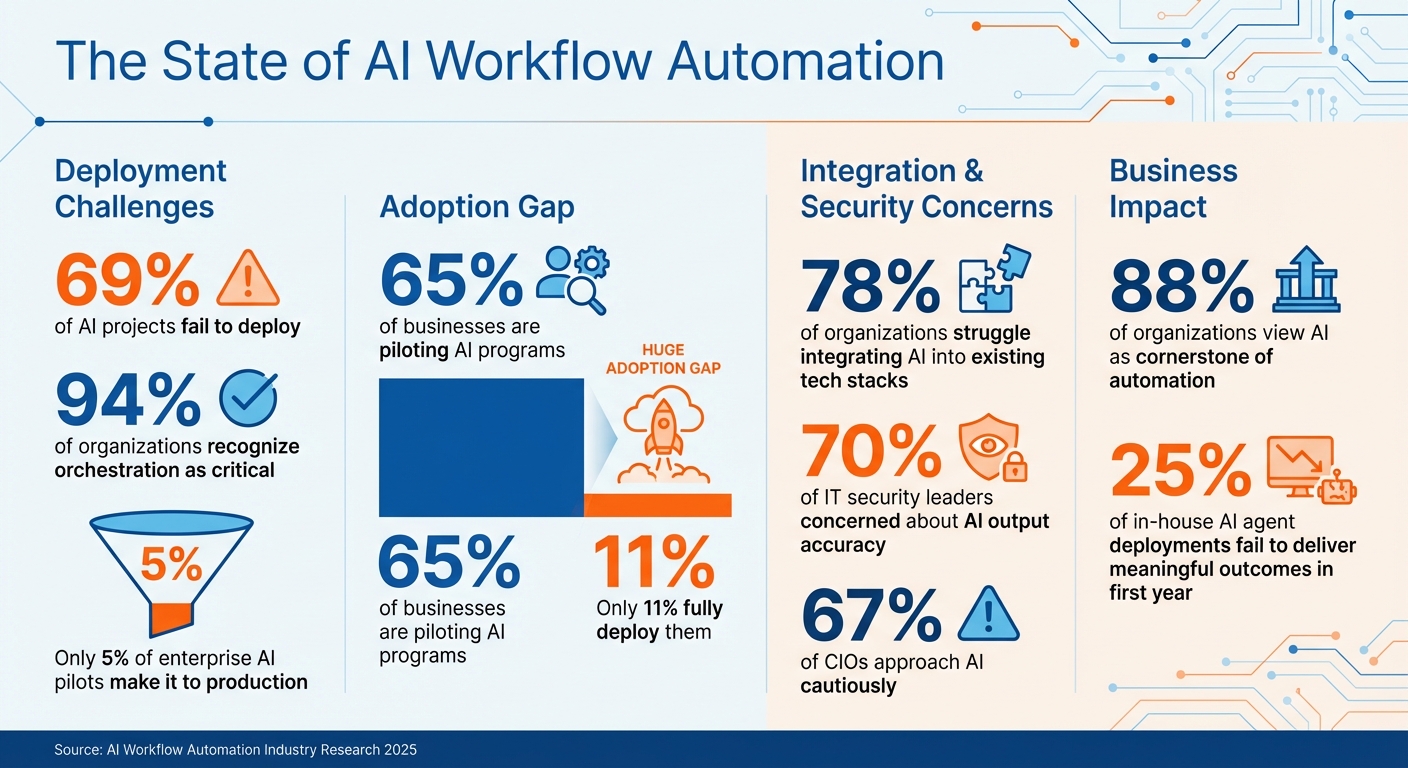
AI Workflow Automation Statistics: Deployment Challenges and Adoption Rates
AI workflow automation serves as the connecting framework that integrates AI models, agents, data sources, and infrastructure into a unified system. Unlike traditional "if-this-then-that" rule-based setups, it leverages event-driven systems to manage complex tasks such as lead qualification, routing, and automated reporting at scale. Instead of manually overseeing disconnected tools, orchestration platforms act like conductors, coordinating data, applications, and AI services seamlessly.
Key components include AI agents that make independent decisions rather than relying on simple triggers, middleware that tracks these decisions while allowing human intervention when needed, and observability layers that monitor performance metrics like latency, error rates, and response quality. Together, these elements create workflows that adapt to changing inputs, maintain context, and execute tasks across various platforms - all without requiring constant human oversight.
Modern orchestration treats workflows as software infrastructure, ensuring processes are documented, versioned, monitored, and assigned clear ownership. This approach ensures that as operations grow, workflows remain manageable, auditable, and compliant with necessary regulations. By understanding these foundations, businesses can better navigate the technical challenges of orchestration.
AI workflow automation is built on principles of orchestration, interoperability, and integration. It manages task execution, ensures smooth data exchange between tools (such as LLMs, CRMs, and databases), and connects systems using APIs, webhooks, and SDKs. This allows AI-driven and non-AI actions to coexist within a single workflow.
The architecture typically follows one of three patterns:
Latency is a critical factor, especially for real-time interactions. Delays over 300ms disrupt conversations, with each network hop adding to the problem. To address this, modern orchestration often colocates AI inference with communication infrastructure, reducing manual handoffs and technical debt. This approach ensures the speed and responsiveness users expect while streamlining engineering efforts.
Despite its potential, implementing AI workflow automation comes with hurdles. Platform sprawl is a major issue, as teams frequently rely on disconnected vendors for telephony, speech recognition, and inference. This fragmentation creates blind spots in governance and increases latency. It also fosters shadow automations - uncontrolled processes that lack oversight and documentation. These can fail silently, producing incorrect outputs that remain unnoticed until they cause significant problems.
Another challenge is logic bugs, which occur when AI decisions aren't properly monitored. Without observability, errors can go undetected, especially as workflows scale. Nearly 25% of in-house AI agent deployments fail to deliver meaningful outcomes in their first year, not because of the AI itself but due to inadequate orchestration and monitoring.
Governance becomes increasingly complex as workflows grow. Poor controls over sensitive data, such as PII, and inadequate systems for human intervention can lead to escalating technical debt. Without centralized logs and role-based access controls, meeting regulatory requirements becomes nearly impossible. The solution lies in treating workflows like software infrastructure - complete with documentation, versioning, and audit trails. This prevents the accumulation of technical debt caused by custom deployment pipelines and ensures sustainable scaling of AI operations.
Robust orchestration tools are essential for overcoming these challenges, enabling businesses to scale AI workflows effectively while maintaining control and compliance.
Choosing the right platform is essential for building scalable AI workflows. With 88% of organizations viewing AI as a cornerstone of effective automation, the difference between a tool that drives growth and one that creates obstacles often comes down to three factors: how seamlessly it integrates with your current systems, whether it offers the governance controls you require, and its ability to scale affordably. These considerations help ensure you implement tools that streamline and expand your AI operations effectively.
A strong automation tool should offer API-first connectivity, enabling smooth data flow between various platforms like order forms, CRM systems, and databases - without needing custom code for every connection. Platforms with a wide range of pre-built integrations can significantly cut down development time. Support for the Model Context Protocol (MCP) is another key feature, as it allows AI agents to work across multiple third-party applications without requiring manual setup.
The platform should also be AI-model agnostic, giving you the flexibility to switch between providers such as OpenAI, Google AI Studio, or Anthropic as new technologies emerge, avoiding vendor lock-in. Look for tools that cater to both technical and non-technical users by offering low-code/no-code interfaces alongside coding options (e.g., JavaScript or Python) for more complex tasks. Additionally, Intelligent Document Processing (IDP) capabilities are crucial for handling unstructured data like PDFs, images, and business documents, replacing outdated rule-based systems. For security, centralized secret management - such as integration with AWS Secrets Manager - helps minimize risks tied to managing API keys and credentials individually.
Integration alone isn’t enough; governance and compliance are equally important for enterprise-level deployments. With 70% of IT security leaders concerned about the accuracy of AI outputs, robust oversight features are essential. Your automation platform should include role-based access control (RBAC) with detailed audit trails and Human-in-the-Loop (HITL) capabilities. These features ensure that only authorized users can create, modify, or execute workflows, while allowing human review for critical decisions.
Certifications like SOC 2 Type II compliance are a must, as they confirm the platform’s commitment to security and data protection. Without these safeguards, managing sensitive information such as personally identifiable information (PII) becomes a significant challenge, and the risk of accumulating technical debt grows as workflows expand across different teams.
Scalability and cost efficiency are key to ensuring your automation tool can keep up with growing demands. 78% of organizations report difficulties integrating AI into existing tech stacks, often because their platforms can’t handle increased complexity. Look for tools that can manage intricate workflows without compromising performance. Deployment flexibility is also critical - you may need to shift between public cloud, private VPCs, or on-premise hosting as data residency requirements change.
Pricing models can have a major impact on long-term costs. Execution-based pricing, which charges per workflow execution, offers predictable scalability. In contrast, credit-based pricing, which charges per step, can lead to unexpected cost spikes. Platforms with FinOps integration provide detailed insights into model usage, latency, and token spending, helping you set budget limits and quotas for each department. Don’t overlook additional costs for error handling or complex AI nodes. For high-volume operations, self-hosted solutions can be more cost-effective than managed cloud services, though they require a higher level of technical expertise to maintain.
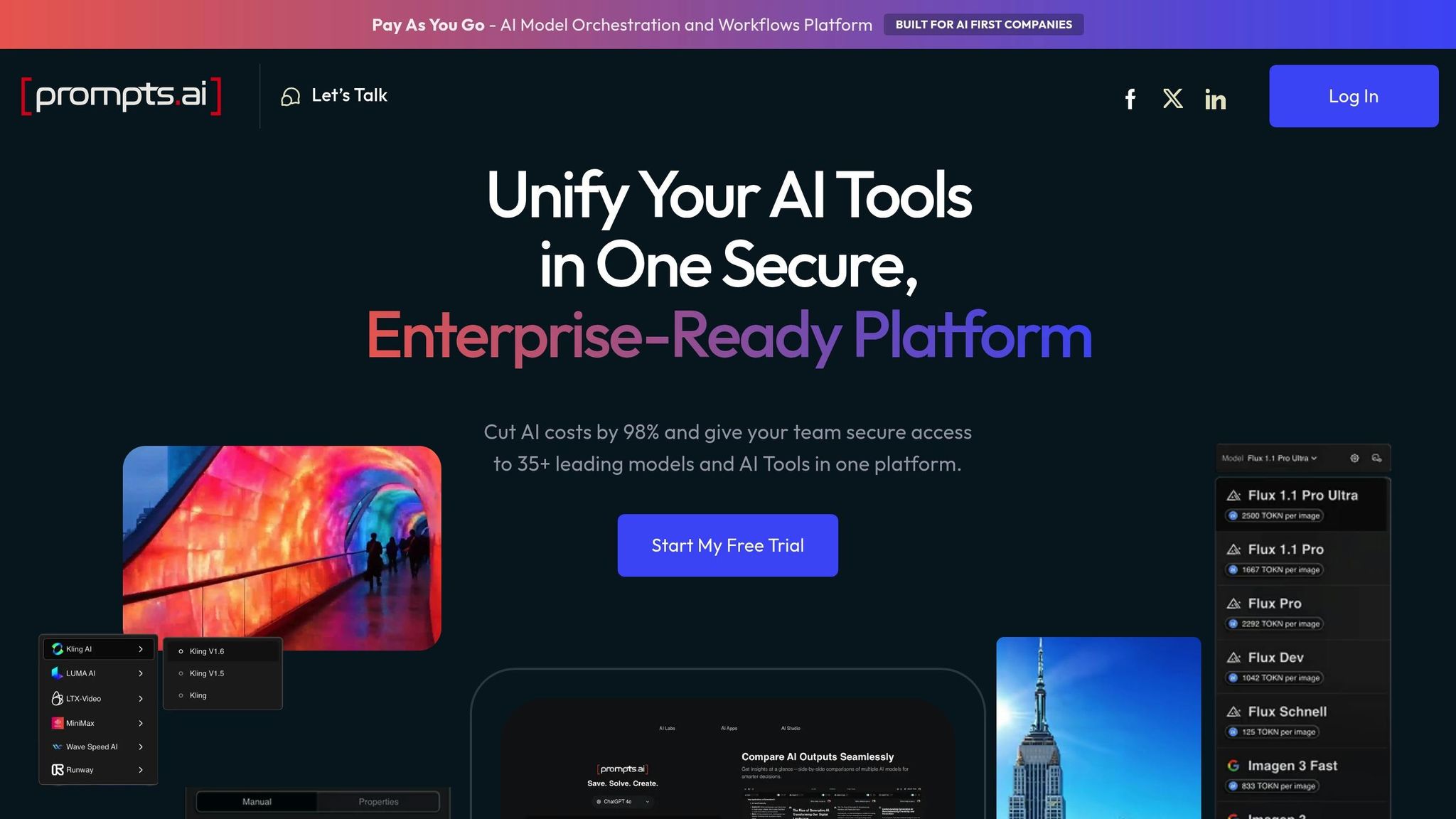
When it comes to AI workflow automation, integration, governance, and scalability are key, and Prompts.ai delivers on all fronts. This platform brings together more than 35 top AI models - including GPT-5, Claude, LLaMA, and Gemini - into a single, secure interface tailored for enterprise needs. Instead of juggling multiple subscriptions and tools, organizations can access all major language models through one platform. Its built-in FinOps capabilities monitor every token and optimize costs in real time, helping businesses cut AI software expenses by up to 98% by consolidating subscriptions.
Prompts.ai also tackles governance with enterprise-grade controls, including audit trails and role-based access management, so teams can deploy workflows securely and in compliance with regulations - without risking sensitive data with external providers. The platform’s Pay-As-You-Go TOKN credits align costs directly with actual usage, eliminating recurring fees. This is especially beneficial for companies with fluctuating AI demands. To support seamless adoption, Prompts.ai offers hands-on onboarding, enterprise training, and a Prompt Engineer Certification program, turning one-off AI experiments into scalable, repeatable workflows that can be deployed across entire organizations.
Next, we’ll explore how to integrate Prompts.ai into your AI operations effectively.
To kick off automation in AI workflows, start by visually mapping your current processes. Document the manual steps, identify bottlenecks, and highlight failure points to zero in on tasks ripe for automation. Repetitive, rules-based tasks that still require occasional human input - like sorting support tickets by sentiment or enriching leads with intent data - are excellent starting points.
Assign a priority score to each challenge using a 1–5 scale (1 for minor issues, 5 for critical bottlenecks). This helps you decide where to focus first. Next, evaluate the quality of your data since AI outputs are only as good as the inputs. Clean, structured data is essential; messy data can lead to unreliable results. Check your compliance and privacy protocols as well, especially regarding sensitive data. Identify where this data is stored, who can access it, and whether any tools use customer data for training purposes. Lastly, assign clear ownership for each automated workflow to avoid "shadow automations" - untracked processes that no one maintains. This preparation lays a solid foundation for a smooth pilot phase.
Start with a pilot project that is both impactful and low-risk. Avoid automating everything at once; instead, focus on demonstrating value quickly. For example, in 2025, Remote's three-person IT team introduced an AI-driven helpdesk to handle ticket classification and prioritization for 1,800 employees. The system resolved 28% of IT requests automatically, saving over 600 hours per month and cutting $500,000 in projected hiring costs. Marcus Saito, Head of IT and AI Automation at Remote, shared:
"Zapier makes our team of three seem like a team of ten."
As you expand, break larger processes into smaller, reusable modules instead of creating massive, monolithic workflows. For sensitive tasks, such as legal reviews or customer-facing emails, include human-in-the-loop checkpoints. Tools like Slack can facilitate conditional approval steps to maintain quality. Set confidence thresholds for AI, ensuring it defers to human judgment when uncertain. Modular workflows not only improve reliability but also simplify troubleshooting. As you scale, continually assess performance and incorporate feedback to refine your processes.
Once your workflows are operational, monitor key metrics such as task volume, time saved, accuracy, and cost per task. Take Vendasta’s example: Jacob Sirrs, their Marketing Operations Specialist, developed an AI-powered lead enrichment system that reclaimed 282 working days annually and generated a $1 million increase in potential revenue by eliminating manual data entry. He explained:
"Because of automation, we've seen about a $1 million increase in potential revenue. Our reps can now focus purely on closing deals - not admin."
Conduct quarterly audits of your workflows to fine-tune logic, prompts, and scalability. Set up automated cost-cap alerts to track token usage and prevent budget overruns. Treat these workflows like critical software infrastructure by maintaining proper documentation, version control, and monitoring. This approach ensures long-term success and simplifies onboarding for new team members.
Automation tools for AI workflows are reshaping how businesses scale and achieve growth. Unlike older automation systems that simply move data, today’s AI workflow platforms leverage large language models to analyze unstructured data, make informed decisions, and handle edge cases - all while ensuring human oversight at key decision points.
Research shows that clear AI guidelines can increase employee experimentation by nearly sixfold. However, only 5% of enterprise AI pilots make it to production due to challenges in integration, governance, and managing tools. By tapping into external expertise and utilizing low-code platforms, organizations can dramatically improve their chances of successful deployment.
To succeed, align tools with your team’s skill set, implement strong governance practices, and begin with targeted pilots that deliver measurable returns. A unified orchestration approach can eliminate manual bottlenecks, turning them into scalable, repeatable workflows. With 67% of CIOs approaching AI cautiously and 70% of IT security leaders expressing concerns about output accuracy, it’s vital to choose platforms that prioritize compliance, observability, and human oversight for long-term success.
Platforms designed for straightforward setups are the quickest way to automate AI workflows. Tasks such as transferring data between applications or sending notifications can be implemented rapidly. These workflows simplify routine operations, making them a perfect entry point for automation.
To keep AI workflows secure and compliant, focus on strong governance strategies, including data security, access control, and adherence to regulatory standards. Best practices involve tracking data lineage, applying least privilege principles, and automating compliance checks for frameworks like GDPR and HIPAA. Centralized platforms equipped with monitoring tools, audit trails, and encryption can help reduce risks, prevent data breaches, and ensure your AI operations stay within compliance guidelines.
To keep AI automation costs under control, consider strategies like pay-as-you-go payment models and real-time cost monitoring. Keeping a close eye on token usage is crucial, as excessive consumption can lead to unplanned expenses. Streamlining workflows with context-aware AI processes can help eliminate wasteful resource usage, resulting in noticeable cost reductions. Additionally, centralizing and automating model management can simplify operations, prevent overspending, and support efficient scaling of AI workflows.