Pay As You Go - AI Model Orchestration and Workflows Platform



The right AI tools can help you save time, reduce costs, and focus on what matters most by automating repetitive tasks like email management, data entry, and meeting notes. Below are six standout platforms designed to simplify workflows for teams of all sizes:
Each tool balances ease of use, technical flexibility, and cost differently. Whether you’re a startup or a large enterprise, these platforms can help you reclaim time and boost productivity. For high-impact results, start with a small pilot project and scale from there.
Quick Comparison:
| Tool | Best For | Key Feature | Starting Price | Limitation |
|---|---|---|---|---|
| Prompts.ai | Large teams | Centralized AI access | $0 (personal) | Costs scale with usage |
| Vellum AI | Regulated industries | Low-code workflow building | $25/month | Limited free tier |
| Zapier | Lean organizations | 8,000+ app integrations | $19.99/month | Higher costs at scale |
| n8n | Developers | Open-source, custom coding | $20/month (cloud) | Steep learning curve |
| Make | Citizen developers | Visual workflow mapping | $9/month | Costs rise with usage |
| Workato | Enterprises | Secure, complex workflows | $10,000+/year | High entry cost |
Choose the tool that aligns with your team’s technical expertise and workflow needs. Start small, measure your results, and scale your automation efforts for maximum impact.
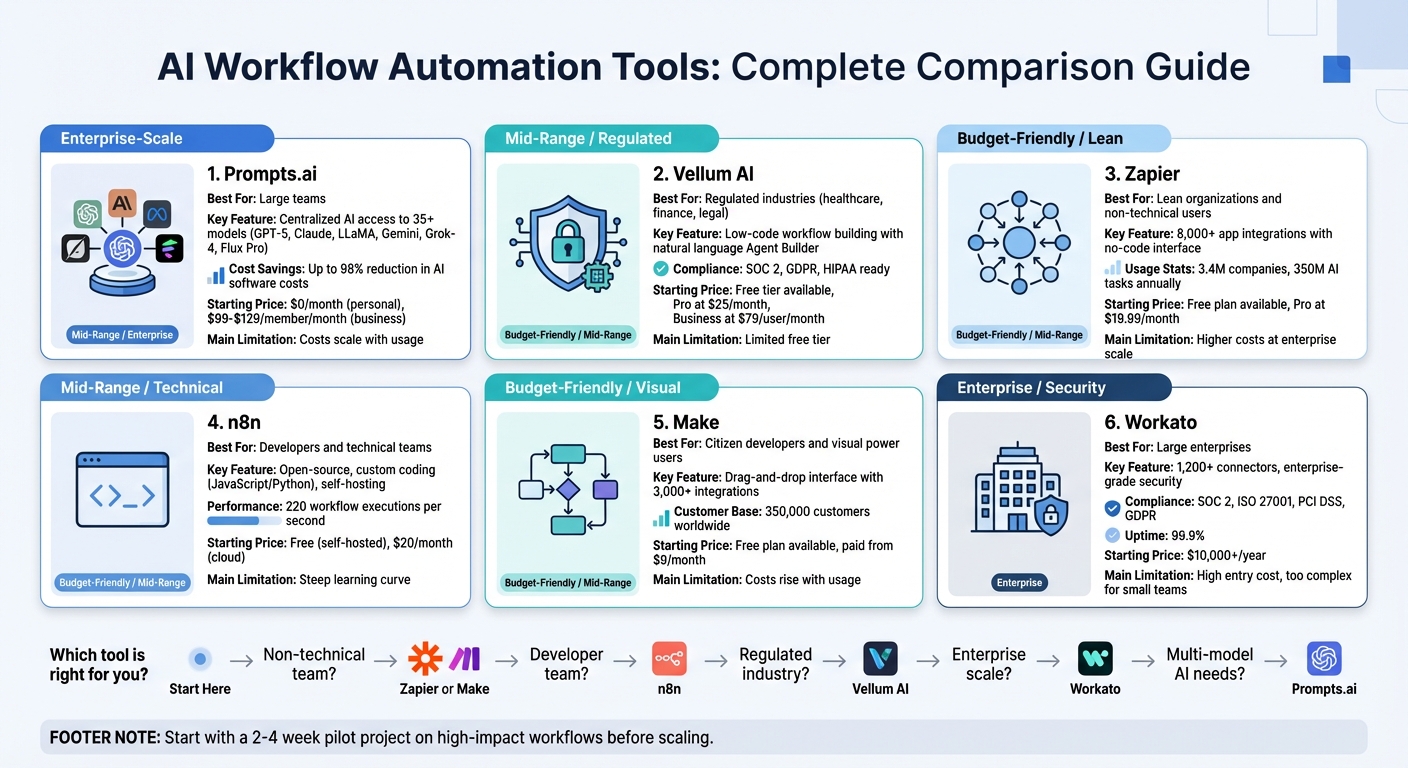
AI Workflow Automation Tools Comparison: Features, Pricing, and Best Use Cases
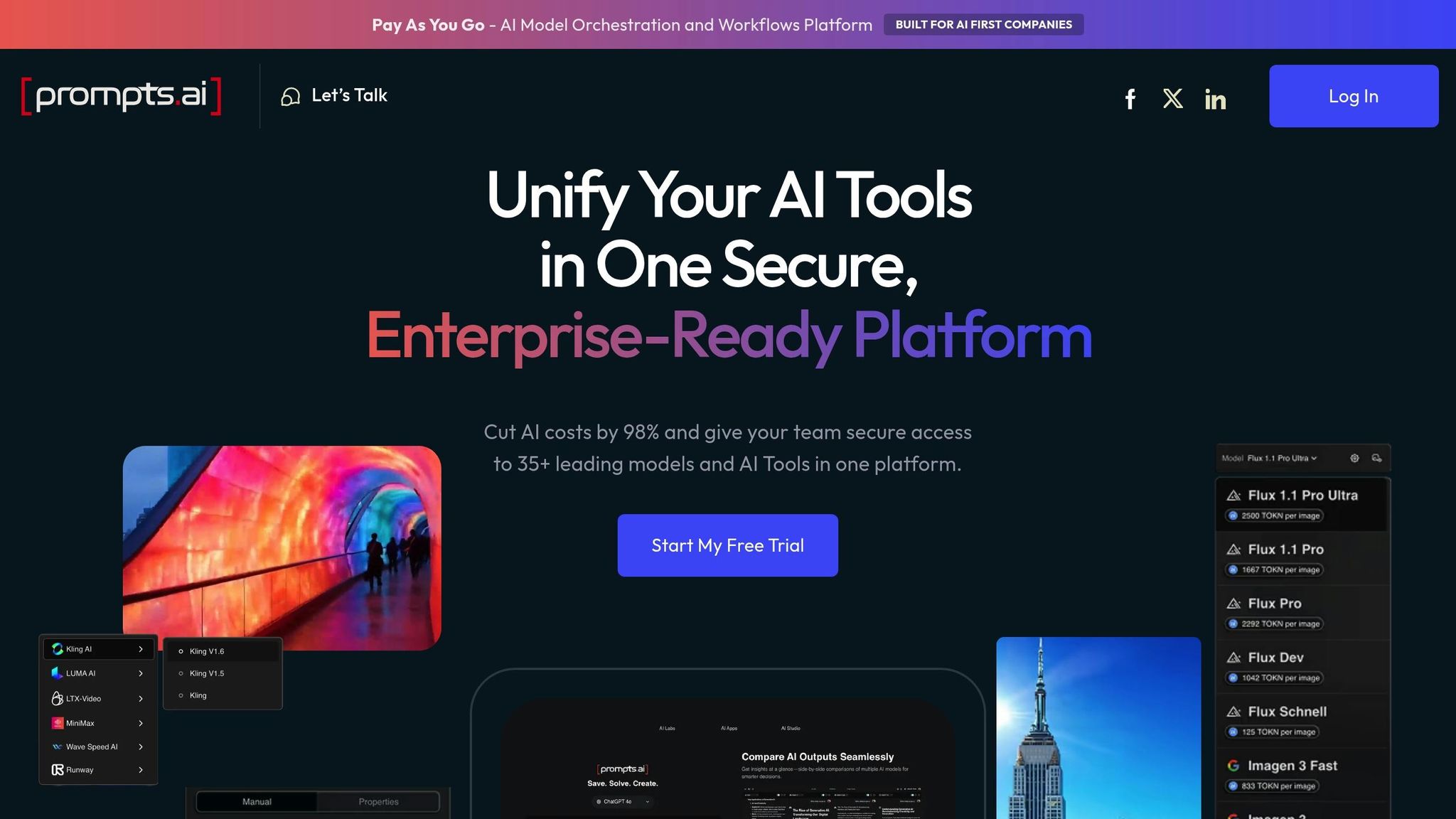
Prompts.ai is an enterprise-grade AI orchestration platform that brings together over 35 leading large language models - including GPT-5, Claude, LLaMA, Gemini, Grok-4, and Flux Pro - into one secure and streamlined interface. By unifying access to multiple AI tools, the platform helps organizations of all sizes cut down on tool sprawl, increase productivity, and significantly reduce software expenses.
Prompts.ai caters to a diverse range of users, from individual creators to large enterprises. This includes creative agencies, research teams, and knowledge workers who benefit from having cutting-edge AI models at their fingertips without the hassle of managing multiple vendor accounts. Pricing starts at $0/month for personal plans, while business plans range between $99 and $129 per member/month, with costs scaling based on usage.
The platform’s streamlined integration system further enhances its appeal, simplifying how users access and manage AI tools.
Prompts.ai acts as a centralized interface that unifies dozens of AI models under a single authentication and billing system. This eliminates the need to juggle multiple vendor accounts, saving time and effort. Whether you need GPT-5 for one project or Claude for another, users can easily switch between models without disrupting their workflow.
Security and compliance are at the heart of Prompts.ai’s design. The platform provides enterprise-grade governance by creating a detailed audit trail of every AI interaction, showing which models were used, by whom, and for what purpose. Role-based access controls ensure that sensitive data stays within the organization’s security perimeter. Additionally, real-time FinOps dashboards offer insights into token usage, linking AI spending directly to business goals. Prompts.ai claims that organizations can reduce AI software costs by up to 98% by eliminating redundant subscriptions and selecting models based on actual performance needs.
Prompts.ai uses a pay-as-you-go TOKN credit system, aligning costs with actual usage and eliminating waste from unused subscriptions. This flexible approach allows for rapid scaling without lengthy procurement processes. By turning ad-hoc AI experiments into governed, repeatable workflows, Prompts.ai enables departments to efficiently integrate AI into their operations while maintaining control and visibility.
Vellum AI is a low-code platform designed to help teams move AI workflows from prototype to production without the usual technical hurdles. Its standout feature, the natural-language "Agent Builder", allows users to describe their requirements in plain English, automatically generating complete workflows. This eliminates the need for manually connecting nodes, making the platform accessible to a wide range of users, including engineers, operations leaders, and subject matter experts. With its intuitive design, Vellum AI has become a practical choice for teams looking to scale their AI prototypes into fully operational solutions.
Vellum AI is tailored for operations leaders, IT managers, product teams, and data scientists who need to build secure, AI-driven automations. It’s particularly effective for industries like finance, healthcare, and legal services, where strict security, oversight, and audit trails are critical. The platform’s reputation is reinforced by high ratings on G2 and Capterra.
Built to support its low-code framework, Vellum AI integrates effortlessly with existing systems. It offers TypeScript and Python SDKs, REST APIs, webhooks, and native connectors for tools like CRMs, ERPs, and IT service management platforms. Being model-agnostic, it optimizes workflow steps by routing them to foundation models such as OpenAI, Anthropic, or Google, balancing cost and performance. Additionally, its built-in version control enables quick and easy rollbacks.
Vellum AI provides advanced governance features to ensure security and compliance. These include role-based access control (RBAC), SSO/SAML/SCIM integration, and immutable audit logs that document every input, output, and decision made by an AI agent. For sensitive tasks like contract approvals or financial transactions, the platform supports approval workflows, allowing human intervention when needed. It’s also equipped to meet SOC 2, GDPR, and HIPAA compliance standards.
Vellum AI offers four deployment options to meet diverse organizational needs: Public Cloud, Private VPC, Hybrid, and On-Premise, including air-gapped environments. Pricing starts with a free tier for testing, followed by a Pro plan at $25 per month and a Business plan at $79 per user per month for up to five users. Enterprise plans, which feature custom pricing, include perks like unlimited credits, VPC installations, and dedicated support. This flexibility allows teams to fine-tune their workflows while maintaining efficiency and control.
Zapier is a cloud-based automation platform that connects over 8,000 applications, serving 3.4 million companies and handling 350 million AI tasks annually. It combines traditional rule-based workflows with AI-driven automation, making it ideal for complex tasks like sentiment analysis, lead qualification, and data extraction.
Zapier caters to both non-technical users and developers. Its user-friendly no-code interface simplifies automation for beginners, while advanced tools like Code by Zapier, Webhooks, and the Model Context Protocol (MCP) offer flexibility for more technical users. A notable example comes from December 2024, when Remote.com's three-person IT team supported 1,800 employees by automating 28% of support tickets, saving 2,219 workdays each month. Marcus Saito, Head of IT and AI Automation at Remote, stated:
"Zapier makes our team of three feel like a team of ten".
This versatility ensures Zapier meets the needs of a diverse user base.
Zapier boasts nearly 500 AI-specific integrations, including ChatGPT, Claude, Gemini, and Perplexity. It also works seamlessly with popular platforms like Slack, Gmail, Salesforce, HubSpot, Notion, Google Drive, and Airtable. Through its MCP, Zapier bridges AI tools and applications, enabling over 30,000 actions within external AI platforms. For instance, Popl streamlined its operations with more than 100 automated workflows, managing daily lead submissions from HubSpot and Salesforce, and saving $20,000 annually by using OpenAI to triage emails and filter spam.
Zapier's Enterprise plan includes robust compliance measures such as SOC 2 Type II, SOC 3, GDPR, and CCPA standards. It also offers SAML-based SSO, SCIM provisioning, and immutable audit trails. With 99.99% uptime and enterprise-level SLAs, the platform ensures reliability for critical workflows. Administrators gain centralized control over AI usage, with options to opt out of model training, enforce role-based permissions, and add conditional approval steps for sensitive outputs like legal or financial documents, ensuring human oversight before distribution.
Zapier provides a free plan with basic features and two-step workflows, while its Pro tier starts at $19.99 per month. Enterprise customers can access custom pricing and advanced controls. The platform is accessible via web browsers and includes a Chrome extension for triggering AI agents directly from webpages. For example, ActiveCampaign used Zapier webhooks and Demio to create an AI-powered onboarding system, achieving a 440% increase in webinar attendance and reducing early churn by 15%.
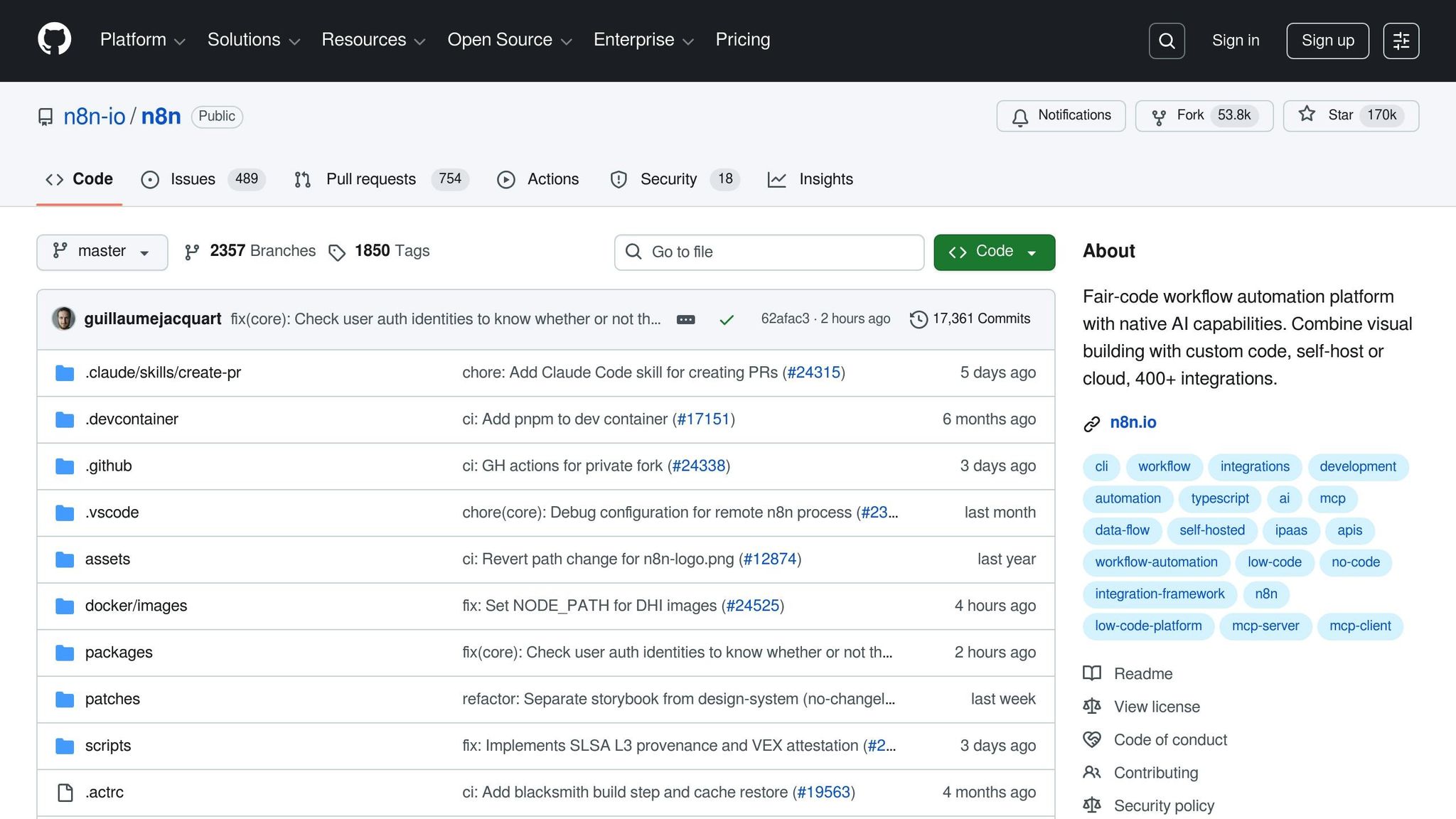
n8n is an open-source automation platform designed for technical teams that demand precise control over AI workflows. With over 169,600 stars on GitHub and a thriving community of more than 200,000 members, it has cemented its place as a go-to tool for developers and enterprise IT professionals. Capable of handling up to 220 workflow executions per second on a single instance, n8n is well-suited for high-volume operations.
n8n caters to developers, technical teams, and enterprise IT professionals who need more flexibility than traditional no-code platforms provide. In 2024, Delivery Hero's Global IT Service Delivery team, under the leadership of Director Dennis Zahrt, automated user management and ITOps workflows with n8n, saving 200 hours per month. Zahrt shared:
"We have seen drastic efficiency improvements since we started using n8n for user management. It's incredibly powerful, but also simple to use".
StepStone's Marketplace Tech Lead, Luka Pilic, highlighted that n8n allowed his team to complete two weeks' worth of API integration and data transformation in just two hours - a 25× speed boost. Similarly, SanctifAI reported building its first n8n workflow in just two hours, achieving results three times faster than coding Python controls for LangChain to manage tasks across a workforce of over 400.
n8n simplifies AI workflows with its extensive integration capabilities. The platform includes over 400 pre-configured integrations and built-in AI nodes, with native LangChain support for creating multi-step AI agents, chatbots, and Retrieval-Augmented Generation (RAG) workflows. For apps without dedicated nodes, the HTTP Request node allows seamless API connections. Users can also write custom data transformations with JavaScript or Python and incorporate external libraries from npm or Python.
The platform's support for the Model Context Protocol (MCP) enables workflows to interact with external AI systems, while over 1,700 workflow templates are available to help users get started quickly.
n8n prioritizes security and compliance with features like SOC 2 audits and regular external penetration testing. Role-based access control (RBAC) through Projects and Roles lets administrators manage permissions for specific workflow collections without sharing credentials. For sensitive data, n8n integrates with external secret managers such as AWS Secrets Manager, Azure Key Vault, Google Cloud Platform, HashiCorp Vault, and Infisical, ensuring credentials are not stored within the platform. Additionally, Git-based source control streamlines environment management, allowing teams to move workflows between development, staging, and production while maintaining detailed audit logs for compliance.
n8n offers three deployment options: a managed Cloud version, self-hosted setups via Docker or npm, and a fully on-premise Enterprise version for organizations with strict compliance needs. The self-hosted Community edition is free and source-available, while Cloud plans start at $20 per month (billed annually) for 2,500 workflow executions with unlimited steps. Pricing is based solely on workflow executions, making it an economical choice for handling complex, multi-step processes.
For organizations requiring on-premise data control, self-hosted Docker deployments keep all data on-site. Vodafone, for instance, used n8n to overhaul its threat intelligence processes, achieving savings of approximately $2.8 million. With a 4.9/5 rating on G2, users frequently describe n8n as "a solid automation tool that just works".
Make is a visual automation platform with a user-friendly drag-and-drop interface, trusted by 350,000 customers worldwide. It includes an AI assistant named Maia for natural language workflow building and a "Fill by AI" feature to simplify formula creation. With over 3,000 pre-built app integrations and more than 400 AI-specific connections - such as OpenAI, Anthropic, and Google Vertex AI - AI usage within Make scenarios reportedly increased fourfold in 2024.
Make caters to both citizen developers and technical specialists, offering tools that simplify complex workflows across various departments. It is particularly suited for "citizen developers" in IT, Finance, Marketing, and Sales who benefit from automation without requiring advanced programming skills. For instance, GoJob reported a 50% boost in yearly net revenue using Make, while FranklinCovey saved significant costs and freed up hundreds of staff hours by automating internal processes. Andreas Stryz, CTO & Co-founder of FINN, shared:
"True citizen development in the entire company. Make is present in every department, empowering the company to offer a unique customer experience."
Technical specialists also find value in Make's ability to handle multi-branch logic and complex data transformations.
Make supports over 3,000 verified app integrations through native connectors, HTTP/Webhook modules, and custom app tools. For systems lacking native support, its HTTP/Webhook module can connect to any public API, while custom app development tools enable seamless integration with proprietary internal systems. Additionally, the platform's cloud-hosted Model Context Protocol (MCP) Server allows users to link both internal and external services to AI interfaces without the need to manage their own servers. Advanced features like conditionals, data manipulation, and error handling ensure effective management of complex workflows.
Make prioritizes security and compliance by utilizing TLS 1.2/1.3 and AES 256 encryption, adhering to GDPR and SOC 2 Type II standards, and providing role-based access control (RBAC) with real-time monitoring. Its Analytics Dashboard offers real-time insights into workflow performance. The "Human in the Loop" module adds a layer of oversight by pausing automations for manual review before execution, ensuring outputs align with brand standards. Additionally, the Make Grid visually maps the entire automation landscape, centralizing monitoring for workflows and agents.
Make operates as a cloud-hosted platform with a credit-based pricing model. A free plan is available with no time limits or credit card requirements. Enterprise plans include advanced security features, 24/7 support, and the ability to create goal-oriented AI agents that autonomously use existing scenarios as tools. Users consistently praise the platform for its ease of use and adaptability, as reflected in its ratings: 4.8/5 on Capterra (404 reviews), 4.7/5 on G2 (238 reviews), and 4.6/5 on Gartner (20 reviews). Philipp Weidenbach, Head of Operations at Teleclinic, remarked:
"Make really helped us to scale our operations, take the friction out of our processes, reduce costs, and relieved our support team. It is difficult to not become a fan."
This comprehensive framework sets the stage for a balanced discussion of the platform's strengths and areas for improvement in the next section.
Workato stands out as a well-established enterprise integration platform, recognized for seven consecutive years in the Gartner Magic Quadrant. With an impressive 99.9% uptime record, it offers over 1,200 pre-built connectors that integrate modern SaaS applications, legacy systems, databases, and large language models. Unlike basic automation tools, Workato employs AI-driven agents, known as Genies, to orchestrate complex workflows involving both people and systems. This powerful infrastructure lays the groundwork for exploring its audience, integration capabilities, and deployment options.
Workato serves a broad audience, including business users and IT teams across various departments like HR, Sales, Marketing, IT, Support, and Customer Experience. By offering pre-built Genies tailored to specific functions - such as HR onboarding or Sales CPQ - it simplifies automation for business users while ensuring IT governance. Mohit Rao, Head of Intelligent Automation, highlighted the platform’s organic adoption process:
"Business users have organically started using Workato. Once we identify those business users, we elevate them to be champions to empower other teams or other people, and use them to get the next wave of scale."
Workato’s Agent Studio allows users to design low-code agents, while its AI Copilots assist in automating the creation and documentation of integration workflows, making the platform accessible and scalable for diverse user groups.
Workato excels in connecting a wide array of systems. It integrates modern SaaS platforms like Salesforce and Workday, on-premise ERPs such as SAP and Oracle, data warehouses like Snowflake and BigQuery, and large language models, including OpenAI, Anthropic, DeepSeek, Google Gemini, and Amazon Bedrock. For applications lacking pre-built connectors, its Universal Connectors support protocols like HTTP, OpenAPI, GraphQL, and SOAP. The platform’s Enterprise MCP provides AI agents with business context, ensuring accurate and reliable actions. Its recipe-based approach enables seamless multi-step workflows across different systems, with connectors handling secure authentication and data exchange.
Workato prioritizes security and compliance, meeting SOC 2 Type II, ISO 27001, PCI DSS, and GDPR standards. Key features include Bring Your Own Key (BYOK) encryption, hourly key rotation, container isolation, and an MCP Gateway to enforce runtime policies. The Skills Registry allows teams to discover and reuse governed automation assets, while full audit trails ensure transparency by tracking all workflow activities. Role-based access control ensures that permissions are appropriately assigned, and the Acumen AI data scientist agent provides operational insights, process analytics, and automation ROI metrics.
Designed on a serverless, containerized, cloud-native architecture, Workato offers auto-scaling and supports hybrid environments without requiring extensive modernization. It connects cloud applications with on-premise infrastructure, including legacy mainframes, SFTP servers, and databases like Oracle, SQL Server, and MySQL. Additionally, organizations can embed Workato’s integration and agent capabilities into their own products to expand their platform ecosystems. Pricing starts at $10,000 and can exceed $100,000 annually, depending on connections and scale. With its ability to handle diverse integration needs, Workato delivers streamlined operations and robust support for enterprises.
This section examines how different platforms perform in practical scenarios, highlighting their strengths and trade-offs. Each platform balances ease of use, technical control, and cost differently. Let’s break down the options:
Zapier stands out with its massive integration ecosystem - over 8,000 apps - and a no-code interface that allows non-technical teams to automate workflows in minutes. Its AI orchestration tools, like Canvas for workflow visualization and Agents for autonomous decision-making, are designed to enhance efficiency. Korey Marciniak, Senior Manager of Customer Support Strategy and Operations at Okta, emphasized the platform’s accessibility:
"I don't need a highly technical team - I just need the right tools".
Make shines when it comes to visual workflow mapping and advanced data transformations, making it ideal for users who need robust API handling without writing code. Starting at $9/month, its credit-based pricing can be appealing for smaller projects, though costs may rise significantly as usage scales.
n8n offers unparalleled flexibility for technical teams, thanks to its open-source and self-hosting capabilities. Users can implement custom JavaScript or Python logic, making it a powerful option for those willing to invest the time to master it. While its learning curve is steep, unlimited executions for self-hosted deployments make it a cost-effective solution for high-volume automation.
Workato caters to large enterprises with its focus on secure, compliance-driven orchestration across cloud and on-premise systems. It meets rigorous standards like SOC 2, ISO 27001, and GDPR. With features like AI-driven Genies and 1,200+ pre-built connectors, it’s well-suited for automating complex, cross-department workflows. However, its pricing starts at five figures annually, limiting its accessibility to larger organizations.
Here’s a quick comparison of the platforms:
| Tool | Best For | Key Strength | Starting Price | Main Limitation |
|---|---|---|---|---|
| Zapier | Lean organizations | 8,000+ integrations; no-code AI tools | $19.99/month | Higher costs at enterprise scale |
| Make | Visual power users | Advanced data transformation & API support | $9/month | Costs can rise with usage |
| n8n | Technical teams | Open-source; self-hosting; custom code | $20/month (cloud) | Steep learning curve |
| Workato | Large enterprises | Security, compliance, complex workflows | $10,000+/year | Too complex for small teams |
Choosing the right platform depends on your team’s technical expertise and the scale of your operations. Begin by automating high-impact workflows - like lead enrichment or IT ticket triage - and run a small pilot with 3–5 team members over 2–4 weeks. This approach helps measure time savings before scaling company-wide. For critical outputs, such as legal documents or customer communication, always include a human review step to avoid errors from automated processes. Balancing automation with human oversight is key to achieving the best results.
Choosing the right AI workflow tool depends on your team's needs, technical expertise, and budget. For smaller teams without dedicated developers, Zapier stands out with its no-code platform and over 8,000 integrations, making automation quick and accessible. One example shows a lean team resolving 28% of IT tickets, significantly cutting hiring costs.
For users who require more advanced data handling, Make offers powerful tools for complex transformations and API management. While its entry-level pricing is competitive, costs may rise with heavier usage. On the other hand, technical teams in regulated sectors like finance or healthcare might prefer n8n. Its open-source and self-hosting options provide complete control over sensitive data. Meanwhile, large enterprises juggling workflows across multiple departments can rely on Workato for its robust security and compliance credentials, including SOC 2, ISO 27001, and GDPR standards - though it requires enterprise-level investment.
To get started, consider running a two- to four-week pilot on a high-impact process, such as lead enrichment or IT ticket triage. Track metrics like time saved and error reduction to evaluate effectiveness before scaling. For workflows involving critical outputs like legal documents, financial reports, or customer communications, always include a human review step to ensure accuracy and reliability.
AI tools are transforming workflows in regulated industries by automating repetitive tasks while maintaining compliance with strict regulations. In the finance sector, for instance, AI can handle vast amounts of transaction data, cross-verify it across multiple systems, and generate real-time audit trails. This minimizes manual errors and lowers compliance risks. Similarly, in healthcare, AI-driven tools can sift through patient records, scans, and forms, organizing the data to support quicker and more precise decision-making.
By combining AI with intuitive, user-friendly platforms, even those without technical expertise can design workflows that are both efficient and compliant. This approach eliminates bottlenecks, ensures adherence to regulations, and frees up professionals to concentrate on more critical, high-value tasks, enhancing overall productivity and operational precision.
When selecting an AI tool for workflow automation, start by pinpointing a specific challenge or need it will address. For example, it could be reducing time spent on repetitive tasks, simplifying approval processes, or boosting team efficiency. Focusing on a clear objective ensures the tool provides tangible benefits instead of just offering generic functionalities.
It's also crucial to assess the tool’s compatibility with your existing systems. A solution that integrates effortlessly with your current applications and platforms will minimize disruptions and make the transition smoother. Alongside this, give priority to security and data privacy, especially if your organization deals with sensitive information. Features like encryption, compliance certifications, and adjustable access controls are essential for safeguarding your data.
Lastly, think about the user experience. Tools with intuitive designs or low-code/no-code options allow even non-technical team members to build and manage workflows without needing heavy IT support. Opting for a solution that is easy to use, scalable, and strong in both security and integration can streamline your operations and free up resources for more strategic initiatives.
Small teams can kick things off by pinpointing repetitive, time-draining tasks - such as drafting emails, summarizing reports, or moving data between apps. Once identified, these tasks can be paired with AI tools that mesh effortlessly with the team’s existing workflows. AI assistants designed for specific purposes can handle these tasks, cutting down on manual effort and freeing up valuable time.
Start small with a pilot project centered on a single, high-impact task. Train team members to use the AI effectively, including refining its outputs, and then gradually expand based on measurable outcomes. Keep an eye on metrics like time saved and error reduction to tweak the tools and ensure they meet the team’s needs. By adopting a step-by-step strategy, small teams can harness AI to boost efficiency and consistency without overhauling their current processes.