Pay As You Go - AI Model Orchestration and Workflows Platform



Today's businesses face productivity challenges due to repetitive tasks and fragmented tools. AI-powered workflow platforms are solving this by automating up to 70% of daily tasks and integrating systems for better efficiency. Companies using AI report benefits like 91% improved visibility, 50% productivity gains, and 74% achieving ROI in the first year. Here’s a quick look at five standout platforms:
Each platform offers unique features tailored to different needs, from unifying AI tools to automating complex tasks. Whether you're looking to save time, reduce costs, or improve team collaboration, these tools can transform how your business operates.
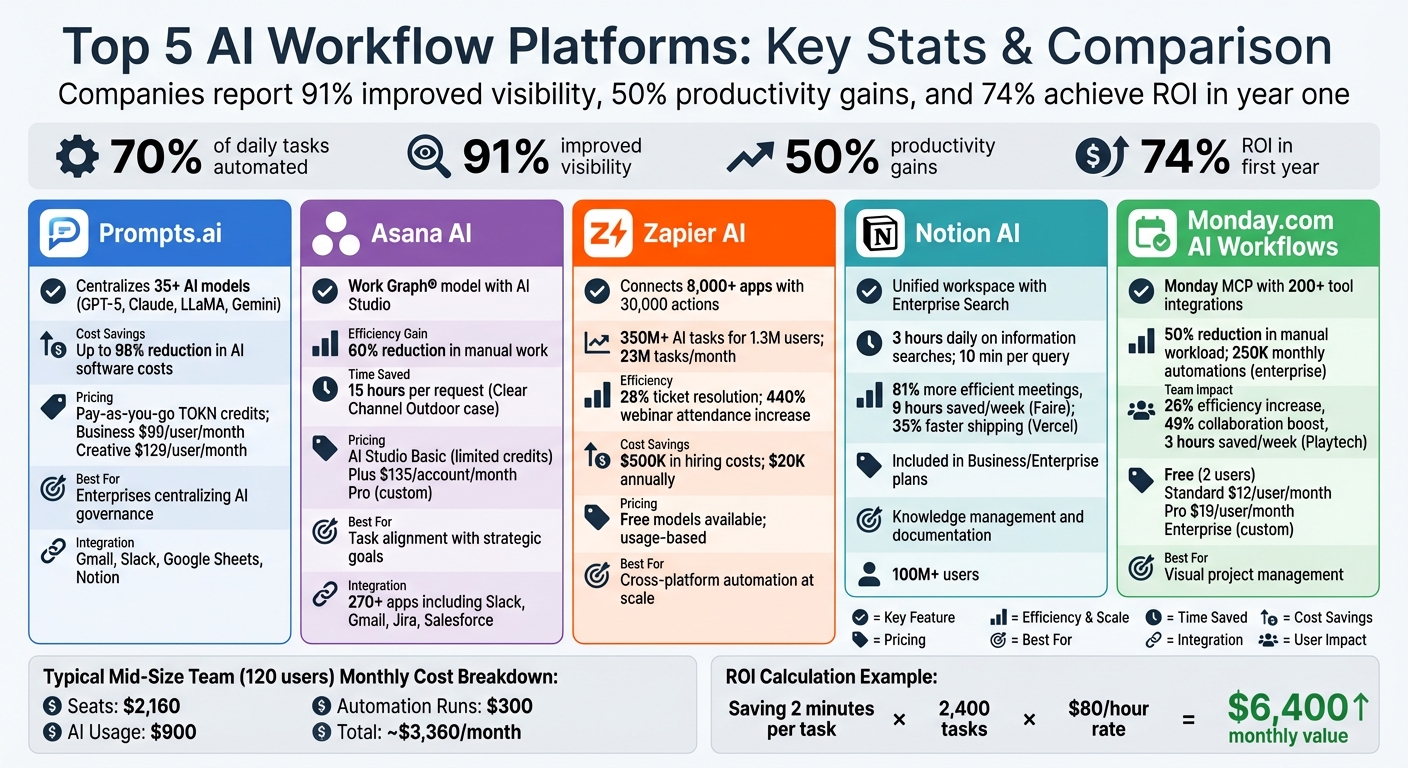
AI Workflow Platform Comparison: Features, Pricing, and ROI Statistics
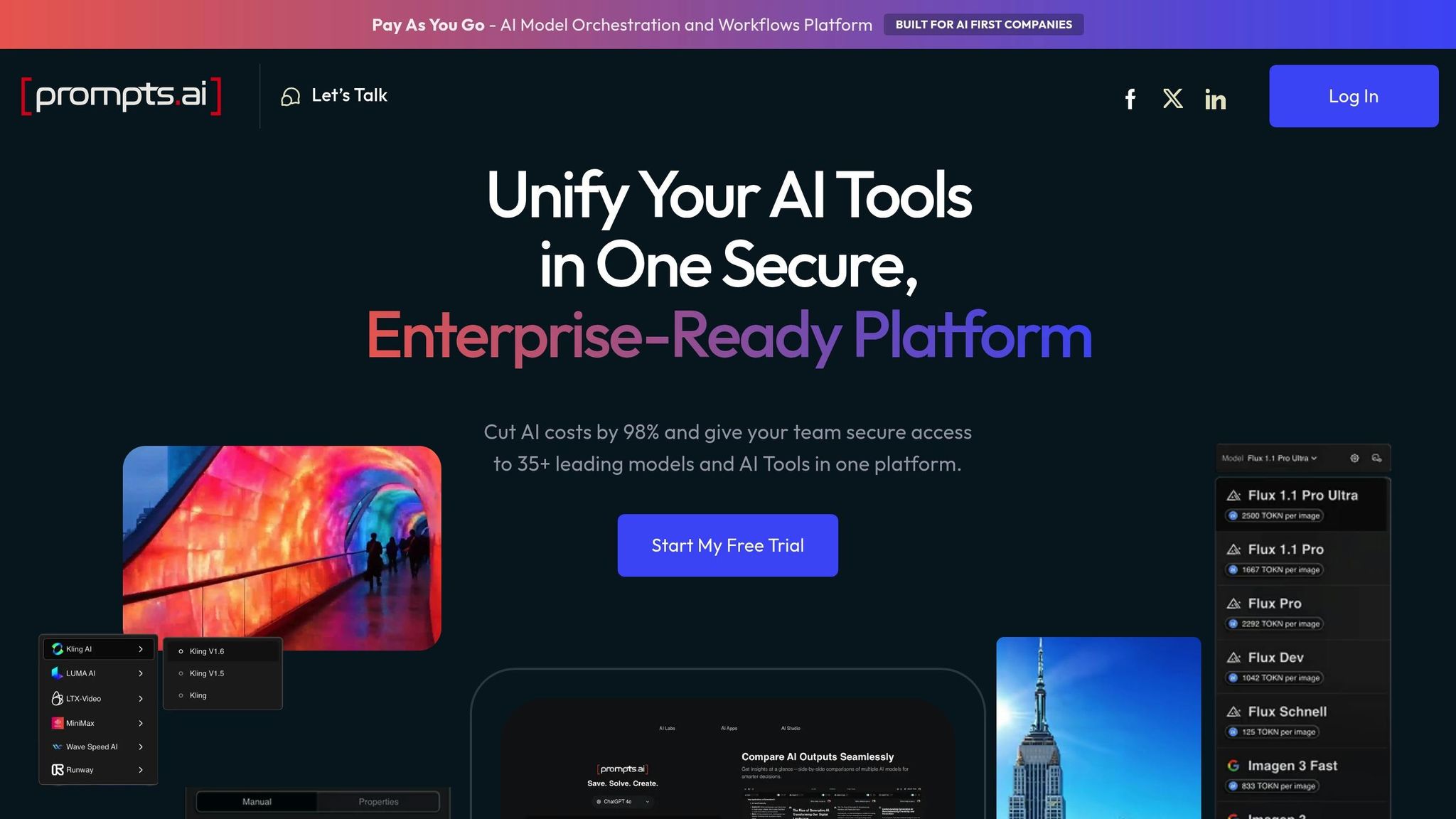
Prompts.ai simplifies AI workflow management by bringing together over 35 top-tier language models - like GPT-5, Claude, LLaMA, and Gemini - into a single, easy-to-use platform. This setup eliminates the hassle of juggling multiple tools, allowing teams to route tasks, generate reports, and process unstructured data without the need to manage separate API keys or switch between platforms. It also integrates smoothly with your existing business applications, creating a seamless experience.
Prompts.ai connects effortlessly with tools you already rely on, such as Gmail, Slack, Google Sheets, and Notion. It transforms unstructured data into structured workflows using natural language processing (NLP), which means it can interpret context and handle complex scenarios without relying on rigid if-then logic. This capability allows teams to deploy workflows that not only understand nuanced instructions but also adapt to unexpected situations, effectively breaking down the information silos that often hinder productivity.
The platform takes efficiency a step further by automating repetitive tasks. It handles operations like triaging support tickets, summarizing documents, routing communications, and compiling reports. By offering unified model selection, Prompts.ai ensures responses are tailored to the task at hand, whether it’s providing quick answers or conducting detailed analyses. The side-by-side performance comparison feature allows teams to refine their workflows and maximize automation efficiency, all without requiring advanced technical skills.
Prompts.ai stands out with its transparent, pay-as-you-go TOKN credit system, eliminating the need for recurring subscriptions. This model ensures businesses only pay for what they use, which can reduce AI software costs by up to 98% compared to managing multiple standalone subscriptions. The platform also includes real-time FinOps tools to track every token spent, providing finance teams with clear insights into costs and their direct impact on business outcomes. For companies looking to align spending with results, this pricing approach offers both predictability and value.
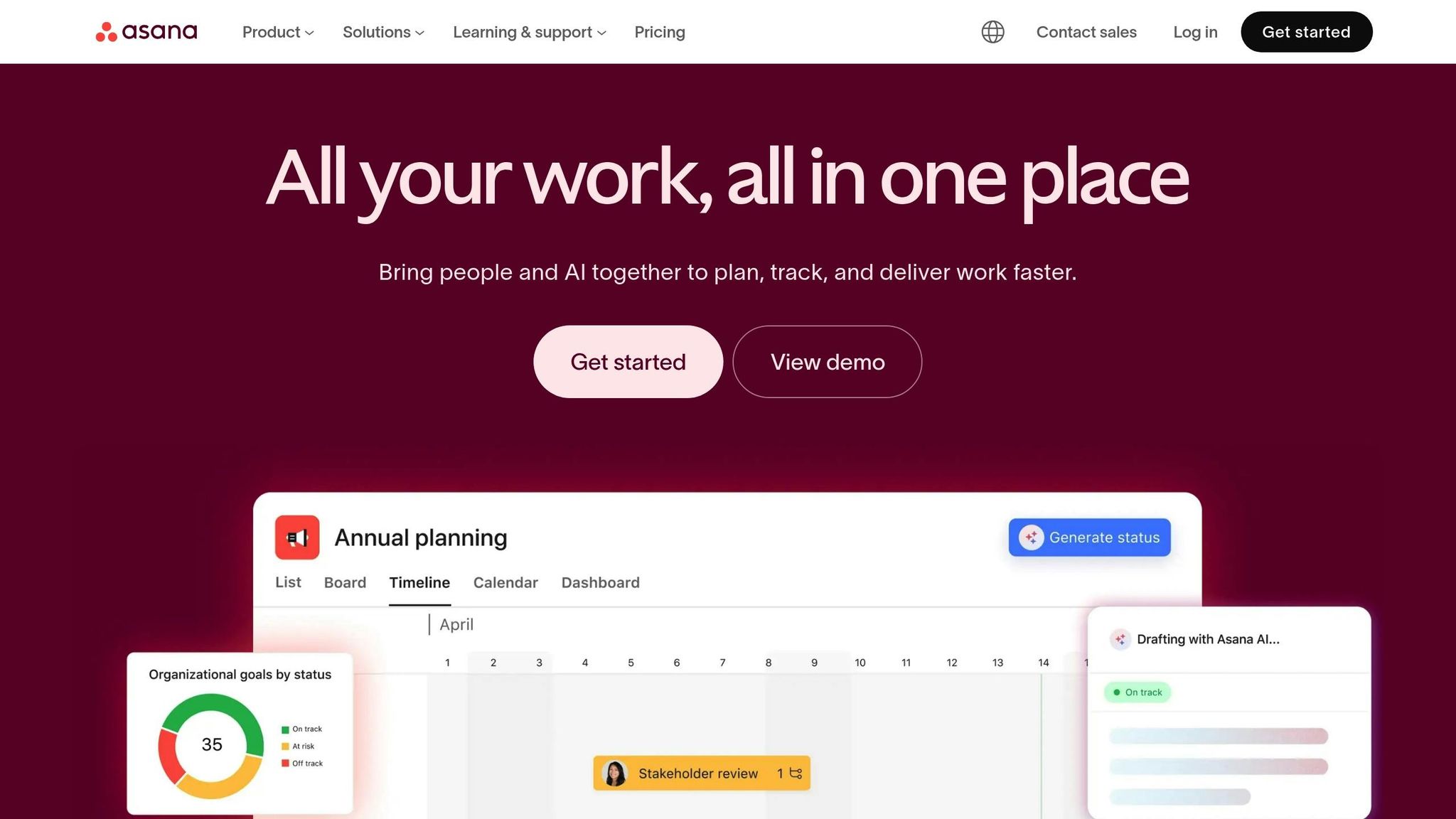
Asana AI brings together leading AI tools like ChatGPT, Claude, and Microsoft 365 Copilot, seamlessly integrating them into your workflows. It transforms conversations into actionable tasks, subtasks, and updates, eliminating the need for manual data entry. Powered by the Work Graph® model, it ensures AI recommendations align with your tasks, goals, and portfolios, creating a connected ecosystem where data flows effortlessly across your tools.
With AI Studio, teams can design no-code workflows that integrate smoothly with over 270 applications, including Slack, Gmail, Jira, and Salesforce. The Smart Workflow Gallery provides prebuilt templates tailored for IT, Marketing, and Operations teams, enabling quick implementation of processes like onboarding new hires or managing campaigns - no need to start from scratch.
Asana AI streamlines repetitive tasks with features like Smart Rules, which turn natural language commands into actions, Smart Fields that auto-fill details, and Smart Summaries that create concise overviews and subtasks. For example, Clear Channel Outdoor's beta test of AI Studio led to a 60% reduction in manual work during the intake stage. Jennifer Kordosky, VP of Creative & Marketing Operations, highlighted savings of 15 hours per request for a team handling over 2,500 monthly requests.
Clear Channel Outdoor participated in the AI Studio beta and achieved a 60% reduction in manual work during their intake stage. Jennifer Kordosky, VP of Creative & Marketing Operations, reported time savings of 15 hours per request for a team processing over 2,500 requests monthly.
In addition, Morningstar adopted Asana AI Studio in 2024 to automate their work intake process. This innovation cut roadmapping timelines by an average of two weeks per workflow, according to Belinda Hardman, Director of Program Management.
AI Teammates function as virtual team members, handling tasks like drafting weekly progress reports, summarizing activities, and optimizing resource allocation - all without increasing headcount. Teams can stay aligned with Smart Status Updates, which identify blockers and celebrate milestones, ensuring stakeholders remain informed. Additionally, AI-powered resource management estimates time requirements and suggests task assignments based on team capacity, streamlining project execution.
Asana AI is available across all paid plans. The AI Studio Basic tier includes set credit limits, while AI Studio Plus costs $135 per account per month (billed annually) and provides 100,000 monthly credits. For larger enterprises, the AI Studio Pro plan offers custom credit and billing options to meet specific needs.
Zapier AI acts as a central hub for connecting AI models with nearly 8,000 applications, eliminating the need for disconnected tools. Using the Model Context Protocol (MCP), it bridges AI tools like ChatGPT or Claude with business apps, enabling over 30,000 actions across its ecosystem. This approach, which is not tied to any specific model, allows businesses to choose from providers like OpenAI, Anthropic, Gemini, or Azure OpenAI - or even use their own API keys for added flexibility.
Zapier AI integrates seamlessly with major enterprise systems such as Salesforce, Microsoft, Google, HubSpot, and Oracle Eloqua. For custom or on-premises software, its webhooks and private app features ensure smooth data flow into automated workflows. The platform also includes Zapier Copilot, an AI assistant designed to help non-technical users create and troubleshoot complex workflows using natural language - no coding required.
In July 2025, Popl's CEO shared how they built over 100 automated workflows to manage inbound leads. By combining Zapier to verify lead details in Google Sheets with OpenAI to categorize emails, the company replaced an expensive integration and saved $20,000 annually.
This level of connectivity enables businesses to automate tasks with precision and ease.
Zapier Agents function as AI teammates, capable of handling complex, multi-step tasks independently across thousands of apps. Unlike traditional "if-this-then-that" automation, these agents determine the most efficient way to achieve specific goals. To date, Zapier has powered more than 350 million AI tasks for over 1.3 million users, automating approximately 23 million tasks every month.
In April 2025, Marcus Saito, Head of IT and AI Automation at Remote.com, introduced an AI-driven helpdesk using Zapier. The system captures requests from Slack and email, leverages ChatGPT to prioritize them, and pulls user data from Okta. This automated process resolves 28% of tickets, saving the three-person team over 2,219 days of work per month.
"Zapier makes our team of three feel like a team of ten." - Marcus Saito, Head of IT and AI Automation, Remote
These capabilities significantly cut down on manual effort, streamlining operations and boosting efficiency.
Zapier AI goes beyond task automation by enhancing collaboration. Its Zapier Chatbots allow teams to create custom AI bots that can interact with customers, answer FAQs, and capture leads, which then trigger automated workflows. The platform also supports human-in-the-loop processes, such as Slack-based approvals, so teams can review AI-generated content before it’s sent out or updated in a CRM. Additionally, global variables enable businesses to update details like support URLs or brand names in one place, with changes reflected across all workflows instantly.
In December 2025, ActiveCampaign used Zapier AI to manage new user onboarding. By tagging users and using webhooks to register them for Demio webinars based on language preferences, they saw a 440% increase in webinar attendance and a 15% reduction in early churn.
Zapier Tables and Interfaces come standard with every plan, and actions performed within Tables don’t count toward task usage. Additionally, businesses can access select models, like GPT-4o mini and Gemini 2.0 Flash, for free within the AI by Zapier step. This flexibility allows users to test workflows without incurring extra costs for large language models.
For example, Remote.com automated 27.5% of IT ticket resolutions using Zapier AI, saving $500,000 in hiring costs. Similarly, Okta manages 13% of case escalations through custom-built automations, proving the platform’s scalability for enterprise needs.
"It's not just about doing more. It's about doing it better, faster, and with fewer resources." - Jason Alvarez-Cohen, CEO, Popl
Notion AI simplifies workflow management by bringing together documents, tasks, and external tools into one cohesive workspace. It integrates seamlessly with platforms like Jira, Slack, GitHub, Asana, and Google Drive, allowing users to search and reference external data directly within Notion. The Enterprise Search feature leverages natural language processing to retrieve precise answers from connected tools, citing sources for clarity. This functionality can save up to 10 minutes per query and helps reduce the 3 hours per day workers typically spend searching for information.
Through AI Connectors, Notion AI bridges fragmented tools, enabling teams to link product requirement documents with sprint tasks, design files, and customer feedback. These connections form a contextual graph of work, streamlining processes. The platform adheres to third-party permission protocols, ensuring users only access data they are authorized to view. In 2024, the wholesale platform Faire integrated more than 20 work apps into Notion, achieving 81% more efficient meetings and saving employees an average of 9 hours per week.
Notion AI automates repetitive tasks with features like AI Autofill, which summarizes content, identifies action items, and flags potential risks. AI Meeting Notes transcribes discussions, highlights key decisions, and assigns tasks automatically. For example, Vercel used Notion to unify its product, design, and engineering teams, leveraging AI dashboards and roadmaps. This integration resulted in a 35% faster shipping speed from concept to release.
"It's a single source of truth for all aspects of a project... AI on top of that foundation becomes a robust assistant - creating tasks, assigning the right people, and mapping everything to the project timeline." - Peter Escartin, Solution Engineer, Notion
Notion AI enhances team coordination with tools like the Notion Agent, an AI-powered assistant that builds databases, edits pages, and executes tasks across the workspace based on user instructions. Automated status updates analyze project databases to create weekly leadership summaries, flagging progress, blockers, and areas needing attention. Fintech company Qonto streamlined its product development process for 1,600 employees across eight markets using Notion. This enabled the team to identify and address issues early, minimizing disruptions through automated tracking.
Notion AI comes included in the Business and Enterprise plans, with limited trial access available on other plans. By consolidating tools into one platform, it eliminates the need for multiple disconnected systems, reducing software expenses and improving overall productivity. Since 2023, the use of AI in project management has nearly doubled, with 74% of companies adopting project management software. However, 62% of businesses still consider switching tools annually due to inefficiencies. Notion’s unified approach serves over 100 million users, cutting costs and increasing efficiency, making it a standout solution in the evolving landscape of AI-driven workflow platforms.

Monday.com provides a comprehensive platform designed to simplify and connect business operations. With integrations spanning over 200 tools, it creates a centralized workspace that eliminates inefficiencies caused by fragmented systems. Applications like Slack, Microsoft Teams, Google Workspace, Salesforce, Jira, and GitHub sync effortlessly in real time, keeping data up-to-date without the need for manual intervention. At the core of this system is the monday MCP (Monday Connectivity Platform), which ties together various systems into a unified, AI-driven structure. Businesses using monday.com have reported reducing manual workloads by 50%, with enterprise accounts supporting up to 250,000 monthly automations, enabling seamless task management and automation.
Monday.com’s automation features leverage real-time data integration to simplify workflows. Its AI Blocks are no-code tools that can be embedded into boards to perform tasks like summarizing project briefs, translating updates, categorizing requests by urgency, and extracting insights from unstructured text. Meanwhile, Digital Workers function as autonomous AI agents capable of managing multi-step workflows, such as prioritizing project requests or assigning tasks based on team members’ skills and availability. Predictive algorithms enhance planning by forecasting potential timeline delays and budget overruns two to three weeks in advance, giving teams the opportunity to address problems proactively.
For example, Playtech's PMO Department implemented monday.com across 60 client projects, achieving a 26% increase in efficiency and a 49% boost in collaboration, while saving each team member an average of three hours per week on manual coordination tasks.
The platform’s AI tools streamline communication and team management. It can summarize discussion threads and meeting transcripts into actionable bullet points, saving time on reviews. Sentiment detection helps teams identify emotional cues in messages, allowing them to prioritize urgent or negative feedback. Genpact's Global Marketing Team saw a 25% reduction in email exchanges and a 40% improvement in cross-team collaboration after adopting monday.com, even eliminating the need for spreadsheets entirely. Additionally, the AI-driven workload view helps prevent burnout by analyzing team capacity and suggesting task reallocations. Specialized tools, like the Project Analyzer, monitor project health continuously to ensure smooth progress.
"With monday.com's AI capabilities, we've cut manual work by 50% - it saves us so much time and helps us get more done with less effort." - Amit Barami, CEO, Oversight
Monday.com offers flexible pricing tailored to different business needs. A free plan is available for up to 2 users, while paid plans start at $9 per user per month (billed annually). The Standard plan at $12 per user per month includes features like timeline and calendar views, and the Pro plan at $19 per user per month adds functionality such as private boards and time tracking. Enterprise plans, with custom pricing, support up to 250,000 monthly automations and include advanced security options. Accounts come with trial AI credits, with additional credits available for purchase.
When deciding on an AI workflow platform, it's essential to evaluate your team's size, expertise, and specific needs. Here's a breakdown of key platforms to help you make an informed choice.
Prompts.ai stands out by integrating over 35 top AI models - such as GPT-5, Claude, LLaMA, Gemini, Flux Pro, and Kling - into one secure interface. It features transparent FinOps controls, which can reduce AI software expenses by up to 98%. The platform uses a pay-as-you-go TOKN credit system, removing the need for recurring subscription fees. Starting at $99 per member per month for business plans and $129 per member per month for creative plans, it’s particularly suitable for enterprises aiming to centralize governance while avoiding tool sprawl.
Monday.com provides an accessible entry point for visual project management, offering a free plan tailored for small teams. Its AI Project Planning tool simplifies workflows by generating tasks and phases from basic prompts. Asana focuses on aligning daily tasks with strategic goals through features like Smart Fields. Zapier excels in cross-platform automation, connecting over 8,000 apps, though costs can climb with complex, multi-step workflows. Meanwhile, Notion AI enhances knowledge management by transforming scattered notes into structured databases.
While these platforms' base subscription prices are a starting point, the total cost often extends beyond them. For instance, a mid-sized team of 120 users typically incurs around $3,360 monthly, broken down into $2,160 for seats, $900 for AI usage, and $300 for automation runs. Platforms like n8n (starting at $24 per month for cloud plans) offer self-hosting options to sidestep rising SaaS costs. Similarly, Microsoft Power Automate begins at $15 per user per month, utilizing a per-flow pricing model. To identify the best fit, test platforms with anonymized data for 3–4 weeks, comparing AI usage, build times, and error rates before locking into annual contracts.
The total cost of ownership also hinges on efficiency and actual usage. Adoption of AI in enterprise workflows is expected to grow substantially by 2025. Teams with clear AI guidelines are nearly six times more likely to experiment with such tools. For example, saving just two minutes per task can generate approximately $6,400 in monthly value for teams creating 2,400 tasks (based on an $80/hour rate).
"AI only delivers when embedded in real business workflows. Models and insights must translate into automated actions, approvals, or notifications to drive meaningful impact." - Domo
For centralized project management and data sharing, platforms like Prompts.ai, Monday.com, or Notion are strong contenders. On the other hand, tools like Zapier or n8n are better suited for teams requiring extensive customization. These comparisons provide a starting point to determine which platform aligns best with your team's workflow requirements.
AI-powered workflow tools bring more than just speed - they introduce smarter ways of working. By automating repetitive tasks, these platforms allow your team to focus on strategic and creative efforts that drive meaningful business outcomes. For instance, finance teams can reclaim 30% of their time, customer service departments often experience over 50% productivity improvements, and 74% of enterprises report seeing a return on investment within the first year of implementing generative AI.
These numbers highlight the tangible benefits that businesses achieve through practical AI applications. Selecting a platform tailored to your specific workflows - like those demonstrated by Remote, ActiveCampaign, and Popl - is key to achieving measurable results. The examples provided throughout show how well-targeted automation can lead to significant time savings and operational improvements.
To get started, analyze your workflow challenges and pinpoint repetitive tasks. Run a pilot test using anonymized data for a few weeks to evaluate ROI and establish clear AI usage guidelines. Teams with defined guardrails are nearly six times more likely to experiment effectively. Whether your focus is on centralized governance, cross-platform automation, or visual project management, the platforms discussed here provide tools designed to meet diverse operational needs.
With enterprise adoption of AI workflows expected to rise from 3% to 25% by the end of 2025, this eightfold increase signals a major shift. By choosing the right tools now, you can seamlessly integrate intelligent automation into your processes and gain the competitive edge needed in today’s fast-paced market.
Start by letting AI take over those repetitive, time-draining tasks that bog down productivity. Think password resets, data entry, scheduling, or generating reports - these are perfect candidates. Target workflows that follow clear, structured processes, such as handling customer support tickets or managing routine IT requests. By automating these areas, you’ll not only boost accuracy and cut down on errors but also give employees more time to focus on work that truly matters.
To bring AI workflows into your existing tools, you can integrate AI platforms with the systems your team already relies on. This means embedding AI capabilities directly into your workflows to automate repetitive tasks, uncover insights, and boost overall efficiency.
With the help of no-code platforms, it's possible to connect AI agents to thousands of apps using prebuilt connectors. These platforms let you configure triggers, filters, and actions, enabling smooth and scalable workflows across systems like CRM, ERP, and HR tools.
To evaluate the return on investment (ROI) from automating AI workflows, focus on tracking specific metrics such as time saved, cost reductions, decreased error rates, and productivity improvements. Determine the payback period, which often falls between 6 to 18 months, by comparing pre- and post-implementation data. Using ROI calculators or establishing clear KPIs - like reduced cycle times - can help validate results effectively. Continuously monitor performance to fine-tune your ROI analysis as the system evolves.